Tag: visualpath blogs

  • How can PowerApps integrate with Microsoft Teams for collaboration?

    How can PowerApps integrate with Microsoft Teams for collaboration?

    How can PowerApps integrate with Microsoft Teams for collaboration?

    Integrating PowerApps with Microsoft Teams is a game-changer for businesses and professionals looking to streamline workflows and enhance collaboration. This combination not only improves productivity but also opens opportunities for career growth, as organizations increasingly rely on low-code tools for digital transformation. In this article, we’ll explore how PowerApps works within Teams, the benefits of this integration, and how you can build valuable expertise in this space.

    Why PowerApps with Teams matters

    Microsoft Teams has become the central hub for workplace collaboration. Employees chat, share files, and manage meetings inside a single platform. But when you add PowerApps Teams integration, the platform becomes much more powerful. PowerApps enables the creation of low-code and no-code applications that can automate everyday business processes, manage data, and provide custom solutions—all directly within Teams.

    This shift ensures that users don’t have to jump between platforms. Instead, they can interact with custom-built apps inside their Teams environment, keeping everything in one place.

    Benefits of PowerApps Teams integration

    1. Streamlined workflows

    Employees can access custom apps without leaving Teams. For example, a help desk app for IT support can be launched directly from a Teams channel, saving time and reducing complexity.

    2. Improved collaboration

    PowerApps apps embedded in Teams allow teams to collaborate in real time. Apps tied to SharePoint, Microsoft Data verse, or third-party tools give employees a single window for updates and data sharing.

    3. Faster automation

    From simple approvals to advanced automated processes, combining Power Automate with PowerApps Teams integration ensures that routine work is completed faster and with fewer manual interventions.

    4. Secure, centralized data access

    All apps built with PowerApps can securely use Microsoft’s authentication, ensuring compliance while providing role-based access to sensitive information inside Teams.

    5. Boost to user adoption

    Since Teams is already widely used, embedding PowerApps within it naturally increases adoption. The familiarity of the platform means less resistance from end users.

    How to integrate PowerApps with Teams

    1. Build your app in PowerApps – Start by creating a PowerApp using the PowerApps Studio, either from scratch or with a template.
    2. Publish to Teams – Once your app is complete, you can publish it directly into a specific Teams channel or chat.
    3. Use the Data verse for Teams – Microsoft offers a lighter version of its Data verse specifically for Teams, enabling you to store and manage data for your apps more effectively.
    4. Pin and share the app – After publishing, you can pin the app to a Team’s tab so that all members can access it quickly.
    5. Leverage automation – Integrate Power Automate flows to make your app smarter and more efficient.

    With these simple steps, any organization can enhance its collaboration environment by combining Microsoft Teams with PowerApps.

    Real-world use cases

    • HR Management: Create apps for leave requests, onboarding, or employee surveys directly inside Teams.
    • IT Support: Launch a support ticket system that integrates with Teams channels for instant notifications.
    • Sales Tracking: Build custom apps to track leads and manage customer interactions without leaving Teams.
    • Project Collaboration: Use apps that update project statuses in real time and sync data across Teams groups.

    These use cases show why businesses are rapidly embracing PowerApps Teams integration to empower employees and bring everything into a unified space.

    Career growth with PowerApps

    Learning how to implement PowerApps Teams integration can provide significant career opportunities. Organizations are looking for professionals who understand both Microsoft Teams collaboration and low-code development.

    Being skilled in this area allows you to contribute to digital transformation efforts, automate routine processes, and design solutions that enhance productivity.

    This makes you valuable not only as a developer but also as a consultant or solution designer who understands business workflows.

    Why Choose Visualpath?

    Visualpath provides worldwide training to help you master PowerApps and related Microsoft technologies. With a focus on practical and career-focused learning, Visualpath ensures students get real value from their training.

    Why Choose Visualpath?
    In-Online Training Depth
    Real-Time Projects & Hands-On Learning
    Daily Recorded Sessions for Reference

    Visualpath offers PowerApps online training worldwide and ensures that learners master both theoretical and practical aspects. In addition, Visualpath provides training for all Cloud and AI courses, ensuring professionals are fully prepared for industry demands.

    The future of PowerApps in Teams

    Microsoft continues to improve PowerApps and Teams, making their integration more seamless. Expect more pre-built templates, stronger automation with AI, and deeper integration possibilities with Microsoft 365 applications.

    As businesses increase their reliance on cloud-based, collaborative platforms, becoming proficient in this area represents a smart career move for IT professionals, business analysts, and solution developers.

    FAQs

    1. What is PowerApps Teams integration?
    A. It is the embedding of Microsoft PowerApps into Microsoft Teams to create custom apps that enhance collaboration and productivity.
    2. Can I build apps inside Teams without a PowerApps license?
    A. Yes, using Data verse for Teams, you can build and use apps within Teams at no additional cost for basic scenarios.
    3. What skills do I need to learn PowerApps?
    A. Basic understanding of Microsoft 365 tools, logic, and workflows is enough to start. Advanced integration may require knowledge of data modeling.
    4. How does this integration help my career?
    A. Mastering PowerApps Teams integration makes you valuable as organizations adopt low-code tools and cloud-based collaboration strategies.
    5. Where can I learn PowerApps effectively?
    A. Visualpath offers comprehensive PowerApps online training worldwide, including real-time projects and daily recorded sessions for reference.

    Conclusion

    Integrating PowerApps with Microsoft Teams offers organizations a powerful solution to improve collaboration, streamline workflows, and enhance data management. By leveraging the strengths of both platforms, businesses can ensure they are operating at maximum efficiency.

    Whether you’re a beginner or looking to upskill, Visualpath’s PowerApps online training can equip you with the knowledge and practical experience needed to succeed in today’s competitive job market. With their in-depth curriculum, hands-on approach, and recorded sessions, you’ll gain the skills necessary to unlock new career opportunities in no time.

    Visualpath is a leading online training provider delivering expert-led courses in Cloud, DevOps, PowerApps, and AI technologies. With real-time projects and hands-on learning, Visualpath helps professionals build job-ready skills worldwide.

    Visit: https://www.visualpath.in/microsoft-powerapps-training.html

    Contact Call/WhatsApp: +91-7032290546

  • SAP Ariba Authentication Methods: SSO, MFA & Manual in 2025

    SAP Ariba Authentication Methods: SSO, MFA & Manual in 2025

    SAP Ariba Authentication Methods: SSO, MFA & Manual in 2025

    Introduction:

    SAP Ariba, a leading procurement solution, continues to evolve, providing businesses with powerful tools for supply chain management, purchasing, and supplier collaboration. As companies prioritize security and ease of access, choosing the right SAP Ariba authentication method has become more critical than ever.

    In 2025, SAP Ariba offers several authentication options to ensure secure, seamless access for users. These options include Single Sign-On (SSO), Multi-Factor Authentication (MFA), and the traditional manual login method. Each method has distinct advantages and is suited for different organizational needs and security policies.

    Whether you are an SAP Ariba user or looking to upskill through Visualpath-provided SAP Ariba online training, this article will guide you through the authentication methods available, how they work, and which one is best for your organization.

    What is SAP Ariba Authentication?

    Authentication in SAP Ariba refers to the process of verifying a user’s identity before granting access to the platform. With security breaches and data privacy being top concerns for businesses worldwide, SAP Ariba has invested heavily in robust authentication methods. These methods help protect sensitive procurement data, ensure compliance, and improve the overall user experience.

    SAP Ariba authentication is critical for businesses of all sizes, and understanding the options available in 2025 will help you make an informed decision that aligns with your company’s security needs.

    SAP Ariba Authentication Methods in 2025

    1. Single Sign-On (SSO) in SAP Ariba

    Single Sign-On (SSO) is one of the most popular authentication methods for SAP Ariba users in 2025. SSO allows users to log in to multiple applications with a single set of credentials. This method is widely used in organizations with several software solutions that require different logins.

    How Does SSO Work?

    SSO works by integrating your SAP Ariba account with your organization’s identity management system. Once users log in to their central identity provider (such as Active Directory or Okta), they can access SAP Ariba without needing to log in again. This reduces the need to remember multiple passwords and streamlines the user experience.

    Benefits of SSO:

    • Convenience: Users only need to remember one set of credentials.
    • Improved Security: Minimizes the risk of password fatigue and reduces the likelihood of weak passwords.
    • Centralized Control: IT teams can manage access to all integrated applications from a single platform.

    SSO is especially beneficial for large organizations with multiple systems, where managing various usernames and passwords can be cumbersome. If your company is already using an identity provider (IDP), adopting SSO for SAP Ariba will integrate seamlessly into your existing infrastructure.

    2. Multi-Factor Authentication (MFA) in SAP Ariba

    As cyber threats become more sophisticated, Multi-Factor Authentication (MFA) has gained traction as a vital security feature for businesses. In 2025, SAP Ariba continues to support MFA as a way to provide an additional layer of protection for sensitive procurement data.

    How Does MFA Work?

    MFA requires users to verify their identity using more than one factor. Typically, this involves:

    • Something you know: A password or PIN.
    • Something you have: A device like a mobile phone or hardware token.
    • Something you are: A biometric factor such as a fingerprint or facial recognition.

    Once you enter your password, you’ll be prompted to authenticate your identity through another method, such as a code sent to your phone or an app like Google Authenticator.

    Benefits of MFA:

    • Enhanced Security: Even if a hacker gets hold of your password, they would still need the second factor to access your account.
    • Compliance Requirements: Many industries require MFA for regulatory compliance, making it an essential feature for companies handling sensitive procurement data.
    • Peace of Mind: MFA provides an extra layer of protection, ensuring that your data remains secure.

    If your organization prioritizes data security, adopting MFA is a must in 2025. With increasing cyber threats, MFA is becoming a standard practice for businesses that handle sensitive data.

    3. Manual Login Method in SAP Ariba

    While SSO and MFA offer cutting-edge security, manual login remains an option for SAP Ariba users. This method involves entering a username and password directly into the SAP Ariba login page.

    How Does Manual Login Work?

    Manual login requires users to enter their credentials (username and password) to gain access to SAP Ariba. This method is simple but comes with security risks, especially if users rely on weak or reused passwords.

    Benefits of Manual Login:

    • Simplicity: It’s easy to set up, and there’s no need for additional configuration.
    • Cost-Effective: For smaller organizations or those with fewer security concerns, manual login can be an inexpensive option.

    However, due to the increasing risks of cyberattacks and data breaches, many organizations are transitioning away from manual login to more secure authentication methods like SSO and MFA.

    Career Growth with SAP Ariba Authentication

    For professionals aiming to build careers in procurement, supplier management, and SAP solutions, knowledge of SAP Ariba authentication is a big advantage. Security configurations are crucial for consultants, IT admins, and Ariba specialists.

    Organizations prefer candidates who can implement authentication solutions that balance security and usability while meeting compliance requirements. This makes authentication expertise a strong career skill in 2025.

    Why Choose Visualpath for SAP Ariba Online Training?

    As companies embrace SAP Ariba and its advanced features, Visualpath-provided SAP Ariba online training equips individuals with the skills needed to navigate the platform effectively and implement best practices for security.

    At Visualpath, we offer comprehensive SAP Ariba online training courses that cater to both beginners and advanced learners. Whether you’re new to SAP Ariba or looking to enhance your career with real-time projects, Visualpath’s SAP Ariba online training prepares you for the challenges of the procurement world.

    Why Choose Visualpath?

    In-Depth Online Training: Our courses offer detailed insights into SAP Ariba’s features, including authentication methods, to give you a solid understanding of the platform.

    Real-Time Projects & Hands-On Learning: Experience hands-on learning with real-time projects that allow you to apply your knowledge in practical scenarios.

    Daily Recorded Sessions for Reference: All training sessions are recorded, so you can revisit lessons anytime for reference and clarification.

    Visualpath provides SAP Ariba online training worldwide, ensuring that learners across the globe have access to high-quality educational content that helps them advance their careers.

    Future of SAP Ariba Authentication

    By 2025, SAP is heavily focusing on AI-driven security and automation. With predictive authentication methods, organizations may see adaptive policies, where the system detects user risk levels dynamically. Future updates are expected to integrate with biometric solutions and advanced security frameworks.

    As enterprise ecosystems evolve, SAP Ariba authentication methods will continue to strengthen security while simplifying user access. Professionals who master these areas today are well-positioned for tomorrow’s IT and procurement jobs.

    Top 5 FAQ Questions

    1. What is the best authentication method for SAP Ariba in 2025?
    The best method depends on your organization’s needs. SSO offers convenience, while MFA provides the highest security.
    2. Can SAP Ariba support both SSO and MFA?
    Yes, SAP Ariba can support both SSO and MFA, providing layered security for enhanced protection.
    3. How do I set up SSO for SAP Ariba?
    Setting up SSO involves configuring SAP Ariba with your organization’s identity provider, such as Active Directory or Okta.
    4. Is manual login still secure for SAP Ariba users?
    Manual login is less secure than SSO and MFA and is generally not recommended for businesses handling sensitive data.
    5. How can Visualpath help me learn SAP Ariba authentication methods?
    Visualpath offers expert-led SAP Ariba online training, where you’ll learn how to implement the best authentication practices to enhance your career in procurement.

    Conclusion: Choosing the Right SAP Ariba Authentication Method in 2025

    In 2025, SAP Ariba offers a range of authentication methods to cater to the evolving needs of businesses. Whether your organization chooses SSO, MFA, or manual login, it’s essential to align your choice with your security requirements, organizational size, and user convenience.

    For businesses seeking robust security and ease of use, SSO and MFA are highly recommended. While manual login may still be an option for some, organizations are increasingly shifting toward more secure methods to protect sensitive procurement data.

    “Learn SAP Ariba implementation best practices in 2025 with Visualpath’s expert online training, real-time projects, and hands-on learning. Visualpath offers worldwide SAP Ariba training with in-depth sessions, daily recordings, and cloud & AI courses to boost your career growth.”

    Visit: https://www.visualpath.in/online-sap-ariba-training.html

    Contact Call/WhatsApp: +91-7032290546

  • SAP Ariba Currently Integrated with SAP ERP and S/4HANA in 2025?

    SAP Ariba Currently Integrated with SAP ERP and S/4HANA in 2025?

    SAP Ariba Currently Integrated with SAP ERP and S/4HANA in 2025?

    In 2025, SAP Ariba integration with SAP ERP and S/4HANA has become more streamlined, intelligent, and essential for businesses looking to optimize procurement and supply chain operations. As companies evolve to meet modern demands, seamless data connectivity and automation between platforms have become non-negotiable.

    As an experienced writer observing ERP trends closely, one truth stands out: organizations using SAP ERP or SAP S/4HANA gain immense value by connecting SAP Ariba to their digital core. This integration doesn’t just improve operational efficiency—it drives visibility, compliance, and agility in global supply chain networks. SAP Ariba Online Training

    In this article, we’ll break down how SAP Ariba is integrated with SAP ERP and S/4HANA in 2025, what methods are most commonly used, and why this matters for your business. Let’s dive in.

    The Evolution of SAP Ariba Integration

    Over the years, integrating SAP Ariba with backend systems has significantly matured:

    • 2010s: Companies relied heavily on middleware, file-based uploads, and manual configuration. Integration often felt clunky.
    • 2020–2023: Ariba Cloud Integration Gateway (CIG) simplified many of the technical barriers.
    • 2025: With SAP S/4HANA cloud adoption rising, SAP Ariba integration is far more streamlined with APIs, prepackaged scenarios, and native connectors—making “plug-and-play” integration increasingly real.

    Put simply, integration has shifted from a heavy IT project to a business enabler that accelerates time-to-value.

    How SAP Ariba Works with SAP ERP and S/4HANA in 2025

    Let’s take a closer look at the current state of SAP Ariba integration in 2025:

    1. Using Ariba Cloud Integration Gateway (CIG)

    CIG remains the primary integration tool in 2025. It is cloud-based and simplifies connectivity between SAP Ariba and backend systems. Companies configure integration scenarios through an intuitive interface, avoiding excessive custom development.

    • Connects with both SAP ERP (older ECC systems still in use) and SAP S/4HANA(on-premise or cloud).
    • Preconfigured templates for purchase order, invoice, supplier lifecycle, and sourcing processes.
    • Faster onboarding of suppliers and customers.

    2. APIs and SAP Business Technology Platform (BTP)

    SAP BTP has become a powerful player in integration. APIs available through SAP API Business Hub enable real-time data flows between SAP Ariba and S/4HANA.

    For example:

    • Real-time purchase order status updates.
    • Automated invoice reconciliation.
    • Supplier risk checking integrated with master data.

    This API-first strategy gives businesses the flexibility to expand use cases without breaking their core systems.

    3. Direct S/4HANA Integration

    In fully upgraded S/4HANA environments, certain integration features come prebuilt. Configuration is lighter, dashboards are unified, and procurement teams can navigate seamlessly between Ariba and ERP interfaces. SAP Ariba Training

    This reduces the earlier reliance on middleware and enhances end-user experience.

    Key Business Benefits in 2025

    The combination of SAP Ariba with SAP ERP or S/4HANA delivers tangible business outcomes:

    • End-to-End Visibility: From sourcing to payment, decision-makers have real-time visibility.
    • Compliance & Control: Centralized contracts and policies reduce risks.
    • Cost Savings: Improved supplier collaboration cuts procurement costs.
    • Agility in Supply Networks: With global disruptions still a reality, integrated systems provide resilience.
    • Faster Time-to-Value: Plug-and-play integration through CIG and APIs means businesses gain ROI quicker.

    Common Integration Scenarios

    Here are the most widely used SAP Ariba integration scenarios today:

    • Purchase Orders from ERP/S4HANA flow into Ariba Network.
    • Supplier Invoices from Ariba flow back into the ERP system.
    • Contracts created in Ariba are integrated with SAP S/4HANA for visibility.
    • Supplier Lifecycle Management syncs between systems for cleaner master data.

    These practical scenarios demonstrate why integration isn’t optional anymore—it’s essential.

    The Road Ahead: SAP Ariba + S/4HANA in the Cloud

    Looking forward, SAP’s strategy is clear: cloud-first. SAP S/4HANA Public Cloud combined with SAP Ariba will be the default for many enterprises by 2030. That means:

    • Wider use of SAP API Hub as a standard integration platform.
    • Increasing automation through AI-driven Ariba recommendations.
    • Simplified governance models for procurement teams.

    The message is simple: businesses not adopting seamless integration risk falling behind.

    Why Choose Visualpath for SAP Ariba Training?

    If you’re looking to build expertise in this space, solid training makes all the difference. Visualpath is one of the trusted names in online IT training, offering SAP Ariba online training worldwide.

    Here’s why Visualpath stands out:
    1. In-depth Online Training – Expert-led sessions designed for real learning, not just theory.
    2. Real-Time Projects & Hands-On Learning – You’ll practice integration scenarios just like real enterprises use.
    3. 100% Placement Assistance – A strong support system to help students land roles in ERP and procurement fields.

    In my experience, brands like Visualpath don’t just teach the tool—they prepare you for the very challenges businesses face in 2025 with SAP Ariba integration.

    How to Get Started with Integration

    If you’re planning to implement or optimize SAP Ariba integration with SAP ERP or S/4HANA, here are a few tips:

    1. Assess Your Current Landscape – Understand your SAP version (ECC or S/4HANA) and identify gaps.
    2. Use Standard Integration Kits – SAP provides Integration Toolkits (ITKs) and cloud integration gateways to reduce development time.
    3. Leverage SAP BTP for Custom Needs – If you need custom workflows, use BTP’s capabilities for seamless extension and API management.
    4. Train Your Team – Make sure your team understands how systems connect and how to manage exceptions. (Hint: Visualpath can help here.)

    FAQs – SAP Ariba Integration with SAP ERP and S/4HANA

    1. What is SAP Ariba integration?
    SAP Ariba integration connects Ariba’s cloud procurement platform with SAP ERP or S/4HANA to automate and streamline procurement processes.
    2. Can Ariba connect with SAP S/4HANA?
    Yes, Ariba integrates seamlessly with SAP S/4HANA using pre-built connectors and SAP Business Technology Platform (BTP).
    3. Is integration possible with SAP ERP (ECC)?
    Yes, Ariba still supports integration with SAP ERP (ECC) in 2025 for businesses using on-premise systems.
    4. What platform supports the integration?
    SAP Business Technology Platform (BTP) is used to enable secure, scalable integration between Ariba and SAP systems.
    5. Where can I learn SAP Ariba integration?
    You can learn through Visualpath, which offers SAP Ariba online training worldwide with real-time projects and 100% placement assistance.

    Final Thoughts

    In 2025, SAP Ariba integration with SAP ERP and S/4HANA is no longer a luxury — it’s a competitive necessity. The ability to automate, connect, and analyze procurement data in real time offers a huge advantage in today’s fast-paced business environment.

    Whether you’re starting your journey or optimizing your current setup, staying informed and upskilled is key. With expert support from platforms like Visualpath, you can confidently take the next step toward smarter procurement and supply chain operations.

    Visualpath offers globally accessible SAP Ariba online training, focusing on hands-on learning and industry projects for in-depth expertise. Learners benefit from expert instructors and 100% placement assistance, ensuring career-ready skills in procurement and supply chain management.

    Contact Call/WhatsApp: +91-7032290546

  • Revolutionizing DevOps with Generative AI Tools

    Revolutionizing DevOps with Generative AI Tools

    Introduction to DevOps with Generative AI

    Gen AI for DevOps has transformed the software development landscape by bridging the gap between development and operations, ensuring faster and more efficient software delivery. However, as businesses scale, traditional DevOps practices often struggle to keep up with the increasing complexity of modern applications. This is where Generative AI (Gen AI) steps in, offering intelligent automation, enhanced decision-making, and optimized workflows. By leveraging AI-powered tools, organizations can revolutionize their DevOps pipelines, making them more resilient, efficient, and adaptive.

    Understanding Generative AI in DevOps

    Generative AI refers to AI models that can generate content, predict outcomes, and automate complex processes. In DevOps, Gen AI can be used for tasks such as code generation, automated testing, anomaly detection, security enhancement, and performance optimization. By integrating AI-driven tools into DevOps workflows, teams can reduce manual efforts, improve efficiency, and minimize errors. Generative AI For DevOps Online Training

    Key Areas Where Generative AI Enhances DevOps

    1. Automated Code Generation and Optimization

    Generative AI tools like GitHub Copilot and OpenAI Codex assist developers by generating high-quality code snippets, suggesting best practices, and optimizing existing codebases. This reduces development time and enhances code quality, allowing DevOps teams to focus on more strategic tasks.

    2. Intelligent Automated Testing

    Traditional testing methods can be time-consuming and error-prone. AI-powered testing tools, such as Testim and Mabl, use machine learning to create and execute test cases automatically. They can analyze previous test results, identify patterns, and predict potential failures, significantly improving software reliability.

    3. Enhanced Security with AI-Driven Threat Detection

    Cybersecurity is a critical concern in DevOps. Generative AI enhances security by identifying vulnerabilities in code, detecting anomalies in network traffic, and suggesting patches before exploits occur. AI-driven tools like Darktrace and Lacework continuously monitor systems for suspicious activities, ensuring proactive security measures.

    4. Optimized CI/CD Pipelines

    Continuous Integration and Continuous Deployment (CI/CD) pipelines are at the core of DevOps. AI can optimize these pipelines by predicting build failures, identifying performance bottlenecks, and recommending corrective actions. Tools like Harness and Spacelift leverage AI to streamline CI/CD workflows, reducing deployment risks and improving efficiency.

    5. Intelligent Incident Management and Root Cause Analysis

    AI-powered observability tools like Datadog and New Relic analyze logs, metrics, and traces to detect anomalies in real time. They help DevOps teams quickly identify the root cause of incidents, reducing mean time to resolution (MTTR) and minimizing downtime.

    6. Infrastructure as Code (IaC) Automation

    Generative AI simplifies infrastructure management by generating and optimizing Infrastructure as Code (IaC) scripts. Tools like Terraform and Pulumi integrate AI-driven suggestions, allowing teams to automate cloud provisioning, configuration, and scaling more effectively. Gen AI For DevOps Course Online

    Benefits of Using Generative AI in DevOps

    • Increased Productivity: AI-powered automation reduces manual tasks, enabling teams to focus on strategic initiatives.
    • Improved Code Quality: AI-generated suggestions and optimizations enhance coding standards and reduce bugs.
    • Enhanced Security: AI-driven threat detection proactively identifies and mitigates vulnerabilities.
    • Faster Deployments: Optimized CI/CD pipelines accelerate software releases and improve delivery timelines.
    • Better Decision-Making: AI analyzes vast amounts of data, providing insights for informed decision-making.

    Challenges and Considerations

    While Generative AI offers numerous benefits, organizations must consider potential challenges:

    • AI Model Accuracy: AI-generated code and recommendations may not always be perfect, requiring human oversight.
    • Security Concerns: AI models may introduce new security risks if not properly trained and monitored.
    • Integration Complexity: Implementing AI-driven tools into existing DevOps workflows requires careful planning and expertise.

    Future of DevOps with Generative AI

    The future of DevOps will be increasingly AI-driven, with more intelligent automation, self-healing systems, and predictive analytics. As AI models continue to evolve, they will become more sophisticated in assisting DevOps teams, reducing operational burdens, and enhancing overall efficiency. Organizations that embrace Generative AI early will gain a competitive edge in the fast-paced software development landscape.

    Conclusion

    Generative AI is revolutionizing DevOps by introducing intelligent automation, predictive analytics, and enhanced security. By leveraging AI-powered tools, organizations can optimize their DevOps pipelines, improve efficiency, and reduce operational risks. While challenges exist, the benefits far outweigh the risks, making AI-driven DevOps a game-changer in modern software development. Businesses that invest in AI-powered DevOps solutions today will be better positioned to lead in the future of technology-driven innovation.

    Trending Courses: Salesforce Marketing Cloud, GCP Data Engineer Training, Cyber Security

  • The Role of Metadata Manager in Informatica IDMC

    The Role of Metadata Manager in Informatica IDMC

    Introduction to Informatica Intelligent Data Management Cloud

    Informatica Intelligent Data Management Cloud (IDMC) is a comprehensive, cloud-native platform that facilitates data integration, data governance, and metadata management. One of the key components within IDMC is the Metadata Manager, which plays a critical role in tracking, managing, and governing metadata across an organization’s data ecosystem. Effective metadata management ensures better data quality, compliance, and operational efficiency.

    What is a Metadata Manager?

    Metadata Manager in Informatica IDMC is a powerful tool that provides a centralized repository for managing metadata across multiple data sources. It helps organizations gain insights into their data lineage, data dependencies, and overall data landscape. By offering visibility into metadata, it allows users to govern data assets effectively, streamline compliance efforts, and enhance overall data trustworthiness. IICS Online Training

    Key Roles and Functions of Metadata Manager in Informatica IDMC

    1. Metadata Discovery and Cataloging

    Metadata Manager automates the discovery of metadata from various sources such as databases, data lakes, ETL processes, and business intelligence tools. By cataloguing metadata, it helps organizations build a structured and searchable repository of data assets, making it easier to understand relationships between different data entities.

    2. Data Lineage and Impact Analysis

    One of the most important functions of Metadata Manager is tracking data lineage. It provides end-to-end visibility of data movement from source to destination, enabling users to understand how data flows through different systems. Additionally, impact analysis helps businesses assess the potential effects of changes in data structures, reducing risks associated with modifications. Informatica Cloud Training

    3. Data Governance and Compliance

    Metadata Manager plays a crucial role in ensuring data governance by enforcing policies and rules across an organization’s data environment. It helps in maintaining compliance with regulations like GDPR, HIPAA, and CCPA by offering complete visibility into data usage, data classification, and access control mechanisms.

    4. Data Quality Management

    By leveraging metadata insights, organizations can enhance data quality through profiling, validation, and standardization. Metadata Manager helps identify data inconsistencies, redundancies, and errors, allowing data teams to maintain high-quality data for analytics and decision-making. Informatica IICS Training

    5. Business Glossary Integration

    Metadata Manager supports the integration of a business glossary, enabling users to link technical metadata with business terms. This alignment ensures better collaboration between technical and non-technical users, facilitating a common understanding of data across the organization.

    6. Automation and AI-Driven Insights

    Modern Metadata Managers in IDMC are equipped with AI and machine learning capabilities that automate metadata management processes. These features help organizations automatically classify data, detect patterns, and generate intelligent recommendations for optimizing data governance strategies.

    Benefits of Using Metadata Manager in Informatica IDMC

    • Improved Data Visibility: Offers a centralized view of all metadata assets, enhancing data transparency. Informatica Cloud IDMC Training
    • Enhanced Compliance and Security: Ensures regulatory compliance by tracking data access and governance policies.
    • Faster Decision-Making: Provides insights into data relationships and dependencies, reducing the time needed for impact analysis.
    • Better Collaboration: Bridges the gap between IT and business teams by offering a unified metadata framework.
    • Operational Efficiency: Automates metadata extraction, classification, and lineage tracking, reducing manual efforts.

    Conclusion

    The Metadata Manager in Informatica IDMC is an essential tool for organizations looking to streamline their metadata management processes. By enabling metadata discovery, data lineage tracking, governance, and automation, it empowers businesses to maintain high data quality, ensure regulatory compliance, and optimize overall data operations. As enterprises continue to embrace cloud-native data ecosystems, having a robust metadata management solution like Informatica IDMC becomes increasingly vital for driving data-driven success.

    Trending Courses: Artificial Intelligence, Azure AI Engineer, Azure Data Engineering,

  • How to Automate Financial with D365 Project Accounting

    How to Automate Financial with D365 Project Accounting

    Dynamics 365 Project Management Accounting Course in the ever-evolving world of business, organizations are constantly striving to improve efficiency. Streamline operations, and enhance productivity. One area that has seen significant advancements is financial management, specifically in project-based businesses. Microsoft Dynamics 365 (D365) Project Accounting offers an excellent solution for automating financial processes related to project management. This cloud-based system can integrate seamlessly with your existing enterprise resource planning (ERP) tools, enabling organizations. To automate complex financial tasks, reduce human errors, and improve overall decision-making.

    This article explores how to Automate financial processes with D365 Project Accounting. How the latest updates and trends are shaping the way businesses manage their project finances.

    Introduction to D365 Project Accounting

    Microsoft Dynamics 365 is a powerful suite of cloud-based business applications designed to support various business functions. Sales, operations, and finance. D365 Project Accounting is specifically built to help businesses track and manage the financial aspects of their projects. Budgeting and forecasting to invoicing and cost tracking. By automating these processes, businesses can gain greater control over their project finances, ensuring that they stay within budget and meet deadlines while adhering to compliance regulations. Dynamics 365 Project Management Accounting Course

    D365 Project Accounting allows businesses to automate financial tasks like billing, expense tracking, and revenue recognition. As a result, companies can not only save time and resources but also gain real-time insights into their project performance, allowing for better decision-making and enhanced profitability.

    Key Benefits of Automating Financial Processes with D365 Project Accounting

    The benefits of automating financial processes with D365 Project Accounting are manifold, making it an essential tool for project-based businesses. Among the most significant advantages are increased efficiency, improved accuracy, and enhanced compliance.

    1. Efficiency and Time-Saving

    By automating routine financial tasks, such as invoicing and expense tracking, D365 Project Accounting frees up time for finance teams to focus on more strategic activities. With automated workflows, businesses can streamline time-consuming processes and reduce the amount of manual work needed to manage projects. For example, D365 automates the generation of invoices based on predefined rules, saving time and reducing the need for manual input.

    2. Accuracy and Error Reduction

    Manual data entry is prone to human error, which can have serious financial implications. D365 Project Accounting minimizes these risks by automating financial transactions and providing a unified platform for tracking project expenses. The system uses predefined rules to ensure that project costs are accurately captured, and it automatically calculates revenue recognition and allocations, ensuring compliance with accounting standards.

    3. Real-Time Insights

    Automation also enables businesses to gain real-time insights into their project financials. With D365 Project Accounting, managers can monitor project budgets, expenses, and revenue in real time, allowing them to identify potential issues early and take corrective action. This real-time visibility into financial performance enables businesses to make more informed decisions and maintain better control over project finances.

    4. Enhanced Compliance

    Compliance with financial regulations and standards is a critical aspect of project-based businesses. D365 Project Accounting helps organizations adhere to accounting automate financial processes with principles such as Generally Accepted Accounting Principles (GAAP) and International Financial Reporting Standards (IFRS). The system automates complex calculations like revenue recognition, ensuring that businesses remain compliant and avoid costly penalties automate financial processes with D365 Project Accounting.

    Latest Updates and Trends in D365 Project Accounting

    As of 2025, Microsoft Dynamics 365 continues to evolve and improve its Project Accounting capabilities. Recent updates have made the system even more powerful and user-friendly, further enhancing the ability of businesses to automate their financial processes.

    1. AI-Powered Financial Insights

    One of the latest trends in D365 Project Accounting is the integration of artificial intelligence (AI) to enhance financial forecasting and decision-making. With AI-driven insights, businesses can better predict project outcomes and identify potential financial risks before they become issues. This advanced feature allows finance teams to make data-driven decisions, improving project performance and profitability.

    2. Integration with Other Microsoft Tools

    Microsoft has continued to improve the integration of D365 Project Accounting with other tools in its ecosystem, such as Power BI and Microsoft Teams. The ability to seamlessly transfer data between these platforms has made it easier for businesses to analyze financial data, collaborate with team members, and generate comprehensive financial reports.

    3. Enhanced Cloud Capabilities

    The cloud is now at the core of most business operations, and D365 Project Accounting is no exception. Microsoft’s cloud-based approach ensures that businesses can access their project financial data from anywhere, at any time. This flexibility is particularly important for organizations with remote teams or global operations. The cloud-based nature also enhances security, with Microsoft investing heavily in data protection and compliance.

    4. Customization and Scalability

    D365 Project Accounting has also made significant strides in customization and scalability. Businesses can now tailor the system to fit their unique needs, making it easier for companies of all sizes to implement the solution. Whether you’re a small startup or a large enterprise, D365 offers flexible pricing models and customization options that cater to your specific requirements.

    5. Automation of Expense Management

    Another key trend in the latest version of the automation of expense management. The system now includes features that allow businesses to automatically capture and categorize project expenses, reducing the need for manual entry. This automation ensures that all project costs are accurately recorded, helping organizations to better manage their budgets.

    Conclusion

    The Future of Project Financial Management with D365

    Automate financial processes with Accounting As businesses continue to face pressure to improve efficiency and reduce costs, automating financial processes has become an essential strategy. D365 Accounting offers a comprehensive solution that helps businesses streamline their project financial management, from budgeting and forecasting to invoicing and expense tracking.

    By embracing automation through Accounting, businesses can reduce manual workloads, minimize errors, improve compliance, and gain real-time insights into their project finances. This level of financial control is crucial for making informed decisions, staying within budget, and ensuring the success of projects. As technology continues to advance, D365 Project will remain a vital tool for businesses looking to stay competitive in a rapidly changing world.

    Visualpath is the Leading and Best Institute for learning in Hyderabad. We provide Project Management Accounting Dynamics 365 Training.

    You will get the best course at an affordable cost.

    For more Details Contact  +91 7032290546

    Visit: https://www.visualpath.in/dynamics-365-project-management-accounting-training.html

  • Kubernetes And Docker: Real-World Scenarios

    Kubernetes And Docker: Real-World Scenarios

    Kubernetes and Docker have become essential tools for organizations looking to build, deploy, and scale applications efficiently. These technologies are widely used in real-world scenarios to handle complex applications, improve resource utilization, and provide seamless deployment. In this article, we will explore the most common real-world use cases that shine together.

    Docker and Kubernetes Microservices Architecture Deployment

    One of the most popular real-world applications of it is in deploying microservices-based applications. Microservices break down large applications into smaller, independent services. Each service can be packaged into a Docker container, making it portable and easy to manage. Docker and Kubernetes Training

    Kubernetes orchestrates these containers across multiple servers, ensuring that they stay running, scale when necessary, and recover from failures. This approach is widely adopted by companies like Netflix, Amazon, and Uber to ensure smooth, large-scale operations with high availability.

    Example:
    Imagine an e-commerce website where the payment service, user authentication, and product catalog are all separate microservices. Each service runs in its own Docker container, and Kubernetes manages the entire cluster, ensuring each microservice scales during high-traffic events like Black Friday.

    Docker and Kubernetes Automated CI/CD Pipelines

    In real-world DevOps environments, integrating into Continuous Integration and Continuous Deployment (CI/CD) pipelines helps teams deliver code faster and more reliably. Docker Online Training

    With Docker, developers can build and test their applications in isolated environments. Once the code passes all checks, Kubernetes can handle automated deployments to production clusters without downtime.

    Example:
    A fintech company can build a CI/CD pipeline where every time a developer pushes new code, a Docker image is created, tested, and automatically deployed using Kubernetes. Rollbacks are easy, and updates are seamless, reducing human error.

    Handling Traffic Spikes

    Businesses often experience sudden traffic spikes, such as during holiday sales or viral social media moments. Scaling applications to handle increased loads becomes simple and automated.

    Kubernetes automatically monitors the system’s load and scales containers horizontally (by adding more container instances) to manage high demand. Once the traffic decreases, it scales down the containers to save resources.

    Example:
    Streaming platforms like Spotify or YouTube rely on Kubernetes and Docker to scale their services dynamically, ensuring millions of users get a smooth experience during peak hours

    Hybrid and Multi-Cloud Deployments

    Many organizations are shifting towards hybrid cloud or multi-cloud strategies to avoid vendor lock-in and improve redundancy. Docker and Kubernetes play a critical role in these deployments by offering consistent environments across different cloud providers. Kubernetes Online Training

    Example:
    A global enterprise can deploy part of its workload on AWS and another part on Google Cloud using Kubernetes clusters. Docker containers ensure that the application behaves the same regardless of where it runs, improving portability and reliability.

    Edge Computing and IoT

    In edge computing and IoT (Internet of Things) scenarios, deploying services closer to the source of data is crucial for reducing latency. Docker containers provide lightweight environments ideal for edge devices, while Kubernetes helps manage deployments across distributed locations.

    Example:
    Smart cities use Docker and Kubernetes to manage traffic systems, sensors, and public safety systems in real time, with workloads running at the edge and managed centrally. Docker and Kubernetes Online Training

    Conclusion

    Real-world use cases of Kubernetes and Docker highlight why these tools have become the backbone of modern application deployment. From handling microservices and automating CI/CD pipelines to managing traffic spikes and supporting hybrid cloud strategies, they provide reliable, scalable, and efficient solutions for businesses of all sizes. By leveraging together, organizations can ensure their applications are resilient, portable, and ready to meet today’s growing demands.

    Visualpath is the Best Software Online Training Institute in Hyderabad. Avail is complete worldwide. You will get the best course at an affordable cost. For More Information about Docker and Kubernetes Training

    Contact Call/WhatsApp: +91-9989971070

    Visit: https://www.visualpath.in/online-docker-and-kubernetes-training.html

  • SAP Ariba Supplier Lifecycle Management

    SAP Ariba Supplier Lifecycle Management

    SAP Ariba Supplier Lifecycle Management (SLM) fast-paced business environment, managing suppliers effectively is crucial for maintaining operational efficiency, reducing risks, and fostering strong partnerships. SAP Ariba Supplier Lifecycle Management (SLM) is a comprehensive solution that helps organizations streamline the entire supplier management process, from onboarding to performance evaluation. With its powerful tools and automated workflows, SAP Ariba SLM enables companies to build better supplier relationships, ensure compliance, and drive long-term value.

    What is SAP Ariba Supplier Lifecycle Management?

    SAP Ariba Supplier Lifecycle Management is an advanced cloud-based solution designed to manage the end-to-end lifecycle of suppliers. It provides businesses with a centralized platform to oversee supplier information, qualifications, performance, risk, and compliance. With SAP Ariba SLM, organizations can efficiently handle supplier onboarding, monitor ongoing performance, manage certifications, and ensure that suppliers meet business and regulatory requirements. SAP Ariba Training

    This solution is especially valuable for enterprises dealing with multiple suppliers across various regions and industries, as it ensures consistency and transparency across the entire supplier base.

    Key Features of SAP Ariba Supplier Lifecycle Management

    1. Supplier Onboarding and Qualification

    SAP Ariba SLM simplifies the onboarding process through standardized forms, automated approvals, and digital document collection. It helps assess suppliers based on predefined criteria, ensuring only qualified suppliers are added to the network. This not only speeds up the onboarding process but also reduces administrative workload and errors.

    2. Centralized Supplier Information Management

    With SAP Ariba SLM, all supplier data is stored in one secure location. Businesses can easily access and update key details, such as contact information, certifications, compliance documents, and performance records. This centralized data improves visibility and helps in making informed business decisions.

    3. Risk and Compliance Management

    Managing supplier risk is critical. SAP Ariba SLM integrates risk assessment tools that monitor suppliers for potential legal, financial, and operational risks. Businesses receive alerts on any issues that may impact their supply chain, ensuring proactive risk mitigation. SAP Ariba Online Training

    4. Performance Management

    Ongoing evaluation of suppliers is made simple through customizable scorecards and feedback tools. Companies can assess supplier performance based on delivery timelines, quality standards, and service levels, enabling continuous improvement and accountability.

    5. Collaboration and Communication

    SAP Ariba SLM facilitates seamless communication between buyers and suppliers. Through the Ariba Network, both parties can exchange information, resolve issues, and manage tasks efficiently, enhancing collaboration and fostering long-term partnerships. SAP Ariba Online Course

    Benefits of SAP Ariba Supplier Lifecycle Management

    • Enhanced Supplier Visibility: Gain a complete view of all supplier relationships, risks, and performance data in real time.
    • Improved Compliance: Ensure suppliers meet legal and regulatory standards with automated checks and documentation.
    • Increased Efficiency: Reduce manual work through automated workflows and centralized data management.
    • Better Risk Management: Identify and address potential risks before they impact your operations.
    • Stronger Supplier Relationships: Collaborate effectively and build trust with high-performing suppliers. Sap Ariba Training Institutes

    Why Should Businesses Use SAP Ariba SLM?

    In an era where supply chain disruptions are increasingly common, businesses must have strong, reliable suppliers. SAP Ariba SLM helps companies stay competitive by ensuring their supplier base is compliant, high-quality, and aligned with business goals. It reduces operational risks, optimizes supplier performance, and creates a structured approach to managing supplier relationships throughout their lifecycle.

    Conclusion

    SAP Ariba Supplier Lifecycle Management is a strategic solution for businesses looking to enhance supplier management, reduce risks, and improve efficiency. By digitizing and centralizing supplier processes, it empowers organizations to make smarter decisions, maintain strong supplier partnerships, and ensure long-term success in the global marketplace.

    Visualpath is the Best Software Online Training Institute in Hyderabad. Avail is complete worldwide. You will get the best course at an affordable cost. For More Information about SAP Ariba Training

    Contact Call/WhatsApp: +91-9989971070

    Visit: https://www.visualpath.in/online-sap-ariba-training.html

  • Docker and Kubernetes: CI/CD Pipelines

    Docker and Kubernetes: CI/CD Pipelines

    Continuous Integration and Continuous Deployment (CI/CD) have become essential for modern software development. Docker and Kubernetes are two critical technologies that help streamline and automate CI/CD pipelines, ensuring faster and more reliable application deployment. This article explores how Docker and Kubernetes contribute to CI/CD pipelines, their benefits, and the best practices for implementation.

    Understanding CI/CD Pipelinesis

    CI/CD pipelines automate software delivery by integrating code changes frequently and deploying them efficiently. Docker and Kubernetes Training

    1. Continuous Integration (CI): Developers merge their code into a shared repository multiple times a day. Automated tests are run to detect errors early.

    Role of Docker in CI/CD Pipelines

    Docker simplifies CI/CD pipelines by packaging applications and their dependencies into containers. This ensures consistency across different environments. Here’s how Docker enhances CI/CD:

    • Consistency Across Environments: Developers can create Docker images that work the same way on local, testing, and production environments.
    • Docker enables applications to be built a single time and executed on any environment, reducing build duration and eliminating compatibility problems.
    • Scalability: Docker containers can be quickly scaled up or down as needed.

    Steps to Use Docker in CI/CD Pipelines

    1. Build Docker Images: Use a Dockerfile to define application dependencies and configurations.
    2. Push to a Container Registry: Store the image in a registry like Docker Hub or Azure Container Registry. Docker and Kubernetes Course

    Role of Kubernetes in CI/CD Pipelines

    Kubernetes automates container deployment, scaling, and management. It ensures smooth application delivery in CI/CD pipelines through:

    • Automated Rollouts and Rollbacks: Kubernetes manages deployments with rolling updates and can revert to previous versions if issues arise.
    • Load Balancing: Ensures traffic is distributed efficiently across containers.
    • Self-Healing: Automatically replaces failed containers to maintain uptime.
    • Declarative Configuration: Kubernetes uses YAML manifests for predictable and repeatable deployments.

    Implementing Kubernetes in a CI/CD Pipeline

    1. Use Kubernetes Manifests: Define Deployment, Service, and Ingress configurations in YAML files.
    2. Automate Deployments: Utilize tools like Helm or Kustomize for Kubernetes resource management.
    3. Integrate with CI/CD Tools: Jenkins, GitHub Actions, GitLab CI/CD, or Azure DevOps can trigger deployments based on code changes. Docker and Kubernetes Online Training

    CI/CD Pipeline Workflow with Docker and Kubernetes

    1. CI Process: A CI tool builds the Docker image, runs tests, and pushes the image to a container registry.
    2. CD Process: Kubernetes pulls the latest image and updates the running application.
    3. Prometheus and Grafana handle deployment monitoring. ELK Stack offers logging and insights.

    Best Practices for Docker and Kubernetes in CI/CD

    • Use Multi-Stage Docker Builds: This reduces image size and improves performance.
    • Scan Docker Images for Security Vulnerabilities: Use tools like Trivy or Clair.
    • Leverage Infrastructure as Code (IaC): Use Terraform or Kubernetes manifests for consistent deployments.
    • Automate Everything: From testing to deployment, automation ensures efficiency and reliability.

    Conclusion

    Docker and Kubernetes revolutionize CI/CD pipelines by automating deployment, ensuring consistency, and improving scalability. By leveraging containerization and orchestration, organizations can achieve faster releases, higher reliability, and improved software quality. Implementing best practices ensures smooth and secure CI/CD workflows.

    Visualpath is the Best Software Online Training Institute in Hyderabad. Avail is complete worldwide. You will get the best course at an affordable cost. For More Information about Docker and Kubernetes Training

    Contact Call/WhatsApp: +91-9989971070

    Visit: https://www.visualpath.in/online-docker-and-kubernetes-training.html

  • Docker and Kubernetes: A Hands-on Guide

    Docker and Kubernetes: A Hands-on Guide

    Docker and Kubernetes have revolutionized the way applications are deployed, managed, and scaled. Docker enables containerization, while Kubernetes orchestrates containerized applications efficiently. This hands-on guide provides an in-depth look at these technologies, their benefits, and how to use them effectively.

    Understanding Docker

    Docker is an open-source platform that allows developers to build, ship, and run applications in lightweight, portable containers. Containers package an application with all its dependencies, ensuring consistency across different environments. Docker and Kubernetes Training

    Key Features of Docker

    • Portability: Applications run the same way in different environments.
    • Lightweight: Containers share the host OS, making them more efficient than virtual machines.
    • Scalability: Easy to scale applications up or down based on demand.
    • Isolation: Ensures each container runs independently, reducing conflicts.

    Basic Docker Workflow

    1. Install Docker: Download and install Docker from the official website.
    2. Create a Dockerfile: A script that defines the container’s environment.
    3. Build an Image: Run docker build -t myapp. To create an image.
    4. Run a Container: Use docker run -d -p 8080:80 myapp to start a container.
    5. Manage Containers: Stop, restart, and remove containers using Docker commands.

    Understanding Kubernetes

    Kubernetes (K8s) is an open-source container orchestration platform that automates the deployment, scaling, and management of containerized applications.

    Key Features of Kubernetes

    • Automated Deployment: Manages application rollouts and rollbacks.
    • Load Balancing: Distributes traffic across multiple containers.
    • Self-Healing: Restarts failed containers and replace unhealthy nodes.
    • Horizontal Scaling: Adjusts the number of running containers based on demand.

    Basic Kubernetes Components

    1. Pods: The smallest unit in Kubernetes, containing one or more containers.
    2. Nodes: Physical or virtual machines that run containers.
    3. Deployments: Define how applications should be deployed and managed.
    4. Services: Expose applications to the network, ensuring connectivity.

    Basic Kubernetes Workflow

    1. Install Kubernetes: Set up a Kubernetes cluster using tools like Minikube or Kubeadm.
    2. Deploy an Application: Use YAML configuration files to define deployments and services. Docker and Kubernetes Online Training
    3. Expose the Application: Use kubectl expose to make applications accessible.
    4. Scale the Application: Adjust the number of running instances using the kubectl scale.
    5. Monitor and Maintain: Use Kubernetes dashboards and logs to track application health.

    Docker vs. Kubernetes: When to Use What?

    It is ideal for scenarios where you need a consistent runtime environment across different development, testing, and production environments. Docker simplifies application deployment, especially for single-container applications or microservices that do not require complex orchestration.

    On the other hand, Kubernetes is designed to manage and orchestrate multiple containerized applications. It is best suited for large-scale applications that require high availability, load balancing, and automated scaling. Kubernetes automatically handles the deployment, monitoring, and recovery of containers, ensuring efficient resource utilization. It is particularly beneficial when running cloud-to-manage and orchestrate native applications in production, as it provides robust features like self-healing, horizontal scaling, and rolling updates. Docker Kubernetes Online Course

    Best Practices for Using Docker and Kubernetes

    • Optimize Docker Images: Use minimal base images to reduce the size and improve security.
    • Use Multi-Stage Builds: Minimize dependencies in the final image for better efficiency.
    • Leverage Kubernetes ConfigMaps & Secrets: Store sensitive data securely.
    • Monitor with Kubernetes Dashboard: Keep track of resource utilization and application performance.
    • Automate CI/CD Pipelines: Use tools like Jenkins, GitHub Actions, or GitLab CI to streamline deployments.

    Conclusion

    Docker and Kubernetes have transformed modern application development by making containerization and orchestration efficient. Docker simplifies packaging applications, while Kubernetes automates deployment, scaling, and management. By understanding these tools and following best practices, developers and DevOps teams can create scalable, resilient, and high-performance applications.

    Visualpath is the Best Software Online Training Institute in Hyderabad. Avail complete worldwide. You will get the best course at an affordable cost. For More Information about Docker and Kubernetes Training

    Contact Call/WhatsApp: +91-9989971070

    Visit: https://www.visualpath.in/online-docker-and-kubernetes-training.html

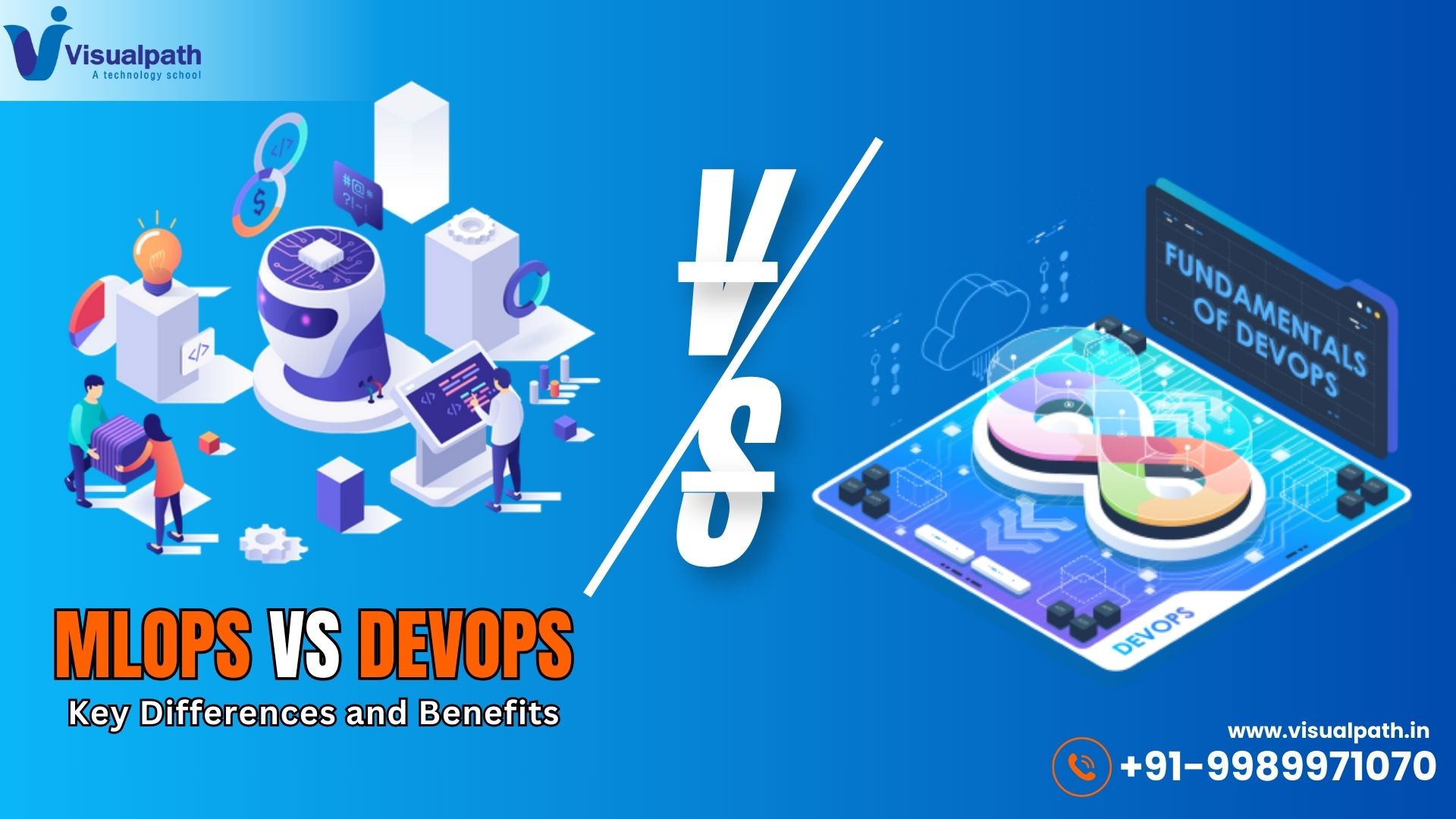
  • MLOps vs DevOps: Key Differences and Benefits

    MLOps vs DevOps: Key Differences and Benefits

    MLOps vs DevOps: Key Differences and Benefits

    As organizations embrace automation and cloud computing, DevOps and MLOps have become essential methodologies for software and machine learning (ML) lifecycle management. While both streamline workflows, MLOps (Machine Learning Operations) focuses on ML model deployment, monitoring, and governance, whereas DevOps (Development and Operations) enhances software development and delivery. This article explores the key differences and benefits of both practices.


    What is DevOps?

    DevOps is a combination of Development (Dev) and Operations (Ops) that enhances collaboration between development and IT teams. It integrates Continuous Integration (CI) and Continuous Deployment (CD) to automate software delivery, reduce deployment failures, and improve operational efficiency. MLOps Training

    Key Components of DevOps:

    • CI/CD Pipelines: Automates code integration, testing, and deployment.
    • Infrastructure as Code (IaC): uses code to manage infrastructure in order to make it scalable.
    • Monitoring and Logging: Ensures system reliability and quick issue resolution.
    • Collaboration and Automation: Bridges the gap between development and IT teams.

    What is MLOps?

    MLOps extends DevOps principles to machine learning workflows, ensuring model training, validation, deployment, and monitoring happen seamlessly. It focuses on handling the unique challenges of ML models, such as data drift, model retraining, and reproducibility.

    Key Components of MLOps:

    • Model Versioning: Tracks changes in ML models to maintain consistency.
    • Automated Model Training & Testing: Ensures models perform efficiently.
    • Model Deployment & Monitoring: Deploys models in production with real-time monitoring.
    • Data Pipeline Management: Automates data collection, processing, and transformation. MLOps Course in Hyderabad

    Key Differences Between MLOps VS DevOps

    Focus Area:

    • DevOps focuses on software development and deployment.
    • MLOps focuses on the entire machine learning model lifecycle.

    Pipeline Management:

    • DevOps uses CI/CD pipelines for code integration and deployment.
    • MLOps includes Continuous Training (CT) & CI/CD for model updates.

    Version Control:

    • DevOps relies on Git and other version control tools for source code.
    • MLOps tracks both model and data versions using tools like MLflow and DVC.

    Infrastructure Management:

    • DevOps handles application and server provisioning.
    • MLOps manages data pipelines, model training, and inference environments.

    Monitoring & Maintenance:

    • DevOps monitors application performance and system logs.
    • MLOps tracks model performance, data drift, and retraining needs.

    Automation Scope:

    • DevOps automates code testing, build, and deployment.
    • MLOps automates model training, evaluation, and deployment.

    Benefits of DevOps

    1. Faster Software Delivery – Automates the software release cycle, reducing manual intervention.
    2. Improved Collaboration – Developers and operations teams work together efficiently.
    3. High Scalability – Supports flexible and scalable cloud-based infrastructure.
    4. Reduced Failures – Continuous monitoring ensures quick issue resolution.

    Benefits of MLOps

    1. Efficient ML Model Deployment – Automates ML lifecycle, reducing deployment time.
    2. Better Model Performance – Monitors data drift and retrains models automatically. MLOps Training Online
    3. Reproducibility & Compliance – Maintains consistent workflows with versioning.
    4. Seamless Integration with DevOps – Combines ML automation with DevOps efficiency.

    Conclusion

    While DevOps optimizes software development, MLOps extends its principles to machine learning models, ensuring efficient training, deployment, and monitoring. Both methodologies enhance automation, scalability, and reliability but cater to different aspects of technology. Organizations adopting AI-driven solutions should integrate MLOps with DevOps to maximize efficiency and business impact.

    Visualpath is the Leading and Best Software Online Training Institute in Hyderabad.

    For More Information about MLOps Online Training

    Contact Call/WhatsApp: +91-7032290546

    Visit: https://www.visualpath.in/online-mlops-training.html

  • AWS DevOps and AI: Transforming Software Development

    AWS DevOps and AI: Transforming Software Development

    AWS DevOps and AI have emerged as powerful technologies that, when combined, create a seamless and highly efficient development lifecycle. DevOps automates and streamlines workflows, while AI adds intelligence and predictive capabilities, resulting in faster deployments, improved quality, and enhanced operational efficiency.

    The Role of DevOps in Software Development

    DevOps bridges the gap between software development and IT operations, ensuring continuous integration, continuous delivery (CI/CD), and automation. Traditional software development approaches often lead to delays, inefficiencies, and bottlenecks. DevOps solves these challenges by:

    • Automating Workflows – Reducing manual intervention and accelerating software delivery. DevOps Training
    • Continuous Integration and Continuous Deployment (CI/CD) – Ensuring seamless updates and bug fixes.
    • Collaboration and Communication – Breaking silos between developers, testers, and operations teams.
    • Infrastructure as Code (IaC) – Managing infrastructure efficiently using automation tools.

    By incorporating AI into DevOps, organizations can further optimize these processes and unlock new possibilities in software development.

    How AI Enhances DevOps

    Artificial Intelligence (AI) introduces intelligent automation, predictive analytics, and data-driven decision-making, improving the overall efficiency of DevOps. Some key benefits of integrating AI into DevOps include:

    1. Intelligent Automation

    AI automates repetitive tasks like code testing, security scans, and deployment verification. This reduces errors and frees up developers to focus on innovation. AI-powered automation tools ensure that software updates are deployed with minimal downtime. DevOps Online Training

    2. Predictive Analytics for Issue Resolution

    AI can analyze past failures and predict potential issues before they occur. By leveraging machine learning algorithms, teams can proactively fix bugs, optimize performance, and prevent system failures.

    3. AI-Driven Monitoring and Security

    Traditional monitoring tools provide real-time insights, but AI takes it a step further by detecting anomalies, identifying security threats, and mitigating risks automatically. This ensures system reliability and robust cybersecurity.

    4. Enhanced CI/CD Pipelines

    AI optimizes CI/CD pipelines by automating decision-making processes. It can analyze previous deployment patterns and suggest improvements for better software delivery speed and efficiency.

    5. Intelligent Chatbots and Virtual Assistants

    AI-powered chatbots assist DevOps teams by answering queries, providing real-time updates, and automating troubleshooting processes. This enhances communication and operational efficiency.

    Use Cases of DevOps and AI in Software Development

    Many organizations are leveraging DevOps and AI to transform their software development processes:

    • Netflix uses AI-driven DevOps to automate testing, optimize content delivery, and improve user experience.
    • Amazon employs AI-powered monitoring to ensure smooth cloud operations and detect potential failures.
    • Google integrates AI into its DevOps strategy to enhance security and manage large-scale infrastructure.

    Conclusion

    The combination of DevOps and AI is revolutionizing software development by introducing automation, intelligence, and efficiency. AI-powered DevOps enables faster releases, minimizes downtime, improves security, and enhances overall software quality. As organizations continue to embrace digital transformation, leveraging AI in DevOps will be a key driver for innovation and competitive advantage. DevOps Online Training

    Visualpath is the Leading and Best Software Online Training Institute in Hyderabad. Avail complete DevOps Training Worldwide. You will get the best course at an affordable cost.

    Attend Free Demo

    Call on – +91-9989971070.

    Visit https://www.visualpath.in/online-aws-devops-training.html

    Visit Blog:  https://awsdevsecopsonlinetraining.blogspot.com/

  • The Future of AI: Why MLOps is the Key to Success

    The Future of AI: Why MLOps is the Key to Success

    MLOps is the cornerstone of success in the rapidly evolving world of artificial intelligence (AI). As AI continues to transform industries, it’s not just the creation of machine learning (ML) models that drive innovation but also their seamless deployment, monitoring, and scalability. This is where (Machine Learning Operations) plays a critical role, bridging the gap between data science and operational workflows to ensure AI systems deliver consistent value in real-world applications.

    By combining the principles of DevOps with machine learning best practices, Machine Learning has become indispensable for organizations striving to scale their AI initiatives effectively.


    The Role of MLOps in AI Success

    MLOps has emerged as a key driver of AI’s success across industries. Its ability to streamline and automate complex machine learning workflows makes it essential for achieving reliable and scalable AI solutions. Here’s why MLOps is the key to AI success:

    1. Efficient Model Deployment
      Deploying ML models into production efficiently is critical for AI adoption. machine learning automates the deployment process, reducing errors and ensuring faster time-to-market. MLOps Course
    2. Reliable Model Performance
      AI models often operate in dynamic environments where data patterns evolve. machine learning incorporates real-time monitoring and retraining mechanisms to ensure models remain effective over time.
    3. Scalability at Every Level
      As organizations scale their AI operations, MLOps ensures consistent performance across multiple models and diverse environments, supporting growth without compromising quality.
    4. Seamless Collaboration
      Machine learning promotes collaboration among data scientists, software engineers, and operational teams. It provides standardized workflows, shared tools, and clear communication channels to streamline efforts.
    5. Accelerating Innovation
      By automating repetitive tasks like model testing and deployment, machine learning allows teams to focus on innovation and advanced problem-solving.

    Core Components of MLOps in AI

    To fully understand its transformative impact, it’s important to explore the core components of MLOps: Machine Learning Operations

    1. Data Management
      High-quality, consistent data serves as the cornerstone for effective artificial intelligence. MLOps ensures proper versioning, preprocessing, and management of data throughout its lifecycle.
    2. Experimentation and Logging
      Machine Learning enables teams to track and compare experiments, making it easier to reproduce results and improve model performance.
    3. CI/CD Pipelines
      Continuous integration and deployment pipelines automate the ML lifecycle, reducing manual intervention and speeding up production deployments.
    4. Monitoring and Feedback Loops
      Real-time monitoring tools in Machine Learning detect performance issues, anomalies, or data drift, ensuring AI models deliver reliable results consistently.
    5. Governance and Security
      MLOps frameworks incorporate governance and compliance measures, ensuring AI systems meet ethical and legal requirements.

    How MLOps is Shaping the Future of AI

    1. Accelerating Innovation
      MLOps drives faster development cycles, enabling organizations to roll out new AI solutions more quickly.
    2. Democratizing AI Adoption
      By standardizing processes, machine learning makes it easier for businesses of all sizes to adopt and benefit from AI technologies. MLOps Training Online
    3. Enterprise-Scale AI
      machine Learning supports large-scale AI deployments across industries, ensuring consistency and efficiency in complex environments.
    4. Promoting Ethical AI
      With tools for monitoring and compliance, MLOps encourages the development of transparent and fair AI systems.

    Best Practices for Implementing Machine Learning

    To unlock the full potential of MLOps, organizations should adopt these best practices:

    • Begin with simple, automated workflows and expand as needed.
    • Use open-source tools and platforms to reduce costs and increase flexibility.
    • Implement robust monitoring systems to track model performance in real time.
    • Foster cross-functional collaboration to align goals and workflows.
    • Prioritize scalability and security in all MLOps pipelines.

    Conclusion

    MLOps is the backbone of successful AI systems, providing the framework for deploying, monitoring, and scaling machine learning models in production. As organizations increasingly rely on AI to drive innovation and efficiency, adopting MLOps practices is no longer optional—it’s essential.

    By embracing machine learning, businesses can overcome the challenges of scaling AI, ensuring their systems remain reliable, efficient, and impactful. The future of AI depends on MLOps, making it the key to unlocking the full potential of artificial intelligence in an ever-evolving world.

    The Best Software Online Training Institute in Ameerpet, Hyderabad. Avail complete Machine Learning Operations Training by simply enrolling in our institute, Hyderabad. You will get the best course at an affordable cost.

    Attend Free Demo

    Call on – +91-9989971070.

    WhatsApp: https://www.whatsapp.com/catalog/919989971070/

    Visit: https://www.visualpath.in/mlops-online-training-course.html

    Visit Blog:https://mlopstraining.blogspot.com/

  • What Are the Key Features of AWS DevOps?

    What Are the Key Features of AWS DevOps?

    AWS DevOps is a powerful set of tools and practices that streamline software development and operations in cloud environments. By enabling automation, collaboration, and scalability, DevOps helps organizations deliver applications faster and more reliably. Let’s dive into the key features of AWS DevOps that make it an essential solution for modern software development.


    1. Continuous Integration and Continuous Delivery (CI/CD)

    DevOps supports seamless CI/CD workflows, enabling teams to integrate code changes and deploy updates efficiently. Tools like AWS Code Pipeline, AWS Code Build, and AWS Code Deploy automate build, test, and deployment processes. These tools reduce manual intervention, minimize errors, and ensure faster delivery of high-quality applications. AWS DevOps Training


    2. Infrastructure as Code (IaC)

    Infrastructure as Code is a cornerstone of DevOps. With tools like AWS CloudFormation and AWS CDK (Cloud Development Kit), teams can define and provision cloud resources using code. This approach ensures consistency, repeatability, and version control for infrastructure setups, making it easy to manage complex environments.


    3. Scalability and Flexibility

    DevOps provides auto-scaling capabilities, allowing applications to handle fluctuating workloads efficiently. Services like Amazon EC2 Auto Scaling and AWS Elastic Beanstalk automatically adjust resource allocation based on demand, ensuring optimal performance and cost-effectiveness. DevOps Online Training


    4. Monitoring and Logging

    Robust monitoring and logging are critical for maintaining application health. DevOps includes tools like Amazon CloudWatch and AWS X-Ray, which provide real-time insights into system performance and application behavior. These tools help detect and resolve issues proactively, reducing downtime and improving user experience.


    5. Enhanced Collaboration

    AWS DevOps fosters better collaboration between development and operations teams. Tools like AWS Code Commit, a fully managed source control service, enable teams to work together on code repositories. By integrating workflows and promoting communication, DevOps eliminates silos and enhances productivity.


    6. Security and Compliance

    Security is a top priority in AWS DevOps. With features like AWS Identity and Access Management (IAM), teams can manage user access and permissions effectively. Additionally, services like AWS Config and AWS CloudTrail help maintain compliance by tracking changes and ensuring that security policies are enforced.


    7. Automation

    Automation is at the core of AWS DevOps. By automating repetitive tasks such as testing, deployment, and monitoring, teams can focus on innovation and problem-solving. Tools like AWS Lambda enable serverless computing, automating workflows without the need for dedicated infrastructure.


    8. Integration with Third-Party Tools

    AWS DevOps integrates seamlessly with popular third-party tools like Jenkins, GitHub, and Bitbucket. This flexibility allows teams to leverage their existing tools while enhancing workflows with AWS’s robust DevOps features.


    Conclusion

    AWS DevOps empowers organizations to build, deploy, and manage applications more efficiently. Its key features, including CI/CD, IaC, scalability, monitoring, and automation, make it a vital solution for modern software development. By adopting AWS DevOps, teams can enhance collaboration, improve reliability, and accelerate delivery. DevOps Course

    Visualpath is the Leading and Best Software Online Training Institute in Hyderabad. Avail complete DevOps Training Worldwide. You will get the best course at an affordable cost.

    Attend Free Demo

    Call on – +91-9989971070.

    WhatsApp: https://www.whatsapp.com/catalog/919989971070/

    Visit https://www.visualpath.in/online-aws-devops-training.html

    Visit Blog:  https://awsdevsecopsonlinetraining.blogspot.com/

  • Microsoft Fabric: Transforming Data Analytics with AI Integration

    Microsoft Fabric: Transforming Data Analytics with AI Integration

    Microsoft Fabric is at the forefront of revolutionizing how organizations manage, analyze, and leverage their data in the age of artificial intelligence. As a unified analytics platform, it combines powerful tools like Azure Data Factory, Azure Synapse Analytics, and Power BI into a cohesive solution. This integration enables businesses to unlock deeper insights, streamline workflows, and accelerate their journey toward becoming data-driven enterprises.

    What is Microsoft Fabric?

    Microsoft Fabric is an end-to-end analytics platform designed to address the complex challenges of modern data management. It provides a unified ecosystem where data ingestion, transformation, storage, and visualization are seamlessly integrated. By leveraging Fabric, organizations can eliminate silos between teams and tools, fostering collaboration and efficiency across data and analytics workflows. Microsoft Fabric Training

    The platform is built to handle the entire data lifecycle, from raw data ingestion to advanced analytics and real-time insights. It offers scalability, security, and flexibility, making it suitable for enterprises of all sizes.

    Key Features of Microsoft Fabric

    1. Unified Analytics Platform
      Microsoft Fabric simplifies data management by integrating multiple services under one roof. This enables teams to focus on deriving value from data rather than managing disparate systems.
    2. AI-Driven Insights
      The platform incorporates AI capabilities to enhance analytics. By automating data analysis and generating actionable insights, Fabric empowers businesses to make smarter, faster decisions.
    3. Real-Time Analytics
      Fabric supports real-time data streaming and event-driven scenarios, allowing businesses to monitor and respond to changes as they happen. This is especially valuable for industries like retail, healthcare, and finance.
    4. Seamless Collaboration
      With tools like Power BI, teams can collaborate effectively by sharing dashboards, reports, and data models. This fosters a culture of data transparency and informed decision-making.
    5. Scalable and Secure
      Built on Azure, Microsoft Fabric offers enterprise-grade security and scalability. Whether handling terabytes or petabytes of data, the platform ensures performance remains consistent.

    Benefits of Microsoft Fabric

    • Enhanced Efficiency: By integrating tools into a single platform, Fabric reduces redundancy and streamlines processes. Microsoft Fabric Course
    • Actionable Insights: The AI-powered features help organizations uncover hidden patterns and trends in their data.
    • Cost-Effectiveness: Consolidating multiple services into one platform reduces costs associated with managing separate tools.
    • Future-Ready: With built-in support for AI and machine learning, Microsoft Fabric prepares businesses for the evolving demands of the digital era.

    Use Cases of Microsoft Fabric

    1. Retail: Track customer behavior in real-time and optimize inventory using predictive analytics.
    2. Healthcare: Streamline patient data management and improve diagnosis accuracy with AI-driven tools.
    3. Finance: Enhance fraud detection and automate compliance reporting with real-time analytics.
    4. Manufacturing: Monitor equipment performance and predict maintenance needs to reduce downtime.

    Conclusion

    Microsoft Fabric is more than just a data analytics tool; it is a transformative platform that empowers businesses to harness the full potential of their data. By integrating advanced AI capabilities with a robust analytics framework, Fabric helps organizations navigate the complexities of modern data ecosystems with ease.

    For businesses looking to stay competitive in a data-driven world, Microsoft Fabric is the ideal solution to drive innovation, improve decision-making, and achieve sustainable growth.

    Visualpath is the leading software online training institute in Hyderabad. Avail complete Microsoft Fabric Training Worldwide. You will get the best course at an affordable cost.

    Attend Free Demo

    Call on – +91-9989971070.

    WhatsApp: https://www.whatsapp.com/catalog/919989971070/

    Visit https://www.visualpath.in/online-microsoft-fabric-training.html

    Visit Blog: https://microsoftfabrictraining.blogspot.com/