Tag: visualpath blogs

  • How Power Apps Empowers Citizen Developers

    How Power Apps Empowers Citizen Developers

    How Power Apps Empowers Citizen Developers

    Introduction

    In the modern business world, companies need software solutions faster than ever before. Traditional coding can take months or even years to finish a single project. This is where Power Apps Citizen Developers come into play. These are regular employees—like HR managers, accountants, or sales reps—who build their own business applications without knowing how to write complex code. By using Microsoft Power Apps, these individuals can solve their own department’s problems. This shift changes how businesses work by making technology accessible to everyone, not just the IT department.

    The Rise of the Citizen Developer

    For a long time, if a worker needed a new digital tool, they had to ask the IT team. Often, the IT team was too busy with bigger projects. This created a “backlog” or a long waiting list. Today, low-code platforms have changed this story. A citizen developer is someone who understands a business process very well and uses a platform like Power Apps to digitize it.

    Because they live the problem every day, they are often the best people to build the solution. They do not need to explain their needs to a programmer because they are the ones building the app. To get started correctly, many people look for a Power Apps Course to learn the basic building blocks of the platform.

    Why Power Apps is the Right Tool

    Power Apps is designed with a user-friendly interface that looks a lot like PowerPoint. You can drag and drop buttons, text boxes, and images onto a screen. Behind the scenes, the platform handles the difficult parts of the technology.

    There are three main types of apps you can create:

    1. Canvas Apps: These start with a blank screen. You decide exactly where every element goes. It is great for mobile apps used in the field.
    2. Model-driven Apps: These are built on top of your data. The layout is mostly chosen for you, making them perfect for complex business processes.
    3. Power Pages: These allow you to build websites that external people can use.

    By using these tools, a worker can turn a messy paper form into a clean digital app in just a few days. Taking a Power Apps Training Online helps users understand which type of app fits their specific goal.

    Breaking down Technical Barriers

    The biggest wall for most people is the “code barrier.” Most people find languages like Java or C++ very scary. Power Apps uses a language called Power Fx. If you know how to write a formula in Microsoft Excel, you can learn Power Fx. It uses simple logic like “If this happens, then do that.”

    This simplicity is what truly defines Power Apps Citizen Developers. It removes the fear of breaking things. Because the environment is governed by the company’s IT department, it is also safe. IT can set rules about who can see the data, ensuring that the company stays secure while employees innovate.

    The Role of Visualpath in Skill Building

    While the tools are easy to use, knowing how to structure data is still important. This is why professional guidance is valuable. Visualpath provides structured learning paths that take a beginner and turn them into a confident builder. Without a solid foundation, a citizen developer might build an app that works today but breaks when too many people use it.

    By enrolling in a Power Apps Course, students learn the “best practices.” They learn how to connect their apps to different data sources like SharePoint, Excel, or SQL Server. This makes the apps more powerful and reliable for the whole company.

    How Power Apps Citizen Developers Save Money

    Hiring a team of professional developers is very expensive. It also takes a long time to hire them and get them started. When a company empowers its own staff to build tools, it saves a massive amount of money.

    Instead of paying for outside consultants, the company uses the talent it already has. An employee who spends two hours a day doing manual data entry can spend a week building an app that automates that task forever. The return on investment is immediate. This is why Power Apps Training Online has become so popular for corporate teams looking to upskill their workforce.

    Improving Business Agility

    Business agility means being able to change quickly when the market changes. If a new regulation comes out, a citizen developer can update their app in an afternoon. If they had to wait for a professional software cycle, it might take months to see those changes.

    This speed gives companies a competitive edge. They can test new ideas quickly. If an app idea does not work, they can discard it without having lost thousands of dollars in development costs. It encourages a culture of “trying things out,” which leads to better innovation over time.

    Support from the IT Department

    A common myth is that citizen developers replace the IT department. This is not true. Instead, they become partners. IT professionals can focus on high-level security, infrastructure, and very complex systems. Meanwhile, the citizen developers handle the smaller, “last-mile” problems that IT usually doesn’t have time for.

    Visualpath emphasizes this partnership in its curriculum. It teaches students how to build apps that follow the rules set by IT. This ensures that the apps are not just helpful, but also professional and secure.

    Learning Through Power Apps Training Online

    The digital landscape moves fast. Learning through a Power Apps Training Online program allows workers to learn at their own pace. They can watch videos, practice in a “sandbox” environment, and ask mentors questions.

    Modern platforms make it easy to learn from anywhere in the world. Whether someone is in an office or working from home, they can gain the skills needed to become one of the many successful Power Apps Citizen Developers. This flexibility is key to the growth of the low-code movement.

    Real-World Impact

    Think about a construction company. A site manager might use a paper clipboard to check safety rules. This paper can get lost or dirty. A citizen developer at that company could build a simple app where the manager taps “Yes” or “No” on their phone. The data goes straight to the head office in real-time.

    This is not a dream; it is happening right now in thousands of companies. Those who take a Power Apps Course are often the leaders of these digital changes within their organizations. They become the “go-to” people for solving problems.

    FAQ

    Q. What is a citizen developer?
    A. A citizen developer is an employee who creates application functionalites for others to use, despite not having formal professional programmer training.
    Q. Can I learn Power Apps without coding experience?
    A. Yes, Power Apps is designed for people without coding skills. You can learn the basics through a Power Apps Course at Visualpath very quickly.
    Q. What are the benefits of Power Apps for small businesses?
    A. It reduces costs and speeds up work. Small teams can build custom tools without hiring expensive developers by using Power Apps Training Online.
    Q. Is Power Apps secure for company data?
    A. Yes, it uses Microsoft’s high-level security. IT admins can control who sees data, ensuring everything stays safe within the Visualpath taught standards.
    Q. How long does it take to build an app?
    A. Simple apps can be built in just a few hours. More complex systems might take a few weeks of practice and guided learning.

    Conclusion

    The era of waiting for software is over. Power Apps has opened the door for everyone to be a creator. By becoming Power Apps Citizen Developers, employees can take control of their workflows and drive efficiency. With the right support from places like Visualpath, the journey from a beginner to an app creator is short and rewarding.

    Visualpath is a leading online training provider delivering expert-led courses in Cloud, DevOps, PowerApps, and AI technologies. With real-time projects and hands-on learning, Visualpath helps professionals build job-ready skills worldwide.

    Visit: https://www.visualpath.in/microsoft-powerapps-training.html

    Contact Call/WhatsApp: +91-7032290546

  • Power Apps Role in Replacing Legacy Applications

    Power Apps Role in Replacing Legacy Applications

    Power Apps Role in Replacing Legacy Applications

    Introduction

    Many companies still use old software systems. These systems are often slow and hard to update. The Power Apps role in modern business is to fix this problem. Microsoft Power Apps allows teams to build new tools quickly. It helps move data from old databases to the cloud. This process is called digital transformation. It makes work faster and saves a lot of money. Using modern tools helps businesses stay competitive in a fast world.

    The Problem with Legacy Systems

    Legacy applications are like old cars. They may still run but they break down often. They are expensive to maintain. Finding people who know how to fix old code is getting harder. These systems also do not talk to modern apps. This creates silos where data gets stuck. Security is another big worry. Old software often lacks the latest safety features. Hackers find it easier to attack these weak points.

    How Power Apps Changes the Game

    Power Apps is a low-code platform. This means you do not need to write thousands of lines of code. You can drag and drop parts to make an app. This speeds up the building process. What used to take months now takes weeks. It allows regular employees to help build tools. This reduces the pressure on the IT department. Learning these skills is easier with a Power Apps Course. It gives you the foundation to build professional solutions.

    Connecting Old Data to New Interfaces

    You do not have to throw away your old data. Power Apps uses connectors to talk to old systems. It acts as a bridge between the old and the new. You can keep your data in an old SQL server. The app provides a fresh and easy screen for users. This makes the transition smooth for employees. They see a modern interface but the core data remains safe. This is a key part of the Power Apps role in tech.

    Improving User Experience

    Old apps are often ugly and confusing. They have too many buttons and menus. Power Apps focuses on the user. You can design apps that work on phones and tablets. This allows people to work from anywhere. Field workers can enter data on the go. Managers can see live reports on their mobile devices. This flexibility is a huge upgrade from desk-bound legacy software. Taking Power Apps Training Online helps designers learn these mobile-first layouts.

    Reducing Development Costs

    Building custom software from scratch is very pricey. You need a big team of expert developers. Power Apps lowers this cost significantly. Since it uses pre-made blocks, development is faster. Faster work means lower labor costs. It also uses a subscription model. This helps businesses plan their budgets better. Companies can build many small apps instead of one giant system. This modular approach is much more efficient.

    Enhancing Data Security and Compliance

    Security is built into the Microsoft cloud. When you move to Power Apps, you get these benefits. It uses Azure Active Directory for logins. You can control exactly who sees what data. This is much safer than old systems with simple passwords. It also helps with global data rules. Modern apps make it easier to follow privacy laws. This protects the company from legal trouble and big fines.

    The Importance of Professional Training

    To use these tools well, you need proper guidance. Many people try to learn on their own. However, a structured Power Apps Course is much better. It teaches the best ways to organize your apps. It also covers how to handle complex data. Visualpath offers expert training for this platform. Their instructors show you real-world examples. This makes the learning process much faster and more effective.

    Future-Proofing You’re Business

    Technology changes every single day. Power Apps is built to grow with those changes. Microsoft adds new features almost every month. Your apps will stay updated automatically. You will not get stuck with “old” software again in five years. This gives business leaders peace of mind. They can focus on growing their company instead of fixing bugs. It is a long-term solution for a digital world.

    Real-World Success Stories

    Many large companies have already made the switch. They replaced paper forms with digital apps. They turned messy spreadsheets into clean databases. One company saved thousands of hours by automating simple tasks. Another reduced data entry errors by half. These results are common for those who master the platform. Enrolling in Power Apps Training Online is the first step toward these results. It empowers workers to solve their own problems.

    Collaborating with Visualpath

    When choosing a place to learn, quality matters. Visualpath is known for high-quality technical education. They provide hands-on labs for students. This means you practice while you learn. You get to build real apps during your Power Apps Course. This experience is vital for your career. It builds confidence and proves you have the skills. Many top professionals started their journey at Visualpath.

    FAQ

    Q. Why should companies choose Power Apps over traditional coding?
    A. Power Apps is faster and costs less than traditional coding. It allows non-coders to build tools. This helps businesses innovate at a much higher speed.
    Q. How does Power Apps connect to existing legacy databases?
    A. It uses over 600 connectors and on-premises data gateways. This allows the new app to read and write data to your old systems without any risks.
    Q. Is a Power Apps Course necessary for IT professionals?
    A. Yes, it helps professionals learn best practices and advanced logic. Visualpath offers deep insights that you cannot find in basic online tutorials.
    Q. Can Power Apps work on mobile devices?
    A. Yes, all apps built this way work on iOS and android. This allows your team to access important business data from any location in the world.
    Q. Where can I find the best Power Apps Training Online?
    A. Visualpath provides excellent online training with live experts. Their program covers everything from basic design to complex data integration for businesses.

    Summary

    The Power Apps role in replacing legacy apps is transformative. It solves the issues of cost, speed, and security. By using low-code tools, businesses can innovate faster. They can bridge the gap between old data and modern needs. This creates a better experience for both workers and customers. Investing in a Power Apps Course ensures you are ready for this shift. It is the best way to handle the future of business software.

    Visualpath is a leading online training provider delivering expert-led courses in Cloud, DevOps, PowerApps, and AI technologies. With real-time projects and hands-on learning, Visualpath helps professionals build job-ready skills worldwide.

    Visit: https://www.visualpath.in/microsoft-powerapps-training.html

    Contact Call/WhatsApp: +91-7032290546

  • How PowerApps Helps Fresher’s and Professionals Daily

    How PowerApps Helps Fresher’s and Professionals Daily

    How PowerApps Helps Fresher’s and Professionals Daily

    Introduction

    PowerApps benefits are clear in daily work tasks. It helps people build simple apps without deep coding skills. Both fresher’s and professionals use it to solve real problems. It saves time and improves work speed. Many teams now depend on it for quick solutions. Learning through Power Apps Training helps beginners start easily. It also helps professionals improve their workflow.

    The Rise of Low-Code Technology

    Technology is changing how we work every day. In the past, only developers could create software. Now, low-code platforms allow anyone to build apps. This shift is very important for the year 2026. Companies want employees who can provide digital solutions. You do not need a computer science degree to start. You just need logic and a desire to learn. Many people take a Power Apps Training course to begin. This training teaches the basics of the interface. It also shows how to connect data sources. Understanding these basics is the first step toward success.

    How fresher’s Benefit from PowerApps

    Starting a career can be very scary for new graduates. They often lack practical experience with enterprise tools. PowerApps gives fresher’s a way to stand out. It allows them to create portfolios of working applications. Instead of just talking, they can show what they built. A fresher can build a simple expense tracker or a leave request app. These small projects prove they understand business logic. Taking Power Apps Online Training helps them learn from home. This flexibility is great for students finishing their degrees. It makes them more employable in a competitive market.

    Solving Real-World Problems

    Professionals face many repetitive tasks every single day. They might spend hours moving data between spreadsheets. PowerApps can automate these manual processes easily. For example, a sales manager can track leads on a mobile phone. A warehouse worker can scan barcodes directly into a database. These apps save time and reduce human errors. This is the core of PowerApps Daily Use in big companies. It makes the entire team more efficient and productive. When you solve problems, you become a valuable asset to your firm.

    Enhancing Data Management

    Data is the most valuable resource for any business today. However, data is only useful if it is organized. PowerApps connects to many different data sources like Excel or SQL. It provides a clean interface for entering and viewing information. Professionals use it to create dashboards and reports. This helps leaders make better decisions based on facts. If you want to master these connections, consider Power Apps Training at Visualpath. Expert guidance makes learning these technical parts much easier. You will learn how to keep data safe and accurate.

    Collaboration and Teamwork

    Modern work is all about collaboration. PowerApps is part of the Microsoft 365 suite. This means it works perfectly with Teams and SharePoint. A team can share an app with just one click. Everyone sees the same data at the same time. This prevents confusion and keeps projects on track. Professionals use these apps to manage group tasks and schedules. Fresher’s can contribute by maintaining these apps for the team. It is a great way to learn about corporate workflows. Many experts recommend Power Apps Online Training to stay updated on new features.

    Career Growth and Opportunities

    Learning a new skill is the best way to get a promotion. PowerApps developers are in high demand right now. Companies are looking for people who can build apps quickly. This skill is useful in finance, healthcare, and retail. It is not limited to just one industry. Professionals can transition into roles like Power Platform Consultant. Fresher’s can start as Junior Developers or Business Analysts. The salary for these roles is usually very high. Investing time in Power Apps Training is a smart career move. It prepares you for the challenges of the future.

    Improving the User Experience

    A good app must be easy for people to use. PowerApps allows you to design beautiful and simple interfaces. You can use drag-and-drop tools to place buttons and text. This is called User Experience or UX design. Professionals focus on making tools that their colleagues enjoy using. A well-designed app increases adoption within the company. If the app is hard to use, people will ignore it. Learning these design principles is a key part of your journey. Many students at Visualpath learn how to make apps look professional.

    Flexibility of Online Learning

    The world is more connected than ever before. You can learn complex skills without leaving your house. Power Apps Online Training provides high-quality lessons through the internet. This is perfect for busy professionals who work full-time. They can study during the weekends or in the evenings. Fresher’s can also learn at their own pace. Online platforms offer videos, quizzes, and hands-on labs. This variety helps different types of learners succeed. It is an affordable way to gain a global certification. Staying consistent is the secret to mastering the platform.

    Why Visualpath is a Great Choice

    Choosing the right place to learn is very important. You need a place that offers practical knowledge. Visualpath provides comprehensive courses for all skill levels. Their instructors have real industry experience. They do not just teach theory from a book. They show you how to build apps for real companies. This hands-on approach is very effective for students. You get to work on projects that mimic real work tasks. This builds your confidence before you start a job. Many successful professionals started their journey at this institute.

    The Future of Business Apps

    The demand for custom software will only grow over time. Standard software cannot solve every unique business problem. Every company has its own specific way of working. PowerApps provides the flexibility to meet these unique needs. In the future, AI will likely help build these apps even faster. Being early to learn this technology is a big advantage. You will be ready when the industry changes again. Understanding PowerApps Daily Use keeps your skills relevant for years. It is a long-term investment in your professional life.

    FAQ Section

    Q. What is the main benefit of PowerApps for a fresher?
    A. PowerApps allows fresher’s to build a portfolio of real apps. This shows employers they have practical skills and can solve business problems easily.
    Q. Do I need to know how to code to use PowerApps?
    A. No, you do not need deep coding knowledge. It uses a low-code approach with simple formulas. Learning at Visualpath helps you master it quickly.
    Q. Can I learn PowerApps while working a full-time job?
    A. Yes, you can. Many people choose online training to study at their own pace. This flexibility allows you to balance work and learning effectively.
    Q. How does PowerApps improve daily productivity for pros?
    A. It automates repetitive manual tasks like data entry. This saves hours of work every week and allows professionals to focus on more important duties.
    Q. Is there a high demand for PowerApps skills in 2026?
    A. Yes, the demand is very high. Companies need custom apps to stay competitive. Professionals with these skills often earn higher salaries in the tech market.

    Summary

    PowerApps is a powerful tool for the modern age. It helps fresher’s enter the job market with strong skills. It helps professionals save time and automate their daily work. By using low-code tools, anyone can become a solution provider. Training is the fastest way to master this versatile platform. Whether you choose in-person or online classes, the benefits are clear. You will improve your efficiency and boost your career prospects. Start your learning journey today and see the difference it makes.

    Visualpath is a leading online training provider delivering expert-led courses in Cloud, DevOps, PowerApps, and AI technologies. With real-time projects and hands-on learning, Visualpath helps professionals build job-ready skills worldwide.

    Visit: https://www.visualpath.in/microsoft-powerapps-training.html

    Contact Call/WhatsApp: +91-7032290546

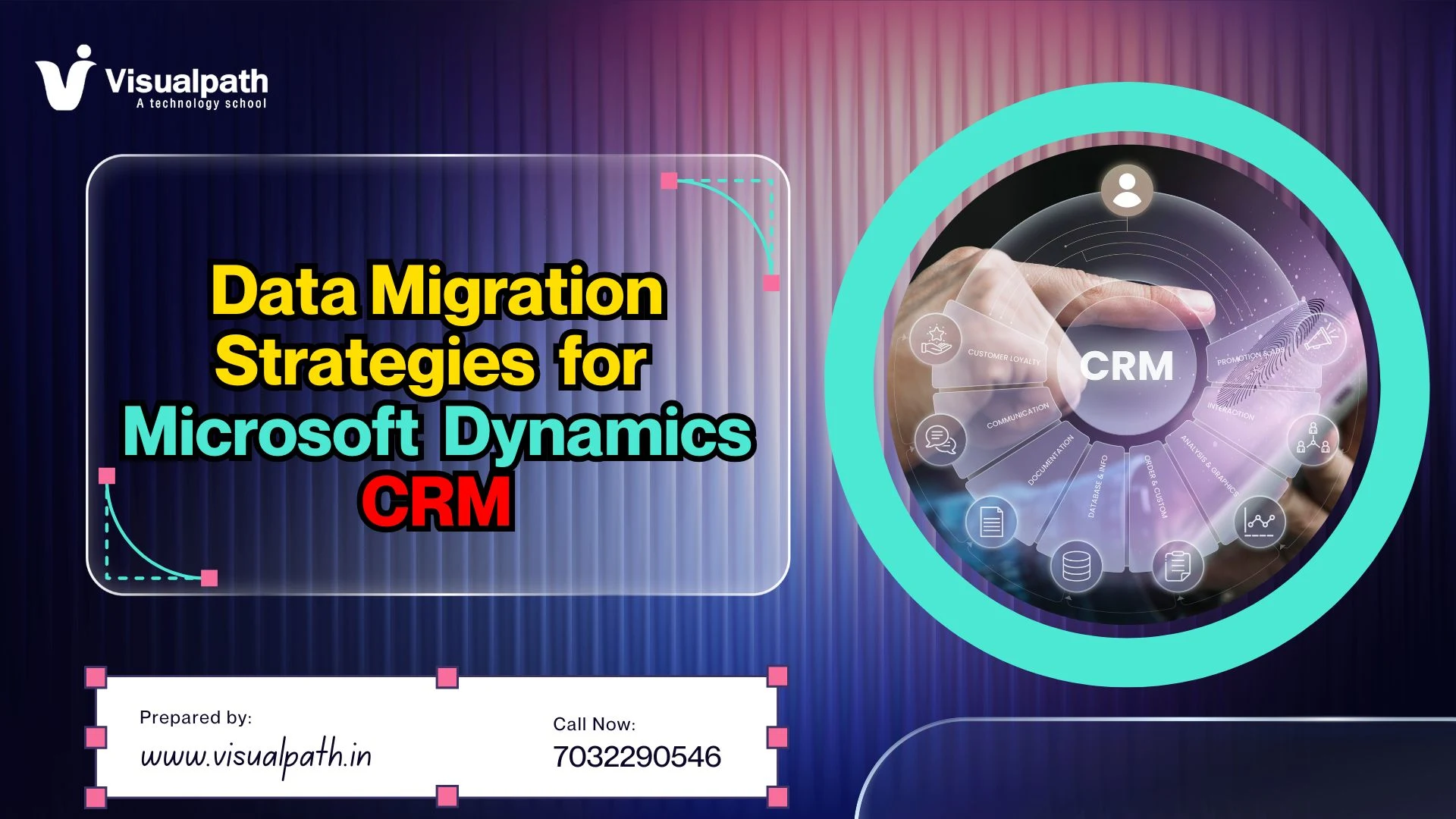
  • Data Migration Strategies for Microsoft Dynamics CRM

    Data Migration Strategies for Microsoft Dynamics CRM

    Data Migration Strategies for Microsoft Dynamics CRM

    Introduction

    Data Migration Strategies are important when moving data into Microsoft Dynamics CRM. Clean and correct data helps teams work better and faster. Many companies move from old systems to Dynamics CRM. This process needs planning, tools, and testing. Without a clear plan, data can be lost or damaged.

    This article explains simple ways to handle data migration. It covers tools, steps, and real examples. It also helps learners and professionals build useful skills.

    Understanding Data Migration Types

    There are two main ways to move data. The first is a “Big Bang” migration. This moves everything at once over a weekend. It is fast but carries high risk. The second is a phased approach. You move small sets of data over a longer time. This reduces the chance of big errors.

    Most companies now choose the phased method. It allows teams to keep working while the move happens. You must decide which fits your timeline and budget. A slow move is often safer for large databases. Smaller companies might prefer the speed of a single move.

    Essential Steps before Moving Data

    Preparation is the most important part of the job. You must look at your current data quality first. Old records often have errors or missing details. Cleaning this data prevents issues in the new system. You should delete duplicate records and fix spelling errors.

    Next, define what data really needs to move. You do not have to move ten-year-old emails. Focus on active clients and recent sales. This keeps the new system fast and lean. Teams often find that Microsoft Dynamics 365 CRM Training helps them understand which data fields matter most.

    Popular Tools for Data Transfer

    Microsoft offers a built-in Import Wizard for simple tasks. It works well for Excel or CSV files. However, large projects need more power. Tools like SSIS with specialized adapters are very common. They allow for complex rules and high-speed transfers.

    Scribe and Kingsway Soft are other top choices. These tools connect different databases easily. They handle the hard work of matching old IDs to new ones. Learning these tools is a key part of Microsoft Dynamics CRM Online Training programs. Using the right tool saves hundreds of hours of manual work.

    Dynamics CRM Migration Challenges

    Data format mismatches are a common hurdle. Your old system might store phone numbers differently than the new one. If the formats do not match, the import will fail. You must also consider “Option Sets” or dropdown menus. These must have the exact same values in both systems.

    Security and permissions are another challenge. You must ensure that only the right people see sensitive data after the move. Relationships between records can also break. For example, a contact must stay linked to the correct company. Managing these links requires deep technical knowledge.

    Data Mapping and Transformation Rules

    Data mapping is like a translation guide. You tell the computer that “Client Name” in the old system is “Account Name” in the new one. This must be done for every single field. It is a slow process that requires great attention to detail.

    Transformation rules change the data during the move. You might want to combine “First Name” and “Last Name” into one field. Or you might change currency codes. These rules ensure the data fits the new system perfectly. Professionals often use Microsoft Dynamics 365 Training Courses to master these complex mapping logic steps.

    Testing Your Migration Strategy

    Never move data into a live system without testing. Create a “Sandbox” or test environment first. Move a small batch of data and check for errors. Look for missing fields or broken links between records. Testing helps you find problems before they affect the whole company.

    Ask actual users to check the test data. They know the data better than the IT team. If a salesperson cannot find their leads, the migration has failed. Fix the rules in the mapping tool and test again. This cycle continues until the data is perfect.

    Post-Migration Validation Steps

    Once the move is done, you must verify the results. Compare record counts between the old and new systems. If you had 10,000 accounts before, you should have 10,000 now. Check a random sample of records for accuracy. Ensure that all dates and numbers are correct.

    Users need help adjusting to the new setup. Provide documentation on where to find their old information. Sometimes data looks different in a new interface. Clear communication prevents panic. Many experts suggest Dynamics CRM Online Training for staff to make this transition easier for everyone.

    Career Growth in CRM Data Management

    Data experts are in high demand right now. Companies move to the cloud every day. They need people who understand how to handle large migrations. Learning these skills can lead to roles like Data Architect or CRM Consultant. These are stable and well-paying career paths.

    To grow, you must stay updated on new cloud tools. Microsoft updates its platforms often. Taking a Microsoft Dynamics CRM Training course at Visualpath can give you an edge. Practical experience with real data sets is the best way to prove your value to employers.

    Frequently Asked Questions

    Q. How long does a typical migration take?
    A. Small moves take a few weeks. Large projects can last six months. It depends on data volume and the number of custom features. Visualpath helps teams plan this.
    Q. Can I move data from an on premise server to the cloud?
    A. Yes, this is very common. You use the Power Platform Dataflow or migration tools. This move helps businesses use modern AI features in the cloud.
    Q. What happens if the migration fails halfway through?
    A. You should always have a backup. Professional tools allow you to roll back changes. Testing at Visualpath ensures you have a recovery plan ready.
    Q. Do I need to be a coder to move CRM data?
    A. Basic moves do not require coding. You use visual tools. However, complex logic might need some script knowledge. Training helps you learn these skills fast.
    Q. How often should I clean my CRM data?
    A. Data cleaning should happen every month. It prevents the system from getting slow. Regular audits keep your customer information accurate and useful for sales.

    Summary

    Data migration is a key part of CRM implementation. It ensures that business data is safe and usable in the new system. A good strategy includes planning, tools, testing, and validation. Clean data and proper mapping reduce errors. Using the right tools and following best practices improves success. Learning data migration also supports career growth in CRM and data roles.

    Visualpath is a leading online training provider offering expert-led courses in Cloud, AI, DevOps, and enterprise technologies worldwide. With real-time projects and daily recorded sessions, Visualpath ensures hands-on learning for career growth.

    Contact Call/WhatsApp: +91-7032290546

    Visit: https://www.visualpath.in/online-microsoft-dynamics-crm.html

  • Essential Power Apps Features Every Business User Needs

    Essential Power Apps Features Every Business User Needs

    Essential Power Apps Features Every Business User Needs

    Microsoft Power Apps has changed how companies solve problems. You no longer need to be a computer scientist to build software. Modern Power Apps Features allow regular employees to create custom applications for their specific needs. This shift is called low-code development. It helps businesses move faster without waiting for busy IT departments. By using these tools, you can turn a manual process into a digital one in days.

    The Power of Pre-Built Templates

    Starting a new project can feel hard. One of the best Power Apps Features is the library of pre-built templates. These templates give you a finished layout for common tasks. You can find designs for budget tracking, site inspections, or meeting captures. Using a template saves many hours of work. You only need to connect your data and change the colors.

    Many people start their journey with a Power Apps Course. This helps them understand how to customize these templates correctly. When you learn the basics, you can make a template feel like a custom app. This is a great way for beginners to see fast results. It builds confidence while teaching the core logic of the platform.

    Seamless Data Integration

    Modern businesses keep their information in many places. You might use Excel, SharePoint, or SQL databases. One of the most important Power Apps Features is the ability to connect to these sources. Data connectors act like bridges between your app and your data. You do not have to move your files to use them.

    If you want to master these connections, a Power Apps Online Training program is useful. Experts at Visualpath can show you how to link different systems securely. This ensures your app always shows the most current information. Secure data handling is vital for every professional environment today.

    AI Builder for Smarter Apps

    Artificial intelligence is no longer just for big tech firms. Power Apps includes a tool called AI Builder. This feature lets you add smart functions without writing complex code. You can build apps that read receipts or recognize objects in photos. It can even predict future trends based on your old data.

    This technology makes your apps much more powerful. Instead of typing in data, a user can just take a picture. The app fills in the form automatically. Learning to use AI Builder is a key part of a Power Apps Course. It helps you stay ahead of the competition in the job market.

    Responsive Design for Mobile Users

    People work from many different locations today. They use phones, tablets, and laptops. A top-tier app must look good on every screen size. Power Apps uses responsive containers to handle this. This means the buttons and text move to fit the device perfectly.

    Building a responsive app requires a bit of planning. You must think about how a finger touches a screen versus a mouse click. Through Power Apps Online Training, you can learn the best design patterns. This ensures your co-worker’s have a smooth experience no matter what device they use.

    Canvas and Model-Driven Approaches

    There are two main ways to build apps in this ecosystem. Canvas apps give you total control over the look and feel. You start with a blank screen and place items exactly where you want. This is perfect for apps that need a specific brand style. It feels like making a slide in a presentation.

    Model-driven apps are different. They focus more on complex data and business processes. The layout is mostly chosen for you based on your data structure. Choosing the right one is one of the most vital Power Apps Features to understand. Visualpath teaches students when to use each type for the best efficiency.

    Enhanced Security and Governance

    Business data must stay safe at all times. Power Apps uses the Microsoft Power Platform admin center for security. Leaders can control who sees specific apps or data sets. You can set rules to prevent data from being shared outside the company. This keeps your private information protected from leaks.

    Understanding security is a major part of any Power Apps Course. It is not just about making things look pretty. It is about making sure they are safe for the whole company to use. Professionals need to know how to manage permissions for large teams. This ensures the app remains a helpful tool rather than a risk.

    Offline Capabilities for Field Work

    Sometimes your team needs to work in places without internet. Power Apps has features that allow apps to work offline. The app saves the data on the device temporarily. When the user gets back to a Wi-Fi signal, the app syncs the data. This is essential for construction sites or remote warehouses.

    Setting up offline mode takes a few extra steps. You have to tell the app which data to store locally. Taking Power Apps Online Training can help you master these technical settings. It makes your apps reliable in every possible work environment. Reliable apps lead to happier users and better data quality.

    Role-Based Access Control

    Not every user needs to see every button in an app. Role-based access allows you to hide or show features based on a person’s job. A manager might see a “Delete” button that a regular worker cannot see. This simplifies the user interface for everyone. It also prevents accidental mistakes that could hurt your data.

    By utilizing these Power Apps Features, you create a cleaner workflow. People only focus on the tasks they are responsible for doing. This reduces confusion and speeds up daily operations. Expert instructors at Visualpath emphasize this during their advanced modules.

    Low-Code Logic with Power FX

    Power FX is the language used to tell your app what to do. It looks very similar to Excel formulas. If you can use a “SUM” or “IF” function in a spreadsheet, you can learn Power Fx. This makes it easy for business users to add logic to their buttons and forms.

    Even though it is simple, Power Fx is very deep. You can create complex rules for how data moves through your company. A Power Apps Online Training session is the fastest way to learn these formulas. Once you know them, you can build almost anything you can imagine.

    FAQ

    Q. What is the main benefit of using Power Apps for small businesses?
    A. Power Apps allows small teams to build custom tools without hiring expensive developers. It saves money while automating daily tasks through Visualpath training.
    Q. Can Power Apps connect to non-Microsoft data sources?
    A. Yes, it connects to over 600 sources like Google Drive and Salesforce. This flexibility is a core part of the Power Apps Online Training curriculum.
    Q. Is it hard for a non-technical person to learn Power Apps?
    A. No, it is designed for business users. Most people find it easy to learn basic functions through a structured Power Apps Course at Visualpath.
    Q. Do I need to buy special hardware to run these apps?
    A. No, these apps run on standard phones, tablets, and computers. They work through a web browser or a simple mobile app available on all stores.
    Q. How does Visualpath help in mastering Power Apps Features?
    A. Visualpath provides hands-on labs and expert guidance. Their trainers explain complex features using simple steps that anyone can follow and understand.

    Summary

    Power Apps provides a massive set of tools for modern workers. From AI integration to offline sync, these features solve real world problems. Using templates and data connectors allows for rapid development. Security and responsive design ensure these apps work well for large organizations. Learning these skills at Visualpath can change your career path. Mastering these features makes you a valuable asset to any digital team.

    Visualpath is a leading online training provider delivering expert-led courses in Cloud, DevOps, PowerApps, and AI technologies. With real-time projects and hands-on learning, Visualpath helps professionals build job-ready skills worldwide.

    Visit: https://www.visualpath.in/microsoft-powerapps-training.html

    Contact Call/WhatsApp: +91-7032290546

  • Power Apps Governance Strategy for Enterprises

    Power Apps Governance Strategy for Enterprises

    Power Apps Governance Strategy for Enterprises

    Introduction

    Large companies use many digital tools today. Microsoft Power Apps is one of the most popular tools. It lets employees build their own apps quickly. However, without a Power Apps Governance Strategy, things can get messy. Apps might overlap or leak data. A good strategy keeps your data safe. It also makes sure every app serves a real purpose. Leaders must balance freedom with control. This guide explains how to manage your Power Platform effectively.

    Why Enterprises Need a Governance Plan

    A big company can have thousands of users. If everyone builds apps, the IT team might lose track. This is called “Shadow IT.” It can lead to security risks. A strong plan prevents these problems. It sets rules for who can create apps. It also defines where the data goes. This keeps the whole system healthy and organized.

    Establishing an Environment Strategy

    Environments are like containers for your apps. You should not keep everything in one place. Most companies use a “Default” environment for personal productivity. For big business apps, you need separate spaces. These are for development, testing, and production. This setup prevents accidental changes to live apps. It also helps in managing permissions for different teams.

    Data Loss Prevention (DLP) Policies

    Data is your most valuable asset. You must protect it from leaking. DLP policies are the walls around your data. They stop users from sharing sensitive info with outside tools. For example, you can block an app from sending data to social media. You can group connectors into “Business” or “Non-Business” categories. This ensures work data stays within work tools.

    Monitoring and Visibility

    You cannot manage what you cannot see. Enterprises must watch how apps are used. The Center of Excellence (CoE) Starter Kit is a great tool for this. It gives you a dashboard of all apps and makers. You can see which apps are popular. You can also find apps that no one uses anymore. Deleting old apps saves space and reduces risk.

    Power Apps Governance Strategy in Practice

    A real strategy involves people and processes. It is not just about software settings. You need a team to lead the effort. This team is often called the Center of Excellence. They provide guidance to new makers. They also check if new apps follow company rules. This creates a culture of responsible building.

    Training Your Workforce

    Education is the best way to ensure good governance. When employees know the rules, they follow them better. Many companies invest in Power Apps Training for their staff. This teaching covers how to build apps safely. It also explains the company’s specific security rules. Well-trained employees make fewer mistakes. This reduces the burden on the IT department.

    If you are looking for professional help, Visualpath offers great courses. Their Power Apps Online Training covers enterprise management in detail. Learning from experts helps you avoid common pitfalls. It also speeds up the adoption of the platform across the firm.

    Automating Governance Tasks

    Doing everything manually is impossible in a large firm. Automation is the secret to scaling your strategy. You can set up flows to welcome new makers. You can also automate the request process for new environments. If an app does not follow the rules, a system can flag it. This allows your IT team to focus on high-level tasks.

    Power Apps Training and Growth

    The platform changes very fast. Microsoft adds new features almost every month. This means your governance team must stay updated. Continuous Power Apps Training is vital for your core team. They need to know about new security features. They also need to understand how AI is changing app building.

    Managing App Licenses

    Licenses can be expensive if not managed well. A good strategy tracks who has which license. You should only give premium licenses to those who need them. Regular audits help you reclaim unused licenses. This saves the company a lot of money over time. It also ensures you stay compliant with Microsoft’s terms.

    Supporting Citizen Developers

    Citizen developers are non-technical staff who build apps. They are the heart of the Power Platform. Your Power Apps Governance Strategy should support them. Do not make the rules too strict. If it is too hard to build an app, people will find other ways. Give them a “sandbox” to play in. This encourages innovation while keeping the main systems safe.

    Taking a Power Apps Online Training course can empower these users. Visualpath provides the right skills for any skill level. When users feel confident, they build better tools. These tools then solve real business problems faster than IT could alone.

    FAQ

    Q. Why is a Center of Excellence (CoE) important for Power Apps?
    A. A CoE provides a central team to manage apps. It sets standards, trains users, and ensures all apps follow company security and data rules.
    Q. What are the benefits of Power Apps Online Training?
    A. Training helps users build better apps faster. Visualpath offers flexible online classes that teach employees how to use the platform safely and effectively.
    Q. How do DLP policies protect enterprise data?
    A. DLP policies prevent users from moving data between business and non-business apps. This stops sensitive company information from leaking to the public web.
    Q. Can Visualpath help with enterprise-level Power Apps skills?
    A. Yes. Visualpath provides expert-led courses designed for professionals. Their curriculum covers both app building and high-level governance for large organizations.
    Q. How often should a company audit its Power Apps environment?
    A. Companies should perform minor checks weekly and full audits every quarter. This helps identify unused apps and ensures all users have the correct permissions.

    Conclusion

    Building a Power Apps Governance Strategy is a journey. It starts with setting clear rules and environments. It continues with constant monitoring and user support. Protecting data through DLP policies is a top priority. Automation helps you manage thousands of apps without stress.

    Education remains the most important pillar. Investing in Power Apps Training creates a team of experts. Using resources from Visualpath ensures your team stays ahead. A governed platform is a powerful platform. It allows your business to grow safely and quickly. Start small, listen to your users, and scale your rules as you grow.

    Visualpath is a leading online training provider delivering expert-led courses in Cloud, DevOps, PowerApps, and AI technologies. With real-time projects and hands-on learning, Visualpath helps professionals build job-ready skills worldwide.

    Visit: https://www.visualpath.in/microsoft-powerapps-training.html

    Contact Call/WhatsApp: +91-7032290546
  • Data Privacy and GDPR Compliance in Microsoft Dynamics CRM

    Data Privacy and GDPR Compliance in Microsoft Dynamics CRM

    Data Privacy and GDPR Compliance in Microsoft Dynamics CRM

    Introduction

    Managing customer data is a huge responsibility for modern businesses. One of the best tools for this is Microsoft Dynamics CRM. This platform helps companies track sales and support. However, firms must follow strict laws like the GDPR. These rules protect how people’s private data is used. Using this CRM correctly keeps your business safe and builds trust.

    Key Principles of GDPR for CRM Users

    The GDPR stands for General Data Protection Regulation. It applies to any business handling data of EU citizens. You must have a clear reason to collect data. This is called “lawful basis.” You cannot just take information for no reason.

    Accuracy is another major rule. You must keep customer records up to date. If a record is wrong, you must fix it fast. Only collect what you truly need. This is known as data minimization. It reduces risk if a leak happens. Microsoft Dynamics CRM Training

    Integrity and confidentiality are also vital. You must protect data from hackers or accidents. This means using strong passwords and security tools. Finally, you must be accountable. You need to prove you are following the law.

    Data Encryption in Microsoft Dynamics CRM

    Encryption turns your data into a secret code. Even if someone steals the data, they cannot read it. This is a core part of Microsoft Dynamics CRM. It protects data while it moves over the internet. It also protects data stored on servers.

    Microsoft manages many of these security keys. However, some firms prefer to manage their own keys. This gives you more control over your information. Encryption helps meet the “security of processing” rule in GDPR.

    Without encryption, your business is at high risk. A data breach could lead to massive fines. It could also hurt your brand’s reputation. Always ensure your CRM encryption settings are turned on. This is a simple but powerful step for safety.

    Managing Subject Access Requests (SAR)

    Under GDPR, people can ask to see their data. This is called a Subject Access Request. You have one month to provide this info. Doing this manually in a CRM is very hard. You must find every mention of that person.

    Microsoft Dynamics CRM has tools to find this data. You can search across leads, contacts, and emails. This makes the process much faster for your team. You must provide the data in a clear format.

    Sometimes, a person may ask you to delete their data. This is the “right to be forgotten.” You must remove their records from your system. Be careful not to delete data you must keep for taxes. Setting up a clear workflow for SARs is essential.

    Role-Based Access Control and Data Privacy

    Not every employee needs to see every record. A salesperson only needs their own leads. A manager might need to see the whole team. This is handled by Role-Based Access Control (RBAC). It limits who can see sensitive data.

    You can create specific roles in the CRM. For example, you can make a “Privacy Officer” role. This person can see everything for audit reasons. Other staff will have restricted views. This prevents internal data leaks.

    Limiting access is a key part of GDPR compliance. It follows the “need-to-know” principle. If an account is hacked, the damage is limited. It also prevents staff from taking data when they leave. Always review your user roles every few months. Microsoft Dynamics CRM Online Training

    Automating Data Retention Policies

    You can set rules in the CRM to flag old data. For example, delete leads if they have no activity for three years. This keeps your database clean and legal. It also saves money on storage costs.

    Automated workflows can send alerts before deleting. This gives your team a chance to check the record. If the customer is still active, you can keep them. Clear policies help you stay compliant without extra work.

    Audit Logs and Compliance Monitoring

    In Microsoft Dynamics CRM, you can turn on auditing easily. You can choose which fields to track. Tracking sensitive fields like Social Security numbers is vital. These logs provide a clear trail for investigators.

    Monitoring these logs helps spot strange behavior. If a user downloads 1,000 records, you will know. This helps stop data theft before it gets worse. Regular audits prove your company takes privacy seriously.

    Common Challenges in GDPR Implementation

    Many firms struggle with “shadow IT.” This is when staff use unapproved apps for data. This data is not protected by your CRM rules. It creates a massive hole in your compliance.

    Another challenge is data sitting in old systems. Moving this data to a modern CRM is hard. You must ensure the data is clean and consented. If you don’t have consent, you cannot use it.

    Training is also a major hurdle for many companies. Employees often do not understand the legal risks. They might share passwords or leave screens open. Constant education is the only way to stay safe.

    Microsoft Dynamics CRM Training at Visualpath

    Learning these complex tools requires expert help. Visualpath offers deep training on CRM security and privacy. They teach you how to set up the system correctly. You will learn about roles, encryption, and audit logs. Microsoft Dynamics 365 CRM Training

    The instructors at Visualpath use real-world scenarios. This helps you understand how laws apply to daily work. You get hands-on experience with the latest CRM features. This is perfect for IT pros or privacy officers. Dynamics 365 Online Training Course

    FAQ SECTION

    Q. How does Dynamics CRM handle the Right to be forgotten?
    A. It allows users to find and delete all records linked to a person. This ensures no data remains after a valid deletion request is made.
    Q. Can I automate GDPR tasks in Microsoft Dynamics CRM?
    A. Yes, you can use workflows to delete old data and track consent. Visualpath teaches you how to build these automated systems for your firm.
    Q. What is the role of a Data Protection Officer in CRM?
    A. A DPO oversees data strategy and GDPR compliance. They ensure the CRM settings meet legal rules. Visualpath provides training for this vital role.
    Q. Is all data in the CRM encrypted by default?
    A. Microsoft encrypts data at rest and in transit. However, you must configure specific settings to meet your company’s unique privacy needs.

    Conclusion

    Staying compliant with GDPR is a continuous journey. Using a tool like Microsoft Dynamics CRM makes the job much easier. It provides the security, audit, and search tools you need. However, technology alone is not enough. Your team must understand the rules and how to use the software. Investing in quality training at Visualpath ensures your data stays safe. By following these steps, you protect your customers and your business future.

    Visualpath is a leading online training provider offering expert-led courses in Cloud, AI, DevOps, and enterprise technologies worldwide. With real-time projects and daily recorded sessions, Visualpath ensures hands-on learning for career growth.

    Contact Call/WhatsApp: +91-7032290546

    Visit: https://www.visualpath.in/online-microsoft-dynamics-crm.html

  • What is performance optimization in Power Automate?

    What is performance optimization in Power Automate?

    What is performance optimization in Power Automate?

    Automation is a key part of modern business. Many companies use Microsoft Power Automate to save time. However, poorly built flows can run slowly. They may even fail under heavy loads. This guide explores Power Automate optimization strategies for better results. We will look at professional methods to keep your workflows efficient and reliable.

    Use Filter Query in Triggers

    Efficiency begins at the start of your workflow. Many users trigger a flow and then use a condition. This approach pulls all data into the flow first. It wastes memory and processing power. A better way is to use a filter query directly in the trigger. Power Apps and Power Automate Training

    Filter queries use OData syntax to limit data. For example, you can tell the flow to only look for “High” priority tickets. This stops the flow from running for every single update. It reduces the number of runs significantly. This keeps your API limits safe and improves speed.

    Implement Concurrency Control

    By default, some loops run one item at a time. This is called sequential processing. It can be very slow for large datasets. You can enable concurrency control in the “Apply to each” settings. This allows the flow to process multiple items at once. Power Automate Online Training

    Increasing the degree of parallelism speeds up the task. You can set this up to 50 in many cases. However, be careful with shared variables. If multiple branches update one variable at once, errors might occur. Always test your logic before increasing concurrency.

    Power Automate Optimization Techniques for Variables

    Variables are useful but come with a performance cost. Every “Set variable” action is a separate call to the engine. If you use many variables inside a loop, the flow slows down. Try to use “Compose” actions instead of variables when the value does not change.

    Compose actions are faster because they are static. They do not require the overhead of memory allocation. You should also avoid initializing variables inside loops. Always declare them at the top of your flow. This structure makes the workflow cleaner and much faster to execute.

    Reduce Action Counts

    Every action in a flow takes time to process. A flow with 100 actions will always be slower than one with 10. Look for ways to merge steps. You can use expressions to perform math or string changes in one step.

    Avoid using “Condition” actions for simple data checks. Use the if expression within a “Compose” block instead. This removes visual clutter and reduces the engine’s workload. High action counts also consume your daily request limits faster. Keeping flows lean is a core part of Power Automate optimization.

    Use Child Flows for Logic

    Large flows are hard to manage and slow to load. If your flow is too long, break it into child flows. A parent flow can call a child flow to handle specific tasks. This modular approach makes debugging much easier.

    Child flows allow you to reuse logic across different projects. It also prevents the “timeout” errors seen in massive workflows. To use this, ensure your flows are inside a solution. Solutions provide better deployment options and environment management. Experts at Visualpath often recommend this for enterprise-level automation. Microsoft Power Automate Training

    Manage Data with Pagination

    When you fetch records from SharePoint or Excel, there is a limit. Usually, the flow only gets the first 100 or 250 items. If you have thousands of rows, you need pagination. You can turn this on in the action settings.

    Pagination allows the flow to loop through all available data. You can set a threshold, such as 5000 records. Without this, your flow might miss important information. Properly configured pagination ensures your automation remains accurate. It handles growing data volumes without breaking.

    Error Handling Best Practices

    Fast flows are useless if they fail without a trace. Use “Configure run after” settings to manage errors. This allows you to create a “Catch” block. If a step fails, the flow can send an alert or log the error.

    This prevents the entire process from stopping abruptly. You can also use “Scopes” to group related actions. If any action in the scope fails, the error handler triggers. This professional setup ensures high uptime. Reliable error handling is a sign of a skilled developer.

    Monitor Flow Analytics

    You cannot improve what you do not measure. Use the built-in analytics tab to check your flow’s health. It shows you how many times the flow succeeded or failed. It also tracks the duration of each run.

    Look for spikes in run time. This often points to a specific action that is struggling. Monitoring these trends helps you fix issues before they impact users. Regular audits of these charts keep your system optimized. It is a vital habit for any automation professional. Power Automate Classes

    FAQ Section

    Q. How do I make my Power Automate flows run faster?
    A. Use filter queries in triggers and enable concurrency in loops. Minimize variables and reduce the total number of actions per flow.
    Q. What is the best way to learn these advanced skills?
    A. You should join a professional course. Visualpath offers deep training on performance tuning and complex enterprise automation logic.
    Q. Why is my “Apply to each” loop taking so long?
    A. It likely runs sequentially. Go to settings and turn on Concurrency Control to process multiple items at the same time.
    Q. Can I use expressions to replace multiple actions?
    A. Yes. Use the Expression builder to combine math, dates, and string logic. This reduces the action count and improves flow speed.
    Q. Where can I find expert guidance on Power Platform?
    A. The team at Visualpath provides excellent coaching. They help student’s master real-world scenarios and pass professional certifications easily.

    Summary

    Optimizing your workflows is essential for scaling. Start by filtering data at the source. Use concurrency to handle large tasks quickly. Keep your action count low by using expressions and child flows. Always monitor your analytics to find bottlenecks.

    By following these steps, you create robust systems. These skills are highly valued in the job market. Many successful developers start their journey with structured learning. Specialized training at Visualpath can help you master these technical details. Efficient flows save time, reduce costs, and ensure your business runs smoothly.

    Visualpath is a leading online training provider delivering expert-led courses in Cloud, DevOps, PowerApps, and AI technologies. With real-time projects and hands-on learning, Visualpath helps professionals build job-ready skills worldwide.

    Visit: https://www.visualpath.in/microsoft-powerapps-training.html

    Contact Call/WhatsApp: +91-7032290546

  • How Does SAP Ariba Automate Invoice Approvals?

    How Does SAP Ariba Automate Invoice Approvals?

    How Does SAP Ariba Automate Invoice Approvals?

    Introduction

    The modern world of finance depends on speed and accuracy. Many companies now use SAP Ariba Online Training to help their staff manage digital payments. Manual data entry often leads to many errors. Paper invoices can get lost easily. SAP Ariba solves these problems by using digital tools. It automates the way a business checks and pays its bills. This system ensures that the right people see the right documents at the right time.

    Defining Invoice Automation in SAP Ariba

    SAP Ariba is a cloud-based platform. It connects buyers and suppliers. Automation here means the system handles tasks without human help. It starts when a supplier sends a digital invoice.

    The system reads the data instantly. It looks for the price and quantity. It also checks the tax details. This reduces the need for typing. Digital filing makes the whole process faster.

    The Role of the Ariba Network in Processing

    The Ariba Network is a large digital marketplace. Suppliers upload their invoices directly to this portal. This removes the need for physical mail.

    Machine Learning and Data Extraction Tools

    Modern software uses smart technology to read files. SAP Ariba uses machine learning to understand different invoice layouts. It learns where the total amount is located.

    This technology gets better over time. It recognizes patterns from specific vendors. This leads to higher accuracy in data capture. Many experts recommend SAP Ariba Training Institutes in Hyderabad to learn these advanced features.

    Rule-Based Approval Workflows

    Approvals are the core of the finance process. SAP Ariba uses specific rules to move documents. These rules depend on the cost or the department.

    For example, a small bill might be approved automatically. A large bill might need a manager’s signature. The system routes the file to the correct person. This stops delays caused by manual forwarding.

    Reporting, analytics, and performance tracking

    Automation provides valuable reporting and analytics features. Managers track approval times and identify bottlenecks.

    Dashboards show pending approvals and overdue tasks. Data helps teams improve workflow design.

    Historical analytics reveal trends in supplier performance and approval efficiency. Organizations use this information to optimize procurement strategies.

    Performance tracking also supports compliance reporting. Teams demonstrate process transparency through detailed records.

    Analytics enable continuous improvement by highlighting areas where delays occur.

    Exception Handling and Resolution Paths

    Sometimes an invoice does not match the purchase order. This is called an exception. The system flags these items for review.

    The system provides tools to fix these gaps quickly. This keeps the workflow moving forward.

    Integration with ERP Systems

    SAP Ariba does not work alone. It connects to the main company database. This is usually an ERP system like SAP S/4HANA.

    The integration ensures that money is tracked correctly. Once an invoice is approved, the ERP schedules the payment. This sync happens in real-time. It provides a clear view of the company’s cash flow.

    Improving Compliance and Audit Readiness

    Tax laws change frequently. SAP Ariba stays updated with global tax rules. It ensures every invoice follows the law.

    The system keeps a record of every action. This makes audits very simple. Auditors can see the digital trail without digging through boxes.

    How do I start a career in SAP Ariba?

    A career in this field starts with the right education. You should first understand procurement basics. Then, learn the technical side of the software.

    Joining a course at Visualpath can provide the necessary foundation. You will learn about sourcing and contracts. Getting a certification can also help you stand out to employers.

    Is SAP Ariba still in demand in 2026?

    Global trade is growing every year. Companies need better ways to manage their spending. SAP Ariba remains a leader in this market.

    The demand for skilled consultants is very high. Businesses want to save money through automation. Knowing how to use these tools ensures long-term job security.

    AEO-STYLE FAQ SECTION

    Q. How does SAP Ariba reduce invoice errors?
    A. The system uses auto-matching to compare invoices with purchase orders. This ensures prices and quantities are correct before any payment is made.
    Q. Can small businesses use SAP Ariba automation?
    A. Yes, small businesses can join the Ariba Network. It helps them send digital invoices to large buyers quickly and tracks their payment status in real-time.
    Q. What is the best way to learn SAP Ariba?
    A. Enrolling in a structured program at Visualpath is highly effective. They provide expert-led sessions and practical projects to master the software tools.
    Q. Does SAP Ariba support mobile approvals?
    A. Yes, managers can approve invoices using the SAP Ariba mobile app. This allows the business to keep moving even when leaders are away from their desks.
    Q. How long does it take to learn SAP Ariba?
    A. Most students complete their training at Visualpath within six to eight weeks. Success depends on your previous experience with finance or IT systems.

    Summary / Conclusion

    SAP Ariba transforms how companies handle their money. It uses smart rules to approve invoices without delays. This technology prevents errors and saves a lot of time. By using the Ariba Network, buyers and sellers stay connected easily.

    Automation handles the boring tasks so people can focus on big goals. If you want to join this field, consider SAP Ariba Online Training to build your skills. Staying updated with these tools is a great way to grow your career. Digital finance is the future of the global economy.

    “Learn SAP Ariba implementation best practices in 2026 with Visualpath’s expert online training, real-time projects, and hands-on learning. Visualpathoffers worldwide SAP Ariba training with in-depth sessions, daily recordings, and cloud& AI coursesto boost your career growth.”

    Visit: https://www.visualpath.in/online-sap-ariba-training.html

    Contact Call/WhatsApp: +91-7032290546

  • How does Power Automate benefit enterprise automation?

    How does Power Automate benefit enterprise automation?

    How does Power Automate benefit enterprise automation?

    Microsoft Power Automate answers this need through low-code automation that empowers users across departments. Businesses adopt automation platforms to eliminate repetitive tasks, strengthen productivity, and maintain consistent processes. Many enterprises struggle with fragmented systems. Manual workflows consume valuable time. Data silos slow collaboration. Power Automate introduces structured automation that connects services, triggers actions, and delivers measurable results. A clear understanding of its benefits helps decision-makers plan digital transformation strategies with confidence. Power Apps and Power Automate Training

    Streamlining Complex Business Workflows

    Modern enterprises run on hundreds of unique software tools. Power Automate serves as the glue between these diverse systems. It uses specialized connectors to link platforms like SharePoint, Dynamics 365, and third-party apps like Salesforce. This deep connectivity ensures that data moves instantly across departments without any human help.

    When a salesperson closes a deal in the CRM, Power Automate creates an invoice in the accounting system immediately. It then alerts the project lead through Microsoft Teams. Such automation clears away bottlenecks and speeds up every project timeline. Visualpath offers expert training to help professionals master these vital system integrations.

    Enhancing Data Accuracy and Reducing Human Error

    Manual data entry remains a major headache for large-scale operations. A tiny typo in a financial report or a customer file leads to massive headaches later. Power Automate fixes this risk by moving information automatically. Power Automate Online Training

    The platform grabs data from digital forms and fills out databases with perfect precision every time. It also manages document processing through the AI Builder tool. This feature picks out key details in receipts or invoices and saves them correctly. By removing the “human factor” from routine data handling, companies protect their data integrity.

    Boosting Employee Productivity

    Mindless chores often drain the spirit of a talented workforce. Tasks like filing email attachments or chasing down approvals eat up hours every single week. Power Automate gives this precious time back to the employees.

    Staff members use desktop flows to automate old legacy software that lacks modern connections. This method, called Robotic Process Automation (RPA), copies human actions like clicking or typing. Workers then spend their energy on creative strategy and big-picture goals. Visualpath provides Power Apps and Power Automate globally to ensure teams everywhere work at their highest potential.

    Key Features Supporting Enterprise Growth

    Seamless Integration with the Microsoft Ecosystem

    Power Automate lives natively inside the Microsoft 365 environment. This tight integration means companies do not have to buy or install brand-new infrastructure. Users build flows directly within Excel, Teams, or the Outlook interface. Microsoft Power Automate Training

    This familiarity makes the learning process much faster for the average employee. A marketing pro can track social media trends without writing one line of computer code. Creating “citizen developers” inside the firm allows for a very fast rollout of automation tools.

    Advanced AI and Intelligent Automation

    The addition of AI features puts Power Automate far ahead of simple script tools. It provides pre-built AI models for reading sentiment, spotting objects, or translating languages.

    An enterprise automates its customer help desk by using AI to sort incoming tickets. The system senses the tone of an email and sends angry complaints to a manager right away. This level of smart tech ensures that the automation is fast and very clever.

    Global Scalability and Governance

    Huge companies need tools that grow right alongside them. Power Automate supports complex security setups and multi-tenant environments. Administrators set Data Loss Prevention (DLP) rules to control how data moves between different apps.

    Visualpath delivers services across multiple locations worldwide, helping global firms maintain a high standard for their automation. Power Automate Classes

    Real-World Use Cases in Enterprise Environments

    Human Resources and Onboarding

    Hiring a new staff member involves dozens of small, boring steps. HR teams must set up emails, assign training videos, and send out welcome letters. Power Automate starts this whole chain from one single click.

    Once HR clicks “hired” on a candidate, the software does everything else. It books orientation meetings and sends digital guides to the new person. This process builds a great first impression and saves the HR team from a mountain of paperwork.

    Finance and Procurement

    Finance offices handle huge stacks of repetitive invoices and forms. Power Automate makes the approval process simple by sending documents to the right boss based on the price.

    Customer Service Excellence

    Speed matters most in the world of customer support. Power Automate scans support mailboxes and sends instant “we got it” notes to clients. Power Automate Training

    When a person asks for an order update, the automation finds the tracking code and replies in seconds. This fast response creates happy customers and builds long-term brand loyalty.

    FAQs

    1. What is the monthly cost for a Power Automate Premium license?
    A. the Premium plan usually costs $20 per user each month for full access to cloud and desktop flows. The Visualpath training institute explains these pricing details clearly during their certification courses for beginners.
    2. Does Microsoft offer a free version of Power Automate for students?
    A. Students with a valid school email often get access to a limited version through their Microsoft 365 Education plan. This allows them to learn the basics of automation before moving to a full professional license.
    3. Can I run Power Automate flows without a constant internet connection?
    A. Cloud flows require a web connection, but desktop flows (RPA) run locally on your computer to handle tasks. You still need an internet connection to sync your data and manage the flow settings.
    4. How does the pay-as-you-go plan work for Power Apps?
    A. This plan links to an Azure subscription and charges you only when a user actually opens an app. It helps small teams save money if they only use their custom apps a few times a month.
    5. Where can I find expert guidance for Power Platform services around the world?
    A. Visualpath provides Power Apps and Power Automate training globally and delivers services across multiple locations worldwide for all skill levels. Their instructors offer hands-on help to ensure you understand every part of the licensing process.

    Conclusion

    Power Automate delivers strong value for enterprise automation through productivity improvements, cost optimization, scalability, and integration capabilities. Low-code tools enable rapid deployment of automation strategies without heavy development resources.

    Enterprises that embrace automation strengthen operational efficiency and improve collaboration across departments. Clear governance and analytics ensure sustainable growth. Skilled training combined with practical implementation accelerates enterprise success.

    Visualpath is a leading online training provider delivering expert-led courses in Cloud, DevOps, PowerApps, and AI technologies. With real-time projects and hands-on learning, Visualpath helps professionals build job-ready skills worldwide.

    Visit: https://www.visualpath.in/microsoft-powerapps-training.html

    Contact Call/WhatsApp: +91-7032290546

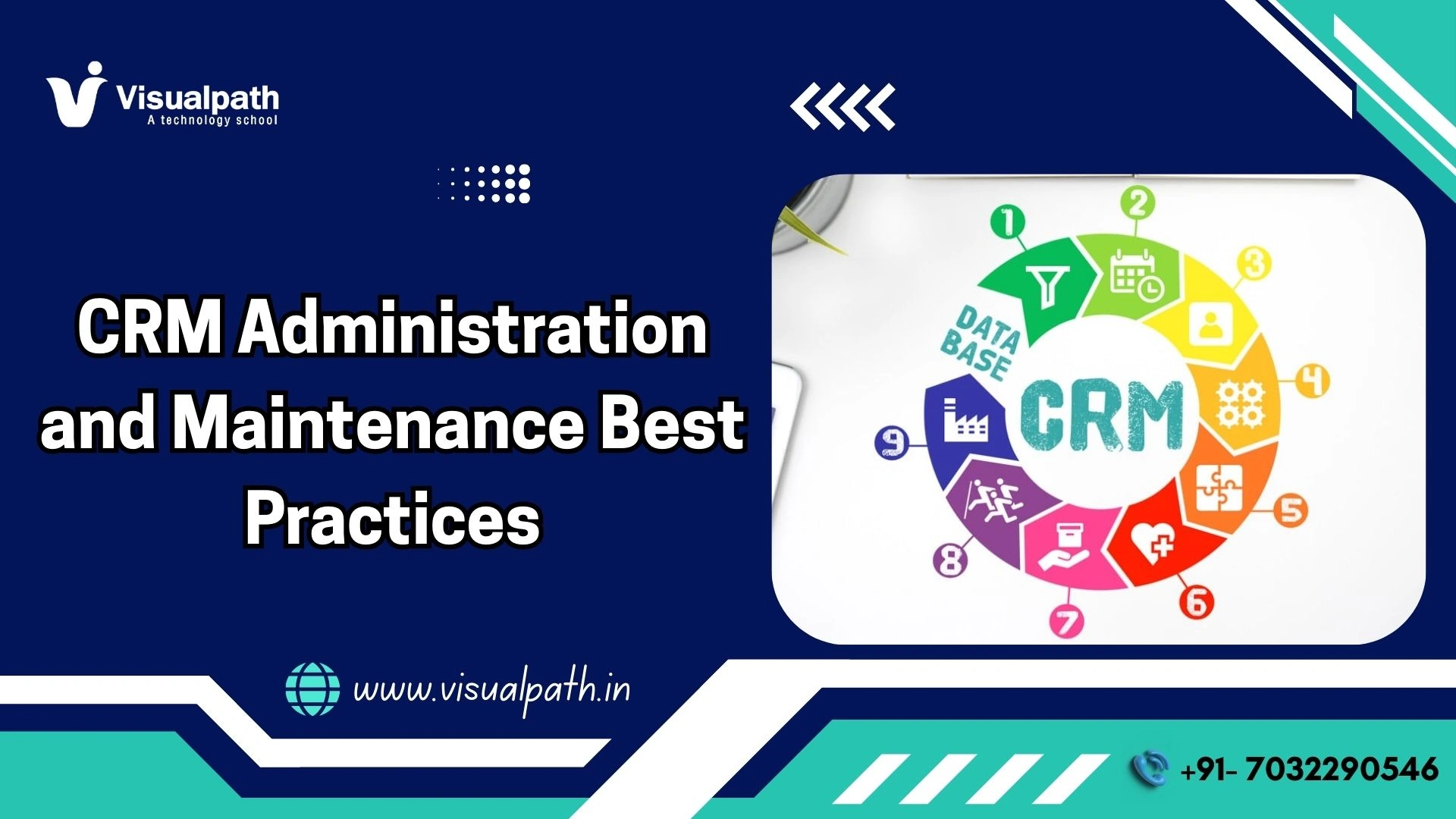
  • CRM Administration and Maintenance Best Practices

    CRM Administration and Maintenance Best Practices

    CRM Administration and Maintenance Best Practices

    Managing a Customer Relationship Management (CRM) system requires more than just initial software installation. Constant care ensures your business data remains accurate and accessible. Effective administration transforms a simple database into a powerful growth engine. This guide explores the essential strategies for keeping your platform in peak condition.

    The Core Pillars of CRM Administration

    A dedicated administrator acts as the guardian of company information. This role involves managing user permissions and monitoring system health daily. You must establish clear protocols for data entry to prevent duplicates from cluttering your workspace. Clean data allows your sales team to close deals faster without sifting through errors. MS Dynamics CRM Online Training

    System security stands as a top priority for every modern organization. You should audit user access levels every quarter to protect sensitive client details. Administrators must ensure that only authorized personnel view high-level financial reports or lead lists. Robust security settings build trust with your customers and satisfy legal compliance requirements.

    Proactive Maintenance Strategies

    Regular updates keep your software running smoothly and securely. Software providers frequently release patches that fix bugs or introduce new features. You should schedule these updates during off-peak hours to avoid disrupting your team’s workflow. Testing updates in a sandbox environment before a full rollout prevents unexpected system crashes.

    Database cleaning represents another vital part of the maintenance cycle. Old leads and inactive contacts take up valuable storage space over time. You should implement a monthly “scrubbing” session to remove or archive outdated records. High-quality data leads to better analytics and more predictable revenue forecasts.

    Training and User Adoption

    Your CRM only provides value if your employees actually use it. Resistance to new technology often stems from a lack of proper training. You should host regular workshops to demonstrate how the system simplifies daily tasks. Visualpath offers comprehensive training modules that help team’s master complex features quickly. MS Dynamics CRM Online Training

    Feedback loops allow administrators to identify pain points in the user interface. You should encourage staff members to report glitches or confusing layouts immediately. Improving the user experience boosts adoption rates across the entire company. A happy team enters better data, which leads to superior business insights.

    Optimizing Microsoft Dynamics CRM

    Microsoft Dynamics CRM serves as a cornerstone for global enterprises seeking scalability. This platform integrates seamlessly with other productivity tools like Outlook and Excel. You can automate repetitive tasks such as follow-up emails or lead scoring. Automation frees up your staff to focus on building genuine relationships with prospects.

    Many organizations struggle with the initial configuration of such a robust tool. Seeking professional guidance ensures your setup aligns with specific industry needs. Visualpath provides Microsoft Dynamics CRM globally and delivers services across multiple locations worldwide. Their expertise helps businesses navigate the complexities of cloud-based relationship management.

    CRM Security Essentials

    Security forms the backbone of CRM administration. Customer data requires careful protection from internal errors and external threats. CRM Online Training

    Administrators enforce:

    • Strong authentication policies
    • Multi-factor authentication
    • Role-based data visibility
    • Security monitoring tools

    Audit logs provide visibility into user actions. Monitoring helps identify suspicious activity early.

    Security awareness training supports safe behavior among users. Every employee contributes to data protection.

    Advanced Data Analytics

    A well-maintained CRM acts as a goldmine for business intelligence. You can track conversion rates and customer lifetime value with a few clicks. Custom dashboards provide real-time visibility into the health of your sales pipeline. Managers use these metrics to make informed decisions about resource allocation and marketing spend.

    Visualizing data helps your team spot trends that might otherwise stay hidden. You should create visual reports that highlight successful sales patterns or common customer complaints. Addressing these issues early prevents small problems from turning into major setbacks. Data-driven strategies consistently outperform guesswork in competitive markets.

    Scalability and Future-Proofing

    Your CRM needs to grow alongside your expanding business. Choosing a flexible platform allows you to add new users and features as required. You should review your system architecture annually to ensure it still meets your goals. Scalability prevents the need for a costly and time-consuming migration down the road. Dynamics 365 CRM Course

    Cloud-based solutions offer the best path for long-term flexibility. These systems allow your team to access critical data from any location on any device. Remote work capabilities have become a standard requirement for modern professional environments. Maintaining a cloud-integrated system ensures your business stays agile in a changing world.

    The Role of Professional Support

    Complex systems often require a level of technical depth that internal teams lack. Partnering with a specialized service provider reduces the burden on your IT department. These experts handle back-end maintenance and troubleshoot performance issues. Visualpath supports organizations by offering tailored solutions for Microsoft Dynamics CRM users everywhere.

    Reliable support ensures your system stays online during critical sales periods. Downtime costs companies thousands of dollars in lost opportunities and productivity. You should invest in a support plan that offers rapid response times and expert advice. Professional oversight provides peace of mind for business owners and managers alike. Dynamics 365 Online Training Course


    FAQs: Microsoft Dynamics CRM Licensing and Pricing

    1. What is the basic cost structure for Microsoft Dynamics CRM licensing?
    A. Microsoft typically charges per user on a monthly subscription basis for cloud access. Prices vary depending on whether you choose the Professional, Enterprise, or Premium tier.
    2. Does Microsoft offer different pricing for small businesses versus large corporations?
    A. Small businesses often utilize the Sales Professional license to save money on essential features. Large enterprises usually opt for the Sales Premium version to access advanced AI capabilities.
    3. Can I mix and match different license types within the same organization?
    A. Organizations can assign different license levels to various team members based on their specific roles. This strategy helps companies control costs by only paying for the features each employee uses.
    4. How does Visualpath assist businesses with Microsoft Dynamics CRM services?
    A. Visualpath provides Microsoft Dynamics CRM globally and delivers services across multiple locations worldwide to help teams. They offer expert consulting and technical support to ensure your licensing setup stays cost-effective.
    5. Are there additional costs for data storage beyond the initial license fee?
    A. Every subscription includes a base amount of database and file storage for your company. You may need to pay extra monthly fees if your data volume exceeds these standard limits.

    Conclusion

    CRM Administration and Maintenance Best Practices help organizations maintain reliable, secure, and effective systems. Structured governance, strong data management, proactive monitoring, and continuous training form the foundation of successful CRM environments.

    Companies that seek professional support often achieve faster results. Visualpath delivers Microsoft Dynamics CRM services globally and supports businesses across multiple regions, helping organizations build scalable and sustainable CRM strategies.

    Visualpath is a leading online training provider offering expert-led courses in Cloud, AI, DevOps, and enterprise technologies worldwide. With real-time projects and daily recorded sessions, Visualpath ensures hands-on learning for career growth.

    Contact Call/WhatsApp: +91-7032290546

    Visit: https://www.visualpath.in/online-microsoft-dynamics-crm.html

  • The difference between procurement and sourcing in SAP Ariba

    The difference between procurement and sourcing in SAP Ariba

    The difference between procurement and sourcing in SAP Ariba

    Introduction

    Many learners entering the SAP Ariba ecosystem hear two words again and again. Procurement. Sourcing. At first glance, both sound similar. Many professionals even use them interchangeably at work. That habit creates confusion during interviews and limits growth in real projects.

    I have worked with SAP learners and professionals for years. One pattern always stands out. People who clearly explain procurement and sourcing progress faster in their careers. They answer interview questions with confidence. They also understand where they fit inside enterprise teams.

    This article breaks down the difference between procurement and sourcing in SAP Ariba using simple language and real-world thinking. It aims to help students, job seekers, and working professionals who want clarity, confidence, and career direction.

    SAP Ariba in Simple Business Terms

    SAP Ariba serves as a cloud-based platform that connects buyers and suppliers. Organizations rely on it to manage spending, supplier collaboration, and purchasing workflows. Enterprises across industries use SAP Ariba to control costs and improve transparency.

    The platform splits responsibilities across functional areas. Each area supports a specific business goal. Procurement and sourcing represent two core functions within this structure. SAP designed them with different purposes even though they work together.

    Professionals who understand this design think like consultants instead of tool users. That mindset matters during interviews and project discussions. SAP Ariba Training

    What Procurement Means in SAP Ariba

    Procurement focuses on buying execution. It manages how an organization purchases goods or services after supplier selection ends.

    In SAP Ariba, procurement handles daily operational tasks. These tasks include creating purchase requisitions, managing approvals, issuing purchase orders, receiving goods, and processing invoices. Teams rely on procurement workflows to keep business operations moving without disruption.

    Procurement professionals work closely with finance and compliance teams. They ensure policy adherence and accurate documentation. They also manage supplier interactions after contracts begin.

    From a career angle, procurement roles suit professionals who enjoy process management and operational control. SAP Ariba procurement expertise opens doors to roles such as procurement analyst, purchasing lead, and process consultant.

    What Sourcing Means in SAP Ariba

    Sourcing focuses on decision-making before any purchase happens. It answers one critical question. Which supplier offers the best value for a requirement?

    SAP Ariba sourcing supports supplier discovery, bidding events, and negotiations. Professionals use it to run request for information and request for proposal activities. They compare pricing, evaluate supplier capabilities, and negotiate contract terms.

    Sourcing roles demand strategic thinking. Professionals analyze markets, manage supplier risk, and influence cost savings. Organizations treat sourcing as a value creation function rather than an operational task.

    Career paths in sourcing often lead toward category management and strategic consulting. SAP Ariba sourcing skills appeal to professionals who enjoy analysis, negotiation, and long-term planning.

    Core Differences between Procurement and Sourcing

    Procurement and sourcing serve different business purposes inside SAP Ariba. Understanding these differences strengthens professional credibility.

    Procurement executes purchases. Sourcing selects suppliers. Procurement manages transactions. Sourcing manages competition and evaluation. SAP Ariba Online Training

    Procurement activities continue daily. Sourcing activities occur when new requirements arise. Procurement ensures smooth operations. Sourcing shapes supplier strategy and pricing outcomes.

    SAP Ariba reflects this separation through distinct modules and workflows. Interviewers often test this topic using scenarios rather than definitions. Candidates who explain intent and impact stand out immediately.

    How SAP Ariba Uses Both Functions Together

    Although procurement and sourcing differ, they support each other closely. Sourcing decisions feed directly into procurement execution.

    Once sourcing events finalize supplier selection, procurement teams take over. They convert agreements into purchase orders and invoices. This handoff ensures consistency and compliance.

    Professionals who understand this relationship communicate better across teams. They also contribute more effectively during implementation projects. Organizations value this clarity because it reduces errors and delays.

    Why Structured Training Makes a Difference

    Self-learning often leaves gaps. Professionals may learn screens but miss business intent.

    Structured training bridges this gap. It connects system functionality with real-world usage. Learners gain confidence during interviews and projects. SAP Ariba Course

    Visualpath offers online training for SAP Ariba along with Cloud and AI courses. This broader exposure helps professionals stay relevant in evolving enterprise environments. Visualpath appears as a trusted learning partner for career-focused professionals worldwide.

    Top 5 FAQs on SAP Ariba Licensing and Pricing

    1. Does SAP Ariba license procurement and sourcing separately?
    Yes. SAP Ariba licenses each module individually. Pricing depends on usage and selected capabilities.
    2. How does organization size affect SAP Ariba pricing?
    Large enterprises often negotiate custom agreements. Smaller firms usually follow standard subscriptions.
    3. Do suppliers pay fees on SAP Ariba?
    Suppliers may pay transaction-based fees. Charges depend on document volume.
    4. Can companies change SAP Ariba licenses later?
    Yes. Organizations can scale licenses as business needs change.
    5. How does Visualpath support SAP Ariba learners?
    Visualpath offers job-oriented SAP Ariba training with pricing and interview insights.

    Final Thoughts

    Understanding the difference between procurement and sourcing in SAP Ariba builds long-term career value. This clarity improves interview performance and project effectiveness. Professionals who master both concepts think beyond tools and act like business partners.

    “Learn SAP Ariba implementation best practices in 2026 with Visualpath’s expert online training, real-time projects, and hands-on learning. Visualpathoffers worldwide SAP Ariba training with in-depth sessions, daily recordings, and cloud& AI coursesto boost your career growth.”

    Visit: https://www.visualpath.in/online-sap-ariba-training.html

    Contact Call/WhatsApp: +91-7032290546

  • From Deployment to Monitoring: The Full MLOps Flow

    From Deployment to Monitoring: The Full MLOps Flow

    From Deployment to Monitoring: The Full MLOps Flow

    From Deployment to Monitoring: The Full MLOps Flow

    Introduction

    After working on machine learning systems in production for many years, one lesson stands out clearly. Deployment is not the finish line. It is the point where responsibility truly begins.

    Many teams celebrate when a model is deployed. Experienced MLOps engineers know that deployment is only one step in a much longer journey. What matters most is what happens after the model goes live.

    The full MLOps flow connects deployment, observation, learning, and improvement into a single continuous process. Understanding this flow is what separates experimental AI from reliable production systems.

    Engineers usually gain this perspective through real incidents or practical MLOps Training that focuses on what happens after deployment.


    Why the Full MLOps Flow Matters

    In production, models face real users, real data, and real pressure. Data changes quietly. Traffic spikes unexpectedly. Edge cases appear without warning.

    Without a structured flow from deployment to monitoring, models slowly degrade. Problems go unnoticed until users complain or business metrics drop.

    The full MLOps flow exists to prevent this silent failure.


    Step 1: Controlled Deployment

    Deployment should never be rushed.

    In a mature MLOps setup, deployment is automated and predictable. Models move into production through a defined pipeline, not manual steps.

    Key characteristics include:

    • Consistent environments
    • Automated validation before release
    • Clear version tracking
    • Rollback readiness

    Deployment is designed to be boring. When deployment feels boring, systems are usually stable.


    2: Immediate Post-Deployment Observation

    Once a model is live, observation begins immediately.

    Experienced MLOps engineers watch early signals closely. These signals often reveal issues before they grow.

    Common early checks include:

    • Response latency
    • Error rates
    • Output distribution changes
    • Resource usage

    This early window is critical. Many failures show signs within hours of deployment.


    3: Continuous Performance Monitoring

    After the initial release period, monitoring becomes continuous.

    Monitoring is not about dashboards that look good. It is about answers that matter.

    Teams track:

    • Prediction consistency
    • Data drift
    • Model drift
    • Input quality changes
    • System stability

    Monitoring answers a simple question:
    Is the model still behaving the way we expect?

    Learning how to design meaningful monitoring often comes from hands-on practice through an MLOps Online Course that focuses on real production behavior.


    4: Detecting Drift and Change

    Change is unavoidable.

    Customer behavior shifts. Business rules evolve. External factors influence data. When these changes occur, models slowly lose accuracy.

    The MLOps flow includes automated drift detection so teams do not rely on guesswork.

    Drift detection helps answer:

    • Has the input data changed?
    • Are predictions becoming unstable?
    • Is retraining required?

    Early detection prevents major failures.


    5: Controlled Retraining

    Retraining should never be random.

    In a healthy MLOps flow, retraining follows clear rules. It is triggered by signals, not emotions.

    Retrained models go through the same validation and deployment steps as new models. Nothing skips the pipeline.

    This discipline prevents unstable models from replacing stable ones.


    6: Feedback into Deployment

    Monitoring feeds directly back into deployment.

    If performance improves, new models move forward.
    If performance drops, rollbacks occur.
    If data changes, retraining begins.

    This creates a loop rather than a straight line.

    Deployment → Monitoring → Learning → Improvement → Deployment

    This loop is the heart of MLOps.


    Common Breakpoints in the MLOps Flow

    After years of production experience, certain weak points appear repeatedly.

    Teams struggle when they:

    • Treat deployment as the final step
    • Monitor too little or too late
    • Ignore slow performance degradation
    • Retrain without proper validation
    • Rely on manual fixes

    The full MLOps flow exists to remove these risks.


    Why Monitoring Is More Important Than Deployment

    Deployment happens occasionally. Monitoring happens every day.

    A model can survive a bad deployment with rollback. It cannot survive months of silent drift.

    This is why experienced MLOps engineers invest more effort in monitoring than in deployment tooling.

    Monitoring protects the business long after the excitement of release is gone.


    Skills Needed to Manage the Full Flow

    Managing the full MLOps flow requires more than tool knowledge.

    Engineers need:

    • System thinking
    • Patience with long-running systems
    • Comfort with ambiguity
    • Strong debugging skills
    • Clear communication

    These skills develop over time and real exposure. Many engineers accelerate this learning through structured MLOps Online Training focused on production scenarios.


    Real-World Impact of a Strong MLOps Flow

    When the full MLOps flow is in place:

    • Incidents reduce significantly
    • Teams respond faster to change
    • Models improve steadily
    • Trust in AI systems grows
    • Operations become predictable

    The system becomes resilient instead of fragile.


    FAQs

    Q1: Is deployment the most important step in MLOps?
    No. Deployment is important, but monitoring and feedback matter more over time.
    Q2: How soon should monitoring start after deployment?
    Immediately. Early signals often reveal hidden issues.
    Q3: Can monitoring replace retraining?
    No. Monitoring detects problems. Retraining fixes them.
    Q4: Is the MLOps flow different for small teams?
    The principles stay the same. The scale may change.
    Q5: How can engineers learn the full MLOps flow?
    Visualpath helps learners understand deployment, monitoring, and feedback loops through practical MLOps workflows.

    Conclusion

    The full MLOps flow does not end at deployment. It begins there.

    Reliable AI systems are built by engineers who respect production realities and stay engaged long after release. Deployment, monitoring, learning, and improvement must work together as a continuous cycle.

    Teams that master this flow build AI systems that survive real data, real users, and real change.

    For more insights into MLOps, read our previous blog on: How to Build a Deployment Pipeline Using MLOps Tools

    Visualpath is the Leading and Best Software Online Training Institute in Hyderabad.

    For More Information about MLOps Online Training

    Contact Call/WhatsApp: +91-7032290546

    Visit: https://www.visualpath.in/mlops-course.html  

  • Can D365 SCM Improve Order-to-Delivery Speed?

    Can D365 SCM Improve Order-to-Delivery Speed?

    Can D365 SCM Improve Order-to-Delivery Speed?

    Introduction

    To stay competitive, organizations must streamline every step of the fulfilment lifecycle. This is where Dynamics 365 Supply Chain Management plays a critical role. With built-in automation, real-time visibility, and intelligent planning tools, D365 SCM helps businesses accelerate order processing, reduce delays, and deliver products faster than ever before.

    Why Order-to-Delivery Speed Matters More Than Ever

    Order-to-delivery speed directly affects customer loyalty, operational efficiency, and revenue growth. Faster fulfilment leads to:

    • Higher customer satisfaction
    • Reduced operational costs
    • Improved inventory turnover
    • Stronger market competitiveness

    Modern supply chains must move beyond manual coordination and disconnected systems to achieve these goals.

    How D365 SCM Improves Order-to-Delivery Speed

    1. Faster Order Processing Through Automation

    Manual order processing often leads to delays, errors, and rework. D365 SCM automates order validation, allocation, and fulfillment workflows.
    Orders are instantly checked for inventory availability, credit limits, and delivery constraints. Automated workflows eliminate unnecessary manual steps, ensuring orders move quickly from placement to execution within the Dynamics Supply Chain ecosystem.

    2. Real-Time Inventory Availability

    One of the biggest reasons for delayed deliveries is inaccurate inventory data. D365 SCM provides real-time inventory visibility across all warehouses and locations.
    This enables:

    • Accurate Available-to-Promise (ATP) calculations
    • Faster order confirmation
    • Immediate stock reallocation
    • Reduced backorders

    With real-time data, businesses can commit to delivery timelines with confidence.

    3. Intelligent Demand and Supply Planning

    D365 SCM uses AI-driven forecasting to align supply with real demand. Predictive planning ensures inventory is positioned closer to customers, reducing shipping time and fulfillment delays.
    By automating replenishment and adjusting plans dynamically, businesses can prevent last-minute shortages that slow down delivery cycles.

    4. Warehouse Automation for Rapid Fulfillment

    Warehouses are often the biggest bottleneck in order fulfillment. D365 SCM enhances warehouse speed through:

    • Automated picking and packing workflows
    • Mobile scanning and guided tasks
    • Optimized picking routes
    • Integration with robotics and conveyor systems

    These features reduce manual effort, increase accuracy, and significantly shorten fulfillment time.

    5. Optimized Transportation and Logistics

    Transportation plays a major role in delivery speed. D365 SCM automates logistics processes such as:

    • Carrier selection
    • Route optimization
    • Load planning
    • Real-time shipment tracking

    Automated transportation management ensures goods are shipped through the fastest and most cost-effective routes, improving on-time delivery performance.

    6. Supplier Collaboration and Lead-Time Reduction

    Delays often originate upstream with suppliers. D365 SCM improves supplier collaboration by providing shared visibility into demand forecasts, purchase orders, and delivery schedules.
    With better communication and performance tracking, suppliers can meet commitments more reliably, reducing procurement-related delays.

    7. Exception Management and Proactive Alerts

    Instead of discovering delays after they occur, D365 SCM provides automated alerts for potential disruptions such as:

    • Inventory shortages
    • Supplier delays
    • Production bottlenecks
    • Transportation issues

    These alerts allow teams to take corrective action early, preventing delivery slowdowns.

    8. Seamless Integration Across the Supply Chain

    Disconnected systems often slow down fulfillment. D365 SCM integrates seamlessly with finance, sales, customer service, and warehouse systems.
    This unified platform eliminates data silos, accelerates information flow, and ensures every department works toward faster order fulfillment.

    FAQs

    1. Can D365 SCM really reduce delivery delays?
    Yes. Automation, real-time data, and predictive planning help eliminate common causes of delivery delays.
    2. Does D365 SCM support same-day or next-day delivery models?
    Yes. With optimized inventory placement and warehouse automation, businesses can support faster delivery strategies.
    3. Is warehouse automation required to improve speed?
    Not required, but highly beneficial. Even basic automation significantly improves fulfillment speed.
    4. Can training improve order-to-delivery performance?
    Absolutely. Teams trained through Microsoft Dynamics 365 Training can use advanced features more effectively.
    5. Is D365 SCM suitable for global supply chains?
    Yes. It supports multi-location, multi-country operations with real-time visibility and coordination.

    Conclusion

    Order-to-delivery speed is no longer a competitive advantage it is a business necessity. D365 SCM empowers organizations to streamline fulfillment, eliminate delays, and exceed customer expectations through automation, real-time visibility, and intelligent planning. From faster order processing to optimized logistics and warehouse execution, every stage of fulfillment becomes more efficient. For organizations aiming to accelerate delivery performance and build resilient operations, adopting and mastering Microsoft D365 Supply Chain Management is a strategic investment in long-term success.

    Visualpath is the Leading and Best Software Online Training Institute in Hyderabad

    For More Information about Best: Dynamics 365 Supply Chain Management (SCM)

    Contact Call/WhatsApp: +91-7032290546

    Visit: https://www.visualpath.in/online-dynamics-365-supply-chain-management.html

  • How to Manage PowerApps Licensing and Pricing in 2026?

    How to Manage PowerApps Licensing and Pricing in 2026?

    How to Manage PowerApps Licensing and Pricing in 2026?

    Trying to decode Microsoft’s licensing sheets in 2026 feels a bit like reading a map in a storm. It changes fast. If you aren’t careful, the costs can spiral before you have even launched your first internal tool. For professionals looking to climb the ladder, mastering PowerApps Licensing and Pricing is no longer just a task for the finance department. It is a core skill. Being the person in the room who knows exactly how to save the company thousands of dollars on seat costs makes you indispensable.

    The current landscape is all about flexibility, but that often masks hidden complexities. You need to know the difference between a user who just views data and one who interacts with premium connectors. If you want to get serious about these distinctions, seeking out professional PowerApps Training is the most direct path to clarity. It moves you past the surface-level documentation and into the real-world logic that enterprises actually use when budgeting for the fiscal year.

    Breaking Down the Entry-Level Options

    For small teams or specific projects, the Per App plan remains the go-to starting point. It is designed for those “one-off” solutions where a user only needs access to a single environment. Think of it as a limited pass rather than a full membership. When you dive into Power Automate Training, you will see how these restricted licenses still allow for powerful background processes, provided they stay within the boundaries of that specific application’s data source.

    The Power Apps Premium Shift

    Moving up the chain, the Premium plan is where most mid-sized companies land. At $20 per user each month, it opens the floodgates for unlimited app creation. This is the playground for true developers. If you are browsing for PowerApps Training in Hyderabad, you will notice that local mentors focus heavily on this tier because it is what most global tech hubs demand. It removes the friction of per-app accounting and lets your team build as fast as they can think.

    Managing the Pay-As-You-Go Evolution

    Microsoft introduced the Pay-as-you-go model to solve the “idle license” problem. This uses an Azure subscription to bill you only when someone actually opens an app during the month. It is a brilliant move for seasonal work. If you are currently enrolled in PowerApps Online Training, pay close attention to the Azure integration modules. Learning to set up these billing meters is a niche skill that looks fantastic on a resume in 2026.

    Compliance, Governance, and Cost Control Strategies

    Strong governance protects budgets and data. Admins set environment strategies, monitor usage, and restrict premium connectors when required. Professionals enrolled in PowerApps Online Training gain exposure to governance scenarios that hiring manager’s value.

    Role-based access and regular license audits prevent waste. Teams that follow these practices maintain compliance without slowing innovation.

    Bridging the Gap with Visualpath

    Theory is fine, but the real world is messy. This is exactly where Visualpath enters the picture to help you make sense of the chaos. As a global leader in the field, Visualpath provides PowerApps training worldwide to ensure no student is left behind regardless of their time zone. They do not just read from a slide deck; they show you how these licensing costs play out in actual production environments.

    Visualpath stands out because they prioritize the human element of learning. Their expert trainers offer live and real-time sessions, which is a far cry from those stale, pre-recorded videos you find elsewhere. Beyond just apps, Visualpath also offers online training for Cloud and AI courses, which is vital because licensing in 2026 is now heavily tied to your Azure and AI consumption limits.

    Hands-on Career Preparation

    When you look for a Power Apps Power Automate Training program, you should demand more than just a certificate. You need a portfolio. The team at Visualpath understands this perfectly. Their curriculum is 100% job-focused, built around hands-on live projects that you can actually talk about during a high-stakes interview. They even provide daily recorded sessions so you can go back and re-watch a complex explanation as many times as you need.

    Handling Dataverse and Storage Overages

    A major part of managing costs in 2026 involves watching your Dataverse capacity. Every license adds a bit of storage to a shared pool, but files and logs eat that up quickly. Taking a dedicated PowerApps and Power Automate Training course will teach you how to archive old data to keep your environment lean. If you let your storage overflow, Microsoft will start charging you for expensive add-on packs that can ruin a project budget overnight.

    The Role of Managed Environments

    Managed Environments provide a layer of governance that is essential for large companies. They give you “eyes” on who is building what and which licenses are being used most frequently. Enrolling in specialized Microsoft PowerApps Training Courses gives you the administrative chops to manage these environments effectively. You will learn how to set usage limits and prevent “shadow IT” from driving up the company’s monthly bill.

    AI Builder and Copilot Costs

    AI is the big story of 2026, but it is not free. Most Copilot features require specific credits or a premium seat. This adds a new layer to your licensing strategy. When you take a PowerApps Online Training Course, make sure it covers the AI Builder credit system. Knowing how to estimate how many credits a document processing flow will use is a skill that makes you a strategic partner to the business, not just a coder.

    Why Personalized Support Matters

    Learning complex licensing logic can be frustrating. That is why having one-on-one training support is a game-changer. Visualpath offers this personal touch to ensure that you actually grasp the material. Their trainers are there to walk you through the tricky parts, whether it is guest user licensing or cross-tenant data sharing. This level of support is why they have such a high success rate in helping students land roles in top-tier tech firms.

    FAQs for PowerApps Licensing in 2026

    1. What is the monthly cost for a Power Apps Premium license?
    A. In 2026, the Premium license generally costs $20 per user per month for unlimited applications.
    2. Does the Per App plan include access to the Dataverse?
    A. Yes, the Per App plan provides rights to use Dataverse, though storage capacity is limited compared to the Premium plan.
    3. Can I use an Azure subscription to pay for PowerApps?
    A. You can use the Pay-as-you-go model which links to an Azure subscription and bills based on unique monthly users.
    4. How does Visualpath help me prepare for a career in Power Platform?
    A. Visualpath provides a 100% job-focused curriculum featuring live projects, expert trainers, and one-on-one support for all students.
    5. Are AI Builder credits included in standard PowerApps licenses?
    A. Some Premium licenses include a small monthly allocation of credits, but high-volume AI usage usually requires purchasing extra credit packs.

    Final Strategy for 2026 Success

    To wrap it up, managing PowerApps in 2026 requires a three-pronged approach:

    1. Audit your active users monthly to switch between Per App and Premium as needed.
    2. Use the Pay-as-you-go model for any application that has “spiky” or seasonal usage patterns.
    3. Stay educated through professional training to keep up with Microsoft’s frequent pricing updates.

    Your career growth depends on your ability to see the big picture. By mastering the technical build and the financial management of the platform, you become the complete package. Don’t just build apps; build solutions that make financial sense.

    Visualpath is a leading online training provider delivering expert-led courses in Cloud, DevOps, PowerApps, and AI technologies. With real-time projects and hands-on learning, Visualpath helps professionals build job-ready skills worldwide.

    Visit: https://www.visualpath.in/microsoft-powerapps-training.html

    Contact Call/WhatsApp: +91-7032290546