Tag: online training

  • Azure AI Engineer Training: AI Pricing Models and Cost Management

    Azure AI Engineer Training: AI Pricing Models and Cost Management

    Introduction:

    The AI 102 Certification is designed to help professionals gain expertise in implementing AI solutions using Microsoft Azure. One of the critical aspects of Azure AI is understanding its pricing models and managing costs effectively. As AI continues to evolve, optimizing pricing structures while delivering intelligent solutions becomes crucial for organizations. This content explores various Azure AI pricing models and cost management strategies, providing insights for those pursuing the Azure AI Engineer Training to pass the AI 102 Certification exam.

    Understanding Azure AI Engineer Training Pricing Models

    Microsoft Azure provides a range of AI services that offer different pricing models. These services are designed to suit businesses of all sizes, whether it’s for experimental projects, production workloads, or enterprise-level deployments. Azure offers flexible payment options, including pay-as-you-go, reserved capacity, and subscription-based plans. These models allow organizations to choose pricing structures that align with their budget and usage patterns.

    • Pay-As-You-Go Pricing: This model allows users to pay only for the services they consume without any upfront costs or commitments. It is ideal for businesses that have fluctuating workloads or want to scale their AI solutions over time. For example, Azure Cognitive Services, which includes natural language processing, computer vision, and speech services, charges based on API calls. This flexibility makes it easy to start small and scale as needed, a key concept covered in the AI 102 Certification exam.
    • Reserved Capacity Pricing: Azure offers reserved instances for AI services, where customers can purchase a fixed capacity for a specific time, usually one or three years, at a discounted rate. This is beneficial for organizations with predictable workloads and long-term projects, as it reduces overall costs. Reserved pricing is particularly useful in machine learning models, which require consistent compute power to train models over long periods.
    • Subscription-Based Plans: Azure AI also offers subscription-based plans that provide a fixed monthly rate for certain services. This is ideal for companies that want predictable costs while accessing a comprehensive range of AI tools. Subscriptions also provide enterprise-level features like priority support and advanced analytics, ensuring businesses can build, deploy, and manage AI solutions seamlessly.

    Understanding these pricing models is crucial for those preparing for the Azure AI Engineer Training. Not only do they need to design and implement AI solutions, but they must also optimize costs effectively to maximize return on investment for businesses.

    Cost Management Strategies in Azure AI

    Efficient cost management is an integral part of working with AI on the Azure platform. Managing costs involves monitoring usage, scaling services based on demand, and leveraging Azure’s built-in cost-saving tools. These practices are often highlighted in the AI 102 Certification exam, as they contribute to the overall success of AI projects.

    • Azure Cost Management and Billing Tools: Azure provides various tools to help organizations monitor and manage their AI service expenses. Azure Cost Management allows users to track their spending in real-time, set budgets, and receive alerts when they are close to exceeding their limits. This feature is critical for businesses aiming to keep AI project costs under control. Those undergoing Azure AI Engineer Training are often trained on how to use these tools to ensure they remain within budget.
    • Scaling and Auto scaling: One of the most effective ways to manage costs in Azure AI is to use auto scaling capabilities. By setting auto scaling rules, organizations can ensure that resources are only utilized during peak demand, avoiding unnecessary costs during off-peak times. For instance, if you’re running a natural language processing model that processes high volumes of data during business hours but requires minimal activity at night, autoscaling can adjust resources accordingly.
    • Optimizing Resource Allocation: Another key cost management strategy is right-sizing resources. Azure AI services allow organizations to choose different tiers of computing power and storage based on their needs. Right-sizing ensures that you are not over-provisioning resources, which can lead to higher costs. In the AI 102 Certification, candidates are often required to demonstrate the ability to optimize AI solution architectures to manage costs effectively.

    In addition to these strategies, Azure’s pricing calculators and cost analysis tools enable AI engineers to estimate and forecast expenses before deploying solutions. Mastering these tools is critical for passing the AI 102 Certification exam and ensures that AI solutions are designed with cost-efficiency in mind.

    Tips for Managing Azure AI Costs

    For those pursuing the Azure AI Engineer Training or preparing for the AI 102 Certification, here are some tips to manage Azure AI costs effectively:

    • Use Free Tiers and Trials: Azure provides free tiers and trial offers for various AI services. Make the most of these to explore services without incurring costs. These free resources are a great way to test prototypes before scaling into production.
    • Monitor Usage Regularly: Set up cost alerts and regularly review your usage patterns. This can help in identifying underutilized resources and adjusting your strategy accordingly.
    • Leverage Reserved Instances for Long-Term Projects: For AI projects that require consistent compute resources, opt for reserved instances to save on long-term costs. This will significantly reduce expenses, especially in machine learning model training.
    • Optimize Data Storage: AI solutions often involve large datasets. Use Azure Blob Storage with lifecycle management policies to move data to lower-cost storage tiers when it’s no longer needed for immediate analysis.

    Conclusion

    Mastering Azure AI’s pricing models and effective cost management is essential for any AI professional aiming to design and implement solutions that are both powerful and cost-efficient. For those preparing for the AI 102 Certification or undergoing Azure AI Engineer Training, understanding how to optimize pricing strategies and manage costs is just as important as developing AI models themselves. By leveraging Azure’s flexible pricing options, cost management tools, and best practices, businesses can ensure that their AI solutions not only deliver results but also remain within budget. The ability to balance innovation with cost efficiency will help organizations maximize the potential of Azure AI while staying competitive in the market.

    Visualpath is the Best Software Online Training Institute in Hyderabad. Avail complete Azure AI (AI-102) worldwide. You will get the best course at an affordable cost.

    Attend Free Demo

    Call on – +91-9989971070.

    WhatsApp: https://www.whatsapp.com/catalog/919989971070/

    Visit: https://www.visualpath.in/online-ai-102-certification.html

  • Matillion Online Training for Beginners: Matillion ETL Overview with Tips

    Matillion Online Training for Beginners: Matillion ETL Overview with Tips

    Matillion Online Training In today’s data-driven world, having the right tools to process and manage massive volumes of data is essential. For those looking to gain expertise in ETL (Extract, Transform, and Load) processes, Matillion Online Training is an excellent starting point. Whether you’re a complete beginner or someone with experience in other ETL tools, Matillion offers a powerful yet user-friendly platform to help you master the process of data transformation and loading in cloud environments like AWS Redshift, Snowflake, and Google Big Query. In this article, we will provide an overview of Matillion ETL, share essential tips for beginners, and outline the benefits of undertaking Matillion Training

    What is Matillion ETL?

    Matillion ETL is a cloud-native data integration tool designed to simplify the data extraction, transformation, and loading process in cloud-based data warehouses. It supports multiple cloud platforms, including Amazon Redshift, Google Big Query, and Snowflake, making it a versatile tool for organizations working with big data. Matillion Online Training allows users to learn how to build robust data pipelines using the platform’s intuitive interface, which is easy to navigate even for beginners. One of the significant advantages of Matillion Training is that it doesn’t require extensive coding knowledge. Instead, it offers a drag-and-drop interface that simplifies the data transformation process while still maintaining high performance.

    Key Features of Matillion ETL

    Matillion ETL provides a variety of features to simplify data integration. The platform offers hundreds of pre-built connectors that allow users to integrate data from multiple sources, such as Salesforce, MySQL, and Google Analytics. These connectors help users bring in data from disparate systems without needing complex manual setups. During Matillion Online Training, users are introduced to these pre-built connectors and guided through the process of building scalable data pipelines. Matillion Etl Training

    Another notable feature is the transformation component, where users can manipulate and prepare data for analysis. Matillion Training emphasizes how to use the transformation components to apply business logic, aggregate data, and enhance datasets for downstream reporting and analytics. Additionally, Matillion Online Training covers performance optimization techniques, ensuring that your ETL jobs run efficiently in a cloud environment.

    Tips for Getting Started with Matillion ETL

    1. Start with Basic Components: During Matillion Training, it’s essential to start with basic components such as extracting data from a single source and applying simple transformations. As you become more comfortable, you can gradually incorporate more advanced components and transformations.

    2. Leverage Pre-Built Jobs: Matillion ETL allows users to save jobs, and many pre-built jobs are available for specific use cases. In Matillion Online Training, you will learn how to customize these jobs to suit your needs, saving time and effort. Matillion Training Online

    3 Practice Performance Optimization: As with any ETL process, optimizing performance is critical. In Matillion Training, it’s essential to focus on the best practices for optimizing data loads, such as minimizing unnecessary transformations and batch processing whenever possible.

    4. Use Documentation and Community Resources: Matillion has an active user community and extensive documentation available. A great tip for beginners is to regularly refer to these resources as you progress through Matillion Online Training. The documentation can help clarify questions, while community forums offer insights from other users who have faced similar challenges.

    Why Take Matillion Online Training?

    Enrolling in Matillion Online Training offers numerous benefits. First and foremost, it allows beginners to quickly gain hands-on experience with a cloud-based ETL platform. As more companies move their data infrastructure to the cloud, skills in tools like Matillion are in high demand. By undertaking Matillion Training, you can add a valuable skill set to your portfolio, making you more competitive in the job market.

    Moreover, the flexible nature of Matillion Online Training allows you to learn at your own pace. Whether you are working full-time or juggling other responsibilities, the online format enables you to integrate learning into your schedule easily. Additionally, since Matillion ETL is a visual, user-friendly platform, you don’t need to be a data engineer or developer to benefit from Matillion Training.

    Conclusion

    For anyone looking to break into the world of data integration and cloud-based ETL, Matillion Online Training is an excellent starting point. The platform’s ease of use, combined with its powerful capabilities, makes it ideal for beginners and experienced professionals alike. By completing Matillion Training, you’ll be equipped with the skills to build and manage efficient data pipelines, optimize performance, and integrate data across cloud environments. With the growing importance of cloud-native ETL solutions, now is the perfect time to invest in your skills and get started with Matillion ETL.

    Visualpath is a top institute in Hyderabad offering Matillion Online Training with experienced, real-time trainers. We provide Matillion For Snowflake Training, interview questions, and real-time projects to help students gain practical skills,record and offers demo sessions. For more information, call +91-9989971070.

    Attend Free Demo

    Call On 9989971070

    Whatsapp: https://www.whatsapp.com/catalog/919989971070/

    Visit: https://www.visualpath.in/matillion-online-training.html

  • How to Build a Career in GenAI Training: Skills and Certifications

    How to Build a Career in GenAI Training: Skills and Certifications

    Generative AI TrainingThe field of artificial intelligence (AI) has undergone rapid transformation, with Generative AI emerging as one of the most exciting areas in the tech industry. Generative AI involves creating new content—such as images, music, or text—based on existing data, leveraging powerful models like GPT-4 and DALL-E. To build a successful career in Generative AI, it’s essential to acquire the right skills and certifications that are highly valued by employers. Whether you’re starting from scratch or looking to enhance your AI expertise, GenAI Training offers a structured path to mastering this domain.

    Key Skills for a Career in Generative AI

    Before diving into certifications, let’s explore the essential skills required for a successful career in Generative AI.

    1. Programming Knowledge: Proficiency in programming languages, particularly Python, is crucial for building and deploying AI models. Python’s extensive libraries like TensorFlow and PyTorch make it ideal for AI development.
    2. Mathematics and Statistics: A solid understanding of linear algebra, probability, and statistics is critical for grasping the core concepts of AI and machine learning. These skills help in the development of algorithms and understanding how AI models function.
    3. Deep Learning: Generative AI heavily relies on deep learning techniques, especially neural networks. Understanding deep learning architectures, such as GANs (Generative Adversarial Networks) and transformer models, is a must for anyone in the field.
    4. Data Handling Skills: Handling large datasets and preprocessing data for training AI models is a vital part of working in Generative AI. Knowing how to manage and process data efficiently is key to building robust models.
    5. AI Model Training and Tuning: The ability to train and fine-tune AI models for specific tasks is a highly sought-after skill. Understanding how to work with pre-trained models or develop new ones from scratch will set you apart in the field.

    Certifications to Boost Your Generative AI Career

    As the demand for AI professionals grows, having recognized certifications can significantly enhance your employability. A Generative AI Course in Hyderabad or online can help you validate your skills, making you stand out in a competitive job market.

    1. Google Professional Machine Learning Engineer: This certification focuses on designing and building AI solutions using Google Cloud, with an emphasis on machine learning and AI model deployment. It’s an excellent starting point for those looking to dive into Generative AI Training.
    2. DeepLearning.AI TensorFlow Developer: This certification by Coursera focuses on deep learning using TensorFlow, a crucial tool for building AI models. The program covers neural networks, computer vision, and natural language processing (NLP), all of which are important in Generative AI.
    3. Microsoft Certified: Azure AI Engineer Associate: Azure’s AI certification helps you learn to build AI solutions on Microsoft’s cloud platform. As Generative AI often involves cloud infrastructure for scalability, this certification is a valuable addition.
    4. Udacity AI for Everyone Nanodegree: If you’re new to AI, this certification provides a comprehensive introduction to the field, including Generative AI concepts. The course is beginner-friendly and lays a strong foundation in AI technologies.
    5. Advanced Generative AI Specialization: Some training platforms offer specialized certifications focused specifically on Generative AI. These certifications delve into advanced topics like GANs, transformers, and other state-of-the-art AI technologies.
    6. Generative AI Course in Hyderabad: For individuals looking to gain hands-on experience and localized instruction, a Generative AI Course in Hyderabad is a great option. This course typically covers all the essential skills mentioned earlier, while providing practical, project-based learning to ensure real-world application.

    Why Choose Generative AI?

    The increasing relevance of Generative AI in various industries makes it one of the most exciting and promising fields. Whether it’s for creating art, enhancing business processes, or innovating in industries like healthcare, Generative AI has a significant impact. As more businesses adopt AI for content creation, data analysis, and automation, professionals with Generative AI Training will be in high demand. Building a career in this field offers substantial growth potential, competitive salaries, and opportunities to work on cutting-edge technologies that shape the future.

    Conclusion

    Building a career in Generative AI requires a combination of technical skills, a deep understanding of AI technologies, and the right certifications to validate your expertise. By enrolling in specialized courses like GenAI Training, you can position yourself as a leader in this rapidly evolving field. Whether you’re interested in enrolling in a Generative AI Course in Hyderabad or pursuing online certification, acquiring these essential skills and certifications will open the door to a wealth of career opportunities in the tech industry. As AI continues to advance, now is the perfect time to invest in your future with a career in Generative AI.

    Visualpath is the Leading and Best Software Online Training Institute in Hyderabad. Avail complete Gen Ai Training in Hyderabad Worldwide. You will get the best course at an affordable cost.

    Whatsapp: https://www.whatsapp.com/catalog/919989971070/

    Visit   https://www.visualpath.in/online-gen-ai-training.html

  • Microsoft Dynamics CRM: What is Project Planning in Microsoft Dynamics 365 CRM?

    Microsoft Dynamics CRM: What is Project Planning in Microsoft Dynamics 365 CRM?

    Microsoft Dynamics CRM is a comprehensive tool that assists businesses in managing customer relationships and streamlining operations. One of the key functionalities within Microsoft Dynamics CRM is project planning, particularly in its broader offering, Microsoft Dynamics 365 CRM. Project planning in Microsoft Dynamics 365 CRM enables businesses to efficiently organize, monitor, and execute projects while integrating them with other vital processes, such as sales, marketing, and customer service. This approach allows companies to manage their entire project lifecycle within a single, cohesive platform, helping teams collaborate effectively and ensuring that business goals are met on time and within budget.

    Microsoft Dynamics 365 CRM is more than just a customer relationship management system; it is a versatile platform that combines CRM functionalities with project management tools. For organizations that handle complex projects, such as professional services firms, the integration of project management features within the CRM framework helps streamline both customer interactions and project execution. By utilizing the project planning capabilities of Microsoft Dynamics 365 CRM, businesses can optimize resource allocation, track deliverables, and manage timelines—all while keeping customer satisfaction at the forefront.

    The Project Planning Features in Microsoft Dynamics 365 CRM

    Project planning in Microsoft Dynamics 365 CRM is built around a series of features that make it easy to create, manage, and track projects from start to finish. These features help businesses structure their projects in a way that promotes efficiency, transparency, and collaboration among team members. Some of the core features include:

    1. Project Creation and Resource Allocation: In Microsoft Dynamics 365 CRM, project planning starts with the creation of a detailed project plan. Users can define project objectives, tasks, deadlines, and assign specific roles to team members. The platform allows project managers to allocate resources—such as personnel, equipment, and finances—effectively, ensuring that the right people are working on the right tasks at the right time. The resource allocation feature in Microsoft Dynamics CRM integrates with the broader Dynamics 365 suite, enabling project managers to pull in data from across departments, such as sales and customer service, to ensure that project goals align with broader business objectives.

    2.Task and Milestone Tracking: One of the most critical aspects of project planning is the ability to track tasks and milestones. Microsoft Dynamics 365 CRM offers a robust task management system that allows users to break down projects into smaller, manageable tasks. Each task can be assigned to individual team members, and deadlines can be set to ensure timely completion. The milestone feature in Microsoft Dynamics CRM helps teams focus on critical points in the project, ensuring that key deliverables are met before moving on to the next phase. With real-time updates and notifications, project managers can stay on top of task progress and adjust plans as needed to keep the project on track.

    3. Budgeting and Financial Tracking: Budget management is a crucial element of project planning, and Microsoft Dynamics 365 CRM provides tools for setting and tracking project budgets. Users can define financial parameters for each project, including costs for labor, materials, and other expenses. The platform’s integration with financial modules ensures that project managers can monitor spending against the budget in real-time. The budgeting tools in Microsoft Dynamics CRM also allow for the tracking of billable hours and expenses, which is particularly useful for professional services organizations that need to ensure accurate client billing.

    4. Collaboration and Communication: Collaboration is key to successful project planning, and Microsoft Dynamics 365 CRM includes features that foster teamwork and open communication. Team members can collaborate on tasks through shared workspaces, leaving comments, sharing files, and tracking updates within the platform. Integration with Microsoft Teams and Outlook makes communication seamless, as team members can discuss project details and exchange ideas without leaving the CRM environment. The ability to track communication history ensures that everyone is on the same page, reducing the risk of misunderstandings and project delays.

    5. Gantt Charts and Visual Timelines: For project managers who need a visual representation of project progress, Microsoft Dynamics 365 CRM offers Gantt charts and visual timelines. These tools provide an overview of the project’s progress, showing how tasks and milestones align with the overall project timeline. Gantt charts in Microsoft Dynamics CRM help project managers identify potential bottlenecks and adjust resources or deadlines accordingly. This visual approach to project planning makes it easier to communicate project status to stakeholders and ensure that the team is working towards the same goals.

    6. Integration with Other Dynamics 365 Modules: One of the key advantages of using Microsoft Dynamics 365 CRM for project planning is its integration with other modules in the Dynamics 365 ecosystem. For instance, the platform can integrate with Dynamics 365 for Sales, allowing project managers to align project goals with sales objectives. Additionally, integration with customer service modules ensures that customer expectations are met throughout the project lifecycle. This cross-functional integration is what sets Microsoft Dynamics 365 CRM apart from traditional project management tools, as it provides a unified platform for managing both customer relationships and project execution.

    Conclusion:

    Microsoft Dynamics CRM, particularly through the project planning capabilities in Microsoft Dynamics 365 CRM, offers a powerful solution for managing complex projects and customer relationships simultaneously. From resource allocation and task tracking to budgeting and collaboration, the platform’s project planning features are designed to help businesses streamline their operations and deliver projects on time and within budget. The integration of project management tools with CRM functionalities ensures that organizations can maintain a customer-centric approach while executing projects efficiently.

    By using Microsoft Dynamics CRM for project planning, businesses can benefit from increased transparency, improved collaboration, and better alignment of project goals with overall business objectives. Whether you’re managing large-scale professional service projects or coordinating smaller internal initiatives, the tools provided by Microsoft Dynamics 365 CRM enable teams to stay organized, communicate effectively, and track progress every step of the way. This unified platform ensures that businesses can not only meet customer demands but also drive growth and innovation in a competitive marketplace.

    Learn Microsoft Dynamics CRM expert-led online training courses, including live projects and certification. Join the Microsoft Dynamics 365 Training Courses offered by Visualpath. We also offer Microsoft Dynamics 365 CRM training to individuals globally, including in the USA and UK. Register for a free demo. Call +91-9989971070

    Whatsapp: https://www.whatsapp.com/catalog/919989971070/

    Visit: https://www.visualpath.in/online-microsoft-dynamics-crm.html

  • The Benefits of Using Copado? for Salesforce Deployment

    The Benefits of Using Copado? for Salesforce Deployment

    Introduction

    Salesforce DevOps Online Training In today’s fast-paced business environment, organizations rely on efficient and effective software deployment to maintain a competitive edge. For Salesforce users, managing deployments can be a complex and time-consuming task. Enter Copado—a powerful DevOps solution specifically designed for Salesforce. Salesforce DevOps Training

    Streamlined Deployment Processes

    One of the primary advantages of using Copado is its ability to streamline deployment processes. Traditional deployment methods often involve manual tasks that can lead to errors and inconsistencies. Copado automates many of these processes, allowing teams to focus on higher-value activities.

    Key Points:

    • Automation: Copado automates deployment tasks, reducing the risk of human error.
    • Version Control: With built-in version control, teams can easily track changes and manage different versions of code.
    • Rollback Options: In case of issues, Copado provides simple rollback options, ensuring a smoother recovery process.

    Enhanced Collaboration

    Copado fosters collaboration among team members, which is crucial for successful deployments. By providing a centralized platform, it encourages communication and teamwork, making it easier for teams to work together.

    Key Points:

    • Centralized Repository: All team members have access to a single source of truth for all deployment-related information.
    • Real-Time Updates: Teams can see real-time updates on deployment status, facilitating quicker decision-making.
    • Integrated Communication Tools: Copado integrates with popular communication tools, making it easier for teams to discuss changes and share feedback.

    Improved Quality and Compliance

    Quality assurance is vital in any deployment process, and Copado helps enhance quality through its robust features. It ensures that changes are properly tested and validated before going live.

    Key Points:

    • Automated Testing: Copado supports automated testing, which helps identify issues early in the deployment cycle.
    • Compliance Checks: The platform includes built-in compliance checks to ensure that all changes adhere to organizational standards.
    • Audit Trails: Detailed audit trails provide transparency and accountability for every salesforce deployment, making it easier to address compliance concerns.

    Increased Speed to Market

    In a competitive landscape, the ability to deploy quickly can make a significant difference. Copado helps organizations accelerate their deployment timelines, allowing them to respond faster to market demands.

    Key Points:

    • Fast Track Releases: Automated processes and streamlined workflows enable quicker releases.
    • Parallel Deployments: Teams can execute multiple deployments simultaneously, reducing bottlenecks. Salesforce DevOps with Copado Training 
    • Continuous Integration and Continuous Delivery (CI/CD): Copado supports CI/CD practices, further speeding up the deployment lifecycle.

    Conclusion

    Incorporating Copado into your Salesforce deployment strategy can lead to numerous benefits, from streamlined processes and enhanced collaboration to improved quality and faster time to market. By leveraging automation and integrated tools, organizations can focus on innovation rather than getting bogged down in manual tasks. For any Salesforce user looking to optimize their deployment process, Copado offers a robust solution that aligns perfectly with today’s agile business needs. Embracing Copado is not just a choice; it’s a strategic move toward a more efficient and productive future in Salesforce deployment.

    Visualpath is the Leading and Best Institute for learning in Hyderabad. We provide Salesforce DevOps Training you will get the best course at an affordable cost.

    WhatsApp: https://www.whatsapp.com/catalog/919989971070/

    Visit: https://visualpath.in/salesforce-devops-online-training.html

  • MERN Stack Type of NO SQL DB

    MERN Stack Type of NO SQL DB

    The MERN stacks a popular full-stack development framework that combines four key technologies: MongoDB, Express.js, React, and Node.js. This stack is widely used for building dynamic, high-performance web applications and offers developers the flexibility to work with JavaScript throughout the development process—from the front end to the back end. One of the key components of the MERN stack is MongoDB, a NoSQL database, which plays a critical role in managing and storing data. MERN Full Stack Web Development course

    What is NoSQL?

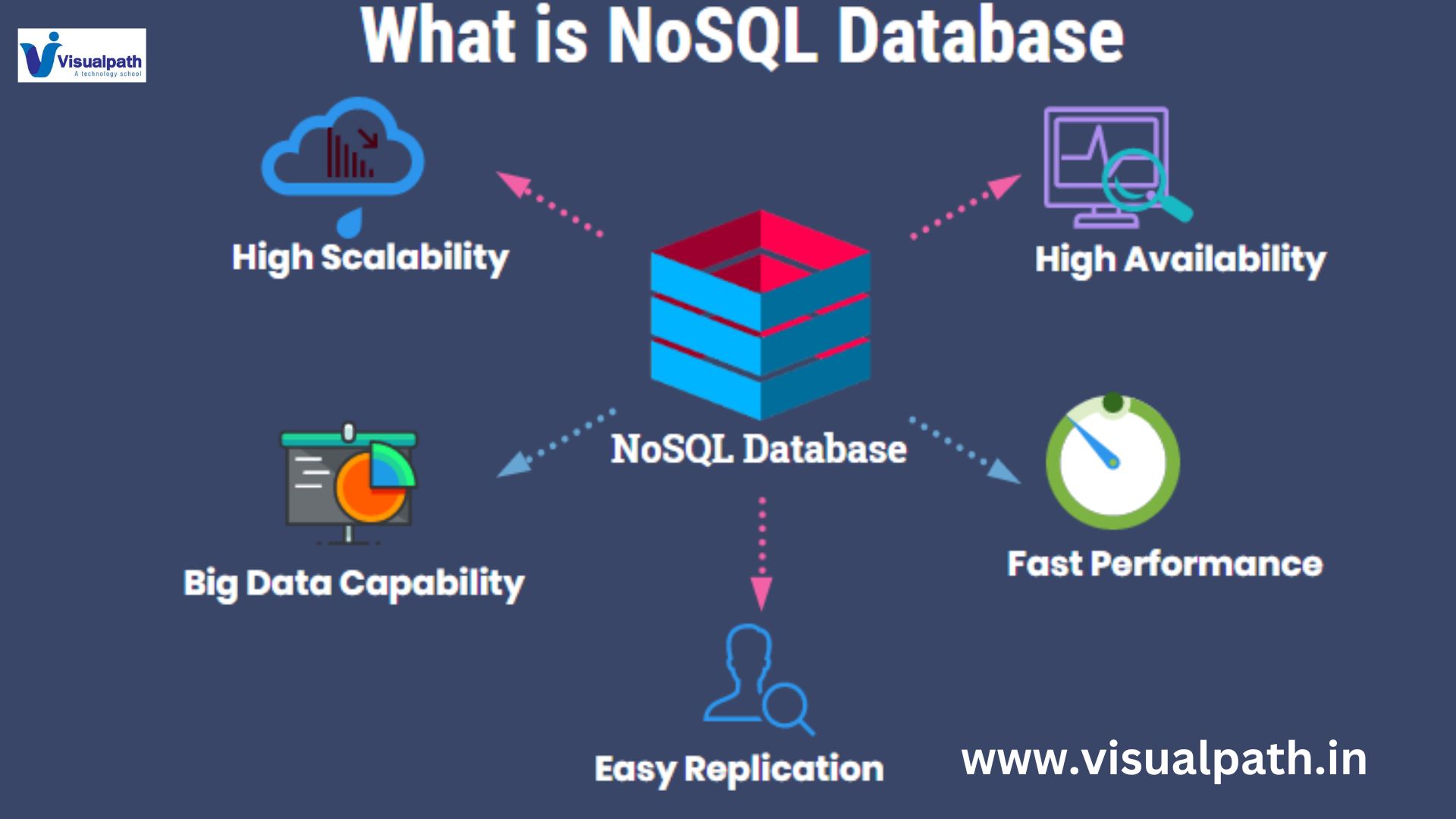
    NoSQL (Not Only SQL) refers to a type of database that diverges from the traditional relational database model (SQL). Unlike relational databases, which store data in rows and tables, NoSQL databases store data in a variety of formats, including key-value pairs, documents, graphs, or wide-column stores. NoSQL databases are designed to handle large volumes of unstructured or semi-structured data, offering scalability and flexibility that traditional SQL databases may lack.

    MongoDB: A NoSQL Database for MERN

    MongoDB is the NoSQL database used in the MERN stack. It’s a document-based database, meaning it stores data in BSON (Binary JSON format, which is a flexible, schema-less way to handle data. This allows for a more dynamic approach to data storage, as MongoDB doesn’t require a pre-defined structure for the data. Each record in MongoDB is called a document, and these documents are grouped into collections, which are analogous to tables in relational databases. Mern Full Stack Online Training Course

    Key Features of MongoDB

    1. Schema Flexibility: MongoDB doesn’t require a fixed schema, which makes it ideal for applications where data models may evolve over time. Developers can add or remove fields from documents without needing to update the entire database schema.

    2. Horizontal Scalability: MongoDB is designed to scale horizontally, meaning it can handle large amounts of data by distributing it across multiple servers. This is critical for applications that need to manage high traffic or large datasets.

    3. High Performance: MongoDB’s ability to handle high read and write operations makes it well-suited for web applications that require low latency and fast performance.

    4. Rich Query Language: While MongoDB is a NoSQL database, it provides a powerful query language that allows developers to perform complex queries, joins, and aggregations, making it versatile for data analysis.

    Benefits of Using NoSQL Databases like MongoDB in MERN

    Using a NoSQL database such as MongoDB in the MERN stack offers several benefits:

    – Fast Development: The flexibility of MongoDB’s schema allows for rapid development and prototyping.

    – JavaScript throughout: Since MongoDB stores data in JSON-like documents, it integrates seamlessly with JavaScript-based frameworks like Express and React. This makes it easier for developers to use the same language across the stack. MERN STACK Training

    – Efficient Data Handling: MongoDB’s document model aligns closely with object-oriented programming, making it easier to work with complex data types like arrays and nested objects.

    Conclusion

    The MERN stack, powered by MongoDB as its NoSQL database, offers a powerful platform for developing modern web applications. MongoDB’s flexibility, scalability, and performance make it an ideal choice for applications with dynamic or evolving data needs. By using NoSQL databases like MongoDB, developers can build efficient, scalable applications that are well-suited to the demands of today’s fast-paced, data-driven environments.

    Visualpath provides the Mern Full Stack Online Training Course. Live Instructor-Led Online Classes delivered by experts from Our Industry. Get Real-time exposure of the MERN Stack Online Training in India. All the class recordings, presentations will be shared with you for reference. Call & WhatsApp +-91-9989971070.

    Visit: https://visualpath.in/full-stack-mern-online.html

    WhatsApp: https://www.whatsapp.com/catalog/919989971070/

  • Snowflake: What Are Aggregation Functions in SQL?

    Snowflake: What Are Aggregation Functions in SQL?

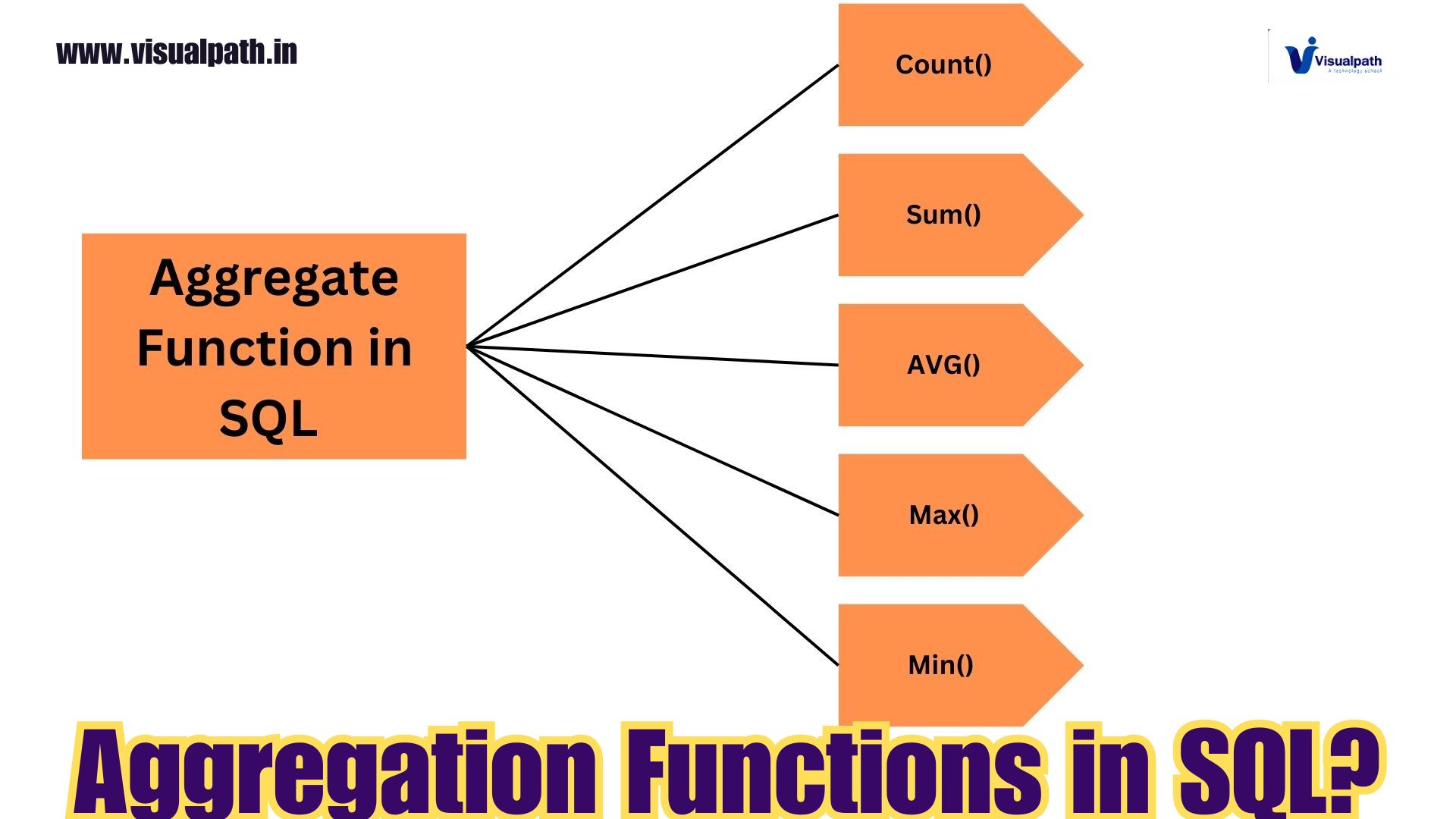
    Aggregation functions are an essential part of SQL, especially when working with large datasets. These functions operate on multiple rows of data and return a single value as the result. In Snowflake, a cloud-based data platform, aggregation functions play a crucial role in summarizing and analyzing data, making it easier for users to extract insights from their datasets. Snowflake Training

    Snowflake supports a wide range of aggregation functions, commonly used in data analysis and reporting, such as calculating sums, averages, counts, and finding minimum and maximum values. Here’s a deeper dive into the key aggregation functions available in Snowflake.  Snowflake Online Training Course

    Key Aggregation Functions in Snowflake

    1. SUM()
      The SUM() function is used to calculate the total sum of values in a numeric column. This is particularly useful when you want to determine the total revenue, expenses, or any other metric across multiple rows.
      Example:  Snowflake Online Training

    sql

    Copy code

    SELECT SUM(sales_amount) AS total_sales

    FROM sales;

    • AVG()
      The AVG() function returns the average value of a numeric column. This function is commonly used when analyzing performance metrics, such as finding the average sales, product price, or employee ratings.
      Example:   Snowflake Training Course in Hyderabad

    sql

    Copy code

    SELECT AVG(price) AS average_price

    FROM products;

    • COUNT()
      The COUNT() function counts the number of rows that match a specific condition or all rows in a table. You can also use COUNT(DISTINCT) to count unique values within a column.
      Example:   Snowflake Training in Hyderabad

    sql

    Copy code

    SELECT COUNT(*) AS total_orders

    FROM orders;

    • MAX()andMIN()
      The MAX() and MIN() functions return the maximum and minimum values from a specified column, respectively. These functions are helpful when finding the highest or lowest values in a dataset, such as the maximum sales in a month or the lowest product price.
      Example:   Snowflake Online Course Hyderabad

    sql

    Copy code

    SELECT MAX(salary) AS highest_salary

    FROM employees;

    • GROUPBYClause
      Aggregation functions are often used with the GROUP BY clause, which groups rows based on the values in one or more columns before applying the aggregation. This is particularly useful when you want to aggregate data based on specific categories, such as grouping sales by region or productsbycategory.
      Example:

    sql

    Copy code

    SELECT region, SUM(sales) AS total_sales

    FROM sales_data

    GROUP BY region;

    Advanced Aggregation Features in Snowflake

    Snowflake supports advanced features such as window functions, which allow users to perform aggregations over a subset of rows within a window, enabling more complex calculations like running totals and moving averages. These features enhance Snowflake’s ability to handle complex analytics at scale. Snowflake Training Institute in Hyderabad

    Conclusion

    Aggregation functions in Snowflake are powerful tools for summarizing data, making it easier to derive meaningful insights from large datasets. Whether you’re calculating totals, averages, or counting rows, these functions allow for efficient and effective data analysis. By combining aggregation functions with the GROUP BY clause, users can perform even more granular analyses, which is invaluable for reporting and business intelligence tasks.

    Visualpath is the Leading and Best Software Online Training Institute in Hyderabad. Avail complete Snowflake institute in Hyderabad Snowflake Online Training Worldwide. You will get the best course at an affordable cost.

    WhatsApp: https://www.whatsapp.com/catalog/919989971070

    Visit:   https://visualpath.in/snowflake-online-training.html

  • What is Salesforce DX? A Dive into Salesforce’s Developer Toolset

    What is Salesforce DX? A Dive into Salesforce’s Developer Toolset

    Introduction

    Salesforce DevOps Training Salesforce DX (Developer Experience) is a suite of tools and features designed to enhance the development process on the Salesforce platform. It offers modern development methodologies that promote better collaboration, version control, and deployment flexibility. With Salesforce DX, developers can streamline workflows and integrate with external systems, allowing for more robust and scalable applications. Salesforce DevOps Training in Ameerpet 

    Key Features of Salesforce DX

    Salesforce DX stands out with features aimed at improving the developer’s experience, facilitating continuous integration, and enabling agile development. Here’s a closer look at the most significant features:

    • Source-Driven Development: Allows developers to manage Salesforce metadata using external version control systems.
    • Scratch Orgs: Temporary environments for development and testing that enhance flexibility.
    • Continuous Integration and Delivery (CI/CD): Supports automated testing and deployment, making it easier to maintain quality in the development lifecycle.
    • Command-Line Interface (CLI): A powerful tool for interacting with Salesforce DX, allowing developers to manage orgs, metadata, and applications from a terminal.

    Salesforce DX Tools

    Salesforce DX offers a variety of tools that allow for efficient development, testing, and deployment of applications. Let’s explore some of the primary tools developers use in this ecosystem:

    Salesforce CLI

    • Enables command-based development tasks like managing orgs, metadata, and scratch orgs.
    • Simplifies automation of workflows, making complex processes faster and repeatable.

    Scratch Orgs

    • Temporary, disposable orgs for development and testing purposes.
    • Helps in isolated development, ensuring individual team members can work independently.

    Visual Studio Code (VS Code)

    • A popular code editor with Salesforce extensions for developers to write, test, and debug Salesforce applications.
    • Provides support for features like syntax highlighting, code completion, and debugging directly in the IDE.

    Benefits of Salesforce DX

    Salesforce DX introduces several advantages to teams working on Salesforce development. By leveraging these tools and features, organizations can enjoy enhanced productivity, better version control, and more reliable deployments. Key benefits include:

    Improved Collaboration

    • Source-driven development allows teams to work more cohesively by integrating Salesforce development with external version control systems like Git.

    Enhanced Flexibility

    Faster Deployment

    • The CLI and CI/CD features help automate workflows, leading to quicker, more reliable deployments with fewer errors.

    Greater Scalability

    • Salesforce DX supports complex and larger development teams by making the collaboration, testing, and release processes more streamlined.

    Conclusion

    Salesforce DX provides a modern, efficient framework for developing and managing applications on Salesforce. Through its array of tools like the Salesforce CLI, Scratch Orgs, and Visual Studio Code integrations, it enables developers to adopt best practices, automate workflows, and collaborate more effectively. By embracing Salesforce DX, development teams can experience a more agile, flexible, and scalable approach to building solutions on the Salesforce platform.

    Visualpath is the Leading and Best Institute for learning in Hyderabad. We provide Salesforce DevOps Online Training Institute you will get the best course at an affordable cost.

    WhatsApp: https://www.whatsapp.com/catalog/919989971070/

    Visit: https://visualpath.in/salesforce-devops-online-training.html

  • Cybersecurity with AI: A Comprehensive Guide

    Cybersecurity with AI: A Comprehensive Guide

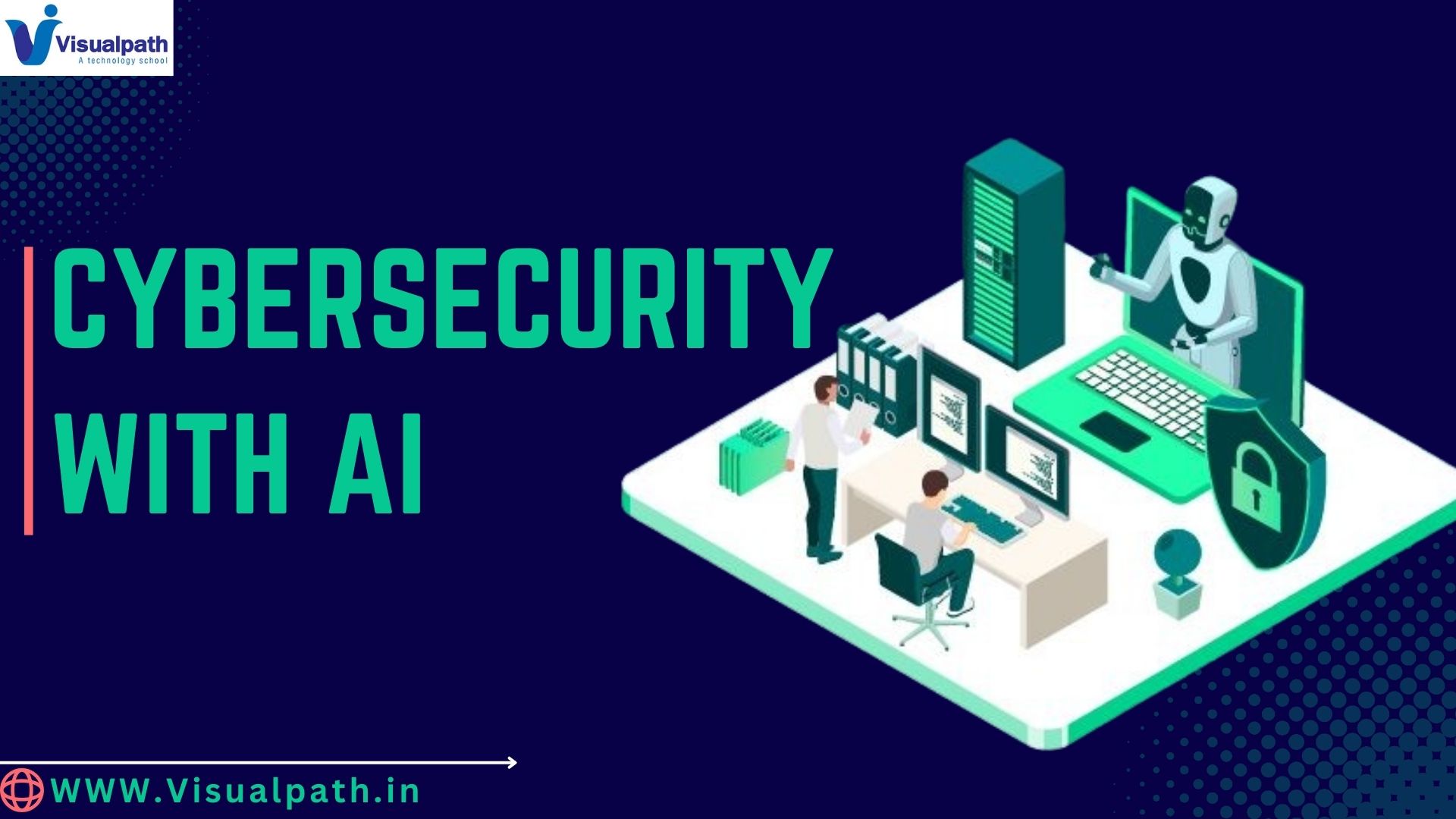
    Cybersecurity is being revolutionized by the convergence with artificial intelligence (AI) in today’s digital era. This guide delves into how AI enhances cybersecurity and the significant benefits it brings to modern security strategies.

    Understanding the Intersection of AI and Cybersecurity

    Artificial intelligence is the study of how technology, especially computer systems, can simulate human intelligence processes. When applied to cybersecurity, AI helps in automating complex tasks, detecting patterns, and responding to threats in real-time. Traditional cybersecurity methods, while effective, often struggle with the volume and complexity of modern cyber threats. AI addresses these challenges by providing advanced tools that can learn, adapt, and respond with greater efficiency.

    1. Enhancing Threat Detection

    AI’s ability to analyze vast amounts of data quickly and accurately is a game-changer in threat detection. Machine learning algorithms can sift through network traffic, logs, and user behavior to identify anomalies that might indicate a potential threat. Unlike traditional methods that rely on known signatures of malware, AI can detect new, previously unknown threats by recognizing unusual patterns and deviations from normal behavior. Cyber Security Training

    2. Automating Responses

    The capacity of AI to automate threat response is one of the technology’s key advantages in cybersecurity. AI-driven systems can act on threats in real-time, reducing the time between detection and mitigation. For example, if an AI system detects unusual login attempts from an unfamiliar location, it can automatically trigger additional authentication measures or temporarily block access to prevent potential breaches.

    3. Predictive Capabilities

    AI can also predict potential threats by analyzing historical data and identifying trends that precede cyber attacks. This predictive capability allows organizations to implement proactive measures, such as strengthening defenses or updating security policies before a threat materializes. By leveraging AI’s predictive analytics, businesses can stay ahead of emerging threats and reduce their risk exposure. Cyber Security Training in Hyderabad

    4. Reducing False Positives

    AI enhances the accuracy of threat detection by minimizing false positives. Numerous alarms are frequently generated by traditional systems, many of which may be benign. AI algorithms, however, can better distinguish between genuine threats and harmless anomalies, thereby reducing alert fatigue for security teams and allowing them to focus on real issues.

    5. Continuous Learning and Adaptation

    AI systems are always learning and changing to meet new challenges. As cyber threats evolve, AI algorithms are trained on new data, improving their ability to detect and respond to emerging threats. This continuous learning process ensures that AI-driven cybersecurity tools remain effective in the face of ever-changing attack vectors. Cyber Security Course Online

    Conclusion

    The integration of AI into cybersecurity represents a significant advancement in protecting against cyber threats. By enhancing threat detection, automating responses, predicting potential attacks, reducing false positives, and continuously adapting, AI provides a robust defense mechanism for modern organizations. As the digital landscape continues to evolve, leveraging AI will be crucial in staying ahead of cyber adversaries and ensuring the security of sensitive information. Cyber Security Online Training

    Visualpath is the Leading and Best Institute for learning Cyber Security Online in Ameerpet, Hyderabad. We provide Cyber Security Online Training Course, and you will get the best course at an affordable cost.

    Visithttps://www.visualpath.in/Cyber-Security-online-training.html

    WhatsApp: https://www.whatsapp.com/catalog/919989971070

  • TIBCO Spotfire: Main Features and Capabilities

    TIBCO Spotfire: Main Features and Capabilities

    Introduction:

    TIBCO Spotfire is a leading analytics and data visualization platform designed to empower businesses with powerful insights, all without the need for coding. It offers an intuitive, user-friendly interface that allows users to easily explore, analyse, and visualize complex datasets. From interactive dashboards to AI-driven insights, Spotfire enables users to make data-driven decisions quickly. Whether you’re a business analyst, manager, or non-technical user, Spotfire provides the tools needed to unlock the full potential of your data with minimal effort, making it a valuable asset for modern business intelligence. TIBCO Spotfire Online Training

    1. Data Visualization: TIBCO Spitfire’s core strength lies in its data visualization capabilities. It allows users to create a wide range of visualizations such as bar charts, line charts, scatter plots, heat maps, and more. These visualizations help businesses identify patterns, trends, and outliers quickly. The drag-and-drop interface makes it easy for non-technical users to explore data and create visually compelling dashboards without needing to write any code.

    2. Dashboard and Interactive Reports: Spotfire is well-known for its interactive dashboards. Users can create reports that allow end-users to filter, drill down, and explore data interactively. Features like cross-filtering, zooming, and real-time updates make the dashboards highly dynamic. The ability to customize these dashboards and reports with a user-friendly interface means that businesses can provide meaningful insights to decision-makers without requiring technical intervention. TIBCO Spotfire Training Course Online

    3. Data Wrangling and Transformation: Spotfire enables users to clean, prepare, and transform data easily. The platform provides guided workflows and smart recommendations for data wrangling, eliminating the need to write SQL queries or Python scripts. Spotfire can automatically detect relationships between datasets, allowing users to blend data from multiple sources seamlessly. This helps in handling messy or inconsistent data efficiently, empowering business users to prepare data for analysis without coding.

    4. Predictive Analytics: Spotfire integrates advanced analytics and machine learning capabilities that allow users to perform predictive analytics without writing code. Built-in data science tools such as linear regression, classification, and clustering can be applied to datasets with a few clicks. The platform also offers integration with R and Python, but for users who prefer a no-code approach, the pre-configured tools provide predictive insights effortlessly. TIBCO Spotfire Training

    5. Data Access and Connectivity: TIBCO Spotfire offers robust connectivity to a variety of data sources. Whether it’s a cloud-based data warehouse, SQL database, Excel file, or a Hadoop system, Spotfire makes it simple to connect to and analyse data from multiple platforms without coding. The platform supports live data connections, meaning users can work with real-time data for up-to-date analytics.

    6. Collaboration and Sharing: Spotfire allows users to collaborate and share insights in real-time across teams and departments. The platform supports role-based access, ensuring that the right users have access to the right data. Through interactive web-based dashboards and reports, business stakeholders can interact with data visualizations and share findings without needing any technical expertise.

    7. AI-Powered Recommendations: Spot fire leverages AI to offer users recommendations on how to visualize data. It suggests optimal ways to represent the data visually, based on the type of dataset and the user’s goals. These smart recommendations help even non-technical users create meaningful insights quickly and effectively. TIBCO Spotfire Training Certification Course

    8. Mobile and Cloud Access: With Spitfire’s cloud-based access, users can interact with dashboards and visualizations from any device, including mobile phones and tablets. This flexibility ensures that decision-makers can stay informed and react to business developments in real time, from any location, without needing to write any code. TIBCO Spotfire Online Training

    TIBCO Spotfire is a versatile, no-code analytics platform that empowers users to create insightful visualizations, interactive dashboards, and perform predictive analytics with ease. Its intuitive drag-and-drop interface, AI-powered recommendations, and seamless data connectivity enable users to explore and transform data without technical expertise. The platform also supports real-time collaboration and mobile access, ensuring decision-makers have up-to-date insights anytime, anywhere. Spitfire’s comprehensive features make it an ideal choice for businesses seeking data-driven solutions without coding.

    Visualpath is the Best Software Online Training Institute in Hyderabad. Avail complete TIBCO Spot fire worldwide. You will get the best course at an affordable cost.

    WhatsApp: https://www.whatsapp.com/catalog/917032290546/

    Visit: https://www.visualpath.in/tibco-spotfire-training-in-hyderabad.html

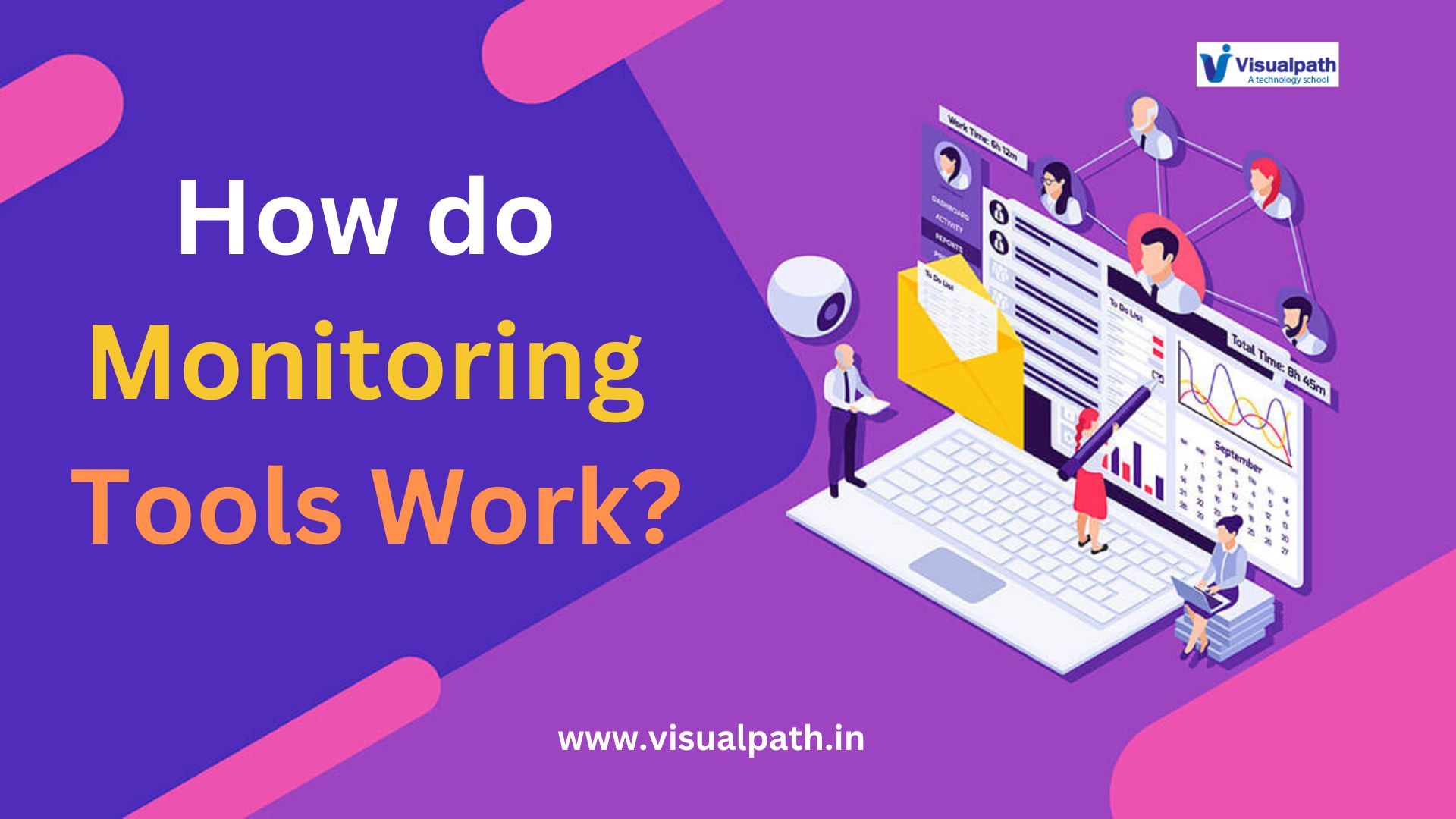
  • Kubernetes: How do Monitoring Tools Work?

    Kubernetes: How do Monitoring Tools Work?

    Introduction:

    Monitoring tools are critical for maintaining system performance, security, and reliability. Whether it’s an IT infrastructure, network, or application, these tools provide real-time insights, helping teams detect and resolve issues before they cause significant problems. Docker and Kubernetes Training

    Core Functions of Monitoring Tools:

    Monitoring tools operate by continuously observing and collecting data from various components of an IT ecosystem. These components include servers, databases, applications, network devices, and even cloud services. The collected data is then analyzed to track performance, detect anomalies, and identify potential threats. At the heart of these tools is the ability to track and measure metrics such as CPU usage, memory consumption, network traffic, response times, error rates, and disk space.

    Key Steps in How Monitoring Tools Work:

    Data Collection:

    Monitoring tools rely on agents or agentless methods to gather data. In an agent-based system, small programs or agents are installed on the devices being monitored. These agents track performance metrics, event logs, and system processes, and send the information to a central monitoring server. In contrast, agentless systems use existing protocols like SNMP (Simple Network Management Protocol) or APIs to collect data without installing software on individual devices. Kubernetes Online Training

    Data Aggregation and Analysis:

    Once data is collected, it is aggregated in a central system. Monitoring tools store the data, allowing it to be analyzed historically, as well as in real-time. The data is often displayed through dashboards or graphical interfaces that give IT teams an overview of system health and performance. Some tools also use machine learning algorithms to establish performance baselines and detect patterns of abnormal activity.

    Alerting:

    One of the most critical functions of a monitoring tool is alerting. When a metric crosses a predefined threshold, such as CPU usage exceeding 90% or application response times slowing beyond acceptable levels, the system triggers an alert. Alerts can be sent via email, SMS, or integrated with messaging platforms like Slack.

    This immediate notification allows IT teams to take proactive measures, minimizing downtime and mitigating damage before it impacts end users. Some monitoring tools can even trigger automated responses, such as restarting services or redistributing workloads, to resolve the issue without human intervention. Docker Online Training

    Reporting and Visualization:

    Monitoring tools offer detailed reports and visualizations that help teams understand system performance over time. These reports can highlight patterns, such as a gradual increase in resource usage or recurring performance drops at certain times of the day.

    Visualization tools such as graphs, heatmaps, or charts offer a clear view of trends, helping teams plan for scaling needs, resource allocation, and capacity management. Advanced tools provide customizable dashboards, allowing users to focus on the most critical metrics.

    Importance of Monitoring Tools:

    Monitoring tools are invaluable for ensuring the smooth operation of IT systems and applications. Without monitoring, teams would have limited visibility into what is happening across their infrastructure, making it challenging to identify issues before they escalate. Proactive problem-solving is one of the most significant benefits. With real-time monitoring and alerting, IT teams can address problems before they become full-scale outages, reducing downtime and maintaining system availability.

    Conclusion:

    Monitoring tools are essential for modern IT management, offering real-time insights, early detection of issues, and detailed reports for system optimization. From data collection and aggregation to alerting and visualization, these tools provide a comprehensive view of system health, enabling organizations to keep their infrastructure secure, stable, and performant.

    Visualpath is the Leading and Best Institute for learning Docker and Kubernetes Online in Ameerpet, Hyderabad. We provide Docker Online Training Course, you will get the best course at an affordable cost.

    Visit: https://www.visualpath.in/DevOps-docker-kubernetes-training.html

    WhatsApp : https://www.whatsapp.com/catalog/919989971070/

  • Managing Point of Sale (POS) in Dynamics 365 Commerce

    Managing Point of Sale (POS) in Dynamics 365 Commerce

    Managing the Point of Sale (POS) system in Dynamics 365 Commerce is essential for retailers aiming to deliver seamless in-store experiences. The POS system integrates with Dynamics 365 Commerce to offer a unified, omnichannel solution that supports sales, customer service, and inventory management. AX Retail Management Training

    Key Features of POS in Dynamics 365 Commerce:

    1. Unified Interface: The POS system in Dynamics 365 Commerce provides a user-friendly interface that enables sales associates to perform multiple tasks, such as processing sales, managing returns, handling orders, and checking inventory, all from a single platform.  Microsoft Dynamics AX Retail Training
    2. Real-Time Inventory Management: With real-time inventory visibility, store employees can quickly locate products, check stock levels, and place orders across different locations. This capability helps avoid stockouts and enhances customer satisfaction by providing accurate inventory data.
    3. Customer Engagement: The POS system enables personalized customer service by integrating customer profiles, purchase history, and loyalty information. Sales associates can access customer data to make tailored product recommendations, apply loyalty discounts, and enhance the shopping experience.
    4. Flexible Payment Options: The POS supports multiple payment methods, including cash, credit cards, mobile payments, and gift cards. It also facilitates split payments and provides quick refunds and exchanges, making the checkout process faster and more convenient. 
    5. Security and Compliance: Dynamics 365 Commerce POS ensures secure transactions with built-in fraud detection and compliance with industry standards like PCI DSS. Data encryption and user access controls protect sensitive information, enhancing the security of retail operations.
    6. Offline Capabilities: The POS system supports offline mode, allowing sales transactions to continue even when the internet connection is disrupted. Once reconnected, the data automatically syncs, ensuring no sales are lost.

    Managing POS in Dynamics 365 Commerce empowers retailers to enhance operational efficiency, streamline sales processes, and provide an exceptional customer experience across all touchpoints. Dynamics AX Retail Management Course

    Visualpath is the Leading and Best Software Online Training Institute in Hyderabad. Avail complete Ax Retail Management institute in Hyderabad  Ax Retail Online Training Worldwide. You will get the best course at an affordable cost.

    WhatsApp: https://www.whatsapp.com/catalog/919989971070

    Visit:  https://visualpath.in/microsoft-dynamics-ax-retail-management-training.html

  • Understanding EL, ELT, and ETL in GCP Data Engineering

    Understanding EL, ELT, and ETL in GCP Data Engineering

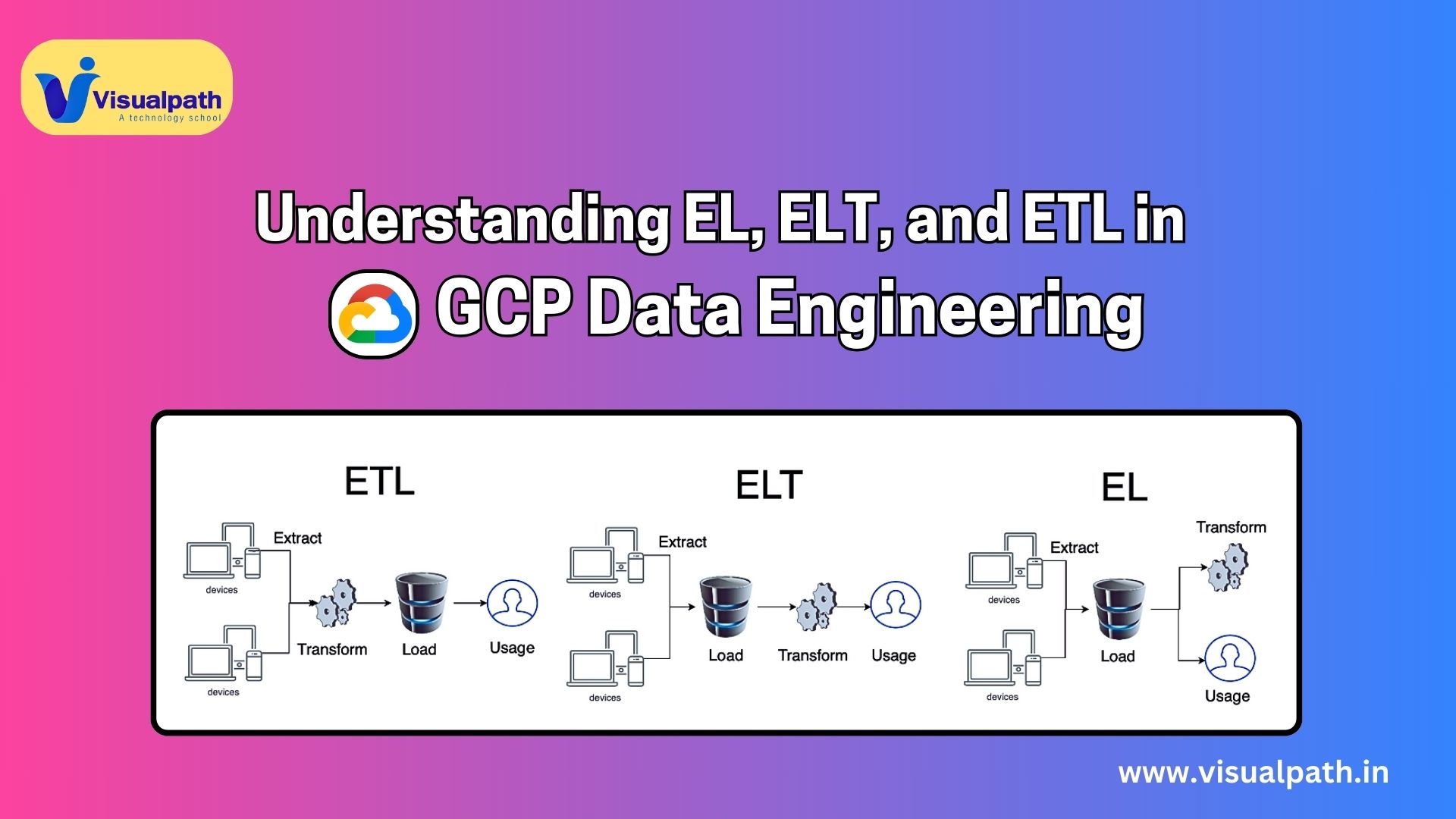
    In the realm of data engineering, particularly when working on Google Cloud Platform (GCP), the terms EL, ELT, and ETL refer to key processes that facilitate the flow and transformation of data from various sources to a destination, usually a data warehouse or data lake. For a GCP Data Engineer, it’s important to understand the differences between these processes and how to implement them efficiently using GCP services. GCP Data Engineering Training

    1. Extract, Load (EL)

    In EL (Extract, Load), data is first extracted from various sources and then directly loaded into a target system, typically a data lake like Google Cloud Storage (GCS) or BigQuery in GCP. No transformations occur during this process. EL is commonly used when:

    • The priority is to quickly ingest raw data.
    • Data needs to be stored for later processing.
    • There is a need for data backup, archiving, or unprocessed analytics.

    GCP Services for EL:

    • Cloud Dataflow: A fully managed streaming analytics service used to extract data from sources like Apache Kafka, Pub/Sub, and then load it directly into BigQuery.
    • Cloud Storage: Allows storing raw extracted data that can be later accessed and processed. GCP Data Engineer Training in Hyderabad

    Key Benefits of EL in GCP:

    • Faster initial data ingestion as transformations are deferred.
    • Suits scenarios with high data volumes and real-time ingestion needs.

    2. Extract, Transform, Load (ETL)

    ETL is the traditional data pipeline model where data is extracted, transformed into a desired format, and then loaded into the destination system. ETL is suitable when the data requires preprocessing, cleaning, or enrichment before analysis or storage.

    In the ETL process, the data transformation happens outside of the target system, often in intermediate storage or memory. This is particularly useful when dealing with large datasets that need thorough cleaning or when businesses want to standardize data before loading it into systems like BigQuery for analytics.

    GCP Services for ETL:

    • Cloud Dataflow: A powerful tool for both batch and real-time data processing, allowing engineers to extract data, apply transformations (e.g., filtering, aggregation), and load it into BigQuery or Cloud Storage.
    • Cloud Dataprep: A visually-driven data preparation tool that allows data engineers to clean, structure, and transform raw data without writing code.

    Key Benefits of ETL in GCP:

    • Enables extensive pre-processing and transformation of data before storage, ensuring the quality of data for analysis.
    • Helps businesses load only refined and structured data into their systems, improving the efficiency of analytics workflows.

    3. Extract, Load, Transform (ELT)

    ELT is a modern approach where data is first extracted and loaded into a storage system like BigQuery, and the transformation happens afterwards within the storage system itself. Unlike ETL, where transformations occur before loading, ELT leverages the computational power of modern data warehouses to perform transformations on loaded data.

    ELT is typically used in scenarios where the target system (e.g., BigQuery) has powerful data processing capabilities. This approach is often more flexible for handling large-scale data transformations as it delays them until after the data is loaded. Google Cloud Data Engineer Training

    GCP Services for ELT:

    • BigQuery: GCP’s fully managed, serverless data warehouse, ideal for ELT workflows. Data can be loaded in raw format, and SQL-based transformations can be applied as needed.
    • Cloud Composer (Apache Airflow): Orchestrates the workflow of ELT pipelines, managing extraction, loading, and the transformation process in a scheduled or event-driven manner.

    Key Benefits of ELT in GCP:

    • Greater scalability for large datasets, as transformations leverage the computational power of BigQuery.
    • Increased flexibility, allowing iterative and on-demand transformations without reloading data.

    Choosing the Right Process in GCP

    For a GCP Data Engineer, selecting between EL, ETL, and ELT depends on the specific use case:

    • EL: Best for raw data storage or when transformation can wait.
    • ETL: Ideal for structured, preprocessed data required for specific business use cases.
    • ELT: Optimal when dealing with large volumes of data and leveraging the power of modern data warehouses like BigQuery for flexible, on-demand transformations.

    By mastering these processes and understanding their differences, GCP data engineers can build efficient and scalable data pipelines that fit their organization’s needs. Google Cloud Data Engineer Online Training

    Visualpath is the Best Software Online Training Institute in Hyderabad. Avail complete GCP Data Engineering worldwide. You will get the best course at an affordable cost.

    WhatsApp: https://www.whatsapp.com/catalog/919989971070

    Visit  https://visualpath.in/gcp-data-engineering-online-traning.html

  • When Is the Right Time to Upgrade to Dynamics 365 Business Central?

    When Is the Right Time to Upgrade to Dynamics 365 Business Central?

    Introduction

    Dynamics 365 Business Central is a comprehensive business management solution that supports companies in automating processes, enhancing productivity, and ensuring data-driven decision-making. However, knowing when to upgrade to this platform can make all the difference in maximizing its potential. D365 Business Central Training. This article explores key indicators that signal the right time to switch to Dynamics 365 Business Central.

    Business Growth Outpaces Current Systems

    • As your business grows, existing systems might struggle to keep up with increasing data volumes and process complexity.
    • If your current solution can’t scale to support your expanding operations, it’s time to consider upgrading.
    • Dynamics 365 Business Central is designed for scalability, offering a seamless way to accommodate business growth.

    Need for Greater Financial Visibility

    • Effective financial management is crucial for any business. If your team is spending too much time manually compiling reports or reconciling financial data, an upgrade may be due.
    • Dynamics 365 Business Central provides real-time financial insights, automated reporting, and dashboards that offer a clear view of your financial health.

    Lack of Integration Between Systems

    • When business processes are siloed across different departments, it results in inefficiencies and potential errors.
    • If you find that your current system doesn’t integrate well with other tools like Microsoft 365, CRM systems, or supply chain management software, Dynamics 365 Business Central can provide the connectivity needed for smooth, integrated operations.

    Struggling with Compliance and Security

    • As compliance regulations evolve, maintaining secure and compliant operations becomes increasingly complex. Dynamics 365 Business Central Certification Course
    • Legacy systems may not be able to meet modern compliance requirements or offer robust security features.
    • Dynamics 365 Business Central is constantly updated to meet the latest regulatory standards and offers built-in data security features to protect sensitive information.

    Inability to Access Data Remotely

    • With more businesses adopting remote work models, the ability to access data from anywhere is essential.
    • If your current system limits remote accessibility, Dynamics 365 Business Central, a cloud-based solution, enables users to manage their business operations securely from any location and device.

    Increasing Maintenance Costs of Legacy Systems

    • If you’re pouring too much money into maintaining outdated systems, this is a sign that it’s time to upgrade.
    • Business Central operates on a subscription model, reducing the need for costly upgrades and IT maintenance, allowing you to focus resources elsewhere.

    Conclusion

    Upgrading to Dynamics 365 Business Central is a strategic move when your business needs scalability, financial visibility, integration, security, and reduced operational costs. Recognizing these signs ensures your company remains competitive, efficient, and future-ready. The right time to upgrade is when your current system is holding back your growth and productivity.

    Visualpath is the Leading and Best Institute for learning in Hyderabad. We provide Dynamics 365 Business Central Online Training .You will get the best course at an affordable cost.

    What’s app: https://www.whatsapp.com/catalog/919989971070/

    Visit: https://visualpath.in/microsoft-dynamics-365-business-central-training.html

  • Generative AI – NLP Powered by Deep Learning

    Generative AI – NLP Powered by Deep Learning

    Natural Language Processing (NLP) with deep learning plays a pivotal role in the evolution of Generative AI, empowering machines to understand, interpret, and generate human language in ways that mimic human-like interaction and creativity. By leveraging advanced deep learning models, generative AI can perform tasks such as text generation, conversation, translation, and more, with remarkable accuracy and fluency. Generative AI (GenAI) Courses Online

    At the heart of this advancement are deep learning architectures like transformers, which have revolutionized the way language models process and generate text. Models such as GPT (Generative Pretrained Transformer) and BERT (Bidirectional Encoder Representations from Transformers) rely on self-attention mechanisms that enable them to capture long-range dependencies and contextual relationships within text. This is critical because language is inherently sequential, and understanding the relationship between words and phrases is essential for generating coherent and contextually relevant responses. Generative AI Training

    Generative AI models, particularly large-scale versions like GPT-3 and GPT-4, are trained on vast datasets containing a diverse range of texts. These models learn to predict the next word in a sequence by analyzing patterns, grammar, and context. As a result, they can generate human-like text for a variety of tasks, such as content creation, conversational agents, text summarization, and machine translation. Gen AI Course in Hyderabad

    Key techniques used in NLP with deep learning include word embeddings, like Word2Vec and GloVe, which map words to vector spaces where similar words have closer representations, allowing models to understand semantic relationships. Additionally, sequence-to-sequence models, often enhanced by encoder-decoder architectures, are critical for tasks like machine translation and text generation, where an input sequence is transformed into an output sequence. Gen AI Training in Hyderabad

    As NLP continues to evolve in the realm of generative AI, the focus has shifted towards improving the quality of generated text, ensuring coherence, fluency, and relevance. However, challenges such as addressing bias in language models, ensuring ethical use, and aligning model outputs with human values remain at the forefront of research. GenAI Training

    Generative AI powered by deep learning is transforming how we interact with machines, enabling more intelligent, context-aware, and human-like communication across a variety of applications. Generative AI Online Training

    Visualpath is the Leading and Best Software Online Training Institute in Hyderabad. Avail complete Gen AI Online Training Institute Worldwide. You will get the best course at an affordable cost.

    WhatsApp: https://www.whatsapp.com/catalog/919989971070

    Visit   https://visualpath.in/generative-ai-course-online-training.html