Tag: Terraform Automation Online Training

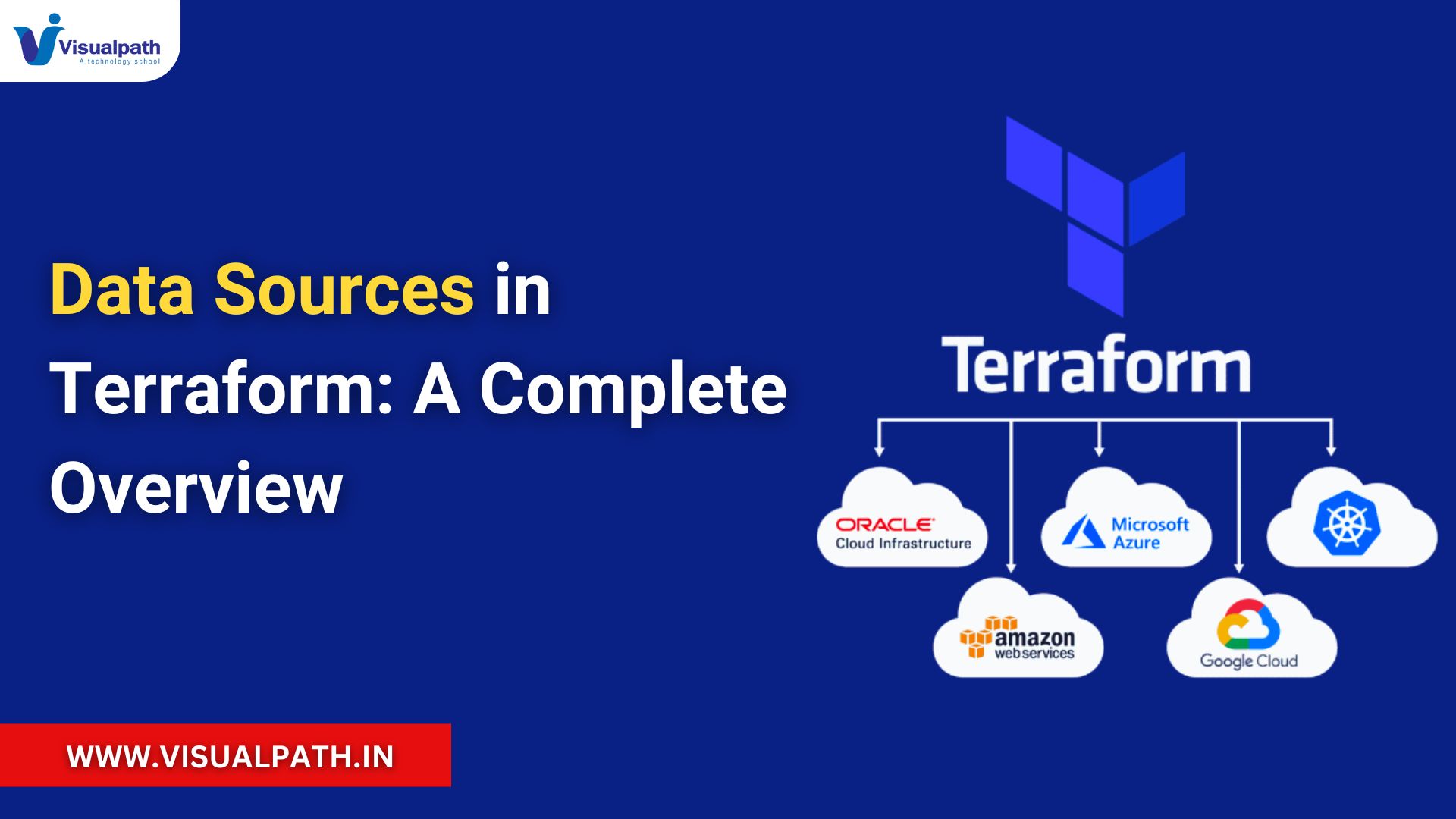
  • Data Sources in Terraform: A Complete Guide (2025)

    Data Sources in Terraform: A Complete Guide (2025)

    Introduction

    Terraform is a popular Infrastructure-as-Code (IaC) tool that helps manage and provision infrastructure efficiently. Among its many features, data sources are a powerful tool that enables users to retrieve information about existing resources. Instead of creating new infrastructure, data sources allow Terraform to interact with and utilize existing setups.

    This guide explores the concept of data sources, their types, use cases, and benefits in non-technical terms, making it easy for anyone to understand their importance in Terraform workflows. Terraform Course Online


    What Are Data Sources?

    Data sources in Terraform allow you to access information from your existing infrastructure. For instance:

    • You can retrieve a list of servers that already exist in your environment.
    • You can check details about a storage bucket without modifying it.
    • You can use this information to reference or validate existing configurations.

    Think of data sources as tools that give you read-only access to your resources, ensuring that Terraform knows what is already available without making unnecessary changes.


    Types of Data Sources

    1. Cloud-Specific Data Sources

    These are designed to fetch information from cloud platforms like AWS, Azure, or Google Cloud Platform (GCP).

    2. Networking and Storage Data Sources

    These data sources help access information about existing networks, subnets, storage buckets, or databases.

    • Example: Retrieving a storage bucket’s location or a network’s IP range.

    3. Local and File-Based Data Sources

    You can also retrieve information from local files or external configurations stored in formats like JSON or YAML.

    • Example: Referencing a configuration file for consistent settings.

    4. Custom or Third-Party Data Sources

    These are specialized data sources provided by custom plugins or modules. They enable interaction with unique tools or systems outside standard cloud providers.


    Why Are Data Sources Important?

    1. Efficiency in Resource Management
      Data sources allow you to use existing resources without recreating them. For example, if your company already has a shared network, you can fetch its details and integrate it into your setup.
    2. Consistency Across Environments
      In multi-environment setups like development, testing, and production, data sources help ensure consistent configurations by referencing shared resources.
    3. Better Collaboration
      Teams working on different parts of the infrastructure can rely on data sources to understand and use shared components.
    4. Cost Savings
      By reusing existing resources, data sources help reduce the cost and effort of setting up infrastructure from scratch. Terraform Training in Hyderabad

    Examples of Common Use Cases

    1. Identifying Server Images
      Before launching a virtual machine, you can find the most recent operating system version available in the cloud.
    2. Connecting to Existing Databases
      Instead of creating a new database, data sources can fetch information about an existing database, allowing teams to connect seamlessly.
    3. Checking Security Settings
      Data sources can verify existing firewall rules or security group configurations to ensure compliance.
    4. Validating Resource Availability
      You can check if a storage bucket or network exists before using it in your setup.

    Advantages of Using Data Sources

    1. Improved Automation
      By using data sources, Terraform automates the process of identifying existing resources, reducing manual effort.
    2. Flexibility
      You can adapt to changes in your infrastructure dynamically since data sources always reference the latest configurations.
    3. Simplicity
      Using existing resources instead of duplicating them makes the infrastructure easier to manage.

    Challenges to Keep in Mind

    • Resource Changes: If existing infrastructure changes outside Terraform, it may affect data source outputs. Regular updates are essential.
    • Performance Issues: Fetching large amounts of data can slow down processes, so it’s best to limit the scope of queries.
    • Dependency Management: Relying heavily on external resources requires careful planning to avoid conflicts. Automation with Terraform on Azure Cloud

    Conclusion:

    In Terraform, data sources play a crucial role in managing existing infrastructure efficiently. They provide a simple way to reference and reuse resources, enabling organizations to save time, reduce costs, and maintain consistent configurations.

    By incorporating data sources into your Terraform workflows, you can achieve better automation, adaptability, and collaboration across your infrastructure projects. Whether you are managing a small setup or a large-scale cloud environment, understanding and utilizing data sources will elevate your Infrastructure-as-Code practices in 2025.

    Visualpath is the Best Software Online Training Institute in Hyderabad. Avail complete Terraform Automation in Azure Online Training worldwide. You will get the best course at an affordable cost.

    Attend Free Demo

    Call on – +91-9989971070.

    WhatsApp: https://www.whatsapp.com/catalog/919989971070/

    Visit  https://www.visualpath.in/terraform-online-training.html

    Visit our new course: https://www.visualpath.in/oracle-cloud-infrastructure-online-training.html
  • Automation in Terraform: A Comprehensive Guide for 2025

    Automation in Terraform: A Comprehensive Guide for 2025

    Introduction to Terraform Automation

    Terraform automation refers to the process of using scripts, tools, or workflows to manage infrastructure resources more efficiently and with minimal manual intervention. As an Infrastructure as Code (IaC) tool, Terraform enables developers and DevOps teams to define, provision, and manage cloud and on-premises resources declaratively. Automation takes this capability a step further, streamlining repetitive tasks and ensuring consistency across environments.

    In 2025, with the rise of hybrid and multi-cloud environments, Terraform automation is more critical than ever. Automating Terraform workflows ensures scalability, reduces errors, and enhances operational efficiency. Terraform Course Online


    Key Aspects of Terraform Automation

    1. Infrastructure Provisioning

    Terraform automation simplifies the provisioning process by eliminating manual steps. By running predefined scripts, teams can spin up entire environments—like virtual machines, databases, and networks—seamlessly. Automation ensures that infrastructure is deployed quickly and accurately, following best practices.

    2. Continuous Integration and Continuous Deployment (CI/CD)

    Automation integrates Terraform with CI/CD pipelines, enabling automatic validation and deployment of infrastructure changes. Tools like Jenkins, GitLab, and GitHub Actions are commonly used to trigger Terraform scripts upon code commits, ensuring a streamlined deployment process.

    3. State Management

    Terraform maintains a state file that tracks the current infrastructure. Automating state management ensures that updates, rollbacks, and modifications are applied consistently across environments. Remote state storage solutions like Terraform Cloud or AWS S3 enhance collaboration and prevent state file conflicts. Terraform Automation in Azure Cloud Training

    4. Multi-Environment Support

    Automation allows teams to manage multiple environments—such as development, staging, and production—effortlessly. Automation scripts can replicate consistent configurations across all environments using workspaces and modular structures in Terraform.

    5. Error Handling and Rollbacks

    With automation, errors during deployment are detected and addressed in real-time. Terraform automation can roll back changes if a configuration fails, ensuring system stability and avoiding manual troubleshooting.


    Best Practices for Terraform Automation

    1. Use Version Control

    Store your Terraform scripts in repositories like Git to track changes, collaborate with teams, and revert to earlier configurations when necessary.

    2. Modularize Code

    Divide your Terraform configurations into reusable modules. Modularization improves code readability, reduces redundancy, and enhances scalability.

    3. Implement Security Measures

    Protect sensitive information such as credentials and API keys using Terraform’s built-in secrets management features or external tools like HashiCorp Vault.

    4. Regular Testing

    Incorporate automated testing frameworks like Terratest to validate Terraform configurations and identify potential issues before deployment. Terraform Training in Hyderabad

    5. Adopt Policy as Code

    Ensure compliance and governance by defining policies as code. Tools like Sentinel or Open Policy Agent (OPA) can enforce security and operational standards.


    Emerging Trends in Terraform Automation (2025)

    1. Integration with AI and ML: AI-driven tools analyze Terraform configurations to suggest optimizations and predict potential deployment issues.
    2. Serverless Automation: Automating infrastructure provisioning for serverless platforms like AWS Lambda and Azure Functions is becoming increasingly prevalent.
    3. Edge Computing Integration: Automating edge infrastructure deployments to support latency-sensitive applications.

    Benefits of Terraform Automation

    • Consistency: Eliminates discrepancies between environments by ensuring standardized configurations.
    • Scalability: Facilitates the provisioning of infrastructure at scale.
    • Time-Saving: Reduces time spent on repetitive tasks, allowing teams to focus on innovation.
    • Reduced Errors: Minimizes human intervention, reducing configuration errors.
    • Cost Efficiency: Optimizes resource allocation, preventing over-provisioning or resource wastage.

    Conclusion:

    Terraform automation has revolutionized infrastructure management, especially in 2025, as organizations embrace complex multi-cloud architectures. By automating infrastructure provisioning, state management, and CI/CD workflows, Terraform ensures agility, consistency, and efficiency. Following best practices like modularization, security enhancements, and regular testing, teams can unlock the full potential of Terraform automation. Automation with Terraform on Azure Cloud

    In the ever-evolving tech landscape, adopting automation in Terraform is not just a choice but a necessity. It empowers organizations to meet the demands of modern applications and achieve operational excellence. Start automating today to stay ahead in the race for innovation!

    Visualpath is the Best Software Online Training Institute in Hyderabad. Avail complete Terraform Automation in Azure Online Training worldwide. You will get the best course at an affordable cost.

    Attend Free Demo

    Call on – +91-9989971070.

    WhatsApp: https://www.whatsapp.com/catalog/919989971070/

    Visit  https://www.visualpath.in/terraform-online-training.html

    Visit our new course: https://www.visualpath.in/oracle-cloud-infrastructure-online-training.html
  • What is Terraform Automation in Azure Cloud? – 2025

    What is Terraform Automation in Azure Cloud? – 2025

    Terraform Automation in Azure Cloud refers to the use of Terraform, an open-source Infrastructure as Code (IaC) tool, to automate the creation, modification, and management of Azure resources. Developed by HashiCorp, Terraform enables developers and IT teams to define cloud infrastructure in a declarative configuration language and deploy it automatically across environments. This approach eliminates manual processes, enhances scalability, and ensures consistent resource management.

    By automating infrastructure tasks, Terraform in Azure Cloud helps organizations streamline their operations, improve efficiency, and maintain a predictable infrastructure lifecycle. Whether provisioning virtual machines, configuring networking, or integrating services, Terraform handles it all with precision and minimal human intervention. Terraform Course Online


    Introduction

    Managing cloud infrastructure manually is a time-intensive and error-prone process, especially in dynamic environments like Microsoft Azure. Terraform Automation revolutionizes how organizations manage their infrastructure by enabling them to define, deploy, and maintain it as code. This shift from manual to automated infrastructure management is essential for modern businesses that aim to stay competitive and agile.

    Using Terraform in Azure Cloud provides a unified approach to managing diverse resources, allowing teams to collaborate effectively while ensuring consistent deployments. This automation framework simplifies the provisioning of infrastructure and enhances operational efficiency, making it a preferred choice for businesses of all sizes. Terraform Automation in Azure Cloud Training


    Key Features of Terraform Automation in Azure Cloud

    1. Declarative Syntax

    Terraform uses a declarative language, allowing users to specify the desired state of their infrastructure. This eliminates the need to define step-by-step instructions, making the configuration process simpler and more intuitive.

    2. Azure Integration

    Terraform integrates seamlessly with Azure Resource Manager (ARM), offering robust support for a wide range of Azure services. This enables efficient management of resources like virtual machines, storage, and networking components.

    3. State Management

    Terraform maintains a state file that records information about the current infrastructure. This file ensures that updates are applied accurately, preventing resource drift.

    4. Reusable Modules

    Modules in Terraform allow you to reuse configurations across multiple projects, reducing redundancy and improving scalability. These modules enable the standardization of infrastructure practices within an organization.

    5. Cross-Cloud Compatibility

    While Terraform is extensively used for Azure, it supports multiple cloud platforms, making it a versatile tool for hybrid and multi-cloud strategies.


    Benefits of Terraform Automation in Azure Cloud

    1. Enhanced Efficiency

    Automating resource provisioning saves significant time and effort. Terraform scripts can be executed repeatedly to deploy infrastructure, removing manual interventions and accelerating development cycles. Terraform Training in Hyderabad

    2. Consistency and Accuracy

    Infrastructure as Code ensures that deployments are consistent across environments. This consistency reduces the risk of misconfigurations and deployment errors.

    3. Scalability

    Terraform Automation supports scaling up or down based on demand. This flexibility is vital for businesses with fluctuating workloads, ensuring optimal resource utilization.

    4. Cost Optimization

    With Terraform, you can automate resource cleanup and prevent over-provisioning. This results in significant cost savings by ensuring that resources are used efficiently.

    5. Collaboration and Version Control

    Storing Terraform configurations in version control systems like Git fosters collaboration among teams. Developers can track changes, rollback configurations, and ensure accountability in infrastructure management.

    6. Enhanced Security

    Terraform integrates with Azure Key Vault to manage sensitive information like credentials and API keys securely. This ensures that critical data remains protected during deployments.


    Conclusion:                                         

    Terraform Automation in Azure Cloud is a game-changer for managing modern cloud environments. By automating the provisioning and maintenance of resources, it reduces operational complexities, enhances scalability, and ensures cost efficiency. Businesses that adopt Terraform Automation can achieve greater agility, faster deployments, and a higher level of control over their infrastructure.

    Whether you are a small startup or a large enterprise, Terraform in Azure Cloudempowers your organization to embrace automation and stay ahead in the competitive cloud landscape. Start your Terraform journey today to unlock the full potential of Azure and drive innovation with confidence.

    Visualpath is the Best Software Online Training Institute in Hyderabad. Avail complete Terraform Automation in Azure Online Training worldwide. You will get the best course at an affordable cost.

    WhatsApp: https://www.whatsapp.com/catalog/919989971070/

    Visit  https://www.visualpath.in/terraform-online-training.html

    Visit our new course: https://www.visualpath.in/oracle-cloud-infrastructure-online-training.html
  • Step-by-Step Azure Automation with Terraform

    Step-by-Step Azure Automation with Terraform

    Automation with Terraform on Azure Cloud: A Beginner-Friendly Overview

    Automation with Terraform on Azure Cloud is transforming the way businesses manage cloud infrastructure. With Terraform, you can automate resource provisioning, scaling, and configuration while maintaining consistency and efficiency. This approach saves time, reduces errors, and enhances operational agility. Whether you’re new to Infrastructure as Code (IaC) or looking to refine your automation skills, this guide introduces you to the key concepts and benefits of using Terraform on Azure.

    Why Choose Terraform for Azure Automation?

    Terraform is an open-source tool developed by HashiCorp that is designed to simplify cloud infrastructure management. Unlike manual provisioning, Terraform allows you to define your infrastructure as code. This declarative approach lets you specify your desired outcomes, and Terraform executes the steps to achieve them.

    Azure users particularly benefit from Terraform’s ability to manage resources like virtual machines, storage accounts, and networks efficiently. By automating these tasks, Terraform eliminates manual configurations, ensuring consistency across multiple environments.

    To gain deeper insights into Terraform’s capabilities, you can explore a Terraform Course Online for structured learning. Additionally, hands-on learning through Terraform Training in Hyderabad offers localized, practical expertise tailored to the Indian market.


    Key Steps to Automate Azure Cloud with Terraform

    1. Understand the Basics

    Before starting, it’s important to grasp Terraform’s core concepts:

    • Providers: These are plugins that enable Terraform to interact with specific platforms like Azure.
    • State Files: Terraform uses state files to track infrastructure changes.
    • Modules: Reusable components that simplify resource configurations.

    2. Set Up Your Azure Environment

    The first step in automation is connecting Terraform to your Azure account. You can authenticate your Azure credentials using tools like the Azure CLI. This connection ensures that Terraform can manage and provision Azure resources seamlessly.

    3. Implement Best Practices

    Automation works best when aligned with robust practices:

    • Use remote state storage (e.g., Azure Blob Storage) to secure and share Terraform state files.
    • Apply role-based access controls (RBAC) to ensure that only authorized users can modify configurations.
    • Modularize your configurations to make them reusable and scalable.

    By following these practices, businesses can maximize the efficiency of Automation with Terraform on Azure Cloud while maintaining security and scalability.


    Advantages of Automating Azure with Terraform

    1. Improved Efficiency

    Automation minimizes the need for repetitive manual tasks, allowing teams to focus on innovation rather than maintenance.

    2. Infrastructure Consistency

    Terraform ensures that configurations remain uniform across development, staging, and production environments, reducing deployment errors.

    3. Scalability

    As your business grows, Terraform’s modular design makes it easier to scale resources without additional effort.

    4. Cost Savings

    By optimizing resource provisioning and minimizing human error, Terraform reduces costs associated with downtime and inefficient infrastructure management.


    Learn and Master Terraform

    If you’re eager to leverage Terraform for Azure automation, professional training is the best way to build expertise. A Terraform Course Online provides flexibility, enabling you to learn at your own pace and cover essential topics like state management and CI/CD integrations. Alternatively, Terraform Training in Hyderabad offers practical sessions tailored to real-world scenarios, helping learners gain hands-on experience in Azure environments.

    Both options are excellent for mastering Automation with Terraform on Azure Cloud and can help professionals stay competitive in today’s job market.


    Conclusion:

    Automation with Terraform on Azure Cloud is a powerful approach for managing infrastructure efficiently. It ensures faster deployments, reduced errors, and consistent configurations, making it an invaluable tool for modern IT operations. Whether you are a beginner or an experienced professional, Terraform provides the tools to transform the way you handle Azure resources.

    Enrolling in a Terraform Course Online or attending Terraform Training in Hyderabad is a great way to deepen your knowledge and enhance your career prospects. Start your journey today and unlock the full potential of automated Azure cloud management with Terraform!

    Visualpath is the Best Software Online Training Institute in Hyderabad. Avail complete Terraform Automation in Azure Online Training worldwide. You will get the best course at an affordable cost.

    WhatsApp: https://www.whatsapp.com/catalog/919989971070/

    Visit  https://www.visualpath.in/terraform-online-training.html

    Visit our new course: https://www.visualpath.in/online-best-cyber-security-courses.html

  • Step-by-Step Guide to Terraform Course Online Import

    Step-by-Step Guide to Terraform Course Online Import


    Terraform Course Training in Hyderabad: A Comprehensive Guide to Terraform for Beginners

    If you’re interested in managing infrastructure as code, Terraform Course Training in Hyderabad offers an excellent pathway into this dynamic field. Terraform, an open-source tool by HashiCorp, allows users to define and provision infrastructure across multiple environments in a simple, efficient, and scalable way. In this guide, we’ll cover the essentials of Terraform, key concepts, and a step-by-step guide to using Terraform for importing existing infrastructure. Whether you’re looking for a Terraform Course Online or Terraform Online Training, this content provides a solid foundation to get started.


    What is Terraform?

    Terraform is an Infrastructure as Code (IaC) tool that automates the process of building, changing, and versioning infrastructure. By using declarative code written in HashiCorp Configuration Language (HCL), users can describe the desired state of resources, while Terraform manages the underlying provisioning and updates. This approach makes Terraform invaluable for organizations managing hybrid or multi-cloud setups, as it integrates with all major providers, such as AWS, Azure, Google Cloud, and on-premises environments.

    Through a Terraform Course Online, you’ll learn how HCL’s simplicity enables new users to set up resources quickly, while its flexibility allows experienced users to manage large-scale infrastructure. In most Terraform Online Training sessions, you’ll explore how HCL enables configuration reuse and infrastructure versioning, ensuring consistency across different environments.


    Key Features of Terraform

    1. Provider Agnostic: Terraform is compatible with over 100 providers, allowing you to manage various infrastructure components from a single interface. With Terraform Online Training, you’ll learn how to use modules for each provider to create seamless configurations.

    2. Modular and Scalable Design: Terraform promotes a modular approach that divides infrastructure configurations into reusable components, making it easy to scale. For example, you can create a network module and reuse it in multiple configurations, streamlining processes and minimizing errors. This modularity is emphasized in most Terraform Course Online offerings.

    3. Execution Plan and Resource Graph: Terraform’s resource dependency graph efficiently manages infrastructure changes by determining the sequence of tasks. Execution plans, on the other hand, provide a preview of changes before they’re applied, enabling users to assess their impact beforehand. These features are covered in depth in Terraform Online Training courses, as they form the backbone of Terraform’s secure and reliable automation.


    Step-by-Step Guide to Terraform Import

    One of the advanced features of Terraform is the import function, which lets you integrate existing infrastructure into Terraform without modifying it. This is especially useful for organizations transitioning from manual provisioning to automated infrastructure-as-code. Let’s go through a basic Terraform import process:

    1. Identify the Resource to Import: The first step is identifying the resource to import, such as a virtual machine, database, or network element.
    2. Initialize Terraform Directory: Open your terminal, navigate to the directory where you want to work, and run terraform init. This step configures the directory and downloads any required plugins.
    3. Define the Resource in Configuration: Write HCL code that describes the resource, ensuring it matches the resource type and naming convention.
    4. Run the Import Command: Use the terraform import command, specifying the resource type, name, and ID. This command integrates the resource into the Terraform state file.
    5. Verify the Import: To ensure successful import, run terraform plan and check for consistency between the existing resource and your configuration.

    Mastering the import feature is crucial for anyone serious about Terraform, as it bridges legacy infrastructure and Terraform’s infrastructure-as-code capabilities. Terraform Online Training modules often cover importing with hands-on exercises, giving you the confidence to manage existing resources within Terraform.

    Best Practices for Terraform

    Implementing Terraform effectively requires adhering to several best practices. Enrolling in a Terraform Course Online or Terraform Training in Hyderabad will expose you to these techniques in greater detail.

    • Use Modules for Consistency: By creating modules for commonly used components, you can ensure a standardized infrastructure across environments. This approach also helps in scaling configurations.
    • Manage State Properly: Terraform’s state file keeps track of resource changes and the current setup. Storing state in a remote backend, especially in a team setting, is essential to avoid version conflicts.
    • Version Control: Tracking your configurations in a system like Git enables easy rollbacks and collaboration, ensuring smooth infrastructure updates without the risk of losing valuable changes.

    Conclusion:

    Terraform is a highly versatile tool for automating, consistent, and scalable management of cloud and on-premises infrastructure. Learning Terraform through programs like Terraform Course Online or Terraform Online Training provides in-depth, practical knowledge essential for managing today’s complex infrastructures. For individuals in India, Terraform Training in Hyderabad offers additional benefits, like localized instruction and region-specific insights.

    Whether you’re new to infrastructure-as-code or seeking to deepen your automation knowledge, Terraform provides robust capabilities through its modular design, extensive provider support, and efficient resource planning. Following best practices, such as using modules and managing state files effectively, will further enhance your Terraform proficiency. With continuous learning and hands-on practice, you’ll be well-equipped to leverage Terraform to optimize infrastructure management and streamline deployments in any environment.

    Visualpath is the Best Software Online Training Institute in Hyderabad. Avail complete Terraform Automation in Azure Online Training worldwide. You will get the best course at an affordable cost.

    Attend Free Demo

    Call on – +91-9989971070.

    WhatsApp: https://www.whatsapp.com/catalog/919989971070/

    Visit  https://www.visualpath.in/terraform-online-training.html

    Visit our new course: https://www.visualpath.in/online-best-cyber-security-courses.html

  • Step-by-Step Guide to Terraform Course Online Import

    Step-by-Step Guide to Terraform Course Online Import


    Terraform Course Training in Hyderabad: A Comprehensive Guide to Terraform for Beginners

    If you’re interested in managing infrastructure as code, Terraform Training in Hyderabad offers an excellent pathway into this dynamic field. Terraform, an open-source tool by HashiCorp, allows users to define and provision infrastructure across multiple environments in a simple, efficient, and scalable way. In this guide, we’ll cover the essentials of Terraform Course , key concepts, and a step-by-step guide to using Terraform for importing existing infrastructure. Whether you’re looking for a Terraform Course Online or Terraform Online Training, this content provides a solid foundation to get started.


    What is Terraform?

    Terraform is an Infrastructure as Code (IaC) tool that automates the process of building, changing, and versioning infrastructure. By using declarative code written in HashiCorp Configuration Language (HCL), users can describe the desired state of resources, while Terraform Course manages the underlying provisioning and updates. This approach makes Terraform invaluable for organizations managing hybrid or multi-cloud setups, as it integrates with all major providers, such as AWS, Azure, Google Cloud, and on-premises environments.

    Through a Terraform Course Online, you’ll learn how HCL’s simplicity enables new users to set up resources quickly, while its flexibility allows experienced users to manage large-scale infrastructure. In most Terraform Course Online Training sessions, you’ll explore how HCL enables configuration reuse and infrastructure versioning, ensuring consistency across different environments.


    Key Features of Terraform

    1. Provider Agnostic: Terraform is compatible with over 100 providers, allowing you to manage various infrastructure components from a single interface. With Terraform Online Training, you’ll learn how to use modules for each provider to create seamless configurations.

    2. Modular and Scalable Design: Terraform promotes a modular approach that divides infrastructure configurations into reusable components, making it easy to scale. For example, you can create a network module and reuse it in multiple configurations, streamlining processes and minimizing errors. This modularity is emphasized in most Terraform Course Online offerings.

    3. Execution Plan and Resource Graph: Terraform’s resource dependency graph efficiently manages infrastructure changes by determining the sequence of tasks. Execution plans, on the other hand, provide a preview of changes before they’re applied, enabling users to assess their impact beforehand. These features are covered in depth in Terraform Online Training courses, as they form the backbone of Terraform’s secure and reliable automation.


    Step-by-Step Guide to Terraform Import

    One of the advanced features of Terraform is the import function, which lets you integrate existing infrastructure into Terraform without modifying it. This is especially useful for organizations transitioning from manual provisioning to automated infrastructure-as-code. Let’s go through a basic Terraform import process:

    1. Identify the Resource to Import: The first step is identifying the resource to import, such as a virtual machine, database, or network element.
    2. Initialize Terraform Directory: Open your terminal, navigate to the directory where you want to work, and run terraform init. This step configures the directory and downloads any required plugins.
    3. Define the Resource in Configuration: Write HCL code that describes the resource, ensuring it matches the resource type and naming convention.
    4. Run the Import Command: Use the terraform import command, specifying the resource type, name, and ID. This command integrates the resource into the Terraform state file.
    5. Verify the Import: To ensure successful import, run terraform plan and check for consistency between the existing resource and your configuration.

    Mastering the import feature is crucial for anyone serious about Terraform, as it bridges legacy infrastructure and Terraform’s infrastructure-as-code capabilities. Terraform Online Training modules often cover importing with hands-on exercises, giving you the confidence to manage existing resources within Terraform.

    Best Practices for Terraform

    Implementing Terraform effectively requires adhering to several best practices. Enrolling in a Terraform Course Online or Terraform Training in Hyderabad will expose you to these techniques in greater detail.

    • Use Modules for Consistency: By creating modules for commonly used components, you can ensure a standardized infrastructure across environments. This approach also helps in scaling configurations.
    • Manage State Properly: Terraform’s state file keeps track of resource changes and the current setup. Storing state in a remote backend, especially in a team setting, is essential to avoid version conflicts.
    • Version Control: Tracking your configurations in a system like Git enables easy rollbacks and collaboration, ensuring smooth infrastructure updates without the risk of losing valuable changes.

    Conclusion:

    Terraform is a highly versatile tool for automating, consistent, and scalable management of cloud and on-premises infrastructure. Learning Terraform through programs like Terraform Course Online or Terraform Online Training provides in-depth, practical knowledge essential for managing today’s complex infrastructures. For individuals in India, Terraform Training in Hyderabad offers additional benefits, like localized instruction and region-specific insights.

    Whether you’re new to infrastructure-as-code or seeking to deepen your automation knowledge, Terraform provides robust capabilities through its modular design, extensive provider support, and efficient resource planning. Following best practices, such as using modules and managing state files effectively, will further enhance your Terraform proficiency. With continuous learning and hands-on practice, you’ll be well-equipped to leverage Terraform to optimize infrastructure management and streamline deployments in any environment.

    Visualpath is the Best Software Online Training Institute in Hyderabad. Avail complete Terraform Automation in Azure Online Training worldwide. You will get the best course at an affordable cost.

    Attend Free Demo

    Call on – +91-9989971070.

    WhatsApp: https://www.whatsapp.com/catalog/919989971070/

    Visit  https://www.visualpath.in/terraform-online-training.html

    Visit our new course: https://www.visualpath.in/online-best-cyber-security-courses.html

  • A Beginner’s Terraform Course Online: Deploying Resources in the Cloud

    A Beginner’s Terraform Course Online: Deploying Resources in the Cloud

    Introduction to Terraform and Its Importance in Cloud Computing

    If you want to start with Terraform Training in Hyderabad, you’re on the right path to mastering cloud infrastructure management. Terraform is a powerful Infrastructure-as-Code (IaC) tool that allows developers and operations teams to manage and provision cloud infrastructure consistently and efficiently. Whether you are a beginner or an experienced professional, Terraform provides immense flexibility for working with cloud resources across platforms like AWS, Azure, and Google Cloud. This level of control makes it a must-have skill for those pursuing a career in cloud computing.

    Enrolling in the Best Terraform Training can significantly elevate your understanding of managing cloud resources. A Best Terraform Course Online provides an accessible way to learn and master this tool, covering everything from basic setups to advanced configurations. By learning Terraform, you’ll acquire essential skills in deploying infrastructure, version control, and automation—key competencies for modern DevOps and cloud engineering roles. With The Best Terraform, users manage resources predictably, making it possible to deploy and maintain infrastructure with minimal manual intervention.

    Understanding Terraform’s Core Concepts and Workflow

    Terraform operates through several fundamental building blocks, including configurations, modules, and providers. Configurations are the core scripts that define infrastructure requirements and specify resources like servers, networks, and storage. The Best Terraform Training will teach you how to write effective configurations, allowing you to scale and replicate infrastructure across different environments. Modules let you group configurations for reuse, helping teams maintain consistency across deployments, while providers are plugins for platforms like AWS, Azure, and GCP, enabling Terraform to manage resources on those platforms.

    A Best Terraform Course Online will introduce you to Terraform’s workflow, which involves three main commands: terraform init, terraform plan, and terraform apply. These commands initialize your environment, provide an execution plan, and apply configurations to provision resources. Learning this workflow is crucial because it enables you to manage complex cloud environments and avoid issues during deployment. With Terraform’s support for multi-cloud strategies, the provider-agnostic approach becomes especially relevant. Through hands-on learning in Terraform Training in Hyderabad or online courses, you’ll gain practical experience managing resources effectively.

    Key Benefits of Terraform and Why It’s Essential for Cloud Professionals

    Terraform’s standout benefits are its ability to make version-control infrastructure changes, just like code. This feature simplifies rollbacks and troubleshooting when issues arise in a deployed environment. The Best Terraform Training dives into this aspect, covering version control techniques and best practices for infrastructure management. Terraform also promotes collaboration by allowing team members to work on configurations in parallel, making it ideal for large projects. With “drift detection,” Terraform can identify discrepancies between configurations and actual infrastructure, ensuring alignment with declared standards.

    Another advantage is Terraform’s support for modularity, which allows engineers to create reusable infrastructure components. A Terraform Course Online teaches you to create and apply modules, saving time and simplifying complex deployments. For organizations with multiple environments, modules maintain consistent setups across teams or regions. Additionally, Terraform’s strong community and support network offers abundant resources, from shared modules to comprehensive guides, simplifying the learning curve. Gaining this knowledge through Terraform Training in Hyderabad or online helps you stay up-to-date with industry practices.

    Conclusion: Start Your Journey with the Best Terraform Training

    In summary, learning The Best Terraform is an investment in your cloud computing career. With the demand for automation and cloud management skills steadily growing, Terraform’s versatility makes it essential for infrastructure management. Enrolling in the Best Terraform Training or a Terraform Course Online enables you to build the skills required to configure, deploy, and manage infrastructure efficiently across various cloud platforms. Whether you choose in-person training in Hyderabad or an online course, Terraform training will prepare you for a successful career in cloud infrastructure. As cloud environments evolve, mastering Terraform empowers you to automate deployments, manage resources effectively, and ensure infrastructure consistency, setting you up for long-term success in cloud technology.

    Visualpath is the Best Software Online Training Institute in Hyderabad. Avail complete Terraform Automation in Azure Online Training worldwide. You will get the best course at an affordable cost.

    Attend Free Demo

    Call on – +91-9989971070.

    WhatsApp: https://www.whatsapp.com/catalog/919989971070/

    Visit  https://www.visualpath.in/terraform-online-training.html

    Visit our new course: https://www.visualpath.in/online-best-cyber-security-courses.html

  • Mastering Terraform Automation on Azure : A Step-by-Step Guide

    Mastering Terraform Automation on Azure : A Step-by-Step Guide

    Terraform Automation in Azure Cloud Training offers a seamless way to manage infrastructure through code, minimizing human error and enhancing operational efficiency. As companies shift to cloud environments, the need for Infrastructure as Code (IaC) tools like Terraform grows rapidly. Azure Cloud, known for its scalability and enterprise-level offerings, becomes even more powerful when paired with Terraform automation. This guide provides a comprehensive overview of how to utilize Terraform to automate Azure resources, ensuring an efficient infrastructure management process.

    If you are seeking to build advanced automation skills, Terraform Training in Hyderabad and Terraform Course Online are highly recommended to gain practical expertise. Let’s explore the essential concepts and benefits of Terraform automation in the Azure ecosystem.

    Why Terraform Automation on Azure?

    Terraform offers several advantages in the Azure Cloud, from provisioning virtual machines to configuring networks. By defining infrastructure as code, it ensures consistency, avoids configuration drift, and simplifies deployment processes. Organizations benefit by reducing manual interventions, enabling continuous delivery pipelines, and making cloud environments highly scalable.

    With Terraform automation, Azure resources such as storage accounts, databases, and virtual networks can be managed in a structured and repeatable way. Whether you’re creating a production environment or a sandbox for development, Terraform ensures that all deployments follow best practices. Terraform Course Online provides in-depth knowledge about modules, variables, and automation workflows that are essential for Azure infrastructure engineers.

    Moreover, as enterprises adopt hybrid and multi-cloud strategies, Terraform’s ability to unify infrastructure management across multiple clouds, including Azure, makes it a crucial skill for today’s cloud professionals. Through hands-on labs and Terraform Training in Hyderabad, participants can develop these skills and gain practical insights into automating infrastructure at scale.

    Key Concepts in Terraform Automation on Azure Cloud

    The fundamental building blocks of Terraform automation include configurations, modules, state management, and backend integrations. These elements are essential to deploy and manage Azure resources efficiently. Here are a few key concepts:

    1. Configuration Files: Terraform uses HCL (HashiCorp Configuration Language) to define the desired state of infrastructure. Each file specifies what resources should be created or modified in Azure.
    2. State Management: Terraform tracks the current state of infrastructure to ensure changes are applied correctly. Using remote state storage, like Azure Blob Storage, helps teams collaborate better.
    3. Modules: A collection of configuration files grouped logically into modules allows reusability. Automation becomes more streamlined with these modules.
    4. Integration with CI/CD: Terraform automation aligns well with DevOps pipelines, ensuring continuous deployments of infrastructure changes. Integrating Terraform into Azure DevOps or GitHub workflows creates a smooth delivery cycle.

    By leveraging these concepts through Terraform Course Online or Terraform Training in Hyderabad, professionals can accelerate their automation journey and optimize Azure resources efficiently.

    Conclusion: Unlocking New Opportunities with Terraform Automation

    Mastering Terraform automation on Azure provides a competitive edge in today’s cloud-centric job market. Whether you are a beginner or a professional looking to sharpen your skills, Terraform Training in Hyderabad and Terraform Course Online are excellent platforms to gain hands-on experience. Learning how to automate infrastructure will allow you to create repeatable, scalable solutions, significantly reducing operational overhead.

    Terraform automation empowers organizations to manage their infrastructure proactively, paving the way for continuous improvements in cloud environments. Enroll in Terraform Course Online or attend Terraform Training in Hyderabad to unlock new career opportunities and stay ahead in the evolving cloud landscape.

    Visualpath is the Best Software Online Training Institute in Hyderabad. Avail complete Terraform Automation in Azure Online Training worldwide. You will get the best course at an affordable cost.

    Attend Free Demo

    Call on – +91-9989971070.

    WhatsApp: https://www.whatsapp.com/catalog/919989971070/

    Visit  https://www.visualpath.in/terraform-online-training.html

    Visit our new course: https://www.visualpath.in/online-best-cyber-security-courses.html

  • Advanced Terraform Automation Techniques for Azure Professionals

    Advanced Terraform Automation Techniques for Azure Professionals

    Overview:

    Terraform Automation in Azure Cloud Training enables organizations to simplify infrastructure management by automating deployment tasks across Azure. This automation ensures consistent, repeatable processes, eliminating manual configurations and reducing errors. Whether you are a beginner or an experienced cloud professional, mastering Terraform can boost your career by streamlining infrastructure as code (IaC) practices in Azure.

    In this article, we will explore the fundamentals of Terraform automation, delve into advanced techniques, and outline the best practices for effective deployment in Azure. With keywords like Best Terraform Training and Terraform Automation Online Training, this guide offers practical insights for professionals looking to upskill.

    Benefits of Terraform Automation in Azure

    Terraform is an open-source IaC tool that defines, manages, and provides infrastructure efficiently. Azure, it enables organisations to treat cloud resources as code, promoting faster deployments and consistency. Terraform’s automation capabilities allow for seamless scaling, modification, and deletion of resources without the need for manual intervention.

    Automation is essential for enterprises adopting DevOps strategies, as it ensures that infrastructure is aligned with software delivery pipelines. With Terraform, you can automate complex Azure resources like virtual machines, virtual networks, and storage accounts. This ensures scalability and performance across multi-cloud environments. Many developers opt for Terraform Automation Online Training to understand these automation workflows and design efficient pipelines.

    Advanced Techniques for Azure Professionals

    Experienced professionals can unlock powerful automation techniques by leveraging Terraform modules and remote backends. Best Terraform Training programs emphasize the use of reusable modules, which enable infrastructure to be defined in modular and maintainable chunks. These modules simplify automation by making configurations scalable and consistent across environments.

    Terraform also supports Azure service integrations like Azure Key Vault, Azure Monitor, and Azure Kubernetes Service (AKS). With these services, automated workflows can extend beyond basic infrastructure into areas such as identity management, monitoring, and container orchestration. Terraform state files, hosted in remote backends like Azure Blob Storage, provide version control and collaborative workflows, ensuring stability in multi-user environments.

    By enrolling in Terraform Automation Online Training, professionals learn advanced concepts like automated resource dependency management using Terraform’s graph-based workflow and lifecycle hooks. Additionally, the training explores how to automate infrastructure rollbacks, updates, and environment testing using Azure DevOps pipelines.

    Best Practices for Terraform Automation

    Following best practices is essential to make the most of Terraform automation. Adopting these strategies ensures efficient workflows and minimizes disruptions.

    1. Use Version Control: Store all Terraform configurations in a version-controlled repository like GitHub. This helps track changes and enables rollbacks when necessary.
    2. Modularize Code: Break infrastructure into small, reusable modules. This promotes code reuse and ensures consistency across multiple environments.
    3. Integrate CI/CD Pipelines: Automate the deployment process using CI/CD pipelines. Azure DevOps integration with Terraform ensures continuous infrastructure delivery aligned with software releases.
    4. Manage State Files Securely: Use remote backends like Azure Blob Storage to store Terraform state files securely and ensure collaboration.
    5. Follow Governance Practices: Implement role-based access controls (RBAC) and Azure policies to maintain security and compliance.

    With Best Terraform Training, learners gain hands-on experience in these best practices, equipping them to automate complex environments efficiently.

    Conclusion:

    Terraform automation is a critical component of cloud infrastructure management, especially in Azure environments. By automating resource deployment and management, organizations can achieve greater efficiency and consistency. Professionals interested in leveraging automation should consider enrolling in Terraform Automation in Azure Cloud Training or Terraform Automation Online Training.

    Mastering these techniques ensures professionals stay ahead in the rapidly evolving cloud landscape. With structured learning through the Best Terraform Training, you can unlock new career opportunities and enhance your ability to manage Azure resources effectively through automation.

    Visualpath is the Best Software Online Training Institute in Hyderabad. Avail complete Terraform Automation in Azure Online Training worldwide. You will get the best course at an affordable cost.

    Attend Free Demo

    Call on – +91-9989971070.

    WhatsApp: https://www.whatsapp.com/catalog/919989971070/

    Visit  https://www.visualpath.in/terraform-online-training.html

    Visit our new course: https://www.visualpath.in/online-best-cyber-security-courses.html

  • Terraform CLI vs. AWS CLI: Key Differences Explained

    Terraform CLI vs. AWS CLI: Key Differences Explained

    The AWS CLI (Command Line Interface) and the Terraform CLI are both powerful tools for managing cloud infrastructure, but they serve different purposes and have distinct functionalities. Understanding the differences between them is crucial for efficiently managing cloud resources. Terraform Automation in Azure Online Training

    AWS CLI Overview

    The AWS CLI is a tool that Amazon Web Services (AWS) provides to directly interact with AWS services via the command line. It allows users to manage AWS resources by executing commands in the terminal, including EC2 instances, S3 buckets, RDS databases, and more.

    • Direct Resource Management: AWS CLI enables direct management of AWS services by sending API requests to AWS. For example, you can launch EC2 instances, create S3 buckets, or configure security groups using commands like aws ec2 run-instances or aws s3 mb s3://bucket-name.
    • Service-Specific Commands: Each AWS service has a set of dedicated commands. These commands are tightly coupled to AWS services, making AWS CLI ideal for executing immediate changes or querying the state of specific services. Terraform Online Training
    • Scripting: AWS CLI is often used in scripts for automation, such as deploying resources, managing backups, or monitoring services. For example, an administrator can write a shell script that uses AWS CLI to scale an EC2 fleet based on demand.

    Terraform CLI Overview

    The Terraform CLI, provided by HashiCorp, is a tool for managing infrastructure as code (IaC). It is cloud-agnostic, meaning it works not only with AWS but also with other cloud providers like Azure, Google Cloud, and even on-premise data centres. With Terraform, you define your infrastructure in configuration files and use the CLI to provision and manage it.

    • Infrastructure as Code: Terraform enables users to write infrastructure definitions in a declarative language (HCL – HashiCorp Configuration Language). Rather than manually provisioning resources with commands, you write code that describes what the infrastructure should look like, and Terraform automates the creation of those resources.
    • Multi-Cloud Support: While AWS CLI is limited to AWS services, Terraform supports multiple cloud providers and platforms, making it suitable for hybrid and multi-cloud environments. A single Terraform configuration can manage AWS, Azure, and GCP resources simultaneously.
    • State Management: Terraform uses a “state” file to track the current state of the infrastructure. When you apply changes, Terraform compares the desired state (defined in your configuration files) to the actual state (stored in the state file) and makes the necessary changes to align them.
    • Immutable Infrastructure: With Terraform, infrastructure is treated as immutable. If changes need to be made, Terraform will modify or replace the existing resources, ensuring that the actual infrastructure always matches the desired state. Terraform Automation in Azure Cloud Training

    Key Differences

    1. Scope of Use:
      1. AWS CLI: Only works with AWS services. It’s more suitable for managing and interacting with AWS on a service-by-service basis.
      1. Terraform CLI: Cloud-agnostic, works with multiple providers, and is ideal for managing entire infrastructure environments as code.
    2. Method of Provisioning:
      1. AWS CLI: Uses imperative commands, meaning you tell it exactly what to do (e.g., “create this instance”).
      1. Terraform CLI: Uses declarative configuration files, meaning you describe the desired state of your infrastructure, and Terraform determines how to achieve that state.
    3. State Management:
      1. AWS CLI: Does not track the state of your infrastructure. It performs tasks immediately without any awareness of the existing infrastructure.
      1. Terraform CLI: Manages state, keeping track of the current infrastructure, allowing you to plan and apply changes incrementally.

    Conclusion

    The AWS CLI is a tool for managing AWS services through direct commands, while Terraform CLI is a broader infrastructure management tool that provides a more structured approach using code. While AWS CLI is great for service-specific tasks and automation scripts, Terraform CLI excels in managing large-scale infrastructure across multiple cloud platforms. Terraform Automation Online Training

    Visualpath is the Best Software Online Training Institute in Hyderabad. Avail complete Terraform Automation in Azure Online Training worldwide. You will get the best course at an affordable cost.

    WhatsApp: https://www.whatsapp.com/catalog/919989971070

    Visit  https://www.visualpath.in/terraform-online-training-in-hyderabad.html

  • A Step-by-Step Guide: How to Integrate GitHub with Terraform Cloud

    A Step-by-Step Guide: How to Integrate GitHub with Terraform Cloud

    Introduction

    Integrating GitHub with Terraform Cloud is a crucial step in automating your infrastructure as code (IaC) workflows. This integration allows you to manage Terraform configurations in a GitHub repository and automatically trigger Terraform Cloud runs when changes are made to your code. This guide will walk you through the process, ensuring you have a seamless and efficient setup. Terraform Automation Online Training

    Prerequisites

    Before starting, ensure you have the following:

    1. Terraform Cloud Account: Sign up at Terraform Cloud.
    2. GitHub Account: Ensure you have a GitHub account and a repository where your Terraform configurations are stored.
    3. Terraform CLI: Install Terraform CLI for local testing and configuration.

    Step 1: Create a New Workspace in Terraform Cloud

    1. Log in to Terraform Cloud:
      1. Navigate to the Terraform Cloud dashboard and login with your credentials.
    2. Create a New Workspace:
      1. Click on “New Workspace” in your organisation’s workspace section.
      1. Select the “Version control workflow” option. This setup allows Terraform Cloud to trigger runs based on changes to your GitHub repository automatically. Terraform Automation in Azure Online Training
    3. Connect to GitHub:
      1. Choose “GitHub” as your version control provider. If this is your first time connecting GitHub to Terraform Cloud, you’ll need to authorize Terraform Cloud to access your GitHub repositories.
      1. Once authorized, select the repository containing your Terraform configurations.
    4. Configure the Workspace:
      1. Name your workspace appropriately to reflect the environment or purpose (e.g., production infrastructure).
      1. Choose the branch that Terraform Cloud should track for changes (usually main or master).
      1. Set up any required environment variables or Terraform variables in the “Variables” section of the workspace settings.

    Step 2: Configure GitHub Repository for Terraform

    1. Prepare Your Terraform Configuration:
      1. Ensure your Terraform configuration files (*.tf) are in the root directory of your GitHub repository.
      1. If you have multiple environments (e.g., dev, prod), consider using separate directories or branches for each environment.
    2. Add a .terraform-version File (Optional):
      1. To ensure consistency, you can add a .terraform-version file in your repository specifying the Terraform version your project uses. Terraform Cloud will use this version during runs.
    3. Test Locally:
      1. Run terraform init and terraform validate locally to ensure your configurations are correct. This step helps catch errors before they are pushed to the repository and trigger a Terraform Cloud run.

    Step 3: Set Up Automated Runs in Terraform Cloud

    1. Push Changes to GitHub:
      1. Commit and push your Terraform configuration changes to the branch connected to your Terraform Cloud workspace.
      1. Terraform Cloud will automatically detect the changes and start a new run. Terraform Online Training
    2. Review and Confirm the Plan:
      1. In Terraform Cloud, navigate to the workspace, where you’ll see the run in progress.
      1. Review the plan to understand the changes Terraform will make to your infrastructure.
      1. If you have “Manual Apply” enabled, you’ll need to confirm the plan before Terraform applies the changes. If “Auto Apply” is enabled, Terraform will automatically apply the changes after the plan is generated.
    3. Monitor and Manage Runs:
      1. Terraform Cloud provides a detailed view of each run, including logs and state files. Use this interface to monitor the progress and outcomes of your Terraform runs.
      1. If a run fails, you can troubleshoot by reviewing the logs and making necessary corrections in your Terraform configurations.

    Step 4: Manage State and Locking

    1. State Management:
      1. Terraform Cloud automatically manages the state of your infrastructure, storing state files securely and ensuring that they are only accessible by authorized users.
    2. Locking:
      1. Terraform Cloud implements state locking during runs to prevent concurrent modifications, ensuring the integrity of your infrastructure.

    Conclusion:

    Integrating GitHub with Terraform Cloud streamlines your IaC workflows, allowing for continuous integration and deployment (CI/CD) of your infrastructure. By following the steps outlined in this guide, you can automate the application of Terraform configurations whenever changes are pushed to your GitHub repository. This setup enhances efficiency and ensures that your infrastructure remains consistent and reliable. Terraform Automation in Azure Cloud Training

    This integration is just the beginning. As you grow more comfortable, explore additional features like Sentinel policies, notifications, and more advanced Terraform Cloud functionalities to further enhance your IaC practices.

    Visualpath is the Best Software Online Training Institute in Hyderabad. Avail complete Terraform Automation in Azure Online Training worldwide. You will get the best course at an affordable cost.

    WhatsApp: https://www.whatsapp.com/catalog/919989971070

    Visit  https://www.visualpath.in/terraform-online-training-in-hyderabad.html

  • Terraform vs. AWS CloudFormation: A Comprehensive Comparison

    Terraform vs. AWS CloudFormation: A Comprehensive Comparison

    When it comes to automating infrastructure deployment, Terraform and AWS CloudFormation are two of the most prominent Infrastructure as Code (IaC) tools available. Both tools allow users to define, provision, and manage cloud resources using code, but they differ significantly in their approach, flexibility, and capabilities. Terraform Automation Online Training

    1. Platform Support

    Terraform:

    Multi-Cloud Capability: Terraform is designed to work across multiple cloud providers like AWS, Azure, Google Cloud, and others. It’s an ideal choice for organizations using a multi-cloud strategy or planning to do so.

    AWS Cloud Formation:

    AWS-Centric: CloudFormation is native to AWS and only supports AWS resources. It’s deeply integrated with AWS services, making it the go-to choice for AWS-centric environments.

     Configuration Language

    Terraform:

    HCL (HashiCorp Configuration Language): Terraform uses HCL, which is specifically designed to be both human-readable and easy to write. It also supports JSON. Terraform Automation in Azure Online Training

    AWS Cloud Formation:

    YAML/JSON: CloudFormation templates are written in YAML or JSON. While powerful, these languages can be verbose and may become complex as your infrastructure grows.

    State Management

    Terraform:

    Remote State Storage: Terraform maintains the state of your infrastructure in a remote backend, such as AWS S3 or Terraform Cloud. This allows for consistent infrastructure management and team collaboration.

    AWS CloudFormation:

    Implicit State Management: CloudFormation manages the state of resources automatically, removing the need for separate state management. However, it provides less flexibility compared to Terraform’s approach.

    4. Modularity and Reusability

    Terraform:

    Modules: Terraform supports modules, allowing you to encapsulate and reuse parts of your infrastructure code across multiple projects. This promotes consistency and reduces duplication.

    AWS Cloud Formation:

    Nested Stacks: Cloud Formation supports nested stacks, which allow you to reuse and organize your templates. While effective, they can be more complex to manage compared to Terraform modules.

    Dependency Management

    Terraform:

    Automatic Dependency Handling: Terraform automatically manages resource dependencies using a directed acyclic graph (DAG). This ensures that resources are created and destroyed in the correct order.

    AWS Cloud Formation:

    Explicit Dependencies: Cloud Formation requires you to manually define dependencies between resources, which can add complexity to your templates but provide precise control. Terraform Online Training

     Ecosystem and Extensibility

    Terraform:

    Broad Ecosystem: Terraforms open-source nature has led to a vibrant ecosystem with a wide range of providers and modules available through the Terraform Registry. It also supports custom providers, enabling you to extend its functionality.

    AWS Cloud Formation:

    AWS-Specific: Cloud Formation is tightly integrated with AWS services. While it supports custom resources, the process of creating them is generally more complex compared to Terraform’s extensibility options.

    7. Learning Curve

    Terraform:

    User-Friendly: Terraforms HCL is generally considered easier to learn, especially for those new to IaC. The multi-cloud capability also offers a consistent learning experience across different platforms.

    AWS Cloud Formation:

    Steeper Learning Curve: The combination of YAML/JSON syntax and the need to understand AWS-specific concepts can make CloudFormation more challenging to learn.

    8. Community and Support

    Terraform:

    Active Community: Terraform has a large and active community that contributes to a rich ecosystem of tools, modules, and providers. This community-driven approach fosters innovation and provides extensive support resources.

    AWS Cloud Formation:

    AWS Support: As a first-party AWS service, CloudFormation benefits from comprehensive AWS support and documentation. However, its community is more niche compared to Terraform’s broader user base.

    Conclusion

    Terraform is the best choice if you need a versatile tool that works across multiple cloud providers, offers greater flexibility, and benefits from a strong community-driven ecosystem.

    AWS CloudFormation is ideal for organizations that are fully committed to AWS and prefer a tightly integrated tool that simplifies the management of AWS resources. Terraform Automation in Azure Cloud Training

    Visualpath is the Best Software Online Training Institute in Hyderabad. Avail complete Terraform Automation in Azure Online Training worldwide. You will get the best course at an affordable cost.

    WhatsApp: https://www.whatsapp.com/catalog/919989971070

    Visit  https://www.visualpath.in/terraform-online-training-in-hyderabad.html

  • Terraform vs. Terraform Cloud: Understanding the Key Differences

    Terraform vs. Terraform Cloud: Understanding the Key Differences

    Terraform and Terraform Cloud are both key components in infrastructure as code (IaC) practices, but they serve different purposes and have distinct features. Understanding the differences between the two can help in choosing the right tool for your DevOps or cloud infrastructure needs. Here’s an in-depth comparison: Terraform Automation Online Training

    Terraform

    Terraform is an open-source tool developed by HashiCorp that allows users to define and provision data center infrastructure using a high-level configuration language called HashiCorp Configuration Language (HCL), or optionally JSON.

    Core Features of Terraform:

    1. Declarative Language: Terraform uses a declarative approach, where you define the desired state of your infrastructure, and Terraform figures out the steps to achieve that state. This makes it easier to manage infrastructure changes and avoid human errors.
    2. Provider Ecosystem: Terraform supports a vast array of cloud providers (AWS, Azure, GCP, etc.) as well as other service providers (Kubernetes, GitHub, etc.), making it a versatile tool for multi-cloud and hybrid cloud environments. Terraform Automation in Azure Online Training
    3. State Management: Terraform maintains a state file that tracks the current state of the infrastructure. This state file is critical for determining what changes need to be made to reach the desired state. By default, the state is stored locally, but it can be stored remotely in a secure storage like AWS S3, Azure Blob Storage, or GCS.
    4. Plan and Apply: Terraform provides a terraform plan command, which allows you to see what changes will be made before applying them. This ensures that you have a clear understanding of the impact of changes before they are executed. The terraform applies command and then makes those changes to the infrastructure.
    5. Modularity and Reusability: Terraform allows you to create reusable modules, which are self-contained packages of Terraformconfigurations. This promotes the reuse of code across different projects and environments, improving consistency and reducing duplication.

    Terraform Cloud

    Terraform Cloud is a managed service provided by HashiCorp that extends Terraform with additional features and benefits, particularly around collaboration, automation, and security.

    Core Features of Terraform Cloud:

    1. Collaboration and Workflow Management: Terraform Cloud provides a collaborative environment where teams can work together on infrastructure as code. It supports features like remote runs, team-based permissions, and access controls, making it easier for teams to collaborate on infrastructure changes.
    2. Remote State Management: Terraform Cloud automatically manages and stores Terraform state files securely. This eliminates the need to manually configure remote state storage and ensures that state files are always up-to-date and consistent across your team.
    3. Automated Workflows: With Terraform Cloud, you can automate Terraform runs, including planning and applying operations, through its workspace-based system. It integrates seamlessly with version control systems like GitHub, GitLab, and Bitbucket, enabling automatic infrastructure deployments upon changes in code repositories. Terraform Online Training
    4. Cost Estimation: Terraform Cloud includes a cost estimation feature that helps you understand the potential costs associated with your infrastructure changes before applying them. This is particularly useful for budgeting and cost management in cloud environments.
    5. Policy as Code: Terraform Cloud offers Sentinel, a policy-as-code framework that allows you to define and enforce policies around your infrastructure deployments. This helps ensure that all changes comply with organizational policies and regulatory requirements.
    6. Enhanced Security and Compliance: Terraform Cloud provides enhanced security features such as single sign-on (SSO), role-based access control (RBAC), and audit logging. This makes it a more secure choice for enterprise environments where compliance and security are critical.

    Key Differences:

    • Scope: Terraform is primarily a tool for defining and provisioning infrastructure, while Terraform Cloud is a platform for managing Terraform deployments with additional collaboration, automation, and security features.
    • State Management: Terraform relies on manually configured remote state storage, whereas Terraform Cloud automatically manages state files securely.
    • Collaboration: Terraform Cloud is designed for teams and offers collaborative features unavailable in the standalone Terraform tool.
    • Automation: Terraform Cloud provides built-in CI/CD capabilities, allowing for automated infrastructure deployments, which is beyond the scope of Terraform. Terraform Automation in Azure Cloud Training

    Conclusion:

    Terraform and Terraform Cloud are complementary tools in the infrastructure as a code ecosystem. While Terraform is powerful on its own, Terraform Cloud adds significant value in team-based environments where collaboration, automation, and security are essential. Choosing between the two depends on the specific needs of your organization and the complexity of your infrastructure.

    Visualpath is the Best Software Online Training Institute in Hyderabad. Avail complete Terraform Automation in Azure Online Training worldwide. You will get the best course at an affordable cost.

    WhatsApp: https://www.whatsapp.com/catalog/919989971070

    Visit  https://www.visualpath.in/terraform-online-training-in-hyderabad.html

  • A Comprehensive Guide to Terraform Functions

    A Comprehensive Guide to Terraform Functions

    Terraform functions are integral components of Terraforms infrastructure-as-code toolset, offering a range of utilities to transform and manage data within your configurations. These functions enable users to perform various operations that facilitate dynamic and adaptable infrastructure setups. Let’s explore the essential aspects of Terraform functions to understand their significance and application. Terraform Automation Online Training

    What Are Terraform Functions?

    In the context of Terraform, functions are built-in tools that execute specific tasks to process and manipulate data. They provide a way to perform computations, transform data, and simplify configuration management. Functions can handle a wide array of tasks, including mathematical calculations, string operations, and data structure manipulations, among others.

    Key Categories of Functions

    1. String Functions: String functions allow users to manipulate and format text data. For instance, functions like trimspace() can remove unwanted whitespace, while replace() can substitute one substring for another. These functions are particularly useful for formatting configuration values or constructing dynamic strings based on variable inputs. Terraform Automation in Azure Online Training
    2. Numeric Functions: Numeric functions deal with mathematical operations. Functions such as max(), min(), and abs() help perform calculations and comparisons on numerical data. These functions are essential for scenarios where numerical values need to be dynamically adjusted or compared based on certain conditions.
    3. Collection Functions: Collection functions operate on lists, maps, and sets—data structures that group multiple items together. Functions like length() provide the number of elements in a collection, while flatten() can combine nested lists into a single list. These functions are crucial for managing and transforming complex data structures in configurations.
    4. Type Conversion Functions: Type conversion functions are used to transform data from one type to another. For example, tolist() converts a set to a list, and tonumber() changes a string representation of a number into an actual numeric value. These conversions ensure that data types align with the requirements of different Terraform resources and modules.
    5. Encoding Functions: Encoding functions handle the encoding and decoding of data. Functions such as base64encode() and jsonencode() convert data into base64 or JSON formats, respectively. This functionality is useful for managing sensitive information or integrating with systems that require specific data formats. Terraform Online Training
    6. File Functions: File functions are designeJSON encode d to read and manipulate data from external files. Functions like file() read the contents of a file into a string, while filebase64() retrieves the file contents in base64-encoded format. These functions are useful for incorporating external configuration files or assets into your Terraform setup.

    Practical Applications

    Terraform functions significantly enhance the flexibility and efficiency of infrastructure management. For example, they enable users to create dynamic configurations that adjust based on input variables, making it easier to handle different environments or scaling needs. Functions also help reduce redundancy by allowing repetitive tasks to be encapsulated in reusable expressions, thereby improving code maintainability.

    By leveraging Terraform functions, users can streamline the configuration process, ensure consistency across deployments, and better manage complex infrastructure setups. They serve as powerful tools that enhance the capability of Terraform to automate and orchestrate infrastructure provisioning effectively.

    In summary, Terraform functions are essential for optimizing and customizing infrastructure-as-code configurations. They offer a range of utilities for data manipulation, allowing users to create more dynamic, efficient, and manageable Terraform setups. Understanding and utilizing these functions effectively can lead to more robust and adaptable infrastructure solutions. Terraform Automation in Azure Cloud Training

    Visualpath is the Best Software Online Training Institute in Hyderabad. Avail complete Terraform Automation in Azure Online Training worldwide. You will get the best course at an affordable cost.

    WhatsApp: https://www.whatsapp.com/catalog/919989971070

    Visit  https://www.visualpath.in/terraform-online-training-in-hyderabad.html

  • What is Terraform in Azure? & Why Use Terraform with Azure?

    What is Terraform in Azure? & Why Use Terraform with Azure?

    Terraform is an open-source infrastructure as code (IaC) tool that allows users to define and provision infrastructure resources in a cloud environment using a declarative configuration language called HashiCorp Configuration Language (HCL). When used with Azure, Terraform enables you to automate the deployment, management, and scaling of Azure resources. Terraform Automation Online Training

    Key Concepts of Terraform in Azure:

    1. Infrastructure as Code (IaC):
      1. Terraform allows you to define your Azure infrastructure in code. This makes it easier to manage and version-control your infrastructure, similar to how you manage application code.
    2. Declarative Syntax:
      1. Terraform uses HCL, which is declarative. This means you define the desired state of your infrastructure, and Terraform will manage the steps to reach that state.
    3. Azure Provider:
      1. Terraform interacts with Azure through the Azure provider. The Azure provider is a plugin that allows Terraform to create, update, and delete resources in Azure. It includes a wide range of resource types like Virtual Machines, Storage Accounts, Networking, and more. Terraform Automation in Azure Online Training
    4. State Management:
      1. Terraform maintains the state of your Azure resources in a state file. This file keeps track of the current state of your infrastructure, allowing Terraform to understand the differences between your desired configuration and the actual resources deployed.
    5. Modules:
      1. Terraform modules are reusable components that encapsulate multiple resources and can be used across different projects. For Azure, modules can simplify the deployment of common patterns such as virtual networks or application infrastructure.
    6. Execution Plan:
      1. Before applying changes, Terraform generates an execution plan that shows what actions will be taken to achieve the desired state. This allows you to review changes before they are made.
    7. Cross-Platform:
      1. Terraform is cloud-agnostic, which means it can be used to manage resources across multiple cloud providers, including Azure, AWS, and Google Cloud, from a single configuration file.

    Why Use Terraform with Azure?

    1. Automated Infrastructure Deployment:
      1. Terraform automates the process of deploying and managing infrastructure in Azure, reducing the chances of human error and speeding up the provisioning process.
    2. Consistency Across Environments:
      1. Terraform allows you to define your infrastructure once and deploy it consistently across multiple environments (e.g., development, staging, production). Terraform Online Training
    3. Version Control:
      1. By defining infrastructure as code, Terraform configurations can be stored in version control systems like Git, enabling easy tracking of changes and collaboration among teams.
    4. Integration with CI/CD Pipelines:
      1. Terraform can be integrated into continuous integration/continuous deployment (CI/CD) pipelines, allowing for automated and repeatable deployments.
    5. Cost Management:
      1. By automating the provisioning and de-provisioning of resources, Terraform can help manage cloud costs by ensuring that resources are only deployed when needed.

    Common Use Cases of Terraform in Azure:

    • Deploying Virtual Machines: Automate the creation and management of virtual machines in Azure.
    • Networking Configuration: Set up virtual networks, subnets, and security groups.
    • Multi-Tier Applications: Provision complex, multi-tier application environments with databases, storage, and networking.
    • Disaster Recovery: Automate the setup of disaster recovery environments in different Azure regions.
    • Scaling: Use Terraform to automate the scaling of resources based on demand.

    Terraform in Azure provides a powerful and flexible way to manage cloud resources, making infrastructure management more efficient and reliable. Terraform Automation in Azure Cloud Training

    Visualpath is the Best Software Online Training Institute in Hyderabad. Avail complete Terraform Automation in Azure Online Training worldwide. You will get the best course at an affordable cost.

    WhatsApp: https://www.whatsapp.com/catalog/919989971070

    Visit  https://www.visualpath.in/terraform-online-training-in-hyderabad.html