Tag: Snowflake Online Training Course

  • Understanding Snowflake’s Virtual Warehouses

    Understanding Snowflake’s Virtual Warehouses

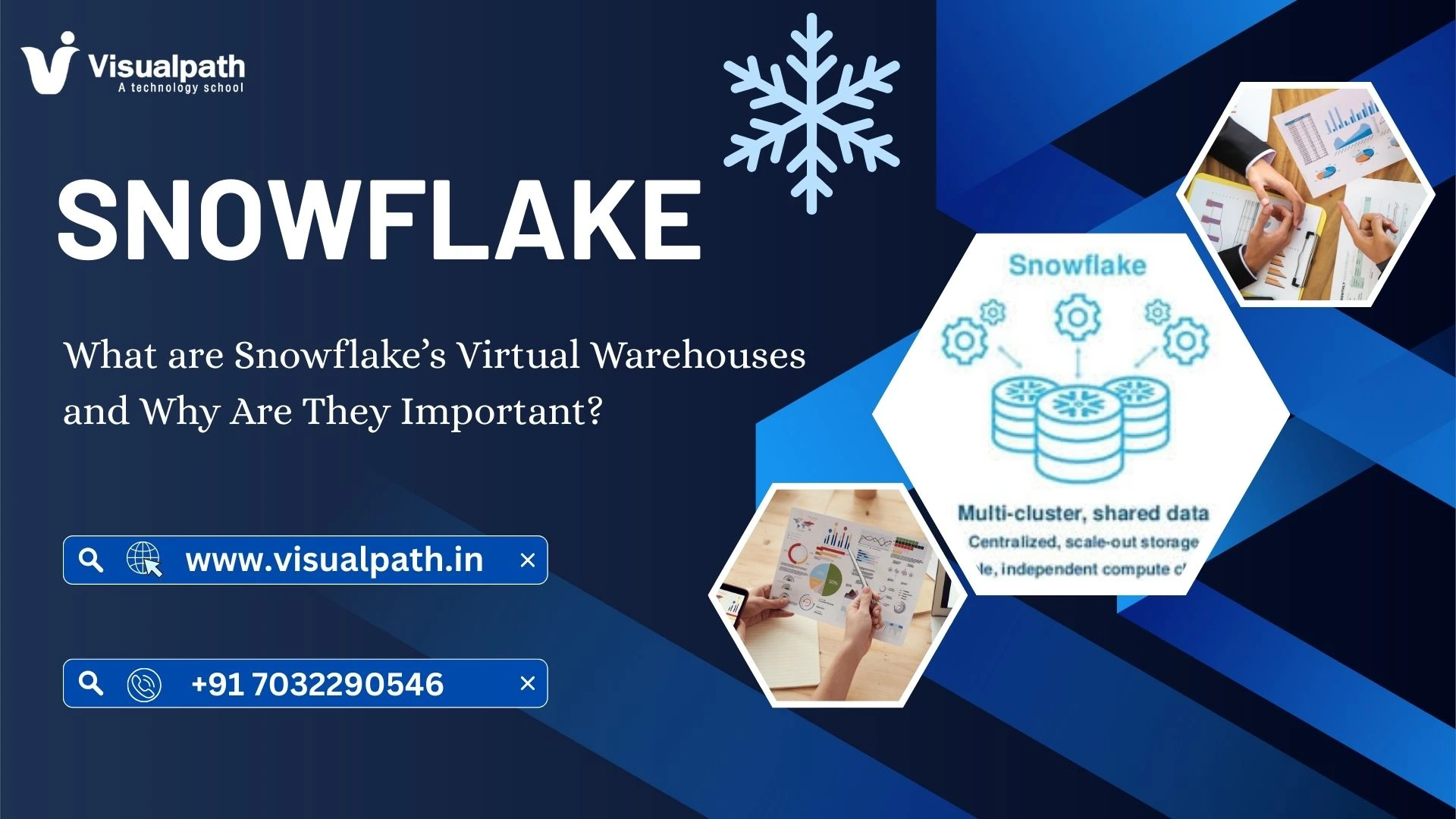
    Snowflake has revolutionized modern data warehousing by separating storage and compute. One of the most crucial components in this architecture is the Snowflake Online Training Course, which explains the concept of virtual warehouses. Virtual warehouses act as compute clusters that execute queries, load data, and process workloads. Unlike traditional systems, Snowflake allows independent scaling of compute resources, ensuring performance is maintained even during high demand.

    This design makes Snowflake flexible and cost-effective, empowering businesses to only pay for the compute resources they need while keeping performance consistent.

    Key Features of Snowflake’s Virtual Warehouses

    1. Independent Scaling
      Snowflake lets organizations scale virtual warehouses up or down depending on workloads. This means a small team can run queries on a small warehouse, while large analytical tasks can leverage bigger clusters.
    2. Multi-Cluster Support
      Virtual warehouses can automatically expand to multiple clusters during peak activity. This prevents query queuing and delivers faster response times.
    3. Concurrency Handling
      One of the standout advantages of virtual warehouses is their ability to handle concurrent queries efficiently. Instead of slowing down, workloads are distributed to balance performance.
    4. Workload Isolation
      Multiple teams or departments can use different warehouses, ensuring one workload does not affect another. For example, data scientists can run heavy models without slowing down BI dashboards.
    5. Auto-Suspend and Resume
      Virtual warehouses can automatically suspend when not in use and resume instantly. This reduces costs significantly, as users only pay when queries are running.

    Benefits of Using Virtual Warehouses in Snowflake

    1. Performance Efficiency
      Virtual warehouses deliver consistent performance without manual tuning. Snowflake manages concurrency and workload balancing internally.
    2. Cost Optimization
      Since warehouses can suspend and resume, businesses avoid unnecessary charges for idle compute.
    3. Scalability
      Virtual warehouses provide both vertical and horizontal scaling, making them ideal for organizations with unpredictable workloads.
    4. Simplified Management
      No need to worry about complex configurations. Snowflake automatically optimizes warehouses based on workload requirements.

    At this point, many learners pursuing Snowflake Online Training focus heavily on mastering warehouse management, as it is a critical skill for both performance tuning and cost efficiency.

    Best Practices for Managing Virtual Warehouses

    1. Use Separate Warehouses for Different Teams
      Isolate compute resources to prevent analytics, ETL, and machine learning teams from interfering with one another.
    2. Leverage Auto-Suspend and Auto-Resume
      Configure warehouses to minimize costs by automatically stopping when idle.
    3. Optimize Warehouse Size
      Start small and scale up only when workloads require additional compute power.
    4. Enable Multi-Cluster Warehouses for High Concurrency
      This ensures multiple queries are processed without delays during peak hours.
    5. Monitor Performance and Costs
      Use Snowflake’s monitoring tools to balance speed and expenses effectively.

    Why Virtual Warehouses are Important

    Virtual warehouses are not just compute engines — they are the backbone of Snowflake’s cloud-first approach. They allow businesses to operate with agility, scale seamlessly, and reduce costs while maintaining top performance.

    Anyone mastering Snowflake Training quickly realizes that managing virtual warehouses efficiently directly impacts data operations, cost control, and enterprise scalability.

    FAQ,s

    1. What is a virtual warehouse in Snowflake?
    A compute engine that runs queries, loads data, and processes workloads.
    2. Why are virtual warehouses important in Snowflake?
    They enable scalable, isolated, and cost-efficient compute for any workload.
    3. How does auto-suspend help in Snowflake warehouses?
    It pauses unused warehouses to save costs and resumes instantly when needed.
    4. Can Snowflake handle multiple users at the same time?
    Yes, multi-cluster warehouses handle high concurrency without performance drops.
    5. What is the best practice for using Snowflake warehouses?
    Use auto-suspend, size warehouses wisely, and separate workloads for efficiency.

    Conclusion

    Snowflake’s virtual warehouses play a pivotal role in modern cloud data architectures. By separating compute from storage, enabling scalability, and providing workload isolation, they ensure organizations can process data efficiently while optimizing costs. For businesses and professionals, understanding virtual warehouses is essential for maximizing the power of Snowflake.

    Visualpath stands out as the best online software training institute in Hyderabad.

    For More Information about the Snowflake Online Training

    Contact Call/WhatsApp: +91-7032290546

    Visit: https://www.visualpath.in/snowflake-training.html

  • Snowflake Cost Optimization: July 2025 Proven Tips That Work

    Snowflake Cost Optimization: July 2025 Proven Tips That Work

    Snowflake Cost Optimization: July 2025 Proven Tips That Work

    Introduction

    Snowflake is a powerful cloud data platform. But if not managed well, it can get expensive. Many businesses in July 2025 are looking for ways to reduce their Snowflake bills. This article will guide you through Snowflake cost optimization using real examples, tools, and dashboards Snowflake Online Training.

    Let’s explore easy and effective tips that really work.

    1. What’s Driving Up Your Snowflake Costs?

    Snowflake charges based on compute and storage. But many hidden reasons cause cost rise:

    • Over-provisioned warehouses
    • Long-running queries
    • Too many users running tasks
    • Storage of unused data
    • No auto-suspend settings

    Even one wrong setting can waste a lot of money.

    2. Why Cost Optimization Is Crucial in 2025

    In July 2025, data usage has grown rapidly. More businesses now rely on real-time analytics.

    Without cost control:

    • Your bills grow fast
    • You lose budget for other tools
    • It becomes hard to plan future costs

    Snowflake cost optimization is no longer optional. It is a must-have strategy.

    3. How Snowflake Pricing Actually Works

    Snowflake pricing is simple but needs care. It is based on:

    • Compute: For queries, dashboards, and pipelines
    • Storage: For tables, stages, and backups

    Compute is charged per second. Warehouses (compute engines) come in sizes: XS to 6XL.

    If you keep a large warehouse running 24/7, you pay more. Auto-suspend and scaling help control costs Snowflake Training in Ameerpet.

    4. How to Identify Hidden Cost Drains

    To find hidden drains, follow these steps:

    Step 1: Use Snowflake Cost Calculator

    Use the built-in calculator to estimate monthly cost.

    Step 2: Open the Cost Management UI

    Check which users or tasks use the most compute.

    Step 3: Review Query History

    Slow or repeated queries add up over time.

    Step 4: Check Warehouse Usage

    Use the Snowflake warehouse optimization view to see if warehouses are idle or overused.

    5. Proven Tips to Cut Snowflake Costs in July 2025

    Here are tested ways that work in July 2025:

    • Use Auto-Suspend & Resume

    Set idle timeout to 5 minutes or less.

    • Pick Right Warehouse Size

    Start with XS or S size. Scale only if needed.

    • Share Storage Across Teams

    Avoid creating duplicate data copies.

    • Monitor Using Dashboard

    The Snowflake cost optimization dashboard shows real-time usage.

    • Set Resource Monitors

    Alerts you before crossing cost limits.

    • Avoid Nested Loops

    Optimize your queries using best practices.

    • Train Your Team

    Visualpath offers training in cost control and query optimization.

    • Use Third-Party Tools

    Tools like Snowsight help visualize and reduce cost.

    6. Key Concepts of Snowflake Cost Optimization

    Learn these terms:

    • Auto-Suspend: Stops warehouse when not in use
    • Scaling Policy: Controls how fast Snowflake scales
    • Resource Monitor: Warns or stops usage
    • Query Profile: Shows how much time and cost each query used
    • Data Retention: Affects storage costs

    Mastering these helps reduce your bill easily Snowflake Training in Ameerpet.

    7. Examples of Snowflake Cost Optimization

    Here are some quick real-world examples:

    A company set auto-suspend to 2 minutes – saved $500/month
    Another firm resized its warehouses from M to XS – saved 40%
    Visualpath trained 10 employees on best practices – usage dropped 30%

    Even small changes make a big impact.

    8. Best Practices and Final Thoughts

    Follow these steps:

    • Use small warehouses
    • Turn on auto-suspend
    • Clean unused data
    • Check reports daily
    • Train staff using Visualpath courses Snowflake Online Training
    • Review every month
    • Snowflake cost optimization helps you save money, boost performance, and plan better.

    Start today and take control of your costs.

    FAQs

    Q1. What is a Snowflake cost optimization example?

    Reducing warehouse size from L to S saved a company 50% in July 2025.

    Q2. What is Snowflake cost optimization dashboard?

    It is a visual tool in Snowflake that shows usage and cost in charts.

    Q3. Is there a Snowflake cost calculator?

    Yes. Snowflake provides a built-in cost calculator based on warehouse use.

    Q4. What is Snowflake warehouse optimization?

    It means tuning warehouse size, schedule, and scaling to save money.

    Q5. What is Snowflake cost management UI?

    It is the user interface in Snowflake to track cost and set budget alerts.

    Q6. How does Snowflake pricing work?

    You pay for compute (per second) and storage (per month) separately.

    Q7. What are Snowflake optimization tools?

    Dashboards, query profiler, Snowsight, and Visualpath learning tools.

    Q8. How to reduce Snowflake cost?

    Use auto-suspend, clean data, optimize queries, and take training from Visualpath.

    Stay Ahead with In-Demand Skills!
    Enroll in courses like Dynamics 365 SCM, Sailpoint IdentityIQ, and MS Dynamics AX Technical at Visualpath – Hyderabad’s Top Training Institute.
    Don’t miss our affordable Snowflake Online Training!
    Call us: +91 7032290546
    https://www.visualpath.in/snowflake-training.html

  • Snowflake in Multi-Cloud Strategy: What’s New in 2025

    Snowflake in Multi-Cloud Strategy: What’s New in 2025

    Snowflake in Multi-Cloud Strategy: What’s New in 2025

    Snowflake in Multi-Cloud Strategy: What’s New in 2025

    Snowflake Multi-Cloud 2025: A Strategic Overview

    The data landscape is evolving rapidly. Enterprises increasingly adopt multi-cloud strategies. This approach offers flexibility and resilience. Snowflake stands at the forefront of this shift. It provides a unified platform  Snowflake Multi-Cloud 2025 . This platform spans across major cloud providers. Its capabilities are constantly expanding. New innovations are expected by 2025. Therefore, these will further solidify its position in Snowflake training.

    Enhanced Cross-Cloud Capabilities

    Snowflake’s core strength lies in its multi-cloud support. It allows data to reside in different clouds. Users can access it seamlessly. Expect significant enhancements by 2025. Cross-cloud data replication will improve. This ensures data consistency. Data sharing across clouds will be faster. This is vital for global operations. New features will simplify data movement. These updates will reduce operational complexity. They will empower businesses. They can leverage data from any cloud.

    The Future of  Snowflake Multi-Cloud 2025

    Data governance is paramount. Security remains a top concern. Snowflake is investing heavily here. New governance tools are on the horizon. These will offer finer control. Data access policies will be more granular. Enhanced encryption methods are coming. Compliance reporting will be automated Snowflake course. These features will be critical. They ensure data integrity and security. They support strict regulatory requirements. Expect these advancements throughout 2024 and into 2025.

    Developer Experience and Ecosystem Growth

    Snowflake is also focusing on developers. A robust developer experience is key. New APIs and SDKs are anticipated. These will simplify application development. Integration with third-party tools will expand. The partner ecosystem will grow. This includes data integration and AI/ML platforms. These developments foster innovation. They enable richer data applications. The platform becomes more versatile. This benefits all users.

    Streamlined Operations and Cost Optimization

    Operational efficiency is a constant goal. Snowflake aims to simplify management. Automated resource scaling will improve. This optimizes compute usage. Cost management tools will be more intuitive. Users can track spending better. Predictive analytics for resource needs are coming. These features help control expenses. They ensure efficient data operations. This makes multi-cloud more accessible. It drives greater ROI for businesses.

    FAQs

    Snowflake Demo free: Finding a completely free Snowflake course demo can be challenging. Many platforms offer introductory modules. These are often part of a larger paid program. Some online communities provide free resources. These include tutorials and documentation.

    Snowflake course online: Numerous online platforms offer Snowflake courses. These include Udemy, Coursera, and Pluralsight. In addition Visualpath training institute also provides comprehensive online courses. These courses cover various skill levels. They range from beginner to advanced.

    Snowflake Course syllabus: A typical Snowflake course syllabus covers many topics. It includes data warehousing concepts. You will learn about Snowflake architecture. Data loading and unloading are key. SQL commands for data manipulation are taught. Moreover, Performance tuning and security are also covered. Visualpath training institute offers a detailed syllabus.

    Snowflake course Fees: Snowflake course fees vary widely. They depend on the provider and course depth. Typically, self-paced online courses are generally more affordable. Instructor-led training can be more expensive. Visualpath training institute offers competitive pricing. They provide value for money.

    Snowflake course Visualpath: Visualpath hosts many Snowflake courses. These courses are often self-paced. They include video lectures and practice exercises. They are a good option for flexible learning. For better decision-making, always check reviews before enrolling.

    Snowflake course Duration: The duration of a Snowflake course varies. A basic introductory course might take a few hours. In many cases, comprehensive courses can last several weeks. This depends on the depth of content. Additionally It also depends on your learning pace. Visualpath training institute offers flexible durations.

    Snowflake training and Certification: Snowflake offers official certifications. These validate your skills. Training programs prepare you for these exams. Many institutes provide this training. Visualpath training institute is a reputable option. They help you prepare for certification.

    Trending Courses: Dynamics 365 Supply Chain Management, Sailpoint Identityiq, Microsoft Dynamics Ax technical

    Visualpath is the Leading and Best Institute for learning in Hyderabad. We provide Snowflake Online Training. You will get the best course at an affordable cost.

    For more Details Contact +91 7032290546

    Visit: https://www.visualpath.in/snowflake-training.html

  • Snowflake: What Are Aggregation Functions in SQL?

    Snowflake: What Are Aggregation Functions in SQL?

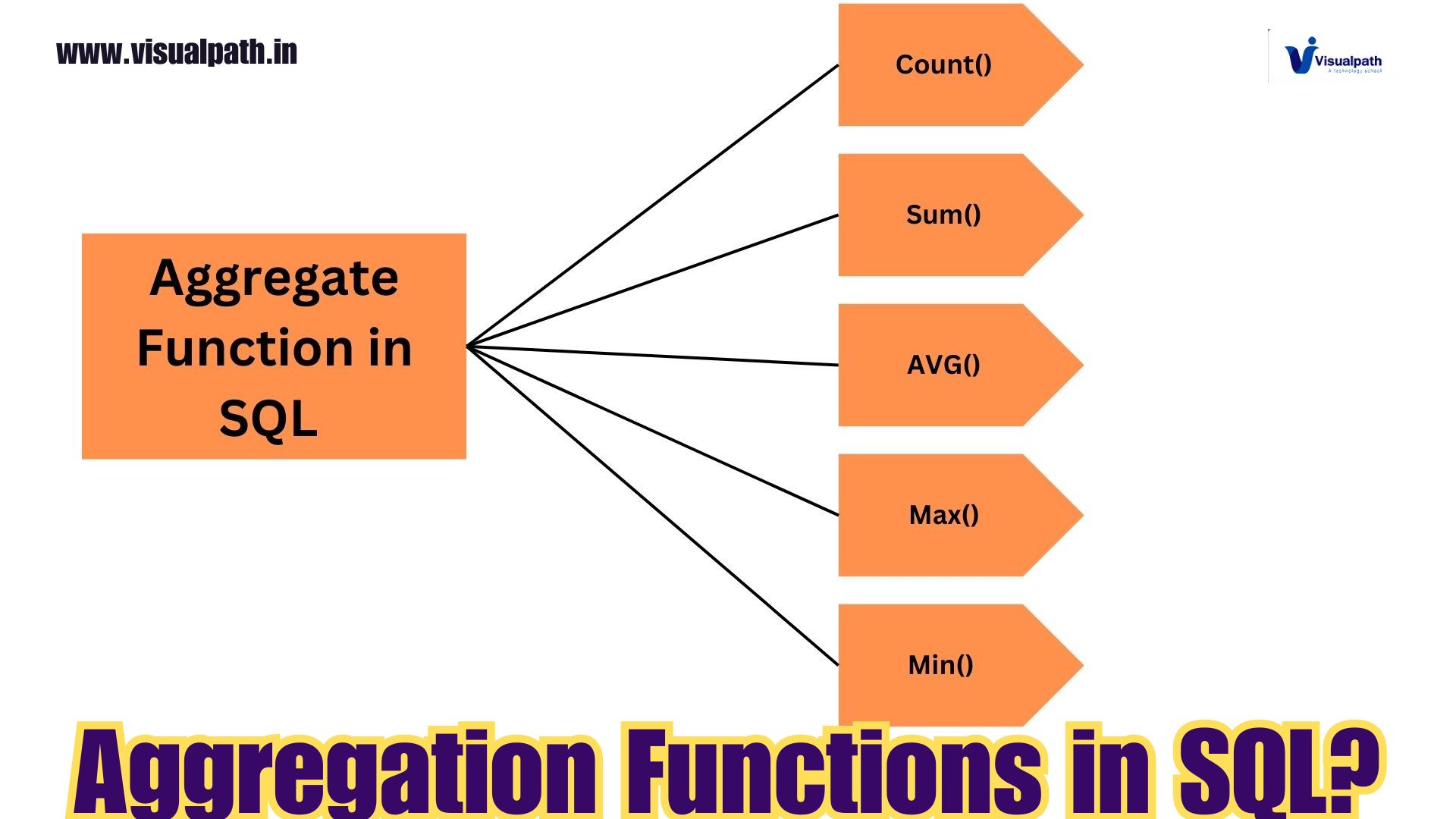
    Aggregation functions are an essential part of SQL, especially when working with large datasets. These functions operate on multiple rows of data and return a single value as the result. In Snowflake, a cloud-based data platform, aggregation functions play a crucial role in summarizing and analyzing data, making it easier for users to extract insights from their datasets. Snowflake Training

    Snowflake supports a wide range of aggregation functions, commonly used in data analysis and reporting, such as calculating sums, averages, counts, and finding minimum and maximum values. Here’s a deeper dive into the key aggregation functions available in Snowflake.  Snowflake Online Training Course

    Key Aggregation Functions in Snowflake

    1. SUM()
      The SUM() function is used to calculate the total sum of values in a numeric column. This is particularly useful when you want to determine the total revenue, expenses, or any other metric across multiple rows.
      Example:  Snowflake Online Training

    sql

    Copy code

    SELECT SUM(sales_amount) AS total_sales

    FROM sales;

    • AVG()
      The AVG() function returns the average value of a numeric column. This function is commonly used when analyzing performance metrics, such as finding the average sales, product price, or employee ratings.
      Example:   Snowflake Training Course in Hyderabad

    sql

    Copy code

    SELECT AVG(price) AS average_price

    FROM products;

    • COUNT()
      The COUNT() function counts the number of rows that match a specific condition or all rows in a table. You can also use COUNT(DISTINCT) to count unique values within a column.
      Example:   Snowflake Training in Hyderabad

    sql

    Copy code

    SELECT COUNT(*) AS total_orders

    FROM orders;

    • MAX()andMIN()
      The MAX() and MIN() functions return the maximum and minimum values from a specified column, respectively. These functions are helpful when finding the highest or lowest values in a dataset, such as the maximum sales in a month or the lowest product price.
      Example:   Snowflake Online Course Hyderabad

    sql

    Copy code

    SELECT MAX(salary) AS highest_salary

    FROM employees;

    • GROUPBYClause
      Aggregation functions are often used with the GROUP BY clause, which groups rows based on the values in one or more columns before applying the aggregation. This is particularly useful when you want to aggregate data based on specific categories, such as grouping sales by region or productsbycategory.
      Example:

    sql

    Copy code

    SELECT region, SUM(sales) AS total_sales

    FROM sales_data

    GROUP BY region;

    Advanced Aggregation Features in Snowflake

    Snowflake supports advanced features such as window functions, which allow users to perform aggregations over a subset of rows within a window, enabling more complex calculations like running totals and moving averages. These features enhance Snowflake’s ability to handle complex analytics at scale. Snowflake Training Institute in Hyderabad

    Conclusion

    Aggregation functions in Snowflake are powerful tools for summarizing data, making it easier to derive meaningful insights from large datasets. Whether you’re calculating totals, averages, or counting rows, these functions allow for efficient and effective data analysis. By combining aggregation functions with the GROUP BY clause, users can perform even more granular analyses, which is invaluable for reporting and business intelligence tasks.

    Visualpath is the Leading and Best Software Online Training Institute in Hyderabad. Avail complete Snowflake institute in Hyderabad Snowflake Online Training Worldwide. You will get the best course at an affordable cost.

    WhatsApp: https://www.whatsapp.com/catalog/919989971070

    Visit:   https://visualpath.in/snowflake-online-training.html

  • Types of SQL in Snowflake

    Types of SQL in Snowflake

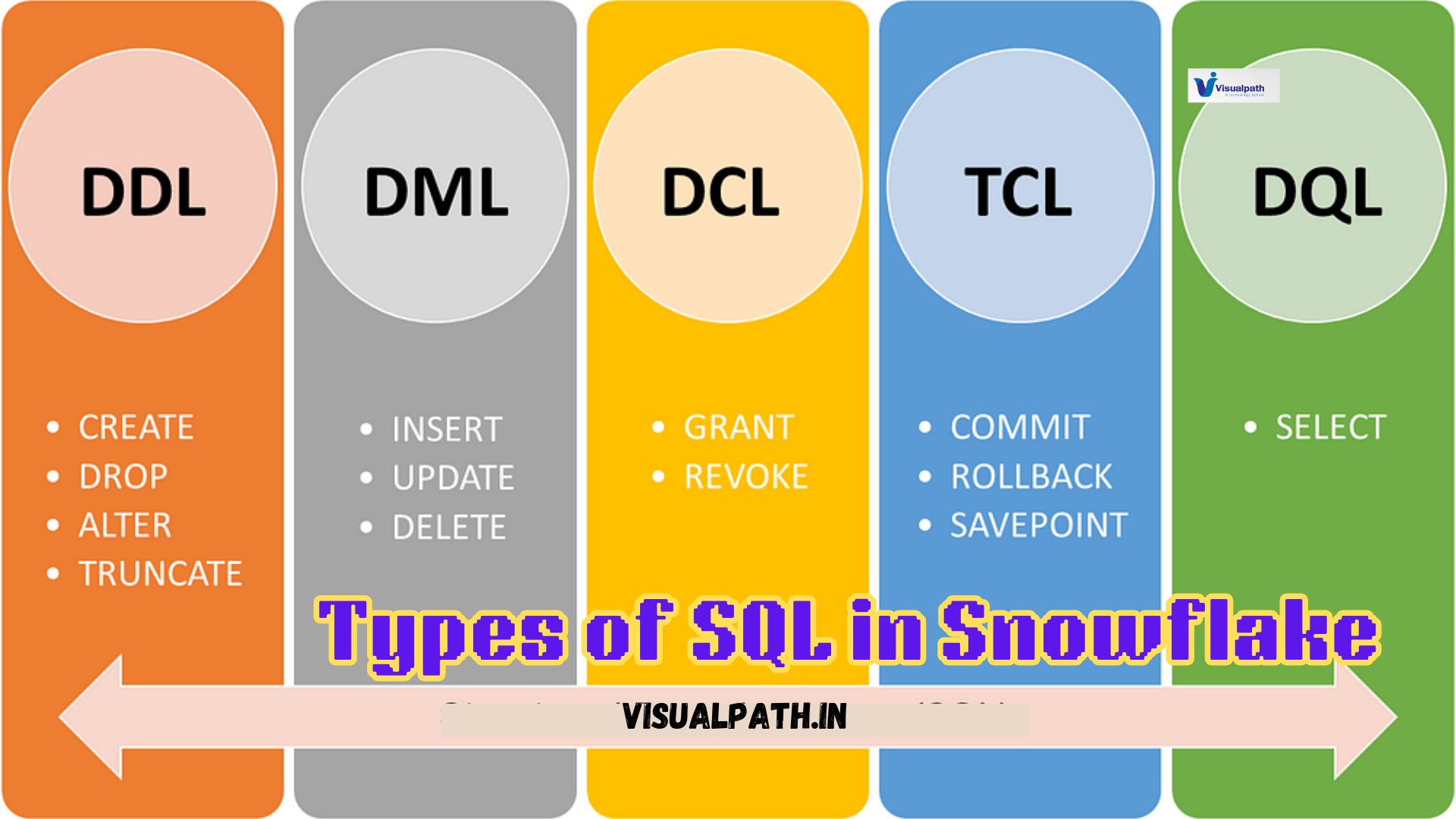
    Snowflake, a powerful cloud-based data warehousing platform, relies heavily on SQL (Structured Query Language) for managing, querying, and manipulating data. Snowflake’s SQL commands are organized into various types, each serving distinct functions to help users interact with the data efficiently. Here’s a closer look at the types of SQL commands in Snowflake:  Snowflake Online Training Course

    1. Data Definition Language (DDL):
      DDL commands are used to define and manage the structure of database objects in Snowflake. These commands are essential for creating, altering, and removing objects such as tables, views, schemas, and more. Common DDL commands include:
    2. Data Manipulation Language (DML):
      DML commands deal with the manipulation of data within Snowflake tables. These commands are crucial for querying and modifying data stored in the database. Common DML commands are:  Snowflake Training in Hyderabad
      • SELECT: Retrieves data from one or more tables or views based on specified conditions.
      • INSERT: Adds new rows of data into an existing table.
      • UPDATE: Modifies existing records in a table based on specified criteria.
      • DELETE: Removes rows from a table that match certain conditions.
    3. Data Control Language (DCL):
      DCL commands manage access rights and permissions within Snowflake. These commands help administrators control which users or roles have access to specific data and objects. The primary DCL commands are:  Snowflake Online Course Hyderabad
      • GRANT: Provides permissions to users or roles to access or modify database objects.
      • REVOKE: Removes previously granted permissions, restricting access.
    4. Transaction Control Language (TCL):
      TCL commands control transaction management in Snowflake, ensuring data integrity during DML operations. Key TCL commands include:
      • BEGIN: Initiates a new transaction block.
      • COMMIT: Saves changes made during the transaction, making them permanent.
      • ROLLBACK: Undoes changes made during the transaction, reverting the database to its previous state.  Snowflake Online Training
    5. CREATE: Used to create new database objects like tables, views, schemas, sequences, and stages.
    6. ALTER: Modifies the structure of existing objects, such as adding columns to a table or changing a view definition.
    7. DROP: Deletes existing objects from the database, such as dropping a table or a view.  Snowflake Training

    These SQL command types provide Snowflake users with the necessary tools to effectively manage data structures, manipulate data, control access, and maintain data consistency within their data warehousing environment. Understanding each command type enhances the efficiency and security of working with Snowflake databases.

    Visualpath is the Leading and Best Software Online Training Institute in Hyderabad. Avail complete Snowflake institute in Hyderabad Snowflake Online Training Worldwide. You will get the best course at an affordable cost.

    WhatsApp: https://www.whatsapp.com/catalog/919989971070

    Visit:   https://visualpath.in/snowflake-online-training.html

  • How to Connect Power BI to Snowflake

    How to Connect Power BI to Snowflake

    Power BI to Snowflake allows you to create dynamic and insightful visualizations using your Snowflake data. Here’s a step-by-step guide to establish this connection:  Snowflake Online Training Course

    1. Set Up Snowflake:
      1. Ensure you have the necessary access permissions to the Snowflake data warehouse. You’ll need the warehouse, database, schema, and table details that you want to connect with Power BI.
      1. Create a dedicated user and role with appropriate access rights to the required data for enhanced security.   Snowflake Online Training
    2. Install the ODBC Driver:
      1. Download and install the latest Snowflake ODBC driver from the Snowflake website.
      1. Configure the ODBC driver with Snowflake account details, including your account name, username, password, warehouse, database, and schema.  Snowflake Training
    3. Configure Power BI:
      1. Open Power BI Desktop and navigate to Home > Get Data.
      1. Search for “Snowflake” and select the Snowflake connector.
      1. Enter your Snowflake account URL (e.g., your_account_name.snowflakecomputing.com), then provide your credentials.   Snowflake Online Training in India
    4. Set Up Connection Parameters:
      1. Choose the warehouse, database, and schema you wish to use.
      1. After configuring these settings, click Connect. Power BI will authenticate and display available tables and views.
    5. Load Data and Build Reports:
      1. Select the tables you need and load them into Power BI. You can now create reports and dashboards based on your Snowflake data.
      1. Use Power BI’s query editor to clean and shape the data as needed for your analysis.    Snowflake Training Institute in Hyderabad

    Connecting Power BI to Snowflake provides a powerful way to leverage cloud data for analytics, combining Snowflake’s robust data processing capabilities with Power BI’s rich visualization tools.

    Visualpath is the Leading and Best Software Online Training Institute in Hyderabad. Avail complete Snowflake institute in Hyderabad Snowflake Online Training Worldwide. You will get the best course at an affordable cost.

    WhatsApp: https://www.whatsapp.com/catalog/919989971070

    Visit:   https://visualpath.in/snowflake-online-training.html

  • How to Build an ETL Pipeline in Snowflake

    How to Build an ETL Pipeline in Snowflake

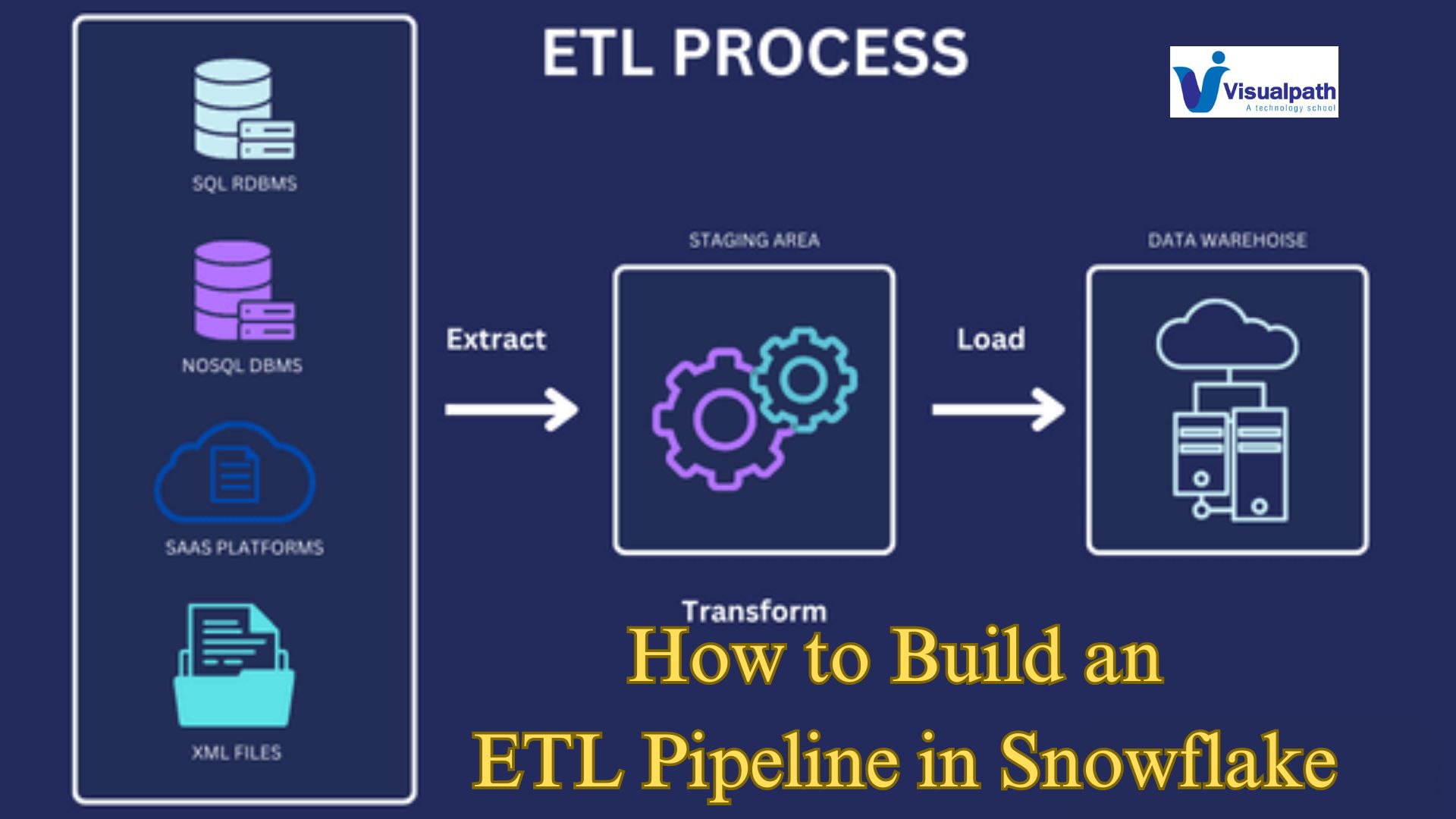
    Building an ETL (Extract, Transform, Load) pipeline in Snowflake is a streamlined process that enables efficient data integration and transformation. Here’s a step-by-step guide to setting up your ETL pipeline:   Snowflake Online Training Course

    1. Extract Data

    The first step is to extract data from various sources, such as databases, cloud storage, or APIs. In Snowflake, this is typically done using Snowpipe or COPY INTO commands to ingest data from external stages like Amazon S3, Azure Blob Storage, or Google Cloud Storage. Data can be loaded directly into Snowflake tables in a raw format.  Snowflake Training 

    2. Transform Data

    Once the data is loaded into Snowflake, transformations are performed to clean, aggregate, or enrich the data. Snowflake’s robust SQL capabilities allow for complex transformations, including joining tables, filtering data, or applying functions. For more advanced transformations, you can leverage Snowflake Streams and Tasks to create an automated pipeline that processes data continuously as it arrives.  Snowflake Online Training 

    3. Load Data

    The final step is to load the transformed data into a target table, ready for analysis. Snowflake’s performance scales with the volume of data, allowing for fast and efficient loading even with large datasets. You can use the MERGE statement to upsert data, ensuring that your target tables are always up to date with the latest information.  Snowflake Training Course in Hyderabad

    Automation and Orchestration

    To automate and orchestrate the entire ETL process, Snowflake integrates seamlessly with third-party tools like Apache Airflow, dbt (Data Build Tool), or Matillion. These tools help schedule and monitor the ETL pipeline, ensuring data flows smoothly from source to target. Snowflake Training Institute in Hyderabad 

    By following these steps, you can build a robust ETL pipeline in Snowflake that handles data efficiently, scales with your needs, and supports your analytics and business intelligence efforts.

    Visualpath is the Leading and Best Software Online Training Institute in Hyderabad. Avail complete Snowflake institute in Hyderabad Snowflake Online Training Worldwide. You will get the best course at an affordable cost.

    WhatsApp: https://www.whatsapp.com/catalog/919989971070

    Visit:   https://visualpath.in/snowflake-online-training.html

  • Types of Sharing in Snowflake

    Types of Sharing in Snowflake

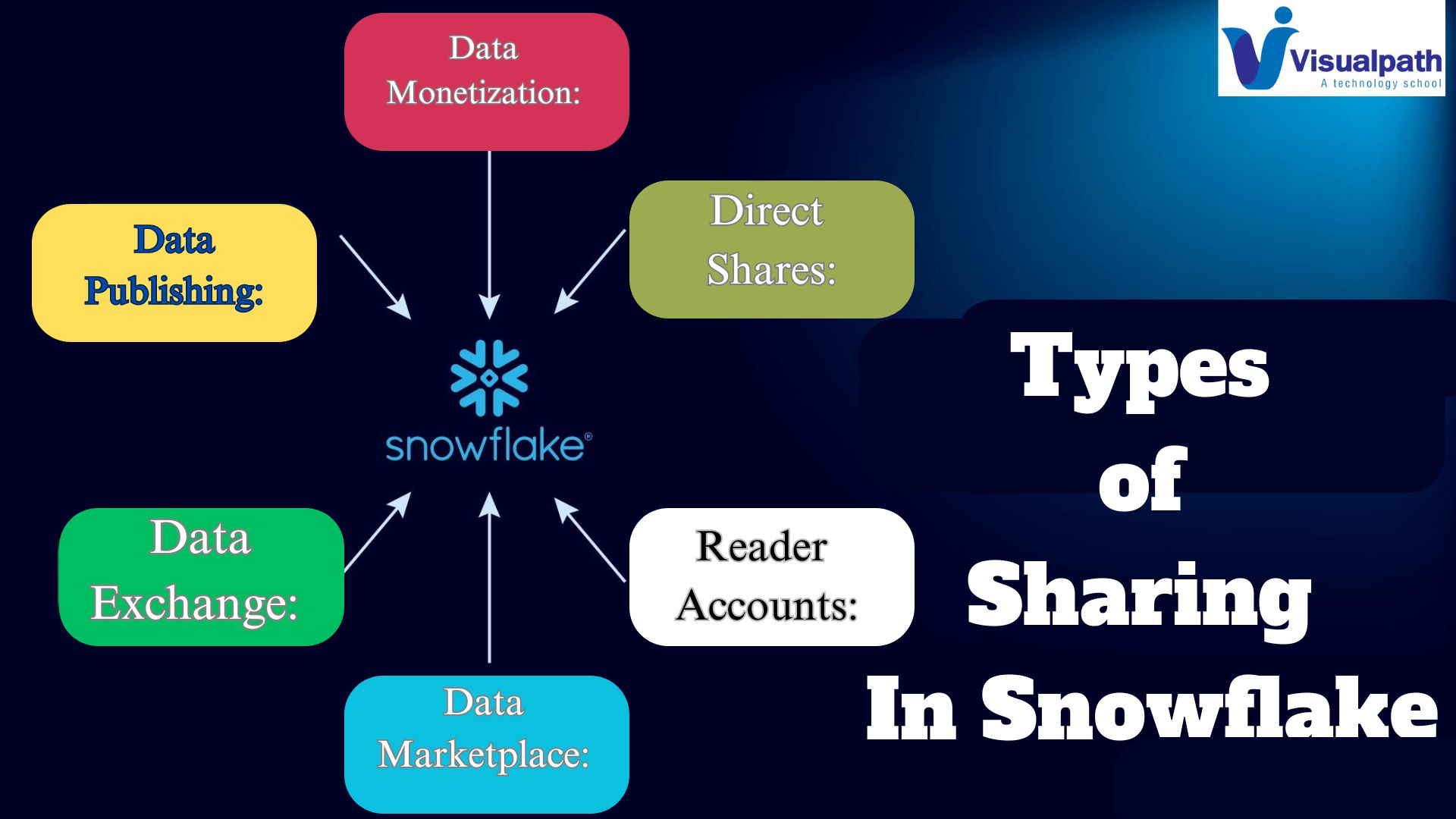
    Snowflake, a cloud-based data warehousing solution, offers robust data sharing capabilities that empower organizations to share data securely and efficiently. Understanding the different types of sharing in Snowflake is essential for optimizing data collaboration within and between organizations.  Snowflake Online Training Course

    Direct Shares:

    Direct Shares enable secure and direct sharing of data between Snowflake accounts. This method allows the provider to share specific databases, schemas, tables, or views with one or more consumer accounts. The shared data remains under the control of the provider, ensuring that the provider can revoke access or modify permissions at any time.  Snowflake Training 

    Reader Accounts:

    Reader Accounts facilitate data sharing with consumers who do not have a Snowflake account. In this model, Snowflake provisions a dedicated Reader Account for the consumer, allowing them to access the shared data. The provider manages the Reader Account, ensuring that the consumer can query the data but cannot modify it.  Snowflake Online Training 

    Data Marketplace:

    Snowflake’s Data Marketplace is a platform that allows organizations to publish and monetize their data. Providers can list datasets on the marketplace, making them available to a broad audience of potential consumers. Consumers can discover, evaluate, and subscribe to datasets that meet their needs. Snowflake Training in Hyderabad

     Data Exchange:

    Data Exchange is a more customizable and controlled version of data sharing, enabling organizations to create a private exchange to share data securely with specific partners, customers, or departments.

    Data Publishing:

    Data publishing refers to making data available to a broader audience, typically through a data repository or an open data portal. This type of sharing is often used by government agencies, research institutions, and organizations aiming to promote transparency and public access to information.

    Federated Data Sharing:

    Federated data sharing involves multiple organizations collaborating to share and access data while maintaining their own data governance policies. In this model, data remains within the control of the individual organizations, but can be accessed and analyzed across the federation.

    Data Monetization:

    Data monetization involves sharing data for a fee, allowing data providers to generate revenue from their data assets. This can be done through data marketplaces, where providers list their datasets, and consumers can subscribe to or purchase access to the data.

    Conclusion:

    Snowflake’s versatile sharing options—Direct Shares, Reader Accounts, and Data Marketplace—cater to various data collaboration needs.

    Visualpath is the Leading and Best Software Online Training Institute in Hyderabad. Avail complete Snowflake institute in Hyderabad Snowflake Online Training Worldwide. You will get the best course at an affordable cost.

    WhatsApp: https://www.whatsapp.com/catalog/919989971070

    Visit:   https://visualpath.in/snowflake-online-training.html

  • Detailed Explanation of Snowflake Snowsight

    Detailed Explanation of Snowflake Snowsight

    Snowflake Snowsight is a modern, intuitive web interface designed to enhance the data analytics experience within the Snowflake Data Cloud. It integrates powerful data exploration, visualization, and querying capabilities, making it a crucial tool for data analysts, engineers, and business users. Snowflake Training 

    Intuitive Interface and User Experience: Snowsight provides a streamlined and user-friendly interface, facilitating easy navigation through Snowflake’s vast capabilities. The interface is designed to reduce the learning curve for new users while offering advanced features for experienced professionals. It provides a comprehensive overview of your Snowflake environment, including warehouses, databases, and worksheets, all accessible from a single dashboard.

    Data Exploration and Visualization: One of Snowsight’s standout features is its ability to create and manage visualizations directly from query results. Users can generate a wide range of charts and graphs to represent data insights visually.

    This capability is crucial for identifying trends, outliers, and patterns that may not be immediately evident through raw data analysis. The visualizations are interactive, allowing users to drill down into specific data points for more granular insights.   Snowflake Online Training Course

    Query Performance and Optimization: Snowsight offers tools to monitor and optimize query performance. Users can view detailed metrics on query execution, including duration, resources consumed, and stages of execution.

    This visibility helps in identifying bottlenecks and optimizing queries for better performance. The platform also provides recommendations for improving query efficiency, contributing to a more streamlined data processing workflow.  Snowflake Online Training in India

    Collaboration and Sharing: Snowsight supports collaborative work environments by allowing users to share worksheets and dashboards with team members. This feature fosters a collaborative approach to data analysis, enabling multiple stakeholders to contribute insights and make data-driven decisions collectively. Permissions can be managed to control access levels, ensuring data security and integrity.  Snowflake Training in Hyderabad

    Integration and Compatibility: Snowsight seamlessly integrates with Snowflake’s core functionalities, ensuring that users can leverage the full power of the Snowflake Data Cloud. It supports various data formats and sources, providing flexibility in data ingestion and processing. Snowflake Online Training 

    In conclusion

    Snowflake Snowsight enhances the data analytics experience by combining ease of use, powerful visualization tools, and robust performance monitoring. It is an indispensable tool for organizations looking to leverage their data assets effectively.

    Visualpath is the Leading and Best Software Online Training Institute in Hyderabad. Avail complete Snowflake institute in Hyderabad Snowflake Online Training Worldwide. You will get the best course at an affordable cost.

    WhatsApp: https://www.whatsapp.com/catalog/919989971070

    Visit:   https://visualpath.in/snowflake-online-training.html