Tag: Salesforce Marketing Cloud Training in Bangalore

  • What Is the Difference Between SFMC and Pardot?

    What Is the Difference Between SFMC and Pardot?

    Salesforce Marketing Cloud (SFMC) and Pardot (now called Marketing Cloud Account Engagement). While both platforms fall under the Salesforce ecosystem, they serve very different purposes depending on your business model, goals, and audience. So, what is the difference between SFMC and Pardot? Understanding this is essential for making the right decision for your organization’s marketing automation strategy.

    Target Audience: B2B vs. B2C

    One of the primary differences lies in the target audience:

    • Pardot is primarily designed for B2B (Business-to-Business) marketing. It focuses on long sales cycles, lead nurturing, and relationship-based selling.
    • Salesforce Marketing Cloud, on the other hand, is ideal for B2C (Business-to-Consumer) companies. It supports high-volume campaigns and rapid engagement, perfect for retail, e-commerce, and media.

    If your organization sells directly to consumers at scale, Pardot and SFMC offers broader engagement tools. If you’re nurturing business leads through complex sales cycles, Pardot is the more suitable choice.

    Marketing Channels and Campaign Types

    • SFMC offers a multi-channel experience. You can reach customers through email, SMS, push notifications, social media, and advertising platforms.

    Pardot focuses mainly on email campaigns, landing pages, and form-based lead generation. While it integrates well with CRM, it doesn’t offer the same channel diversity as SFMC. Salesforce Marketing Cloud Training

    If cross-channel, personalized engagement is your goal, SFMC provides far more flexibility.

    User Interface and Ease of Use

    • Pardot is considered more user-friendly and ideal for marketing teams with limited technical skills. It offers guided campaign builders, simplified lead scoring, and straightforward automation.
    • SFMC, while more powerful, has a steeper learning curve. Salesforce Marketing Cloud Course Online It’s designed for advanced users who need detailed segmentation, dynamic content, and complex journey mapping.

    Companies with strong technical teams or agencies may find SFMC’s complexity a worthwhile trade-off for its robust capabilities.

    Features and Automation

    • SFMC and pardot includes powerful tools like Journey Builder, Automation Studio, Audience Builder, and Einstein AI. It’s capable of delivering highly personalized content at scale using real-time data.
    • Pardot offers features like Lead Scoring, Lead Grading, Engagement Studio, and ROI Reporting. It’s built to manage and score leads through the funnel.

    While both offer automation, SFMC, Pardot shines in customer experience and real-time personalization, whereas Pardot focuses on nurturing and sales enablement.

    Integration and CRM Compatibility

    Both tools integrate natively with Salesforce CRM, but their depth of integration differs:

    • Pardot is tightly aligned with the Salesforce Sales Cloud, offering a seamless experience for B2B marketers managing leads and opportunities.
    • SFMC integrates well but often requires additional configuration or API usage, especially for more advanced setups.

    If tight CRM alignment for lead tracking is critical, Pardot may offer a smoother experience.

    Conclusion

    So, what is the difference between SFMC and Pardot? In essence:

    • Choose Pardot if you’re a B2B organization with longer sales cycles, focused on lead generation, nurturing, and close CRM alignment.
    • Choose Salesforce Marketing Cloud if you’re in B2C marketing, need to run large-scale, multi-channel campaigns, and value high personalization and automation capabilities.

    Both platforms are powerful, but your decision should align with your target audience, campaign goals, and available resources. Understanding these distinctions will help you unlock the full potential of Salesforce’s marketing solutions and drive better results.

    Trending Courses: Cyber Security, GCP Data Engineer Training, Gen AI for DevOps

  • How Do Journey Builders Work in SFMC?

    How Do Journey Builders Work in SFMC?

    This is where Salesforce Marketing Cloud (SFMC) comes in, particularly with its potent product known as Journey Builder. If you’re wondering how Do Journey Builders works and why it’s such a game-changer for marketers, you’re in the right place. Salesforce Marketing Cloud Training

    What Is Journey Builder in SFMC?

    Salesforce Marketing Cloud’s Journey Builder is a visual tool that aids marketers in creating and automating customer journeys.It allows you to create multi-step marketing campaigns based on customer behavior, preferences, and real-time interactions.

    Imagine you’re creating a “welcome series” for new users. Journey Builder lets you send them a welcome email, follow up with a discount offer, and later check in with a survey all automatically, based on how they interact with each message.

    Key Features of Journey Builder

    Here are some of the main features that make Journey Builder so powerful:

    1. Drag-and-Drop Interface
      You don’t need to write code. Simply drag elements like emails, SMS, decision points, and time delays into your journey canvas.
    2. Event-Triggered Actions
      Journeys can begin based on events like signing up for a newsletter, making a purchase, or abandoning a cart.
    3. Multi-Channel Marketing
      You can connect with users through email, SMS, push notifications, social media, and more.
    4. Decision Splits
      These allow you to create different paths in the journey based on user behavior. For example, if a user opens an email, they go one way; if not, they go another. Salesforce Marketing Cloud Online Training
    5. Real-Time Updates
      You can view live metrics and monitor performance while the journey is running.

    How It Works: Step-by-Step

    Here’s a basic flow of how you’d create a customer journey in SFMC:

    1. Set the Entry Source

    You begin by choosing how customers enter the journey. Common entry sources include:

    • Contact list
    • API triggers
    • Event responses (like form fills or purchases)

    2. Build the Journey Path

    Using the visual canvas, drag and drop actions such as:

    • Send Email
    • Wait Time
    • Decision Split
    • Update Contact

    You map out the path the customer will take over time.

    3. Set Conditions and Decisions

    Use decision splits to make the journey builders more personalized. For example:

    • If a customer clicks an email link, send them a thank-you message.
    • If not, send a reminder email after 2 days. Marketing Cloud Training

    4. Add Multiple Channels

    Incorporate SMS messages, mobile push notifications, or even advertising if needed. By doing this, you maintain consistency in your communication across all platforms.

    5. Activate and Monitor

    After the journey has been constructed, test it before turning it on.You can monitor the journey’s performance in real-time and make improvements on the go.

    Real-Life Example

    Let’s say you own an online bookstore. You could create a journey builders like this:

    • Day 1: Customer signs up → Send welcome email
    • Day 3: If customer clicks → Send a discount coupon
    • Day 5: If no click → Send a reminder email
    • Day 7: Purchase made → Send thank-you + book suggestions
    • Day 10: No purchase → Send a final offer

    All of this can be automated with Journey Builder! Cloud Training

    Why Use Journey Builder?

    • Saves time with automation
    • Increases customer engagement
    • Delivers personalized experiences
    • Boosts ROI through smarter campaigns
    • Gives clear insights with real-time analytics

    Conclusion

    Journey Builder in Salesforce Marketing Cloud is a must-have tool for modern marketers. It helps you deliver the right message to the right person at the right time  all while saving you time and boosting customer satisfaction. Whether you’re just starting out or managing large campaigns, For contemporary marketers, Salesforce Marketing Cloud’s Journey Builder is an essential tool.

    Trending Courses: Cyber Security, GCP Data Engineer Training, Gen AI for DevOps
    Visualpath is the Leading and Best Software Online Training Institute in Hyderabad

    For More Information about Best Salesforce Marketing Cloud Online Training

    Contact Call/WhatsApp: +91-7032290546

    Visit: https://www.visualpath.in/salesforce-marketing-cloud-online-training.html

  • Differences between Salesforce Marketing Cloud and CRM

    Differences between Salesforce Marketing Cloud and CRM

    Salesforce is a global leader in cloud-based software, offers two powerful but distinct platforms: Salesforce Customer Relationship Management (CRM) and Salesforce Marketing Cloud (SFMC). Differences between salesforce marketing Cloud and CRM While both tools are part of the Salesforce ecosystem,  they serve different purposes. Understanding their differences is crucial for businesses and professionals to leverage them effectively. Salesforce Marketing Cloud

    1. Purpose and Core Functionality

    Salesforce CRM is designed primarily for sales, customer service, and support management. It helps organizations track customer interactions, manage sales pipelines, and improve client engagement throughout the sales lifecycle.

    It enables businesses to create personalized marketing campaigns across email, SMS, social media, and web channels.

    Key Difference:

    • CRM = Sales & Customer Relationship Management
    • SFMC = Marketing Automation & Multi-channel Campaigns

    2. Audience and End-Users

    Salesforce CRM is mainly used by sales teams, account managers, and support agents. It provides them with tools to manage leads, opportunities, accounts, and service cases in a centralized system.

    Salesforce Marketing Cloud is geared toward digital marketers, campaign managers, and marketing analysts. It supports segmentation, targeted messaging, and journey mapping to improve engagement and ROI.

    Key Difference:

    • CRM is used by sales/service professionals
    • SFMC is used by marketing professionals

    3. Features and Capabilities

    Salesforce CRM Features:

    • Lead & Opportunity Management
    • Contact & Account Tracking
    • Sales Forecasting
    • Case Management
    • Workflow Automation

    Salesforce Marketing Cloud Features:

    • Journey Builder for customer path design
    • Email Studio, Mobile Studio, Social Studio
    • Audience segmentation and targeting
    • A/B Testing and performance analytics
    • Integration with DMP, Google, and other platforms

    Key Difference:
    CRM focuses on data management and sales pipeline, while SFMC focuses on campaign creation and customer journey orchestration.

    4. Data and Integration

    Salesforce CRM serves as the central database for customer records. It stores sales-related data, interaction history, and service tickets, making it the heart of customer information.

    SFMC integrates with Salesforce CRM but operates more independently when it comes to audience segmentation, marketing analytics, and real-time engagement. It often pulls data from external sources to fuel targeted campaigns.

    Key Difference:

    • CRM stores and manages customer data
    • SFMC uses that data to create personalized marketing experiences

    5. Business Impact

    CRM helps in building long-term customer relationships, improving team collaboration, and closing more deals. It enables marketing teams to automate and personalize at scale. Salesforce Marketing Cloud Online Training

    Key Difference;
    CRM = Operational efficiency and sales growth
    SFMC = Marketing effectiveness and customer loyalty

    Conclusion

    Salesforce CRM and Salesforce Marketing Cloud are both robust tools, but they cater to different stages of the customer journey. the backbone for managing leads, sales, and support, SFMC is the engine driving targeted marketing and customer engagement. Together, they provide a complete view and control of the customer lifecycle—from prospect to brand advocate.

    Choosing between them (or implementing both) depends on your organization’s goals. If you’re looking to manage customer data and sales, CRM is your go-to. If your focus is on scalable, personalized marketing, Marketing Cloud is the perfect fit. For maximum impact, integrating both can create a seamless, data-driven customer experience.

    Trending Courses: Cyber Security, GCP Data Engineer Training, Gen AI for DevOps
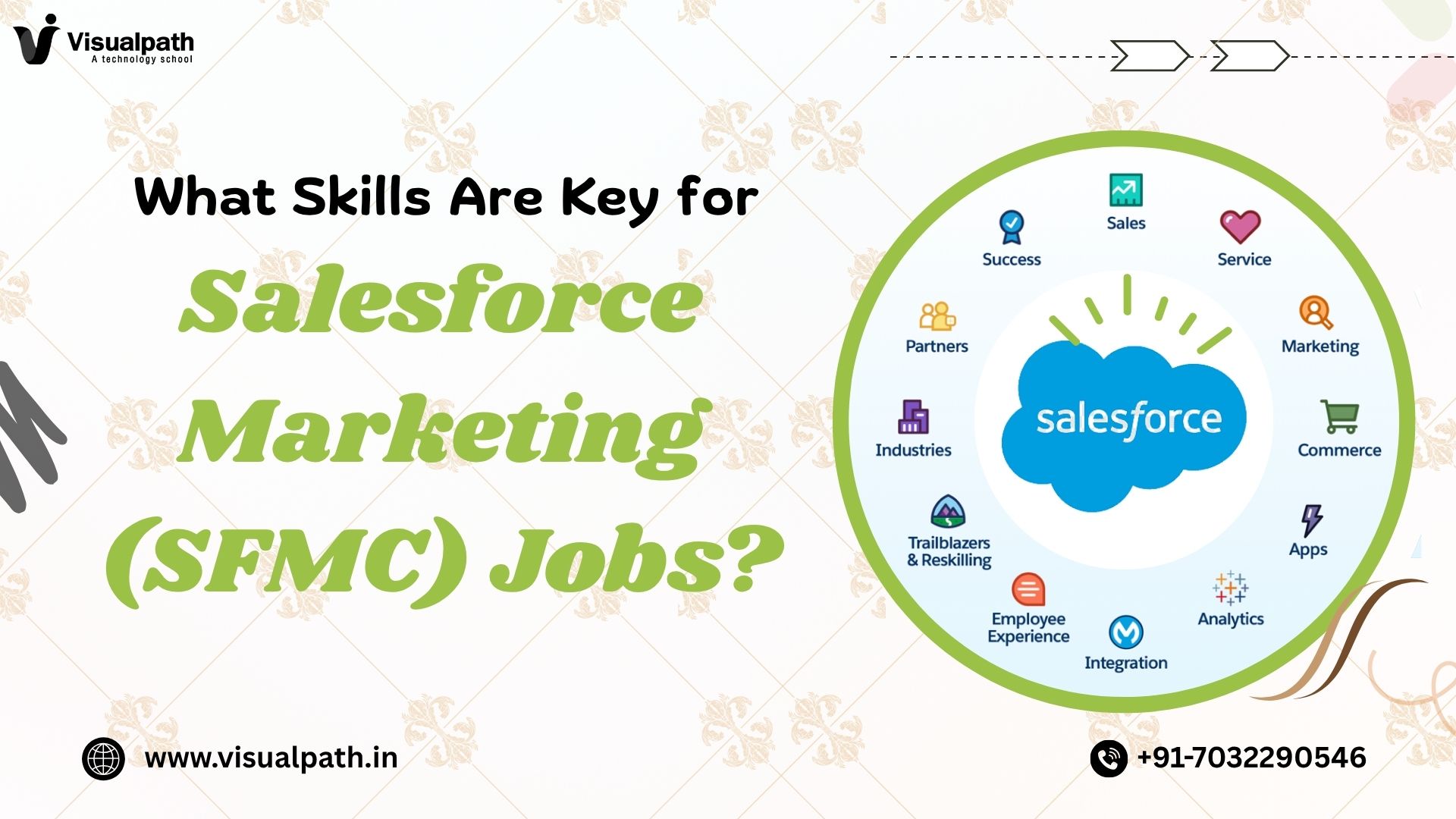
  • What Skills Are Key for Salesforce Marketing Jobs (SFMC)?

    What Skills Are Key for Salesforce Marketing Jobs (SFMC)?

    Salesforce Marketing Cloud (SFMC) increasingly rely on data-driven marketing strategies, professionals with expertise in Salesforce Marketing Cloud are in high demand. But what exactly does it take to land and succeed in a Salesforce marketing job? Beyond knowing how to navigate the platform, candidates must possess a diverse skill set that combines technical abilities, strategic thinking, and customer-centric insights. In this article, we’ll explore the essential skills required to thrive in What Skills Are Key for Salesforce Marketing Jobs (SFMC). Salesforce Marketing Cloud Training

    1. Proficiency in Salesforce Marketing Cloud Tools

    At the core of any Salesforce Marketing (SFMC) job is a strong command of the platform’s key features. Candidates should be well-versed in tools like:

    • Automation Studio – for automating marketing processes
    • Audience Builder & Contact Builder – for managing segmentation and data models
    • Mobile Studio, Social Studio, and Advertising Studio – for multi-channel marketing

    Hands-on experience with these tools is often a baseline requirement for most roles.

    2. Understanding of Digital Marketing Principles

    A Salesforce Marketing Cloud professional must also be grounded in digital marketing fundamentals. This includes:

    • Customer lifecycle and funnel management
    • A/B testing and performance optimization
    • Multi-channel campaign planning
    • Metrics like CTR, open rates, and conversion rates

    Employers look for individuals who can translate these principles into actionable strategies using SFMC tools.

    3. Data Management and Segmentation Skills

    Marketing Cloud is a data-heavy platform. (SFMC) Professionals must know how to work with:

    • Subscriber data and custom data extensions
    • SQL queries for data manipulation
    • Segmentation strategies for targeting the right audience
    • Data privacy and compliance (like GDPR and CAN-SPAM)

    Being able to analyze and segment data accurately is crucial for campaign success and regulatory compliance.

    4. Knowledge of Marketing Automation

    The capacity of SFMC to automate personalized messages throughout the client journey is one of its main benefits. Knowing how to design and execute automated customer journeys using Journey Builder and Automation Studio is essential. This also includes understanding entry sources, wait times, decision splits, and how to set up triggered messages.

    5. Basic HTML, CSS, and AMPscript Skills

    Although not a developer-level requirement, having a working knowledge of:

    • HTML/CSS for email template customization
    • AMPscript for personalization within emails
    • JSON for dynamic content in emails

    …can significantly enhance your ability to build responsive and personalized email campaigns.

    6. Analytical and Reporting Abilities

    Salesforce Marketing Cloud SFMC offers robust analytics and reporting features.

     Professionals should know how to:

    • Track campaign performance metrics
    • Create and interpret reports and dashboards
    • Optimize future campaigns based on past performance
    • Use Einstein AI for predictive analytics

    This analytical approach helps organizations make smarter, data-informed marketing decisions.

    7. Soft Skills: Communication and Collaboration

    Finally, soft skills are equally as important as technical knowledge. Salesforce Marketing professionals often work with cross-functional teams  including sales, product, and creative  and SFMC must be able to communicate clearly, manage deadlines, and adapt to changing requirements. A customer-focused mindset and problem-solving attitude go a long way in these roles.

    Conclusion

    Salesforce Marketing Cloud is a powerful ecosystem that requires a blend of technical knowledge, marketing expertise, and strategic insight. To succeed in Salesforce marketing roles, SFMC professionals must master platform tools, understand digital marketing fundamentals, manage and segment data, and create automated customer journeys. In addition, having a working knowledge of AMPscript, analytics, and strong soft skills will set you apart in a competitive job market.

    Trending Courses: Cyber Security, GCP Data Engineer Training, Gen AI for DevOps
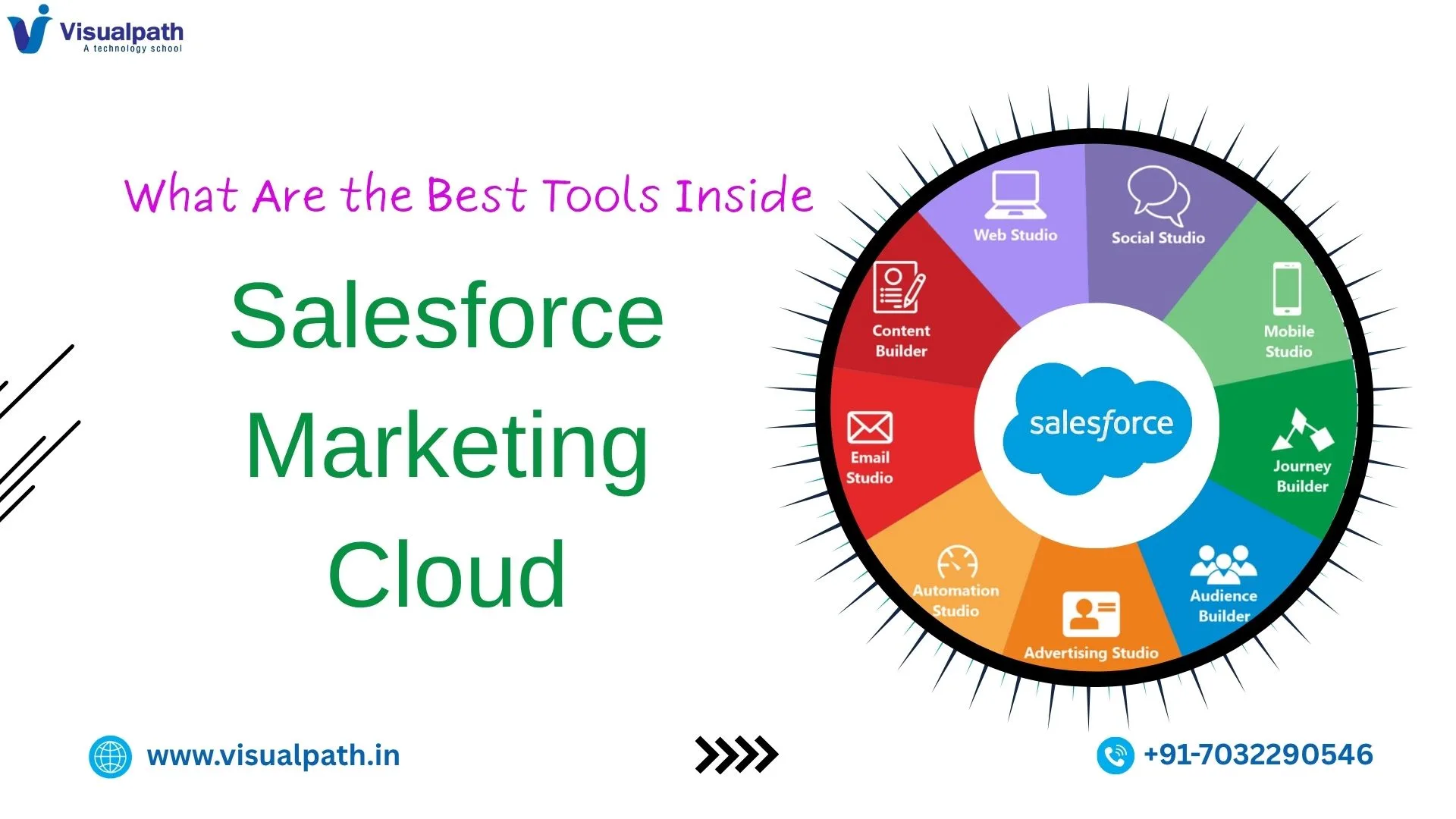
  • What Are the Best Tools Inside Salesforce Marketing Cloud (SFMC)

    What Are the Best Tools Inside Salesforce Marketing Cloud (SFMC)

    Salesforce Marketing Cloud (SFMC) is a powerful digital marketing platform designed to deliver personalized customer experiences across channels. It offers a wide suite of tools that enable marketers to plan, execute, and optimize campaigns across email, mobile, social media, and the web. Whether you’re a small business or a global enterprise, SFMC provides the flexibility and functionality to drive real results. In this article, we’ll explore the best tools inside Salesforce Marketing Cloud and how they can elevate your marketing strategy. Salesforce Marketing Cloud Training

    1. Email Studio: Powering Personalized Email Campaigns

    One of the most widely used tools within SFMC is Email Studio. This tool allows marketers to create, automate, and optimize email campaigns. Whether it’s a simple newsletter or a complex, dynamic email journey, Email Studio offers powerful features such as:

    • Drag-and-drop email builder
    • A/B testing capabilities
    • Dynamic content blocks
    • Subscriber segmentation

    Email Studio is ideal for building lasting customer relationships through tailored communication.

    2. Journey Builder: Automating the Customer Journey

    Journey Builder is one of the core tools that distinguishes SFMC from other platforms. It enables marketers to map out multi-channel, event-driven customer journeys. You can define how customers interact with your brand based on their behaviors and preferences. Salesforce Marketing Cloud Online Training

    • Trigger emails, SMS, push notifications, or ads
    • Integrate real-time data for personalization
    • Use decision splits for dynamic journey paths

    This tool is essential for nurturing leads and guiding them through the conversion funnel effectively.

    3. Mobile Studio: Reaching Customers On the Go

    As mobile usage continues to dominate, Mobile Studio helps brands connect with users via SMS, MMS, and push notifications. It’s a great tool for time-sensitive promotions, transactional messages, or customer service alerts.

    Key features include:

    • Personalized mobile messaging
    • Geolocation-based messaging
    • SMS keyword triggers

    Mobile Studio ensures that your messaging reaches the audience wherever they are, enhancing real-time engagement.

    4. Advertising Studio: Cross-Channel Ad Campaigns

    Advertising Studio integrates your marketing efforts with paid media platforms like Google, Facebook, Instagram, and LinkedIn. This tool helps synchronize advertising with your CRM data.

    Use cases include:

    • Targeting lookalike audiences
    • Retargeting existing customers
    • Suppressing converted leads from future ads

    With this tool, marketers can deliver a consistent message across paid and owned channels.

    5. Social Studio: Managing Social Engagement

    Social Studio allows brands to manage, schedule, and analyze content across social media platforms from a single dashboard.

    Capabilities include:

    • Real-time social listening
    • Sentiment analysis
    • Engagement tracking

    It’s perfect for community managers and social media teams looking to stay ahead of conversations and trends.

    6. Analytics Builder: Measuring Campaign Success

    To make data-driven decisions, Analytics Builder provides a comprehensive view of marketing performance. You can track KPIs, visualize trends, and uncover insights from campaigns.

    Highlights include:

    • Custom dashboards and reports
    • Email and journey performance tracking
    • Integration with Einstein AI for predictive insights

    Analytics Builder helps refine your strategy based on measurable results.

    Conclusion

    Salesforce Marketing Cloud is not just a marketing platform—it’s an ecosystem of powerful tools that empower marketers to engage customers meaningfully across every digital channel. From personalized emails and customer journeys to mobile messaging, social media management, and data-driven insights, SFMC’s tools are designed to scale with your needs and deliver exceptional customer experiences.

    Trending Courses: Cyber Security, GCP Data Engineer Training, Gen AI for DevOps
  • Why Choose SFMC for Your Marketing Needs?

    Why Choose SFMC for Your Marketing Needs?

    Salesforce Marketing Cloud (SFMC) is one of the most powerful platforms available for businesses looking to streamline and elevate their marketing efforts. Whether you’re a small business aiming to grow or a large enterprise looking to scale, SFMC offers a robust suite of tools designed to meet your goals.

    But why should you choose SFMC for your marketing needs? Let’s explore the key reasons.

    1. 360-Degree Customer View

    At the heart of any successful marketing strategy is understanding your customer. SFMC provides a comprehensive 360-degree view of each customer by integrating data from multiple sources CRM, email, web behavior, mobile interactions, and more. With this unified customer profile, marketers can make more informed decisions, tailor campaigns, and predict future behavior with better accuracy.

    2. Advanced Personalization Capabilities

    Modern consumers expect brands to speak directly to them, not just at them. SFMC’s powerful personalization tools allow marketers to go beyond simply adding a first name in an email. Using data like purchase history, browsing behavior, and engagement levels, you can create dynamic content that adapts in real time to each customer. This results in more meaningful interactions and higher conversion rates.

    3. Multi-Channel Campaign Execution

    SFMC stands out for its ability to manage marketing campaigns across multiple channels, including email, SMS, social media, advertising, and push notifications—all from one centralized platform. With tools like Journey Builder, marketers can design and automate customer journeys that span across channels, ensuring consistent messaging and timing.

    For example, a customer might receive a welcome email, followed by a personalized offer via SMS, and then a retargeting ad on Facebook—all triggered automatically based on their behavior.

    4. Scalable Automation with Journey Builder

    Journey Builder is one of SFMC’s flagship features, offering an intuitive drag-and-drop interface to automate and personalize customer journeys at scale. Whether you’re nurturing leads, onboarding new users, or re-engaging inactive customers, Journey Builder makes it easy to map out touchpoints and automate interactions based on real-time behavior. Salesforce Marketing Cloud

    This not only saves time but also ensures that each customer experiences a seamless and relevant journey with your brand.

    5. Powerful Data and Analytics Tools

    Marketing efforts are only as good as the insights behind them. SFMC provides robust analytics and reporting tools to measure the performance of campaigns, identify trends, and uncover new opportunities. With tools like Einstein Analytics, marketers can leverage AI to gain predictive insights—such as which customers are most likely to convert or unsubscribe—enabling smarter, data-driven decisions.

    6. Strong Integration Capabilities

    SFMC doesn’t operate in a vacuum. It integrates seamlessly with Salesforce CRM and other third-party platforms like Google Analytics, Facebook Ads, e-commerce systems, and more. These integrations ensure a constant flow of data between systems, allowing marketers to create a cohesive and informed strategy. Salesforce Marketing Cloud Training

    This is especially valuable for businesses that already use Salesforce’s ecosystem, as it creates a unified environment for sales, service, and marketing.

    7. Robust Security and Compliance

    With increasing concerns around data privacy and compliance, SFMC offers enterprise-grade security and tools to help ensure your marketing practices comply with regulations like GDPR and CCPA. Role-based access controls, data encryption, and audit logs provide peace of mind for businesses handling sensitive customer information.

    8. Support for Global Campaigns

    If your business operates in multiple regions, SFMC supports localization and multilingual content, as well as timezone-based sending. This makes it easier to tailor campaigns to diverse audiences while maintaining brand consistency across the globe.

    9. Continuous Innovation from Salesforce

    Salesforce is a leader in innovation, consistently updating SFMC with new features, enhanced AI capabilities, and improved user experiences. With regular updates and a strong support ecosystem, businesses can stay ahead of marketing trends and technology shifts.

    10. Community and Partner Ecosystem

    Lastly, SFMC benefits from a vast community of users, certified professionals, and implementation partners. Whether you need technical support, strategic advice, or training, there are countless resources available—from Trailhead modules to user forums and third-party consultants.

    Final Thoughts

    Choosing the right marketing platform is a strategic decision that can have a significant impact on your business’s growth and customer engagement. Salesforce Marketing Cloud stands out as a top-tier solution for companies that want to deliver personalized, automated, and data-driven campaigns across multiple channels.

    Whether you’re just beginning your digital marketing journey or looking to refine an existing strategy, SFMC offers the flexibility, scalability, and intelligence needed to achieve your goals.

    Trending Courses: Cyber Security, GCP Data Engineer Training, Gen AI for DevOps
  • What Skills Are Needed to Use SFMC Well

    What Skills Are Needed to Use SFMC Well

    Salesforce Marketing Cloud (SFMC) is one of the most powerful digital marketing platforms available today. What Skills Are Needed to Use SFMC Well features that support email marketing, customer journeys, analytics, and more, it offers marketers a robust set of tools to drive engagement and ROI. But to unlock its full potential, users need more than just a basic understanding they need specific technical, analytical, and creative skills. So, what exactly does it take to use SFMC effectively? Salesforce Marketing Cloud Training

    1. Understanding of Digital Marketing Principles

    Before diving into the technicalities of SFMC, users should have a strong grasp of digital marketing fundamentals. This includes understanding customer segmentation, personalization, A/B testing, KPIs, and campaign optimization. These concepts form the foundation for using SFMC tools like Journey Builder, Email Studio, and Automation Studio effectively.

    2. Platform Navigation and Tool Familiarity

    SFMC includes several studios and builders, such as:

    • Email Studio for designing and sending campaigns
    • Journey Builder for mapping out customer journeys
    • Automation Studio for setting up marketing automation
    • Audience Builder for segmentation

    Knowing how and when to use each of these is essential. Users should be comfortable navigating the interface and switching between these components.

    3. SQL and Data Management Skills

    SFMC heavily relies on data extensions to store and manage contact data. Basic to intermediate knowledge of SQL is highly valuable, especially for creating custom queries, filtering audiences, and performing complex data operations. Understanding relational databases and data normalization is also important.

    4. AMPscript and Scripting Knowledge

    For advanced personalization and dynamic content, SFMC uses AMPscript and SSJS (Server-Side JavaScript). These scripting languages enable marketers to tailor emails and web content based on user behavior, preferences, or profile data. While not mandatory for beginners, they’re crucial for building highly customized campaigns.

    5. Analytical and Reporting Abilities

    SFMC offers built-in reports and integrations with tools like Datorama. Marketers need to interpret campaign performance, analyze metrics such as open rates, click-through rates, and conversion paths, and use insights to iterate. Skills in data visualization and tools like Excel or Tableau can enhance reporting capabilities.

    6. Project Management and Collaboration

    Large-scale SFMC implementations often require cross-functional collaboration with IT, sales, and creative teams. Skills in project management, time tracking, and stakeholder communication are key to executing marketing campaigns smoothly and on time.

    7. Continuous Learning and Adaptability

    SFMC frequently updates its features and integrations. Staying current through Trailhead modules, Salesforce certifications, and community forums helps users stay ahead. A mindset of continuous learning is critical in this fast-changing environment.

    Conclusion

    Using Salesforce Marketing Cloud effectively is a blend of art and science. From mastering data management and scripting to understanding customer journeys and analytics, a well-rounded skill set is essential. Whether you’re a digital marketer, CRM specialist, or automation expert, investing in these skills will help you harness SFMC’s full potential and deliver more personalized, impactful campaigns.

    Trending Courses: Cyber Security, GCP Data Engineer Training, Gen AI for DevOps
  • What’s New in Salesforce Marketing Cloud in 2025?

    What’s New in Salesforce Marketing Cloud in 2025?

    Salesforce Marketing Cloud (SFMC) has undergone significant enhancements Salesforce Marketing Cloud in 2025? Introducing advanced AI capabilities, streamlined automation, and enriched personalization features. These updates aim to empower marketers to deliver more engaging, efficient, and data-driven campaigns. Here’s a comprehensive overview of the key developments: Salesforce Marketing Cloud Training

    1. Einstein Copilot: AI-Powered Content Creation

    Einstein Copilot is now generally available, serving as a generative AI assistant that aids marketers in drafting campaign briefs, messaging, and branded content. It operates within the boundaries of your organization’s data, ensuring contextually relevant and secure AI-generated content. Marketers can set brand-specific parameters, such as tone and style, to maintain consistency across all communications.

    2. Agentforce 2.0: Autonomous AI Agents

    Salesforce has introduced Agentforce 2.0, an enhanced AI agent platform capable of executing multistep tasks autonomously. The platform integrates with various Salesforce applications, including Slack, and features improved reasoning and customization capabilities

    3. WhatsApp Integration in Campaign Flows

    Recognizing the growing importance of instant messaging SFMC now allows WhatsApp integration within Campaign Flows. Marketers can incorporate WhatsApp messages into customer journeys, leveraging high engagement rates to deliver timely and personalized communications. This integration supports multimedia content and ensures compliance with global data privacy standards.

    4. Dynamic Email Content and Event-Triggered Campaigns

    Marketers can now create dynamic email content that adapts based on recipient data, such as recent purchases or engagement history. Additionally, new event-triggered campaign templates enable automated responses to specific customer actions, like form submissions or purchases, enhancing personalization and responsiveness.

    5. Opportunity Influence for Revenue Attribution

    The new Opportunity Influence feature simplifies the process of attributing revenue to marketing efforts. By automatically linking marketing activities, such as email clicks, to sales opportunities, marketers can gain clearer insights into campaign effectiveness without complex tracking setups Salesforce Marketing Cloud Online Training

    6. Enhanced Data Management and Workflow Automation

    SFMC has improved data management by enabling the copying of assets like landing pages and forms directly to a CMS via API, reducing manual efforts. Workflow automation across different marketing channels has been streamlined, allowing teams to focus more on strategic goals and ensuring timely content delivery.

    7. Improved Content Tools and Personalization

    New content tools include a raw HTML view for emails, repeater blocks that dynamically display related records, and enhanced merge-field personalization for images and URLs. These features facilitate pixel-perfect designs and advanced personalization without the need for custom scripting.

    8. Streamlined Setup for Marketing Cloud Account Engagement

    Salesforce has simplified the setup process for Marketing Cloud Account Engagement (formerly Pardot), reducing the time required to launch campaigns. This streamlined setup allows marketers to engage with their audiences more efficiently.

    9. Data Retention Policy Update

    As of January 15, 2025, SFMC’s data retention policy has been updated, Marketers needing longer retention periods are advised to export data using tools like Automation Studio, Email Studio, or Analytics Studio.

    10. Integration with Emerging Technologies

    SFMC is embracing emerging technologies such as Augmented Reality (AR), Virtual Reality (VR), and the Internet of Things (IoT) to create interactive marketing campaigns. These integrations enable real-time engagement and data collection, offering more personalized customer interactions

    Conclusion

    Salesforce Marketing Cloud’s 2025 updates reflect a significant shift towards AI-driven personalization, automation, and integration with emerging technologies. These enhancements aim to provide marketers with the tools necessary to deliver more engaging and efficient customer experiences.

    If you need further details on any specific feature or assistance with implementing these updates, feel free to ask!

    Trending Courses: Cyber Security, GCP Data Engineer Training, Gen AI for DevOps
  • Getting Started with Salesforce Marketing Cloud

    Getting Started with Salesforce Marketing Cloud

    Salesforce Marketing Cloud is one of the most powerful platforms available for delivering these experiences across multiple channels. Whether you’re a marketing professional at a small startup or a large enterprise, getting started with SFMC can unlock tremendous opportunities to engage customers, automate campaigns, and boost ROI. This guide will help you understand the foundational elements of SFMC, how to get started, and what to focus on first. Salesforce Marketing Cloud Training

    What Is Salesforce Marketing Cloud?

    Salesforce Marketing Cloud is a digital marketing automation platform that enables businesses to create targeted campaigns across email, SMS, social media, websites, and more. It provides a unified view of the customer journey and allows marketers to tailor messaging based on real-time data and behavior.

    Key components include:

    • Email Studio: For creating and sending personalized email campaigns.
    • Journey Builder: To map and automate the customer journey.
    • Automation Studio: For scheduling and automating marketing tasks.
    • Contact Builder: To manage and segment customer data.
    • Mobile Studio & Social Studio: For mobile messaging and social media management.
    • Analytics Builder: To track performance and customer engagement.

    Setting Up Your Salesforce Marketing Cloud Account

    Before diving into campaign creation, it’s important to properly set up your SFMC environment. Here are the basic steps:

    1. Define Your Marketing Objectives
      Start by identifying what you want to achieve be it lead nurturing, retention, brand awareness, or increased sales.
    2. Organize Your Data Structure
      Create and configure Data Extensions, which are tables that store subscriber information. These are crucial for segmentation and personalization.
    3. Configure Business Units
      If you’re working with different teams or regions, setting up Business Units helps you manage content, data, and permissions separately.
    4. Set Up User Roles and Permissions
      Assign appropriate roles to team members to ensure data security and streamlined operations.

    Creating Your First Campaign

    Once setup is complete, you can begin building your first campaign. Here’s a basic workflow using Email Studio and Journey Builder:

    • Create an Email Template
      Use SFMC’s drag-and-drop interface or HTML to design your email. Personalize with AMPscript or dynamic content.
    • Define Your Audience
      Use Contact Builder or Data Filters to segment your audience based on demographics, behavior, or purchase history.
    • Build a Journey
      In Journey Builder, set triggers (e.g., newsletter sign-up), define decision splits, and automate follow-ups based on actions.
    • Test and Send
      Always preview and test your emails before launching the campaign. Use test audiences to ensure content displays correctly.

    Tips for New Users

    • Start Small: Begin with simple campaigns and expand as you gain confidence.
    • Use Templates: Leverage SFMC’s pre-built templates to speed up design.
    • Leverage Training Resources: Salesforce offers extensive documentation and Trailhead courses.
    • Track Your Results: Use Analytics Builder to monitor open rates, click-throughs, and conversions.

    Conclusion

    Started with Salesforce Marketing Cloud offers a robust and flexible platform to manage every stage of your customer’s journey. While it may seem complex at first, a structured approach—starting with clear goals, well-organized data, and simple campaigns—can help you quickly realize its potential. As you grow familiar with its tools and capabilities, you’ll be able to create more personalized, automated, and impactful marketing experiences. With the right foundation, SFMC can transform your marketing efforts into a data-driven engine of growth.

    Trending Courses: Cyber Security, GCP Data Engineer Training, Gen AI for DevOps
  • Top Features of Salesforce Marketing Cloud 2025 

    Top Features of Salesforce Marketing Cloud 2025 

    Salesforce Marketing Cloud (SFMC), a leading marketing automation platform, rises to the challenge by offering powerful tools for multi-channel engagement, automation, and analytics.  With the 2025 update, Salesforce has further enhanced Marketing Cloud with smarter AI features, deeper personalization, and improved integrations. This article explores the top features of Salesforce Marketing Cloud 2025 that help marketers deliver more effective campaigns and build lasting customer relationships. 

    1. AI-Powered Einstein Enhancements 

    Salesforce Einstein, the platform’s AI engine, received significant upgrades in 2025, enabling marketers to make smarter decisions faster. 

    a. Predictive Content and Recommendations 

    Einstein now analyzes customer behavior more deeply to suggest optimal content for email, web, and mobile channels. This helps marketers tailor every message for maximum engagement. 

    b. Send Time Optimization 2.0 

    The upgraded STO uses historical engagement data and real-time behavior signals to determine the ideal time to send each message—improving open and click-through rates significantly. 

    2. Enhanced Customer Data Platform (CDP) 

    Marketing Cloud 2025 features a more robust integration with Salesforce Data Cloud, allowing for a unified view of customer data across all touchpoints. 

    a. Real-Time Data Unification 

    Marketers can now access real-time profiles that update as customer behavior changes, enabling precise targeting and personalization. 

    b. Smarter Segmentation 

    Advanced segmentation tools use AI and machine learning to create dynamic audiences based on behavior, location, transaction history, and predicted intent. 

    3. Journey Builder Improvements 

    Journey Builder, the visual campaign orchestration tool, has received several key enhancements to support more dynamic customer experiences. 

    a. Conditional Paths with AI Logic 

    New AI-driven logic lets marketers build customer journeys that adapt in real time, adjusting content and flow based on user interactions. Salesforce Marketing Cloud Training 

    b. Multi-Channel Expansion 

    Journey Builder now supports more channels, including WhatsApp, SMS, mobile push, and in-app messaging—enabling a true omnichannel experience. 

    4. Email Studio and Personalization Updates 

    Email Studio remains at the core of many SFMC users’ workflows, and 2025 brings several updates: 

    a. AMPscript Enhancements 

    Improved AMPscript functions enable more sophisticated personalization logic directly within email templates. 

    b. Visual Personalization Editor 

    A drag-and-drop personalization editor lets marketers apply dynamic content rules without needing to write code. 

    5. Advanced Reporting and Analytics 

    Understanding campaign performance is more critical than ever, and Marketing Cloud 2025 makes it easier with deeper insights and visualizations. Salesforce Marketing Cloud Online Training 

    a. Unified Analytics Dashboard 

    A centralized dashboard now shows real-time performance metrics across all channels, from email to mobile to web. 

    b. Attribution Modeling 

    Marketers can now track the customer journey across multiple touchpoints and accurately attribute conversions to the right channels and messages. 

    Conclusion 

    Salesforce Marketing Cloud 2025 continues to lead the way in digital marketing innovation. With smarter AI tools, enhanced personalization, real-time data unification, and improved journey management, it empowers marketers to create more relevant and impactful customer experiences. 

    By embracing these top features, organizations can deliver highly targeted, cross-channel campaigns that not only meet but exceed customer expectations. Whether you’re just starting with Marketing Cloud or looking to optimize your strategy, 2025’s updates provide the tools needed to stay competitive in a customer-first world. 

    Trending Courses: Cyber Security, GCP Data Engineer Training, Gen AI for DevOps 

  • Salesforce Marketing Cloud: Essential Features Guide

    Salesforce Marketing Cloud: Essential Features Guide

    Salesforce Marketing Cloud (SFMC), a leading digital marketing platform, empowers marketers to deliver this level of customer engagement across various channels. SFMC offers a full range of tools to improve customer experiences and marketing success, from social media and email to advertising and mobile messaging. This guide explores the essential features of Salesforce Marketing Cloud and how they can transform your marketing strategy.

    1. Journey Builder: Mapping the Customer Experience

    One of the most powerful features of Salesforce Marketing Cloud is Journey Builder, which allows marketers to design and automate multi-channel campaigns based on customer behavior and preferences. With Journey Builder, you can:

    • Create personalized, automated customer journeys across email, SMS, push notifications, and ads.
    • Trigger communication based on real-time interactions or predefined events.
    • Visualize and adjust journeys with an intuitive drag-and-drop interface.

    Journey Builder is ideal for nurturing leads, onboarding new users, and re-engaging inactive customers with timely, relevant messages.

    2. Email Studio: Advanced Email Marketing                      

    Email remains a cornerstone of digital marketing, and Email Studio in SFMC makes it easy to design, personalize, and automate campaigns. Key capabilities include:

    • Dynamic content insertion based on customer data and behaviors.
    • A/B testing and performance analytics to optimize open rates and conversions.

    Whether you’re sending newsletters or transactional emails, Email Studio ensures they are targeted and effective.

    3. Audience Studio: Intelligent Customer Segmentation

    Understanding your audience is crucial, and Audience Studio helps you unify and segment customer data to build rich profiles. With this feature, you can: Salesforce Marketing Cloud Training

    • Create segments based on demographics, behavior, or engagement history.
    • Activate segments for targeted campaigns across all marketing channels.

    This data-first approach enables precision targeting and significantly improves campaign ROI.

    4. Mobile Studio: Reaching Customers On-the-Go

    With more consumers relying on mobile devices, Mobile Studio lets you engage them through SMS, push notifications, and group messaging. Notable features include: Salesforce Marketing Cloud Online Training

    • Real-time mobile messaging based on location and behavior.
    • Personalized content delivery to increase app engagement.
    • Integration with Journey Builder for consistent mobile experiences.

    Mobile Studio is especially valuable for time-sensitive promotions and real-time alerts.

    5. Advertising Studio: Smarter Ad Campaigns

    Advertising Studio allows marketers to coordinate digital ads with customer journeys, ensuring consistency across channels. With it, you can:

    • Synchronize CRM data with platforms like Facebook, Google, and LinkedIn.
    • Retarget existing customers and find lookalike audiences.
    • Optimize ad spend with data-driven insights.

    By aligning advertising with other marketing efforts, you create a seamless brand experience across every touchpoint.

    6. Analytics Builder: Performance Measurement and Insights

    Measuring campaign performance is essential, and Analytics Builder offers comprehensive reporting and dashboards. This feature enables you to:

    • Track email performance, journey outcomes, and customer interactions.
    • Generate custom reports with real-time data.
    • Use predictive analytics to anticipate customer behavior.

    These insights help refine your strategies and demonstrate marketing’s impact on business goals.

    Conclusion

    Salesforce Marketing Cloud is more than just an email platform—it’s a complete marketing ecosystem that enables businesses to connect with customers in meaningful, data-driven ways. From building dynamic journeys and crafting personalized messages to leveraging AI and advanced analytics, SFMC equips marketers with the tools needed to thrive in a competitive digital world. By embracing its essential features, companies can create cohesive, personalised, and effective marketing campaigns that drive engagement, loyalty, and growth. Trending Courses: Cyber Security, GCP Data Engineer Training, Gen AI for DevOps
  • Quick Start Guide to Salesforce Marketing Cloud

    Quick Start Guide to Salesforce Marketing Cloud

    Salesforce Marketing Cloud (SFMC) is one of the leading digital marketing platforms used by businesses worldwide to manage customer journeys, create personalised campaigns, and deliver targeted messaging across multiple channels. With its advanced capabilities in automation, email marketing, customer data management, and analytics, SFMC empowers businesses to create meaningful, data-driven interactions with their audiences. Whether you’re new to the platform or looking to sharpen your skills, this quick start guide will help you understand the essentials and how to navigate the core components of Salesforce Marketing Cloud.

    1. Understanding the Core Features of Salesforce Marketing Cloud

    Salesforce Marketing Cloud is packed with powerful tools and modules that cater to different aspects of digital marketing. Some of the major components include:

    • Email Studio: Craft and send personalized email campaigns to your audience.
    • Social Studio: Manage social media publishing, engagement, and listening.
    • Advertising Studio: Connect digital advertising efforts with your CRM data.
    • Journey Builder: Create automated, multi-channel marketing campaigns.
    • Audience Builder: Segment and target your audiences based on CRM data.

    Getting familiar with these modules is crucial for setting up and launching successful campaigns on the platform. Salesforce Marketing Cloud Online Training

    2. Setting Up Your Salesforce Marketing Cloud Account

    Before diving into campaign creation, you need to set up your SFMC account properly. Here’s how:

    • Account Configuration: Define user roles, permissions, and security settings.
    • Data Extensions: Create tables to store customer data that can be used in campaigns.
    • Sender Authentication: Set up verified domains and email addresses to ensure high deliverability and trust.
    • API Integrations: Connect SFMC with your existing CRM, website, or applications to import and synchronize data.

    Investing time in a correct initial setup can save a lot of headaches later when campaigns scale.

    3. Building Your First Campaign

    Once your account is ready, it’s time to create your first marketing campaign.

    • Define Objectives: Set clear goals—whether it’s customer engagement, lead generation, or product promotion.
    • Create Content: Use Email Studio to design visually appealing emails with dynamic content blocks.
    • Audience Segmentation: Use Audience Builder to create specific customer segments based on demographics, behavior, or preferences.
    • Journey Mapping: Use Journey Builder to create personalized, automated customer journeys across different channels like email, SMS, and social media. Salesforce Marketing Cloud Training Online
    • Testing and Validation: Always send test emails and preview customer journeys to ensure everything works correctly before launching.

    4. Analyzing and Optimizing Campaign Performance

    Monitoring and improving your marketing efforts are key to achieving success on SFMC.

    • Tracking Metrics: Use Analytics Builder to track open rates, click-through rates, conversion rates, and more.
    • Reporting: Generate detailed reports to share insights with stakeholders and inform future strategies.
    • Optimization: Continuously refine your content, audience targeting, and timing based on performance data.

    Salesforce Marketing Cloud provides all the necessary tools to measure and optimize campaigns for better results.

    Conclusion

    Salesforce Marketing Cloud offers a robust set of tools to help businesses create highly personalized, multi-channel marketing campaigns that drive engagement and build lasting customer relationships. While the platform may seem overwhelming at first, breaking it down into manageable steps—from understanding its core features to setting up your account, building campaigns, and analyzing results—makes it easier to master. With its powerful automation, data management, and analytics capabilities, SFMC can transform your marketing strategy and deliver exceptional value to your organization. By starting small, staying consistent, and leveraging all the available features, you’ll be on the path to becoming a Salesforce Marketing Cloud expert in no time.

    Trending Courses: Cyber Security, GCP Data Engineer Training, Gen AI for DevOps
  • Getting Started with Salesforce Marketing Cloud Analytics

    Getting Started with Salesforce Marketing Cloud Analytics

    Salesforce Marketing Cloud success is measured by more than just clicks and impressions. Marketers need real-time insights to optimise campaigns, understand customer behavior, and prove ROI. That’s where Salesforce Marketing Cloud Analytics comes in. Whether you’re new to Marketing Cloud or looking to maximise its analytics potential, this guide will help you understand the core features and how to get started.

    Why Use Marketing Cloud Analytics?

    Salesforce Marketing Cloud Analytics provides a centralized platform for analyzing campaign performance across multiple channels like email, mobile, social, and web. It empowers marketers to make informed decisions by offering:

    • Real-time reporting for immediate insights
    • Custom dashboards to monitor KPIs that matter to your team
    • Cross-channel tracking to understand the full customer journey
    • AI-powered predictions with tools like Einstein Analytics

    These features enable data-backed decisions, smarter segmentation, and more personalized campaigns.

    Key Tools in Marketing Cloud Analytics

    1. Reports and Dashboards

    Marketing Cloud offers a suite of standard reports covering email performance, subscriber activity, and journey metrics. You can also build custom dashboards to monitor campaign success in real time. Salesforce Marketing Cloud Online Training

    Tip: Start with out-of-the-box dashboards and gradually customize them as your team’s needs grow.

    2. Email Studio Analytics                 

    Email performance is a core focus for many marketers. In Email Studio, you can analyze:

    • Open and click-through rates
    • Bounce and unsubscribe trends
    • Subscriber engagement over time

    3. Journey Builder Reporting

    If you’re using Journey Builder, you’ll find analytics tailored to multi-step customer experiences. Metrics include:

    • Entry and exit rates
    • Engagement per journey stage
    • Drop-off points

    This helps identify where your journey succeeds—or where it loses your audience.

    4. Einstein Engagement Scoring

    Einstein uses AI to predict how likely each contact is to engage. You’ll get scores based on four personas:

    • Loyalists
    • Window Shoppers
    • Selective Subscribers
    • Winback Targets

    Use these scores to personalize messaging and target segments more effectively.

    How to Get Started

    Starting with Marketing Cloud Analytics doesn’t require a data science background. Follow these basic steps:

    1. Define your KPIs: Know what success looks like for your campaigns. Are you focused on clicks, conversions, or lifetime value?
    2. Explore the standard reports: Get comfortable with built-in analytics tools before diving into customization.
    3. Build your first dashboard: Use drag-and-drop widgets to visualize your data.
    4. Segment and test: Use analytics insights to create smarter audience segments and A/B test your messaging.
    5. Leverage Einstein AI: Activate engagement scoring and predictive recommendations to boost future performance.

    Best Practices for Marketing Cloud Analytics

    • Clean your data regularly to ensure accurate reporting
    • Schedule reports to keep your team aligned and informed
    • Use data filters to focus on high-impact segments
    • Integrate with Salesforce CRM for a 360-degree customer view
    • Train your team on interpreting reports and taking action

    Analytics is only powerful if it leads to smarter decisions.

    Conclusion

    Salesforce Marketing Cloud Analytics is more than just a reporting tool—it’s a strategic advantage. By tapping into real-time insights, AI-powered predictions, and customizable dashboards, marketers can deliver personalized, data-driven experiences that convert. Whether you’re sending emails, managing journeys, or launching multi-channel campaigns, analytics will guide your strategy and amplify your results.

    Start small, explore regularly, and grow your confidence as you see the impact of smart analytics on your marketing efforts.

    Trending Courses: Cyber Security, GCP Data Engineer Training, Gen AI for DevOps
  • Understanding Data Extensions in Salesforce Marketing Cloud

    Understanding Data Extensions in Salesforce Marketing Cloud

    Salesforce Marketing Cloud (SFMC) is a powerful platform that empowers businesses to connect with their customers in meaningful and personalised ways. A core component of SFMC’s data architecture is the Data Extension (DE), which acts as a flexible data storage solution within the platform. Understanding how data extensions work is critical for marketers and data professionals aiming to harness the full power of Marketing Cloud.

    What are Data Extensions?

    Data Extensions are custom tables in Salesforce Marketing Cloud where user data is stored. Unlike standard Lists in SFMC, which are ideal for simple email campaigns, data extensions provide more flexibility and scalability, making them suitable for more complex data requirements.

    Each data extension is made up of fields (also called attributes), much like columns in a database table. These fields can be of various data types, such as Text, Number, Date, Email, Boolean, and more.

    For example, a data extension used for a retail campaign might include fields like:

    • FirstName (Text)
    • LastName (Text)
    • EmailAddress (Email)
    • PurchaseHistory (Text)
    • SubscriptionDate (Date)

    Types of Data Extensions

    There are several types of Data Extensions in Marketing Cloud, each serving a specific purpose: Marketing Cloud offers a variety of data extensions, each with a distinct function: Salesforce Marketing Cloud Online Training

    1. Standard Data Extension
      These are manually created and commonly used for storing imported data or subscriber information. They can be used across various modules like Email Studio, Journey Builder, and Automation Studio.
    2. Filtered Data Extension
      Created by applying filters to existing data extensions. This type helps create targeted segments without writing SQL queries.
    3. Random Data Extension
      Used for splitting data randomly. For example, marketers might want to run A/B tests by sending emails to random segments.
    4. Synchronized Data Extension
      These are populated through Salesforce Data Sources via the Contact Builder.
    5. Shared Data Extension
      These are made available to multiple business units (BUs) within an enterprise account. Admins use shared DEs to maintain consistency across BUs.
    6. Primary Key and Relationships

    When creating a data extension, it’s important to define a Primary Key, which uniquely identifies each record. This ensures that duplicates are not allowed and is essential when performing operations like updating or overwriting records. Salesforce Marketing Cloud Training Online

    Data Extensions can also be related using Contact Builder through Attribute Groups, allowing the modeling of relational data. For instance, a customer might have multiple purchases, and those purchases can be stored in a related data extension linked by Customer ID.

    Using Data Extensions in Marketing Campaigns

    Data Extensions power many features within Marketing Cloud:

    • Journey Builder: Use DEs as entry sources to launch personalized customer journeys.
    • Email Studio: Send targeted campaigns using segmented or filtered data extensions.
    • Automation Studio: Import, transform, and update data extensions using SQL queries and data workflows.

    Marketers can also use AMPscript or Server-Side JavaScript (SSJS) to dynamically pull data from DEs into emails or landing pages for real-time personalization.

    Best Practices for Working with Data Extensions

    1. Use Naming Conventions: Maintain consistent naming for easy identification.
    2. Minimize Redundancy: Avoid duplicate fields and use keys to link related data.
    3. Control Access: Use roles and permissions to manage who can view or edit DEs.
    4. Regular Cleanup: Periodically delete unused or outdated DEs to keep the system efficient.
    5. Monitor Usage: Keep track of storage limits and data usage to avoid performance issues.

    Conclusion

    Data Extensions are the backbone of data management in Salesforce Marketing Cloud. Their flexibility allows marketers to design highly personalized, data-driven campaigns that resonate with their audience. By understanding the structure, types, and best practices for using data extensions, professionals can maximize their effectiveness in the Marketing Cloud ecosystem and deliver exceptional customer experiences.

    Trending Courses: Cyber Security, GCP Data Engineer Training, Gen AI for DevOps

  • Top 5 Features in Salesforce Marketing Cloud

    Top 5 Features in Salesforce Marketing Cloud

    Salesforce Marketing Cloud (SFMC) is a leading digital marketing platform that helps businesses connect with their customers through personalised, data-driven campaigns. With a suite of powerful tools designed for automation, personalisation, and customer journey management, Marketing Cloud empowers marketers to engage audiences at the right time and through the right channels.

    Whether you’re new to SFMC or looking to expand your capabilities, understanding its key features is essential. Let’s explore the top five features that make Salesforce Marketing Cloud a must-have for modern marketers.

    1. Journey Builder: Map the Customer Experience

    Journey Builder is one of the most powerful tools within SFMC. It allows marketers to design and automate multi-channel customer journeys based on real-time data and behavior. With a drag-and-drop interface, you can create paths that trigger communications via email, SMS, push notifications, or ads.

    The beauty of Journey Builder lies in its flexibility. Whether you’re welcoming new customers, following up after a purchase, or nurturing leads, Journey Builder helps you deliver the right message at the right time. It also supports A/B testing and performance analytics, so you can refine your journeys for better results.

    2. Email Studio: Build Personalized Email Campaigns

    Email Studio is the core email marketing tool within Marketing Cloud. It lets you create, test, and send dynamic emails tailored to your audience segments. Marketers can design personalized emails using either HTML or drag-and-drop templates.

    What sets Email Studio apart is its ability to integrate with customer data. You can personalize messages based on user behavior, preferences, or demographics. Whether you’re sending a one-time blast or part of an automated journey, Email Studio ensures every message feels personal and relevant.

    3. Audience Builder: Segment Smarter

    Targeting the right audience is crucial for campaign success, and Audience Builder helps you do just that. It lets you create detailed customer segments using data from multiple sources CRM, website activity, email engagement, and more.

    You can combine behavioral and demographic data to create highly focused segments. For instance, you can build a segment of users who visited a product page but didn’t purchase, and then target them with a special offer. With Audience Builder, segmentation is more powerful and precise.

    4. Automation Studio: Streamline Your Marketing Tasks

    Marketing automation is a must-have for scaling campaigns, and SFMC’s Automation Studio delivers on this front. It enables you to set up automated workflows that perform repetitive tasks like data imports, email sends, and updates.

    Automation Studio works great for recurring campaigns, such as weekly newsletters or monthly reports. You can schedule tasks or trigger them based on customer actions, ensuring you stay efficient without missing key moments in the customer journey. Salesforce Marketing Cloud Training

    5. Analytics Builder: Measure What Matters

    Data is only useful if you can understand and act on it. Analytics Builder provides real-time reporting and dashboards that give you insights into your campaign performance, customer engagement, and ROI.

    From open rates to conversion metrics, Analytics Builder tracks key KPIs and presents them in a clear, visual format. You can also customize reports to focus on specific segments or campaigns, helping you make data-driven decisions faster.

    Conclusion                                                  

    Salesforce Marketing Cloud brings together everything marketers need to deliver meaningful, personalized experiences across channels. With powerful tools like Journey Builder, Email Studio, Audience Builder, Automation Studio, and Analytics Builder, it provides a comprehensive platform for modern digital marketing.

    By leveraging these top features, your business can boost customer engagement, increase conversion rates, and streamline marketing operations. Whether you’re running a small campaign or managing enterprise-scale marketing, SFMC equips you with the tools to succeed in today’s fast-paced digital world.

    Trending Courses: Cyber Security, GCP Data Engineer Training, Gen AI for DevOps