Tag: Salesforce DevOps Training in India

  • Salesforce DevOps Lifecycle: Stages, Tools & Best Practices

    Salesforce DevOps Lifecycle: Stages, Tools & Best Practices

    Salesforce DevOps Lifecycle: Stages, Tools & Best Practices

    Salesforce DevOps Lifecycle: Stages, Tools & Best Practices

    Introduction

    Modern Salesforce teams release updates frequently. However, manual deployment can create delays and errors. The Salesforce DevOps lifecycle provides a structured process to manage development, testing, deployment, and monitoring activities.

    Many professionals join Salesforce DevOps Online Training programs to understand how DevOps practices improve Salesforce development and release management. A well-defined lifecycle helps teams deliver quality changes faster while maintaining system stability.

    Why It Matters

    Salesforce environments often involve multiple developers, administrators, and testers. Without a clear process, teams may face deployment conflicts and release delays.

    The DevOps lifecycle helps organizations:

    • Improve release quality
    • Reduce manual work
    • Increase deployment speed
    • Maintain compliance
    • Track changes effectively
    • Improve collaboration

    As Salesforce projects become larger, DevOps practices become increasingly important.

    Core Components of the Salesforce DevOps Lifecycle

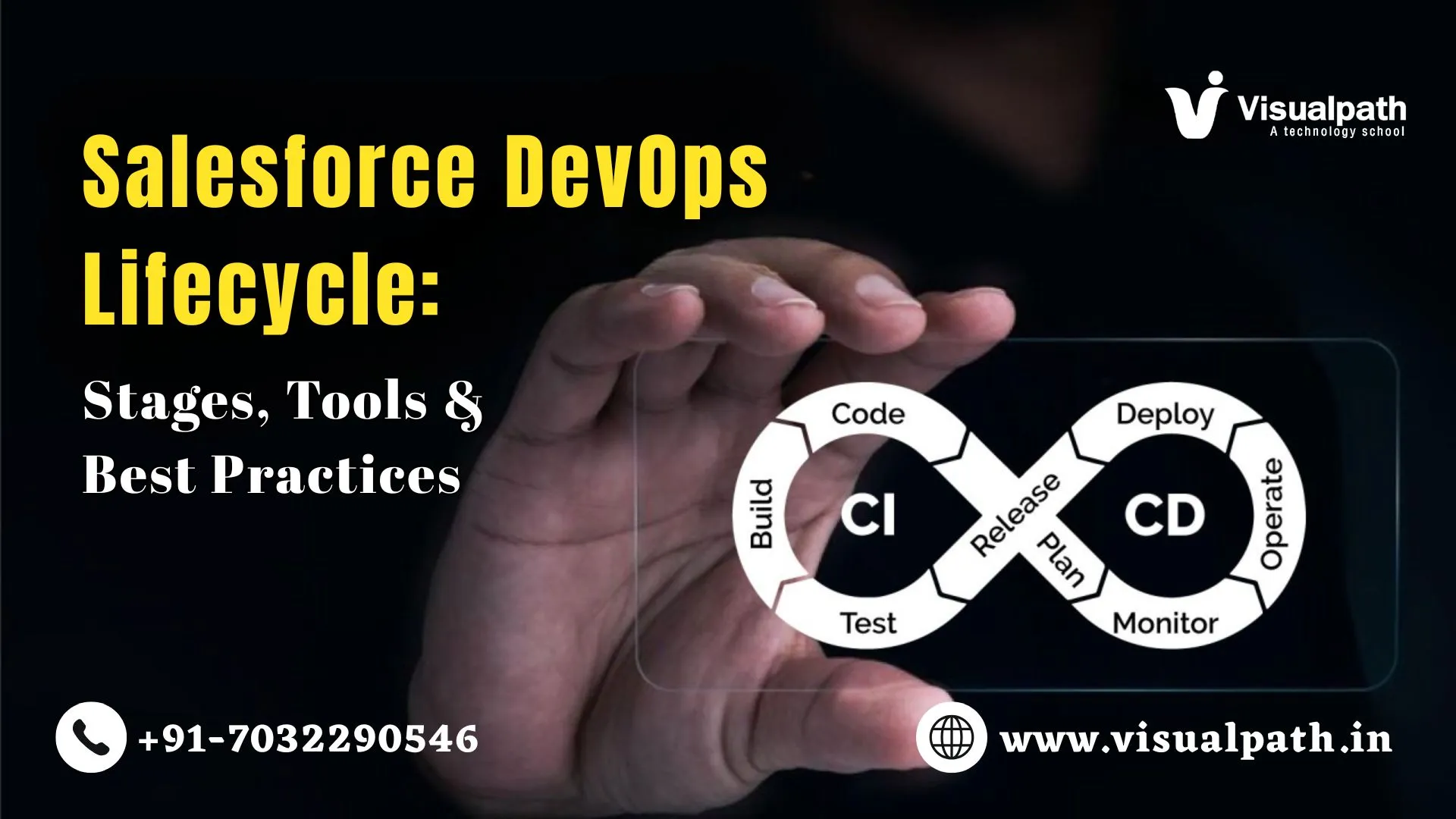
    The lifecycle consists of several connected stages.

    Planning

    Teams define requirements and prioritize work.

    Development

    Developers create new features and configurations.

    Version Control

    Changes are stored in repositories such as Git.

    Continuous Integration

    Code changes are merged and validated automatically.

    Testing

    Teams perform unit, integration, and user acceptance testing.

    Deployment

    Approved changes move to higher environments.

    Monitoring

    Teams track application performance after release.

    Each stage contributes to a reliable delivery process.

    Architecture Overview

    The Salesforce DevOps lifecycle connects multiple environments and tools.

    A typical setup includes:

    • Developer Sandboxes
    • Integration Sandbox
    • QA Environment
    • Staging Environment
    • Production Org
    • Version Control Repository
    • CI/CD Platform

    Changes move through controlled stages before reaching production. This structure reduces risk and improves visibility.

    How It Works (Conceptual Flow)

    The lifecycle follows a continuous process. First, developers work in isolated environments. Next, changes are committed to version control. Then, automated validation checks run.

    After successful testing, deployments move through different environments. Finally, approved releases reach production. The cycle continues as new requirements arrive.

    A retail company, for example, may update customer service workflows every month. The DevOps lifecycle helps manage these updates safely.

    Key Features of Salesforce DevOps Lifecycle

    The Salesforce DevOps Lifecycle includes several important capabilities.

    • Automated deployments
    • Version control management
    • Continuous integration
    • Automated testing
    • Release tracking
    • Rollback support
    • Change monitoring
    • Team collaboration

    These features help reduce deployment errors and improve consistency. Organizations often use these capabilities to support frequent releases.

    Step-by-Step Workflow

    The lifecycle follows a structured workflow.

    1: Gather Requirements

    Business teams identify required changes.

    2: Create Development Tasks

    Work items are assigned to developers.

    3: Build and Configure

    Developers create features and customizations.

    4: Commit Changes

    Updates are stored in version control.

    5: Run Validation

    Automated checks verify quality standards.

    6: Perform Testing

    Teams validate functionality across environments.

    7: Deploy Changes

    Approved updates move toward production.

    8: Monitor Results

    Teams review system behaviour after release.

    Following these steps improves release reliability.

    Tools / Frameworks Required

    Several tools support Salesforce DevOps processes.

    Commonly used tools include:

    • Git
    • GitHub
    • GitLab
    • Bitbucket
    • Jenkins
    • Salesforce CLI
    • VS Code
    • Copado
    • Azure DevOps

    Many learners choose a Salesforce DevOps Course to gain practical experience with these tools and understand real deployment workflows.

    Tool selection depends on project size, team structure, and business goals.

    Benefits of Salesforce DevOps Lifecycle

    The Salesforce DevOps Lifecycle offers measurable advantages.

    Faster Releases

    Automation reduces manual deployment effort.

    Better Collaboration

    Developers and administrators work together effectively.

    Improved Quality

    Testing identifies issues before production deployment.

    Reduced Risk

    Controlled releases lower the chance of failures.

    Greater Visibility

    Teams can track changes throughout the process.

    Easier Compliance

    Organizations maintain clear deployment records.

    These benefits help businesses deliver Salesforce updates with confidence. Many teams also adopt Copado Online Training to understand automated release management and deployment governance practices.

    FAQs

    Q. What are the stages of the Salesforce DevOps lifecycle?
    A. Planning, development, version control, testing, deployment, monitoring, and continuous improvement form the main lifecycle stages.
    Q. Which tools are commonly used in the Salesforce DevOps lifecycle?
    A. Git, Jenkins, Salesforce CLI, Copado, GitHub, Azure DevOps, and testing tools support lifecycle automation and control.
    Q. What are the best practices for managing the Salesforce DevOps lifecycle?
    A. Use version control, automate testing, review code regularly, document changes, and follow structured release processes.
    Q. How does the Salesforce DevOps lifecycle improve deployment and release management?
    A. It standardizes deployments, reduces errors, improves visibility, and enables safer releases through automation and testing.
    Q. What is the difference between Salesforce deployment and DevOps?
    A. Deployment moves changes between environments. DevOps manages planning, testing, deployment, monitoring, and collaboration.

    Conclusion

    The Salesforce DevOps lifecycle provides a structured approach for managing Salesforce development and releases. It combines planning, version control, testing, deployment, and monitoring into a continuous process.

    Organizations benefit from improved quality, faster delivery, and better collaboration. As Salesforce environments become more complex, DevOps practices play a key role in maintaining reliable and efficient releases.

    Visualpath is the leading and best software and online training institute in Hyderabad

    For More Information about Salesforce DevOps Online Training

    Contact Call/WhatsApp: +91-7032290546
    Visit:
    https://www.visualpath.in/online-salesforce-devops-training.html

  • How to Automate Salesforce Release Management with CI/CD?

    How to Automate Salesforce Release Management with CI/CD?

    How to Automate Salesforce Release Management with CI/CD?

    How to Automate Salesforce Release Management with CI/CD?

    Introduction

    Modern teams need fast and safe releases. Salesforce CI/CD automation helps reduce manual work and errors. It connects steps like build, test, and deploy into one simple flow. Developers make small changes and store them in Git. Automation tools then check the code and run tests. If everything works, the code moves to the next stage. This process keeps releases consistent and reliable.

    Automation also helps teams release updates more often. It improves testing by finding bugs early. It also tracks every change for better security. Many companies use CI/CD to save time and avoid mistakes. Beginners can learn it step by step with practice. A Salesforce DevOps Course can help build strong basics and real skills.

    What is Salesforce Release Management?

    Salesforce release management controls how updates move between environments. It makes sure changes are tested before users see them. Teams use sandboxes to build and test safely. They also use version control to track every change. Approval steps ensure only verified updates go live.

    Salesforce DevOps improves this process by adding automation and collaboration. It connects development, testing, and deployment into one smooth workflow. With Salesforce DevOps tools, teams can release updates faster and with fewer errors.

    Why Automation Matters in Salesforce

    Manual deployment takes time and causes mistakes. Automation helps teams deploy faster and more safely. It also improves team collaboration.

    Benefits include:

    • Faster release cycles
    • Reduced human errors
    • Better tracking of changes
    • Consistent deployment process

    Using Salesforce automation tools and DevOps best practices helps teams deliver high-quality updates.

    Salesforce CI/CD Automation Basics

    Salesforce CI/CD automation is a simple way to manage code updates. CI/CD means Continuous Integration and Continuous Delivery. It helps teams combine and release code often. Developers push their changes to a shared repository. This keeps all work in one place.

    Automated tools then check the code and run tests. If the code works well, it moves to the next step. It can then be deployed to different environments. This process is smooth and repeatable. It helps teams save time and reduce errors.

    Tools Used for CI/CD in Salesforce

    Several tools support Salesforce automation. Each tool handles a specific task.

    Common tools include:

    • Version control systems like Git
    • CI tools like Jenkins
    • Deployment tools like Copado
    • Testing tools for quality checks

    Many learners explore tools through Salesforce DevOps with Copado Training. This helps them understand real project workflows.

    Step-by-Step Automation Workflow

    Automation follows a structured process. Each step ensures quality and stability.

    Typical workflow includes:

    • Code is written in a local environment
    • Code is pushed to version control
    • CI tool runs automated tests
    • Code moves to staging environment
    • Final approval triggers production release

    This process reduces deployment failures.

    Salesforce CI/CD Automation Pipeline Design

    A pipeline defines how code moves across stages. It connects tools and environments together.

    A simple pipeline includes:

    • Source stage for code storage
    • Build stage for validation
    • Test stage for automation
    • Deploy stage for release

    Design should be simple and easy to maintain. Good pipeline design improves team productivity and supports Salesforce CI/CD pipeline setup.

    Common Challenges and Solutions

    Teams often face issues during automation. Understanding challenges helps in better planning.

    Common challenges include:

    • Merge conflicts in version control
    • Failed automated tests
    • Environment mismatch issues
    • Lack of proper documentation

    Solutions include:

    • Use clear branching strategy
    • Write strong test cases
    • Maintain environment consistency
    • Document every process step

    Skills Needed for Salesforce DevOps

    Salesforce DevOps needs both technical and process skills. Beginners should focus on core areas.

    Important skills include:

    • Understanding of Salesforce platform
    • Knowledge of Git and version control
    • Basic scripting knowledge
    • Experience with CI/CD tools
    • Problem-solving ability

    Many professionals join Salesforce DevOps Training in Bangalore to gain hands-on experience.

    Career Growth in Salesforce DevOps

    Salesforce DevOps is growing fast in 2024–2026. Companies need skilled professionals for automation.

    Roles include:

    • DevOps Engineer
    • Release Manager
    • Salesforce Developer
    • Automation Specialist

    Learning CI/CD improves job opportunities. It also helps in long-term career growth in Salesforce DevOps careers.

    FAQs

    Q. What is Salesforce release management in CI/CD?
    A. It manages code changes through automated pipelines, ensuring safe deployment across environments with proper testing and approvals.
    Q. How does CI/CD automate Salesforce deployments?
    A. CI/CD tools test, validate, and deploy code automatically, reducing manual steps and improving speed and consistency in releases.
    Q. What tools are used for Salesforce CI/CD automation?
    A. Tools like Git, Jenkins, and Copado are used. Visualpath training institute explains these tools with real project examples.
    Q. Why is CI/CD important for Salesforce release management?
    A. It reduces errors, speeds up releases, and ensures consistent deployments, making the process reliable and easy to manage.
    Q. Why is CI/CD important for Salesforce release management?
    A. CI/CD improves quality by automating testing and deployment. Visualpath training institute helps learners apply these practices effectively.

    Conclusion

    Salesforce release automation helps teams work faster and better. CI/CD pipelines reduce manual work and lower errors. Teams can deliver updates more often with less risk. This makes the system more stable and reliable.

    Learning the right tools and workflows is very important. Practice helps you understand real tasks. Training programs can guide you step by step. A clear and simple approach helps you grow your career.

    Visualpath is the leading and best software and online training institute in Hyderabad

    For More Information about Salesforce DevOps Online Training

    Contact Call/WhatsApp: +91-7032290546
    Visit: https://www.visualpath.in/online-salesforce-devops-training.html

  • What Is Data Synchronization in Salesforce DevOps? (2026 Guide)

    What Is Data Synchronization in Salesforce DevOps? (2026 Guide)

    What Is Data Synchronization in Salesforce DevOps? (2026 Guide)

    What Is Data Synchronization in Salesforce DevOps? (2026 Guide)

    Introduction

    Data synchronization is an important part of Salesforce DevOps. It helps keep data the same across systems. Teams use many environments like development, testing, and production. Each one needs correct data. If data is not updated, problems can happen. Testing may fail. Results may be wrong.

    Many learners start with Salesforce DevOps Online Training to learn this topic. Without data sync, teams face errors and delays. So, it is important for beginners and professionals.

    What Is Data Synchronization

    Data synchronization means keeping data the same across systems. It makes sure every system has the latest data. When data changes in one system, it updates in others. This can happen instantly or after some time.

    For example, when a customer record changes, the update should appear in testing too. This helps team’s use real and correct data. It also avoids confusion during work.

    Why Data Consistency Matters

    Data consistency means all systems use the same data. This is important for correct testing. When data is correct, developers can trust their work. They can test features without worry.

    Wrong data can also confuse teams. It becomes hard to understand what is correct. It also saves time and reduces extra work. Teams do not need to fix the same issues again. In simple terms, consistent data helps teams work faster, avoid mistakes, and build better applications.

    Data Synchronization in Salesforce DevOps

    Salesforce DevOps uses many environments. These include development, testing, staging, and production. Each environment has a specific role. Developers build features in development, while testing teams check them in testing environments.

    All these environments need correct and updated data. Without proper data, teams cannot test or validate features correctly. If data is not the same across environments, errors can happen. This affects both testing and deployment.

    For example, a feature may work in development but fail in production due to different data. Data synchronization keeps all environments aligned. It ensures that every system has the same and latest data it helps teams work smoothly.

    Types of Data Synchronization

    Different methods are used based on project needs.

    Here are common types:

    • Real-Time Synchronization
      Data updates instantly across systems.
    • Batch Synchronization
      Data updates at scheduled intervals.
    • One-Way Synchronization
      Data moves from one system to another only.
    • Two-Way Synchronization
      Data flows both ways between systems.

    Each type has its own use case. Real-time is faster but complex. Batch is simple but slower.

    How Data Synchronization Works

    Data synchronization follows simple and clear steps. These steps help move data from one system to another.

    • Identify source and target systems
    • Detect changes in source data
    • Transfer updates using APIs or tools
    • Apply updates to the target system
    • Validate data accuracy

    Each step ensures data is correct and updated across environments. For example, when a sales record is updated, a sync process starts. It sends the updated data to another environment.

    Common Tools Used

    Several tools support data synchronization in Salesforce DevOps.

    These tools help automate and manage data flow.

    Many teams also use DevOps platforms. These tools integrate with Salesforce environments. They help track and sync data changes efficiently. Learning tools is part of a Salesforce DevOps Course.

    Challenges in Data Synchronization

    Data synchronization can face several issues.

    • Data conflicts between environments
    • Large data volumes causing delays
    • Security and compliance risks
    • Incomplete data transfers

    For example, missing records may cause test failures. Also, duplicate data may lead to confusion. Handling these challenges requires planning and tools.

    Best Practices for Effective Synchronization

    Follow these best practices for better results:

    • Use automation tools for consistency
    • Schedule regular sync processes
    • Monitor data changes continuously
    • Validate data after synchronization
    • Maintain data security standards

    Also, use sandbox environments for testing. Avoid direct changes in production systems. Proper planning reduces risks and errors.

    Career Scope and Learning Path

    Data synchronization is an important skill in DevOps roles. Many companies need experts who can manage data across environments. Common roles include DevOps Engineer and Salesforce Developer. These roles require strong data handling skills.

    To start learning:

    • Understand Salesforce basics
    • Learn DevOps concepts
    • Practice data handling tools
    • Work on real projects

    Step-by-step learning helps build strong knowledge. It also improves confidence. Many learners prefer Salesforce DevOps Training In Bangalore for practical exposure.

    FAQs

    Q. What is data synchronization in Salesforce DevOps?
    A. It keeps data consistent across environments. It updates records between systems to support accurate testing and deployment processes.
    Q. Why is data synchronization important in Salesforce DevOps?
    A. It prevents errors caused by outdated data. It ensures smooth workflows and reliable results during development and testing stages.
    Q. How does data synchronization work in Salesforce environments?
    A. It detects data changes, transfers updates, and validates accuracy across systems using tools and automated processes.
    Q. What are the tools used for data synchronization in Salesforce DevOps?
    A. Tools include Data Loader and ETL systems. Training at Visualpath helps learners understand these tools in practical scenarios.
    Q. How can beginners learn data synchronization in Salesforce DevOps?
    A. Beginners can start with Visualpath courses. They provide step-by-step training, real examples, and hands-on practice.

    Conclusion

    Data synchronization is a key part of Salesforce DevOps. It keeps data correct and updated in all systems. It helps teams test better and avoid mistakes. This leads to smooth and safe deployments. It also supports faster releases and better system performance. Teams can trust their data at every stage.

    As DevOps grows, data sync tools are becoming more important. Automation is now used in many companies. Many learners choose Visualpath to learn real-time data workflows. This helps them gain practical experience.

    By learning step by step, beginners can build strong skills. They can also find good job opportunities in DevOps roles.

    Visualpath is the leading and best software and online training institute in Hyderabad

    For More Information about Salesforce DevOps Online Training

    Contact Call/WhatsApp: +91-7032290546
    Visit:
    https://www.visualpath.in/online-salesforce-devops-training.html

  • Top 10 Version Control Strategies for Salesforce DevOps Projects

    Top 10 Version Control Strategies for Salesforce DevOps Projects

    Top 10 Version Control Strategies for Salesforce DevOps Projects

    Top 10 Version Control Strategies for Salesforce DevOps Projects

    Introduction

    Version control is a foundational element of Salesforce DevOps, enabling teams to track changes, manage Salesforce metadata, and deploy applications with confidence. In modern Salesforce development environments, where multiple developers work simultaneously, a structured version control strategy is critical.

    By implementing the right version control strategies for Salesforce DevOps projects, teams can reduce deployment failures, improve collaboration, and maintain code integrity. Whether you are a beginner or an experienced professional, mastering these concepts is essential for building scalable Salesforce solutions.

    1. Centralized vs Distributed Version Control

    Understanding the difference between centralized vs distributed version control systems is the first step in Salesforce DevOps.

    Centralized systems rely on a single repository, which can create bottlenecks and limit flexibility. Distributed systems like Git allow developers to work independently with full repository copies.

    For Salesforce DevOps workflows, distributed version control offers:

    • Faster development cycles
    • Offline access to repositories
    • Better collaboration across teams

    This is why Git-based systems dominate modern Salesforce DevOps tools and practices.

    2. Branching Models for Salesforce DevOps

    Branching is essential for managing parallel development in Salesforce DevOps lifecycle management.

    Popular Salesforce branching strategies include:

    • Feature branching for isolated development
    • Release branching for staging and testing
    • Hotfix branching for production issues

    Advanced teams also use:

    • Git Flow
    • Trunk-based development

    These branching models ensure clean code integration and minimize deployment risks in complex Salesforce environments.

    3. Git-Based Version Control Strategies

    Git is the backbone of most Salesforce DevOps pipelines. Implementing best practices ensures efficient workflows and clean repositories.

    Key Git best practices for Salesforce developers:

    • Use descriptive commit messages
    • Commit frequently but logically
    • Avoid large, unstructured commits
    • Maintain clean branch histories

    A well-structured Git workflow improves traceability and supports faster debugging in Salesforce projects.

    Learners in Salesforce DevOps Training in Hyderabad often practice these steps with real scenarios.

    4. Version Control Strategies for Team Collaboration

    Team collaboration improves with clear workflows. Version control plays a key role.

    Teams should implement:

    • Mandatory pull requests for code reviews
    • Peer review workflows
    • Daily or frequent commits
    • Clear naming conventions for branches

    For example, in large Salesforce implementations, multiple developers working on Apex, Lightning components, and integrations must coordinate through version control to avoid conflicts.

    5. Managing Metadata with Version Control

    Salesforce development revolves around metadata, making Salesforce metadata version control a unique challenge.

    Best practices include:

    • Adopting source-driven development
    • Using Salesforce DX (SFDX) for metadata management
    • Storing all metadata in Git repositories
    • Avoiding direct production changes

    This approach ensures consistency across sandboxes, staging, and production environments.

    6. Version Control Strategies for CI/CD Pipelines

    CI/CD pipelines automate build and deployment steps. Version control is the backbone of this process.

    Typical pipeline steps:

    • Code commit triggers build
    • Automated tests run
    • Deployment happens after approval

    Tools like Copado or GitHub Actions help here. Teams in Salesforce DevOps Training in Bangalore learn how pipelines connect with version control systems. Automation reduces manual errors.

    7. Handling Merge Conflicts Efficiently

    Merge conflicts are unavoidable in team-based development. Efficient handling is crucial for maintaining productivity.

    Best practices for resolving merge conflicts:

    • Always sync with the latest repository changes
    • Communicate proactively with team members
    • Use visual merge tools when possible

    In Salesforce projects, conflicts often occur in metadata files like profiles, layouts, and Apex classes, requiring careful resolution.

    8. Version Control Strategies for Release Management

    Release management ensures smooth deployment. Version control helps track release versions.

    Key steps include:

    • Tag releases in repository
    • Maintain release branches
    • Document changes clearly

    For example, a release version “v1.2” includes tested features only.
    This helps teams roll back if needed. Controlled releases reduce downtime.

    9. Best Practices for Secure Version Control

    Security is important in Salesforce projects. Version control must protect sensitive data.

    Best practices include:

    • Role-based access control
    • Avoid storing credentials in code
    • Enable audit logs
    • Monitor repository activity

    Secure coding and version control practices are emphasized in Salesforce DevOps professional training programs.

    FAQs

    Q. What is version control in Salesforce DevOps?
    A. Version control tracks code changes, manages history, and helps teams collaborate safely in Salesforce development projects.
    Q. Which version control strategies are best for Salesforce DevOps projects?
    A. Git-based workflows, branching models, and CI/CD integration are widely used for managing Salesforce DevOps efficiently.
    Q. How do beginners implement version control in Salesforce DevOps?
    A. Beginners start with Git basics, practice commits and branches, and learn structured workflows in Visualpath training programs.
    Q. How does version control improve Salesforce DevOps efficiency?
    A. It reduces errors, enables teamwork, tracks changes, and supports automation, making deployments faster and more reliable.
    Q. Where can I learn Salesforce DevOps version control techniques online?
    A. You can learn through structured courses like Visualpath, which provide hands-on practice and real-time Salesforce DevOps scenarios.

    Conclusion

    Version control strategies are essential for Salesforce DevOps success. They improve code tracking, teamwork, and deployment quality. From branching to CI/CD integration, each strategy supports stable development. Beginners should practice real scenarios to understand workflows better.

    Training programs like Salesforce DevOps Training help build practical knowledge. With consistent practice, teams can deliver reliable and scalable Salesforce solutions.

    For more insights, read our previous blog: Salesforce DevOps Case Study 2026 Real-Time Workflow Guide

    Visualpath is the leading and best software and online training institute in Hyderabad

    For More Information about Salesforce DevOps Online Training

    Contact Call/WhatsApp: +91-7032290546
    Visit:
    https://www.visualpath.in/online-salesforce-devops-training.html

  • Salesforce DevOps Case Study 2026 Real-Time Workflow Guide

    Salesforce DevOps Case Study 2026 Real-Time Workflow Guide

    Salesforce DevOps Case Study 2026 Real-Time Workflow Guide

    Salesforce DevOps Case Study 2026: Real-Time Workflow Explained

    Introduction

    A Salesforce DevOps Case Study explains how real projects are handled from start to release. It shows how teams plan tasks, develop features, and test changes in a structured way. This helps learners understand real workflows instead of only theory.

    In today’s fast-moving projects, teams must deliver updates quickly with fewer errors. Because of this, many learners choose Salesforce DevOps Course to gain hands-on knowledge and understand how real-time DevOps processes work in daily projects.

    1. Understanding Salesforce DevOps Basics

    Salesforce DevOps is a method that connects development and operations teams in one workflow. It helps teams work together from planning to final release without delays. This creates a smooth and structured process.

    It focuses on faster delivery and better quality. Teams can build, test, and release updates in a controlled way. This reduces errors and avoids last-minute issues during deployment.

    In this approach, shared tools are used to track changes and manage code. This ensures that only stable changes move to production.

    2. Real-Time Project Overview in 2026

    In 2026, most companies follow Agile DevOps practices for continuous delivery. Releases happen weekly or even daily.

    A typical real-time Salesforce project workflow includes:

    • Requirement gathering
    • Development tasks
    • Testing cycles
    • Deployment process
    • Monitoring results

    Each step is tracked carefully. This ensures stability and quality.

    3. Key Tools Used in DevOps Workflow

    Salesforce DevOps uses specific tools for automation. These tools help manage code and releases.

    Common tools include:

    One popular setup is covered in Salesforce DevOps with Copado Training.  It helps manage releases smoothly.

    4. Step-by-Step Development Process

    A real-time workflow follows clear steps. Each step is simple but important.

    1. Planning Phase

    • Teams define tasks
    • User stories are created

    2. Development Phase

    • Developers write code
    • Changes are tracked

    3. Testing Phase

    • QA teams test features
    • Bugs are fixed

    4. Deployment Phase

    • Code moves to production
    • Releases are monitored

    This structured process reduces risk.

    5. Salesforce DevOps Case Study Workflow

    A practical Salesforce DevOps Case Study shows how teams handle real tasks.

    Example workflow:

    • A client requests a new feature
    • Developer creates a branch
    • Code is tested in a sandbox
    • Changes move through pipeline
    • Final release happens after approval

    Each stage uses automation tools. This ensures consistency.

    6. Role of Automation in Real-Time Projects

    Automation is a core part of DevOps. It saves time and reduces manual work.

    Key benefits include:

    • Faster deployments
    • Fewer errors
    • Consistent testing
    • Easy rollback

    Automation tools handle repetitive tasks. Teams focus more on development.

    7. Common Challenges and Solutions

    Real projects face many challenges. Understanding them helps improve workflow.

    Common issues:

    • Merge conflicts
    • Deployment failures
    • Lack of coordination
    • Slow testing cycles

    Solutions:

    • Use version control properly
    • Automate testing
    • Maintain clear communication
    • Follow CI/CD practices

    Training programs like Salesforce DevOps Training in Hyderabad help solve these problems.

    8. Salesforce DevOps Case Study Benefits

    A Salesforce DevOps Case Study provides practical insights. It helps learners understand real workflows.

    Main benefits include:

    • Better project understanding
    • Improved technical skills
    • Knowledge of real tools
    • Clear deployment process

    It also builds confidence for job roles.

    9. Career Growth and Learning Path

    The demand for Salesforce DevOps engineers is growing rapidly in 2026.

    A learning path usually includes:

    • Basic Salesforce knowledge
    • Version control concepts
    • CI/CD pipeline understanding
    • Tool-based training

    Institutes like Visualpath provide structured guidance. They focus on real-time project experience. This helps learners prepare for real jobs.

    FAQs

    Q. What is Salesforce DevOps and how does it work in real-time projects?
    A. Salesforce DevOps connects teams and tools to automate development, testing, and deployment in real-time project environments efficiently.
    Q. What is a real-time Salesforce DevOps workflow case study?
    A. It explains how teams manage code, testing, and deployment in live projects using tools and automation across different stages.
    Q. How Salesforce DevOps is used in real-world project workflows?
    A. It is used to track changes, automate testing, and ensure smooth releases in projects through structured pipelines and tools.
    Q. What are the key steps in a Salesforce DevOps workflow?
    A. Steps include planning, development, testing, deployment, and monitoring to ensure smooth and error-free project delivery.
    Q. Why is Salesforce DevOps important for modern projects in 2026?
    A. It improves speed, reduces errors, and supports continuous delivery, making it essential for modern agile project environments.

    Conclusion

    Salesforce DevOps is now a standard approach in modern project environments. It helps teams work in a structured way and manage changes with better control. As projects grow faster, this approach supports stable and reliable releases.

    A clear understanding of real-time workflows helps learners connect theory with practice. It shows how planning, development, testing, and deployment work together in real situations. This knowledge is useful for handling daily project tasks.

    Overall, learning through real case studies builds strong foundations. It prepares individuals for real project challenges and supports long-term career growth in the Salesforce ecosystem.

    For more insights, read our previous blog: What Are the Top Features of Copado in Salesforce DevOps?

    Visualpath is the leading and best software and online training institute in Hyderabad

    For More Information about Salesforce DevOps Online Training

    Contact Call/WhatsApp: +91-7032290546
    Visit:
    https://www.visualpath.in/online-salesforce-devops-training.html

  • What Are the Top Features of Copado in Salesforce DevOps?

    What Are the Top Features of Copado in Salesforce DevOps?

    What Are the Top Features of Copado in Salesforce DevOps?

    What Are the Top Features of Copado in Salesforce DevOps?

    Introduction

    Copado features help teams manage changes in Salesforce systems with better control and speed. Many learners explore this through Salesforce DevOps Training to understand real workflows.

    Copado is a DevOps platform built for Salesforce. It supports planning, development, testing, and deployment in one place. It helps teams reduce errors and deliver updates faster. This makes it useful for both small and large projects.

    1. Version Control Integration with Copado features

    Version control is a key part of DevOps. Copado connects with Git-based systems. It stores all code changes safely. Teams can track every update.

    This helps developers avoid conflicts. It also supports team collaboration.

    For example:

    • A developer commits code changes.
    • Another developer reviews them.
    • Changes merge without errors.

    This process improves quality. It also keeps a full history of changes.

    2. CI and CD using Copado features

    Continuous integration means merging code often. Continuous delivery means releasing updates quickly. Copado automates both steps. It builds code automatically after changes. Then it checks for errors.

    Key benefits include:

    • Faster development cycles
    • Reduced manual effort
    • Early error detection

    For example, a team updates a feature. Copado tests and deploys it automatically. This reduces delays. It also improves release speed.

    3. Automated Testing Support

    Testing is important before deployment. Copado supports automated testing tools. It runs tests every time code changes. This ensures stability.

    Types of testing include:

    • Unit testing
    • Integration testing
    • Regression testing

    For example, if a new feature breaks old code, tests detect it early. This reduces risks in production systems.

    4. Release Management and Planning

    Copado helps manage releases in a structured way. Teams can plan releases with clear timelines.

    Steps include:

    • Define release goals
    • Assign tasks
    • Track progress

    This approach avoids confusion. It ensures smooth delivery. Many learners practice this in Copado Online Training to understand real release cycles.

    5. Environment Management

    Salesforce uses multiple environments like development, testing, and production. Copado manages these environments easily. It tracks changes across environments. It also ensures consistency.

    For example:

    • A change moves from development to testing
    • Then it moves to production

    This controlled flow reduces errors.

    6. User Story and Agile Tracking

    Copado supports Agile methods. Teams can track user stories and tasks. Each change links to a user story. This improves traceability.

    Key features include:

    • Sprint planning
    • Task tracking
    • Progress monitoring

    For example, a feature request becomes a user story. Developers work on it step by step. This keeps the process clear and organized.

    7. Compliance and Security Features

    Organizations need secure systems. Copado supports compliance rules. It tracks who made changes and when. This helps in audits. It also improves accountability.

    Features include:

    • Audit trails
    • Role-based access
    • Change approvals

    These features ensure safe deployments.

    8. Scalability for Enterprise Projects

    Large companies handle complex systems. Copado supports scaling.  It manages multiple teams and projects.

    For example:

    • Different teams work on different modules
    • Copado combines their work smoothly

    This reduces conflicts. It also improves coordination. Many learners explore this in Salesforce DevOps Training In Hyderabad to handle enterprise-level workflows.

    9. Monitoring and Reporting Capabilities

    Monitoring is important in DevOps. Copado provides clear reports for every stage. It tracks builds, deployments, and test results in real time. Teams can quickly find issues and fix them.

    Key features include:

    • Deployment status tracking
    • Error reporting dashboards
    • Performance insights

    For example, if a deployment fails, Copado shows the exact issue. This helps team’s act faster. It also improves system reliability over time.

    Many learners understand these reports better through Salesforce DevOps Training, as real-time data is important in projects.

    FAQs

    Q. What are the top features of Copado in Salesforce DevOps?
    A. Copado offers version control, CI/CD, testing, and release tools. It helps teams manage Salesforce changes in a structured way.
    Q. How does Copado automate Salesforce DevOps processes?
    A. Copado automates builds, testing, and deployments. It reduces manual work and ensures faster and reliable delivery cycles.
    Q. Why is Copado important for Salesforce DevOps projects?
    A. Copado improves speed and accuracy. It helps teams manage changes, track progress, and reduce risks in deployments.
    Q. What are the benefits of using Copado for Salesforce deployments?
    A. Copado ensures smooth releases, better tracking, and fewer errors. Visualpath training institute helps learners understand these benefits clearly.
    Q. Can beginners learn Copado for Salesforce DevOps easily?
    A. Yes, beginners can learn Copado step by step. Visualpath training institute provides simple guidance for real-time project learning.

    Conclusion

    Copado is a powerful tool for Salesforce DevOps. It supports automation, testing, and release management. Its features help teams work faster and with fewer errors. From version control to compliance, each feature adds value to the development process.

    Learning these features step by step helps build strong DevOps skills. With proper training and practice, beginners can also understand Copado workflows and apply them in real projects.

    For more insights, read our previous blog: Salesforce DevOps Real-Time Project Workflow Guide 2026

    Visualpath is the leading and best software and online training institute in Hyderabad

    For More Information about Salesforce DevOps Online Training

    Contact Call/WhatsApp: +91-7032290546

    Visit: https://www.visualpath.in/online-salesforce-devops-training.html

  • Salesforce DevOps Real-Time Project Workflow Guide 2026

    Salesforce DevOps Real-Time Project Workflow Guide 2026

    Salesforce DevOps Real-Time Project Workflow Guide 2026

    Salesforce DevOps Real-Time Project Workflow Guide 2026
    Salesforce DevOps Real-Time Project Workflow Guide 2026

    Introduction

    Salesforce DevOps Training equips teams with the skills to manage development, testing, and deployment in a structured and efficient way. In modern projects, where speed and accuracy are critical, adopting a well-defined DevOps workflow helps reduce errors and accelerate delivery.

    This guide provides a clear, step-by-step overview of a real-time Salesforce DevOps project workflow, using simple examples to help you understand how each stage works in practice.

    1. What Is Salesforce DevOps Workflow

    Salesforce DevOps workflow is a step-by-step process used to manage system updates.

    It connects development, testing, and deployment activities. This process ensures that changes are safe and well tested.

    In real projects, multiple teams work together. So, workflow keeps everything aligned.

    2. Core Tools Used in DevOps Projects

    DevOps relies on tools to automate and track work. These tools reduce manual effort and errors.

    Common tools include:

    • Git for version control
    • CI tools for automation
    • Testing tools for validation
    • Deployment tools for releases

    For example, Git helps track every code change. This makes rollback easy if needed.

    3. Project Planning and Requirement Analysis

    Every project starts with clear planning and well-defined requirements. Teams collaborate with stakeholders to align on scope, features, timelines, and priorities.

    Key activities include:

    • Gathering and analysing business requirements
    • Defining project scope and objectives
    • Creating user stories and use cases
    • Identifying risks and dependencies
    • Allocating resources and responsibilities

    For example, a retail business may require an order tracking system. Breaking the work into smaller tasks improves clarity, speeds up development, and ensures smooth execution.

    Salesforce DevOps Training in Hyderabad helps learners understand how to plan and implement such real-time project requirements effectively.

    4. Development with Version Control

    Developers build features based on the defined plan while using version control systems to manage code changes efficiently.

    Key activities include:

    • Writing clean, maintainable code
    • Working on separate branches to avoid conflicts
    • Managing code versions and tracking changes
    • Following branching strategies for smooth collaboration
    • Committing and pushing changes regularly
    • Conducting code reviews before merging

    Using version control ensures better collaboration, reduces errors, and keeps the main codebase stable throughout the development process.

    5. Continuous Integration in Practice

    Continuous Integration (CI) is a core Salesforce DevOps practice where code changes are regularly merged into a shared repository to maintain consistency and quality.

    Key activities include:

    • Integrating code changes frequently into a central repository
    • Triggering automated builds and tests for every update
    • Detecting bugs and issues early in the development cycle
    • Using CI tools like Jenkins, GitHub Actions, or GitLab CI
    • Maintaining code quality and reducing integration conflicts

    For example, even a small code issue can be identified and fixed before deployment.

    CI improves code reliability, speeds up development, and ensures a stable and high-quality application.

    6. Testing and Validation Process

    Testing checks if the system works correctly. It includes automated and manual testing methods.

    Types of testing include:

    • Unit testing for small components
    • Integration testing for combined features
    • User testing for real scenarios

    Salesforce DevOps Training In Bangalore helps learners understand testing workflows in real-time projects. Testing reduces risks before release.

    7. Deployment and Release Management

    After successful testing, code is moved to production. This stage ensures that releases are delivered smoothly and with minimal risk using Salesforce DevOps practices.

    Key aspects include:

    • Production Deployment: Releasing validated code to live environments
    • Release Planning: Scheduling updates during low-usage periods
    • Automation: Using tools to speed up and standardize deployments
    • Version Control: Tracking releases and maintaining rollback options
    • Post-Deployment Monitoring: Ensuring system stability after release

    This process helps deliver updates efficiently, reduce downtime, and maintain a reliable user experience.

    8. Monitoring and Continuous Feedback

    After each release, teams monitor performance and use feedback to improve the system. For example, if users report slow page loading or a missing feature, these are addressed in the next cycle.

    • Monitor system performance (e.g., page speed, uptime)
    • Track errors and issues (e.g., login failures)
    • Collect user feedback (e.g., feature requests)
    • Fix problems in the next cycle (e.g., optimize slow reports)
    • Ensure continuous improvement for better user experience

    9. Common Issues in Real-Time DevOps

    Real-time projects often face practical challenges.

    Some common issues include:

    • Merge conflicts between developers
    • Delays in testing cycles
    • Incomplete requirements
    • Deployment failures

    Teams solve these issues using proper tools and communication. A clear workflow reduces most risks.

    10. Salesforce DevOps Workflow in Real Projects

    In real-time Salesforce projects, DevOps works as a continuous cycle that connects planning, development, testing, deployment, and monitoring. This approach ensures faster delivery, fewer errors, and smooth collaboration across teams.

    • Teams plan tasks based on business requirements
    • Developers build features and commit code
    • CI tools test and validate changes automatically
    • Verified code is deployed to production
    • Teams monitor performance and gather feedback

    Salesforce DevOps Training helps learners practice this workflow with real projects

    FAQs

    Q. What is a real-time Salesforce DevOps project workflow?
    A. It is a process that manages planning, coding, testing, and deployment steps to ensure smooth and reliable updates in real projects.
    Q. How does Salesforce DevOps work in real-time projects?
    A. It uses automation, version control, and testing tools to manage code changes and deliver updates quickly and safely.
    Q. What are the key stages in a Salesforce DevOps workflow?
    A. The main stages include planning, development, integration, testing, deployment, and monitoring for continuous improvement.
    Q. Why is Salesforce DevOps important for modern projects?
    A. It improves delivery speed, reduces errors, and supports teamwork, helping companies manage complex systems efficiently.
    Q. How can beginners start learning Salesforce DevOps workflow?
    A. Beginners can start with Visualpath training institute to learn tools, workflows, and real-time project practices step by step.

    Conclusion

    Salesforce DevOps workflow helps teams manage changes in a clear and structured way. It connects all stages of development into one continuous process. This improves speed, reduces errors, and supports better teamwork. In real-time projects, following this workflow ensures stable and reliable system updates. Learning these steps helps professionals work efficiently in modern Salesforce environments.

    For more insights, read our previous blog: What is Salesforce DevOps? The Ultimate Guide for 2026

    Visualpath is the leading and best software and online training institute in Hyderabad

    For More Information about Salesforce DevOps Online Training

    Contact Call/WhatsApp: +91-7032290546
    Visit: https://www.visualpath.in/online-salesforce-devops-training.html

  • Why Salesforce DevOps Is Important for Modern Companies

    Why Salesforce DevOps Is Important for Modern Companies

    Why Salesforce DevOps Is Important for Modern Companies

    Why Salesforce DevOps Is Important for Modern Companies

    Introduction

    Salesforce DevOps helps organizations manage application updates in a controlled and reliable way. Modern companies depend on Salesforce platforms for daily business operations.

    Frequent system updates are required to support new features and business changes. Professionals often explore Salesforce DevOps with Copado Training to understand structured deployment and release practices.

    Without a proper process, deployments can create errors and operational risks.
    Salesforce DevOps connects development, testing, and operations into a unified workflow.

    1. What Is Salesforce DevOps

    Salesforce DevOps is a process used to manage application updates safely. It combines teamwork, automation, and testing practices. Earlier, updates were done manually. Manual work caused errors and delays.

    DevOps introduces structured workflows such as:

    • Version control for tracking changes
    • Automated testing before release
    • Controlled deployment processes
    • Environment management

    This system helps companies avoid unexpected failures.

    2. Why Salesforce DevOps Is Important for Modern Companies

    Modern companies release software updates frequently. Customers expect systems to work without interruption.

    Salesforce environments usually have many developers working together.
    Without DevOps, changes may conflict with each other.

    Salesforce DevOps helps companies:

    • Deliver updates faster
    • Reduce deployment risks
    • Maintain system stability
    • Improve team collaboration
    • Protect business data

    Because of this, DevOps became essential after 2024 digital expansion trends.

    3. How Salesforce DevOps Works Step by Step

    Salesforce DevOps follows a clear workflow.

    First, developers create new features in separate environments. Next, changes move into version control systems. Automated tests then check functionality. After approval, updates move to staging environments. Finally, production deployment happens safely.

    Typical DevOps workflow includes:

    • Development
    • Integration testing
    • Quality validation
    • Release approval
    • Production deployment

    Each step reduces deployment risk.

    4. Key Benefits for Modern Business Teams

    Salesforce DevOps improves daily operations across departments.

    Main benefits include:

    • Faster feature delivery
    • Better teamwork between admins and developers
    • Reduced manual errors
    • Clear release tracking
    • Stable customer experience

    Teams spend less time fixing deployment problems. Instead, they focus on innovation and improvement.

    5. Role of Automation in Salesforce DevOps

    Automation is the core of DevOps success.

    Automation helps teams by:

    • Running tests automatically
    • Detecting errors early
    • Moving updates between environments
    • Supporting quick rollback during failures

    Continuous integration checks every change instantly. Continuous delivery ensures smooth releases. Automation saves time and improves reliability.

    6. Popular Tools Used in Salesforce DevOps

    Several tools support Salesforce DevOps implementation. These tools manage deployments and version control.

    Many learners begin with structured Copado Online Training programs. Such programs explain real enterprise deployment scenarios.

    DevOps tools usually provide:

    • Release pipelines
    • Change tracking
    • Automated validation
    • Deployment monitoring

    Tool knowledge helps professionals work confidently in real projects.

    7. Learning Path for Salesforce DevOps Careers

    A clear learning path helps professionals enter DevOps roles.

    Common learning steps include:

    • Learn Salesforce administration basics
    • Understand development concepts
    • Study Git version control
    • Practice deployment automation
    • Work on real release scenarios

    Many professionals choose Salesforce DevOps Training In Hyderabad to gain practical experience. Hands-on learning improves job readiness and technical confidence.

    8. Problems Companies Face Without DevOps

    Companies without DevOps face many operational issues.

    Common challenges include:

    • Deployment failures
    • Manual configuration errors
    • Slow software releases
    • Poor change tracking
    • System downtime risks

    Teams often work under pressure during releases. Business operations may stop due to unexpected failures.

    9. Future Scope of Salesforce DevOps

    Salesforce DevOps demand continues growing between 2025 and 2026. Organizations need experts who manage complex deployments.

    Future opportunities include:

    • DevOps Engineer roles
    • Release Manager positions
    • Salesforce Platform Specialists
    • Automation Architects

    Companies prefer professionals trained through institutes like Visualpath for structured industry learning. DevOps skills support long-term career growth.

    FAQs

    Q. What is Salesforce DevOps and why is it important for modern companies?
    A. Salesforce DevOps connects teams and automation tools to deliver safe updates faster while reducing risks in enterprise Salesforce systems.
    Q. How does Salesforce DevOps improve business productivity?
    A. Automation reduces manual deployment work, helping teams release updates quickly and maintain stable business operations.
    Q. What is the best tool for job chances in Salesforce DevOps?
    A. Copado is widely used in enterprises, and Visualpath helps learners gain practical Salesforce DevOps skills for better career opportunities.
    Q. How does Salesforce DevOps support faster software releases?
    A. Automated pipelines test and validate changes early, allowing faster approvals and smoother production deployments.
    Q. Who should learn Salesforce DevOps in modern companies?
    A. Developers, administrators, and IT professionals can learn Salesforce DevOps through Visualpath to manage enterprise releases efficiently.

    Conclusion

    Modern organizations depend on reliable systems that support continuous business changes. Managing updates safely has become a core responsibility for technical teams. Structured release practices help companies avoid downtime and deployment failures. Automation also improves coordination between development and operations teams.

    Organizations that adopt disciplined deployment practices build scalable and future-ready platforms. As enterprise systems continue evolving, controlled release management remains essential for long-term business stability.

    For more insights, read our previous blog: Copado vs Gearset: Which Is Better for Salesforce DevOps?

  • What Is Salesforce DevOps and How Does It Work?

    What Is Salesforce DevOps and How Does It Work?

    What Is Salesforce DevOps and How Does It Work?

    What Is Salesforce DevOps and How Does It Work?

    Introduction

    Salesforce environments are growing more complex every year. Organizations manage multiple sandboxes, developers, admins, integrations, and frequent releases. Without structured processes, deployments can fail, changes can conflict, and production downtime becomes common.

    Salesforce DevOps helps teams automate development, testing, and deployment processes. It improves collaboration, reduces risks, and ensures smooth, secure releases.


    What Is Salesforce DevOps?

    Salesforce DevOps is a combination of tools, processes, and automation strategies used to manage Salesforce development and deployments efficiently.

    It connects:

    • Development
    • Version Control
    • Testing
    • Continuous Integration (CI)
    • Continuous Deployment (CD)
    • Monitoring

    Instead of manually deploying changes between environments, DevOps introduces automation and version control to make the process secure and repeatable.

    Professionals who enroll in Salesforce DevOps Training gain practical knowledge of release management, Git workflows, CI/CD pipelines, and deployment automation strategies used by modern enterprises.


    Why Salesforce DevOps Is Important in 2026

    Modern Salesforce environments include Apex, Lightning Web Components, integrations, APIs, custom metadata, and third-party tools—all working together across multiple environments. Managing these manually increases the risk of deployment conflicts, missing components, compliance gaps, and production downtime.

    Salesforce DevOps introduces automation, version control, and structured release management to reduce risk and ensure faster, reliable deployments. In 2026, as digital transformation accelerates, DevOps is no longer optional—it is a business necessity.


    How Does Salesforce DevOps Work?

    Let’s break down the workflow step by step.

    1. Version Control

    All Salesforce metadata and code are stored in version control systems like Git.

    This allows teams to:

    • Track every change
    • Identify who made updates
    • Compare versions
    • Roll back when needed

    Version control forms the backbone of any DevOps strategy.


    2. Branching Strategy

    Developers work in isolated branches:

    • Feature branches
    • Release branches
    • Hotfix branches

    This ensures multiple team members can work simultaneously without conflicts.


    3. Continuous Integration (CI)

    Whenever changes are committed, automated tests run immediately.

    These tests validate:

    • Apex test coverage
    • Syntax errors
    • Metadata consistency

    If something fails, the deployment is blocked. This improves code quality before reaching production.


    4. Continuous Deployment (CD)

    After testing and approval, changes are automatically deployed across environments:

    Sandbox → UAT → Production

    This eliminates manual errors and ensures consistent releases.

    Many professionals now prefer Salesforce DevOps Online Training to learn how to configure automated CI/CD pipelines and manage deployment strategies remotely with real-time projects.


    5. Monitoring and Feedback

    After deployment, monitoring tools track performance, errors, and system health. If issues occur, teams can quickly roll back or apply hotfixes. This creates a continuous improvement loop.


    Tools Used in Salesforce DevOps

    Several tools support Salesforce DevOps automation:

    • Copado
    • Gearset
    • AutoRABIT
    • Jenkins
    • GitHub
    • Bitbucket

    Among these, Copado is widely used for enterprise-level DevOps automation.

    Organizations adopting Salesforce DevOps with Copado Training gain expertise in pipeline configuration, user stories, automated testing, and metadata management using Copado’s powerful release management platform.


    Benefits of Salesforce DevOps

    Faster Release Cycles

    Automation reduces manual deployment time.

    Reduced Deployment Failures

    Testing ensures quality before production.

    Better Team Collaboration

    Developers and admins work in structured workflows.

    Improved Compliance

    Audit trails track every modification.

    Easy Rollback

    Errors can be reversed instantly.

    In 2026, companies prioritize speed and stability. DevOps enables both.


    Real-World Example

    Imagine two developers modifying the same object.

    Without DevOps:
    Manual deployment leads to overwritten changes.

    With DevOps:
    Version control detects conflicts, automated tests validate updates, and deployment occurs only after approval.

    Result?
    Safe release. Zero downtime. Full transparency.


    Future of Salesforce DevOps

    The future includes:

    • AI-powered deployment risk analysis
    • DevSecOps integration
    • Low-code DevOps tools
    • Automated compliance tracking
    • Predictive release management

    Salesforce DevOps is evolving into intelligent automation-driven release management.


    FAQs

    Q1. What is Salesforce DevOps in simple terms?
    Salesforce DevOps is a method of managing Salesforce development using version control, automation, and CI/CD pipelines to ensure safe and faster deployments.
    Q2. How does Salesforce DevOps work?
    It connects Git, CI/CD tools, and deployment platforms like Copado to automate testing, validation, and production releases.
    Q3. Do admins need Salesforce DevOps knowledge?
    Absolutely. Modern DevOps tools support low-code workflows, making it accessible for admins.
    Q4. Which tool is best for Salesforce DevOps?
    Copado, Gearset, and AutoRABIT are popular. Copado is widely used in enterprise environments.
    Q5. How can I start learning Salesforce DevOps?
    Start with practical Salesforce DevOps Training that covers Git, CI/CD, Copado, and real-time deployment strategies. Enroll in a hands-on program like Visualpath to gain live project experience and become job-ready faster.

    Conclusion

    Salesforce DevOps is transforming how teams build and deploy Salesforce solutions, enabling faster releases, better collaboration, and reduced risks.

    In 2026, automation is a necessity—not an option. Professionals who master Salesforce DevOps gain a competitive edge and unlock high-demand opportunities in cloud and release management. Understanding DevOps is no longer optional for Salesforce careers—it’s essential.

    For more insights, read our previous blog: Why Do Companies Use Copado for Salesforce DevOps?

  • Why Do Companies Use Copado for Salesforce DevOps?

    Why Do Companies Use Copado for Salesforce DevOps?

    Why Do Companies Use Copado for Salesforce DevOps?

    Why Do Companies Use Copado for Salesforce DevOps?

    Introduction

    Salesforce environments are growing more complex every year. Multiple teams work on the same org. frequent releases are expected. Errors can cost companies time and revenue. Because of this, businesses need structured DevOps practices. That is where Copado becomes important.

    Copado is a leading DevOps platform built specifically for Salesforce.
    It helps companies automate releases, manage changes, and improve collaboration.

    In this article, we will explore why companies choose Copado for Salesforce DevOps, how it improves release management, and what benefits organizations gain in 2026 and beyond.


    1. Copado Is Built Specifically for Salesforce

    Unlike generic DevOps tools, Copado is designed for Salesforce architecture. Salesforce uses metadata instead of traditional code files. Managing this manually can create deployment conflicts.

    Copado understands Salesforce objects, profiles, permissions, and dependencies. This makes deployments more accurate and predictable. Because it is native to Salesforce, it integrates smoothly with orgs and pipelines.


    2. It Enables Automated CI/CD Pipelines

    Modern companies cannot rely on manual deployments.

    Copado enables:

    • Continuous Integration
    • Continuous Delivery
    • Automated testing
    • Version-controlled releases

    This reduces human error. It also ensures faster release cycles.

    For example, instead of waiting weeks for a release, teams can deploy updates daily with confidence. In 2026, speed is not optional. It is essential.


    3. Improved Change Tracking and Version Control

    One major challenge in Salesforce is tracking who changed what. Copado integrates with Git-based version control systems.

    This allows teams to:

    • Track every metadata change
    • Compare versions
    • Roll back to stable releases
    • Maintain audit history

    This transparency improves accountability.

    Many companies adopting structured workflows explore Salesforce DevOps Training to understand how version control and branching strategies work effectively in enterprise environments.


    4. Strong Governance and Compliance Support

    Industries like banking, healthcare, and insurance require strict compliance.

    Copado provides:

    • Approval workflows
    • Audit trails
    • Role-based access control
    • Release tracking dashboards

    This ensures production changes are reviewed and documented. For large enterprises, governance is just as important as speed. Copado balances both.


    5. Better Collaboration between Teams

    Salesforce projects often involve:

    • Developers
    • Administrators
    • QA teams
    • Release managers
    • Business stakeholders

    Without proper coordination, deployments fail.

    Copado provides a shared platform where all teams can:

    • Track user stories
    • Monitor release progress
    • Review test results
    • Approve deployments

    This reduces miscommunication. It creates a structured and transparent release process.


    6. Reduced Deployment Risks

    Manual deployments increase the risk of:

    • Overwriting changes
    • Missing dependencies
    • Profile conflicts
    • Downtime

    Copado automates dependency checks and validates changes before production deployment.

    For example, a financial company using Copado reduced deployment failures by nearly 50% after automating its release process. Risk reduction directly translates to cost savings.


    7. Scalability for Enterprise Growth

    As companies grow, so do their Salesforce environments. Multiple sandboxes. Parallel development streams. Frequent integrations.

    Copado supports:

    • Multi-org strategies
    • Complex branching models
    • Release train management
    • Automated regression testing

    Organizations that want to scale often invest in Salesforce DevOps Online Training to build internal teams capable of managing enterprise-grade release pipelines. Scalability is a long-term investment. Copado supports that growth.


    8. AI and Future-Ready Automation

    By 2025 and 2026, AI-driven DevOps is becoming standard.

    Copado is integrating AI capabilities for:

    • Intelligent change impact analysis
    • Predictive deployment risk detection
    • Automated quality checks

    This helps teams identify potential conflicts before they happen.

    Future-ready companies are not just automating releases. They are automating decision-making. Copado supports this transformation.


    9. Cost Efficiency over Time

    Although Copado requires investment, companies save money by:

    • Reducing rollback incidents
    • Avoiding production downtime
    • Increasing developer productivity
    • Delivering faster releases

    Manual processes consume time and resources. Automation creates long-term operational efficiency. When releases are stable and predictable, business performance improves.


    10. Real-World Example

    Retail Enterprise Case a global retail company struggled with quarterly releases. Deployments caused downtime and hotfixes.

    After implementing Copado:

    • Release cycles reduced from 3 weeks to 1 week
    • Production errors dropped by 40%
    • Audit reporting became automated
    • Team collaboration improved significantly

    This shows how structured DevOps with Copado transforms operations.


    FAQs

    Q. What is Copado used for in Salesforce DevOps?
    Copado is used to automate Salesforce deployments, manage version control, and streamline release pipelines. It replaces manual change sets with structured CI/CD workflows, reducing errors and improving release speed.
    Q. Why do companies prefer Copado over Salesforce change sets?
    Change sets are manual and lack proper tracking. Copado offers automation, dependency management, rollback options, and approval workflows. This makes deployments safer and more reliable.
    Q. How does Copado improve release management?
    Copado integrates version control, automated testing, and approval processes into one platform. This ensures that every deployment is validated, tracked, and auditable before going to production.
    Q. Is Copado important for Salesforce DevOps careers?
    Yes. Copado expertise is highly valued in DevOps roles. Structured learning programs, such as those offered by Visualpath training institute, help professionals build practical skills aligned with enterprise requirements.

    Conclusion

    Companies choose Copado for Salesforce DevOps because it brings structure, speed, and security to release management. By automating deployments and standardizing processes, Copado significantly reduces deployment failures and minimizes risks.

    It enhances collaboration between development, QA, and operations teams, ensuring smoother releases and better alignment across departments. At the same time, built-in compliance and governance features help organizations meet regulatory requirements without slowing down innovation.

    In 2026 and beyond, DevOps maturity will be the key differentiator between average organizations and high-performing, innovation-driven companies. Copado plays a central role in enabling that transformation.

    For more insights, read our previous blog: Top Future Skills for Salesforce DevOps Engineers in 2026

  • Top Future Skills for Salesforce DevOps Engineers in 2026

    Top Future Skills for Salesforce DevOps Engineers in 2026

    Top Future Skills for Salesforce DevOps Engineers in 2026

    Top Future Skills for Salesforce DevOps Engineers in 2026

    Introduction

    Salesforce DevOps is no longer an optional practice—it is a critical skill for Salesforce professionals in 2026. As enterprises accelerate digital transformation, Salesforce teams are expected to deliver faster releases, zero-downtime deployments, and enterprise-grade security across complex multi-org environments.

    By 2026, Salesforce DevOps engineers must master advanced CI/CD automation, version control, environment management, AI-assisted DevOps tools, and security-first deployment strategies.


    1. Why Salesforce DevOps Skills Matter in 2026

    The Salesforce ecosystem is becoming increasingly complex. Organizations now manage multiple Salesforce orgs, sandboxes, managed packages, and third-party integrations across global teams.

    Salesforce DevOps engineers who master CI/CD automation, version control, environment management, and release governance enable organizations to deliver faster, safer, and more predictable Salesforce releases.


    2. Core Salesforce Platform Knowledge

    A strong DevOps engineer must understand Salesforce deeply.

    Key areas include:

    • Metadata types and dependencies
    • Sandbox strategies
    • Org lifecycle management
    • Salesforce release cycles

    Without this foundation, automation cannot succeed.
    Many professionals begin their journey through structured Salesforce DevOps Training to strengthen platform fundamentals.


    3. Automation and CI/CD Mastery

    Automation is the backbone of DevOps. By 2026, manual deployments will be rare.

    Salesforce DevOps engineers must master:

    • CI/CD pipeline design
    • Automated validations
    • Deployment orchestration
    • Rollback automation

    Automation reduces human error. It also improves release speed and reliability.

    Hands-on exposure through Salesforce DevOps Online Training helps engineers apply CI/CD concepts to real Salesforce projects.


    4. AI-Driven DevOps Capabilities

    AI is reshaping DevOps workflows. Salesforce DevOps engineers must understand how AI enhances pipelines.

    AI-driven DevOps helps by:

    • Predicting deployment failures
    • Selecting optimal test cases
    • Identifying risky changes early
    • Improving release decisions

    By 2026, AI-assisted DevOps will be standard.
    Engineers without AI awareness may fall behind.


    5. Advanced Version Control Skills

    Version control remains critical. However, future DevOps engineers need advanced practices.

    Important skills include:

    • Feature and release branching
    • Conflict resolution strategies
    • Controlled merges
    • Audit-friendly commit practices

    These skills enable large teams to work together safely. They also support compliance and traceability requirements.


    6. DevSecOps and Compliance Readiness

    Security is no longer a separate phase. It is built into the DevOps pipeline.

    Salesforce DevOps engineers must understand:

    • Secure deployment approvals
    • Role-based access controls
    • Compliance tracking
    • Audit-ready release workflows

    DevSecOps skills reduce security risks. They also help organizations meet regulatory standards.


    7. Cloud, Data, and Integration Skills

    Salesforce rarely works alone. It connects with cloud platforms, APIs, and data tools.

    Future DevOps engineers must understand:

    • Cloud infrastructure basics
    • API-driven integrations
    • Data synchronization flows
    • Monitoring connected systems

    Many professionals gain these skills through Salesforce DevOps With Copado Training, which blends automation with enterprise integration scenarios.


    8. Soft Skills for Salesforce DevOps Engineers

    Technical skills alone are not enough. DevOps engineers work across teams.

    Important soft skills include:

    • Clear communication
    • Collaboration with admins and developers
    • Problem-solving mindset
    • Release coordination

    By 2026, DevOps engineers will act as bridge roles between business and technology.


    9. Real-World Skill Applications

    Technology Enterprise
    Adopted AI-driven CI/CD pipelines.
    Release success rate improved significantly.

    Retail Organization
    Implemented advanced version control.
    Parallel development became smooth and predictable.

    Healthcare Company
    Integrated DevSecOps practices.
    Audit readiness improved with zero deployment delays.

    These examples show how future skills directly impact business outcomes.


    FAQs

    Q. What are the most important Salesforce DevOps skills in 2026?
    In 2026, Salesforce DevOps engineers must focus on CI/CD automation, Git-based version control, AI-driven release management, security-first deployments, and environment governance to support fast and reliable Salesforce releases.
    Q. Who should learn Salesforce DevOps skills?
    Salesforce DevOps skills are valuable for Salesforce developers, administrators, release managers, QA engineers, and solution architects who work with multi-org and enterprise Salesforce environments.
    Q. Are Salesforce DevOps skills relevant globally?
    Yes. Salesforce DevOps skills are globally in demand, with enterprises across regions like India, the US, Europe, and the Middle East adopting DevOps to scale Salesforce securely.
    Q. Is Salesforce DevOps suitable for beginners?
    Yes. Beginners can start with Salesforce basics, Git fundamentals, and CI/CD concepts. With hands-on learning and guided projects, they can grow into Salesforce DevOps roles.
    Q. Where can learners gain practical Salesforce DevOps skills?
    Many learners choose Visualpath for hands-on, job-focused Salesforce DevOps training that includes real-time projects and enterprise use cases.

    Conclusion

    The future of Salesforce DevOps belongs to engineers who evolve with the platform. By 2026, success will be defined by the ability to combine automation-driven CI/CD, AI-assisted DevOps intelligence, security-first deployment practices, and seamless ecosystem integrations.

    Salesforce DevOps engineers who invest early in these future-ready capabilities will position themselves as high-value, in-demand professionals capable of driving speed, stability, and innovation at scale.

    For more insights, read our previous blog: How Copado Is Shaping the Future of Salesforce DevOps

  • How Copado Is Shaping the Future of Salesforce DevOps

    How Copado Is Shaping the Future of Salesforce DevOps

    How Copado Is Shaping the Future of Salesforce DevOps

    How Copado Is Shaping the Future of Salesforce DevOps

    Introduction

    Salesforce DevOps is evolving rapidly. Traditional deployment methods are no longer enough. Organizations need smarter automation, faster releases, and better governance.

    Copado, a leading DevOps platform for Salesforce, is shaping this future.
    By 2026, Copado is expected to redefine how teams manage releases, pipelines, and compliance.


    1. What is Copado in Salesforce DevOps?

    Copado is a cloud-based DevOps platform for Salesforce. It automates releases, tracks changes, and integrates with CI/CD pipelines.

    Key capabilities include:

    • Release management
    • Version control integration
    • Automated testing
    • Deployment governance

    Many professionals now enroll in Salesforce DevOps Training to understand Copado’s features and how it fits into enterprise DevOps workflows.


    2. Key Features of Copado

    Release Automation

    Copado automates Salesforce deployments across environments. It reduces manual errors and ensures faster delivery.

    Version Control Integration

    Copado works seamlessly with Git and other version control systems. Teams can manage metadata, branch strategies, and merges efficiently.

    Compliance and Audit

    Copado tracks all changes for audit and compliance. This ensures governance in complex Salesforce orgs.

    AI-Powered Insights

    Copado uses AI to detect risky deployments and suggest safer options.


    3. Benefits of Using Copado

    • Faster Releases: Automated pipelines reduce manual work.
    • Lower Deployment Risks: AI predicts potential issues before production.
    • Better Collaboration: Teams work concurrently without conflicts.
    • Improved Transparency: Full audit trail for leaders and auditors.

    Many organizations integrate Salesforce DevOps Online Training to help teams leverage these benefits efficiently.


    4. How Copado Enhances CI/CD Pipelines

    Copado strengthens every stage of CI/CD:

    Continuous Integration (CI)

    • Automatically merges code from multiple developers.
    • Detects conflicts early.

    Continuous Delivery (CD)

    • Automates deployments across multiple Salesforce orgs.
    • Reduces release errors and downtime.

    Continue Testing

    • AI selects relevant test classes.
    • Saves time and improves test coverage.

    Copado also supports rollback strategies, ensuring safer deployments.


    5. Real-World Examples of Copado in Action

    Financial Company:
    Used Copado for automated releases. Deployment failures reduced by 50%.

    Retail Enterprise:
    Implemented branching strategies with Copado. Multiple developers worked simultaneously, accelerating releases.

    Healthcare Organization:
    Integrated Copado with automated test suites. Achieved zero downtime during critical updates.

    These examples show how Copado enhances efficiency, reduces risk, and improves overall release quality.


    6. Skills Needed to Work With Copado

    Future Salesforce DevOps engineers must understand:

    • CI/CD concepts
    • Branching and version control
    • Test automation
    • Deployment governance
    • Copado platform capabilities

    Hands-on experience through Salesforce DevOps with Copado Training helps professionals gain practical knowledge to manage complex Salesforce deployments.


    7. Future Trends in Copado and Salesforce DevOps

    By 2026:

    • AI-driven release recommendations will be standard.
    • Automated compliance and audit reporting will become mandatory.
    • Copado will integrate more with analytics for predictive deployment decisions.
    • Remote and global DevOps teams will leverage Copado for centralized release management.

    The platform is evolving from a deployment tool to a strategic release management solution for enterprise Salesforce orgs.


    8. FAQs

    Q. What is Copado and why is it important in Salesforce DevOps?
    Copado is a release automation platform that streamlines Salesforce DevOps, reduces errors, and improves collaboration.
    Q. Can Copado help reduce deployment failures?
    Yes, AI and automated pipelines prevent errors and ensure safe releases.
    Q. Which roles benefit from learning Copado?
    Developers, admins, release managers, and auditors all benefit from Copado skills.
    Q. How can I learn Copado effectively?
    You can enroll in structured programs like Visualpath to gain hands-on training and real-time project experience.
    Q. Is Copado essential for future Salesforce DevOps careers?
    Yes. Organizations increasingly expect professionals to understand Copado by 2026.

    Conclusion

    Copado is shaping the future of Salesforce DevOps by making releases faster, safer, and more transparent.
    By 2026, AI, automation, and predictive insights will make Copado indispensable for enterprise Salesforce teams.

    Professionals who gain skills in Copado today will secure future-ready Salesforce DevOps careers, achieve higher productivity, and stay ahead in a rapidly evolving technology landscape.

    For more insights, read our previous blog: How Salesforce DevOps Careers Will Change by 2026

  • How Salesforce DevOps Careers Will Change by 2026

    How Salesforce DevOps Careers Will Change by 2026

    How Salesforce DevOps Careers Will Change by 2026

    How Salesforce DevOps Careers Will Change by 2026

    Introduction

    Salesforce DevOps is no longer a niche skill — it is a core requirement for modern Salesforce teams. As companies push for faster, safer deployments and smarter automation, DevOps job roles are transforming.

    By 2026, Salesforce DevOps careers will look very different than they do today.
    New skills, tools, and responsibilities will shape the future workforce. This blog explores how these careers will evolve and what professionals need to succeed.


    1. Rising Demand for Salesforce DevOps Roles

    The Salesforce ecosystem continues to grow. More organizations are adopting DevOps practices to handle frequent releases, complex metadata, and rapid business change.

    This growth increases demand for professionals who can:

    • Build and maintain CI/CD pipelines
    • Automate releases
    • Ensure deployment safety
    • Integrate DevOps with Agile practices

    This rising complexity has made Salesforce DevOps Training a key requirement for professionals who want to stay relevant and competitive in the job market.


    2. Evolving Skill Requirements

    Salesforce DevOps careers in 2026 will require broader expertise. Traditional skills like manual deployment knowledge are no longer enough.

    Key future skills include:

    • CI/CD pipeline design and optimization
    • Strong version control practices
    • Automated testing and validation frameworks
    • Security integration across development and deployment stages
    • Deployment governance and compliance management

    These skills are typically built through structured learning approaches combined with consistent hands-on practice, enabling professionals to manage complex Salesforce environments efficiently and with confidence.


    3. The Impact of Automation and AI

    Automation and AI are not just buzzwords — they are reshaping DevOps roles. By 2026:

    • AI will assist in risk prediction
    • Pipelines will self-optimize
    • Intelligent QA will reduce manual testing
    • Predictive alerts will prevent failures

    DevOps engineers must understand how to work with intelligent systems.
    This means learning not just tools, but how AI influences workflows and decisions.


    4. Emergence of New Job Titles

    New titles are emerging as DevOps practices evolve.
    Some future roles include:

    These roles highlight deeper specialization.
    Future jobs will require both technical depth and broader process understanding.


    5. DevOps Roles across Enterprise Levels

    Salesforce DevOps careers are expanding across all enterprise sizes.

    Small–Medium Businesses (SMBs)
    May hire DevOps generalists who handle end-to-end DevOps tasks.

    Large Enterprises
    Requires specialized teams with clear role separation:

    • Automation engineers
    • CI/CD experts
    • DevOps architects

    This diversity of roles allows professionals to choose career paths that match their interests. Many build the required skills through Salesforce DevOps Online Training, gaining practical experience aligned with real-world enterprise needs.


    6. Remote Work & Global Hiring Trends

    Remote and hybrid work models are here to stay. Salesforce DevOps careers are tapping into global talent pools.

    Companies increasingly hire:

    • Remote DevOps specialists
    • Freelance release consultants
    • Contract pipeline developers

    This shift increases opportunity for professionals worldwide.


    7. Pay Scales and Market Value in 2026

    As demand grows, so does compensation.

    Senior Salesforce DevOps roles now command higher salaries. Specialized positions such as DevOps architects or automation specialists often earn more than general Salesforce developers.

    Skills in AIassisted DevOps, pipeline governance, and automated testing are particularly valued.


    8. How to Prepare for the Future of DevOps Careers

    To succeed by 2026, professionals should:

    Learn CI/CD Tools
    Understand pipeline builders and automation engines.

    Get Hands-On Practice
    Work with real DevOps projects and sandbox environments.

    Focus on Analytics and AI
    Learn how predictive models influence DevOps decisions.

    Strengthen Soft Skills
    Communication and collaboration matter more as teams become cross-functional.

    Training paths like Salesforce DevOps with Copado Training help professionals gain practical experience and future-ready skills.


    9. FAQs

    Q. What is the future scope of Salesforce DevOps careers in 2026?
    Salesforce DevOps careers will grow steadily due to increased automation, frequent releases, and enterprise-level Salesforce adoption worldwide.
    Q. Which skills are required for Salesforce DevOps jobs in 2026?
    CI/CD pipelines, version control, release automation, Copado, DevSecOps, and basic AI concepts are essential future skills
    Q. Is AI essential for future DevOps roles?
    Yes. Admins with deployment knowledge and automation skills can successfully transition into DevOps roles with proper training.
    Q. Can Salesforce admins move into DevOps roles?
    Yes. With the right training and hands-on practice, admins can move into DevOps roles successfully
    Q. Where can I learn Salesforce DevOps with real-time projects?
    Many professionals choose Visualpath for structured Salesforce DevOps learning with hands-on projects, real-time scenarios, and industry-aligned training.

    Conclusion

    Salesforce DevOps careers are evolving with technology and business needs.
    By 2026, professionals who embrace automation, AI, and advanced release practices will lead the field.

    The future favours those who continuously learn, adapt, and master DevOps tools and strategies.

    Getting prepared now will ensure long-term success in Salesforce DevOps careers.

    Visualpath is the leading and best software and online training institute in Hyderabad
    For More Information about Salesforce DevOps Online Training

    Contact Call/WhatsApp: +91-7032290546
    Visit: https://www.visualpath.in/online-salesforce-devops-training.html

  • What Is the Future of CI/CD in Salesforce DevOps?

    What Is the Future of CI/CD in Salesforce DevOps?

    What Is the Future of CI/CD in Salesforce DevOps?

    What Is the Future of CI/CD in Salesforce DevOps?

    Introduction

    Salesforce development has changed significantly over the last decade. Organizations now expect faster releases and higher quality.

    Manual deployments cannot support modern business needs. This is why CI/CD has become a core part of Salesforce DevOps. The term “CI/CD” refers to both continuous integration and continuous deployment. It helps teams build, test, and release changes automatically.

    By 2026, CI/CD in Salesforce DevOps is no longer optional. It is a standard practice across enterprises. This blog explains the future of CI/CD in Salesforce DevOps. It covers trends, tools, benefits, and skills needed going forward.


    1. Understanding CI/CD in Salesforce DevOps

    CI/CD automates the software delivery process. It reduces manual effort and human errors.

    In Salesforce DevOps, CI/CD handles:

    • Code integration
    • Metadata validation
    • Automated testing
    • Deployment to environments

    Each change is tested before reaching production. This ensures safer and faster releases.

    CI/CD connects development and operations teams. It improves collaboration and visibility.

    For professionals seeking structured learning, Salesforce DevOps Training provides practical hands-on experience with CI/CD pipelines, version control, and deployment automation.


    2. Why CI/CD Is Becoming Critical

    Salesforce orgs are growing in size and complexity. Multiple teams work on the same environment.

    Without CI/CD, teams face:

    • Deployment conflicts
    • Missed changes
    • Production failures

    By 2025, most enterprises adopted CI/CD pipelines. In 2026, mature automation is expected.


    3. Key Changes in Salesforce CI/CD by 2026

    Salesforce CI/CD is evolving rapidly.

    Major changes include:

    • Stronger metadata dependency handling
    • Improved test automation
    • Better rollback mechanisms

    Release pipelines are becoming more intelligent. They detect issues before deployment.

    Salesforce-native DevOps tools now lead the market. They reduce setup complexity and learning curves.


    4. Role of Automation in Future CI/CD Pipelines

    Automation is the foundation of future CI/CD.

    Automated pipelines handle:

    • Code commits
    • Validation jobs
    • Test execution
    • Deployment approvals

    This reduces reliance on manual processes. It also improves consistency across releases. Automation ensures repeatable outcomes. Teams gain confidence in every deployment.

    Modern professionals often enhance their skills through Salesforce DevOps Online Training, which covers automation pipelines, test validations, and CI/CD integration for real-world projects.


    5. Impact of AI on Salesforce CI/CD

    AI is reshaping CI/CD pipelines.

    By 2026, AI supports:

    • Intelligent change analysis
    • Predictive failure detection
    • Smart test selection

    AI tools analyze past deployments. They identify risky changes early. This reduces production incidents. It also saves time during testing cycles.

    AI-driven CI/CD is becoming a competitive advantage.


    6. CI/CD Tools Shaping the Future

    Modern Salesforce CI/CD relies on specialized tools.

    Key capabilities include:

    • Version control integration
    • Pipeline visualization
    • Automated rollback support

    Salesforce-native platforms simplify the adoption. They work seamlessly with metadata and sandboxes.


    7. Benefits of Modern CI/CD Practices

    Future-ready CI/CD delivers clear benefits.

    Technical Benefits

    • Faster deployments
    • Fewer errors
    • Better test coverage

    Business Benefits

    • Quicker time to market
    • Reduced downtime
    • Improved customer experience

    Team Benefits

    • Better collaboration
    • Clear ownership
    • Reduced stress during releases

    Organizations that adopt Salesforce DevOps With Copado Training gain practical experience in release automation, pipeline governance, and CI/CD best practices, ensuring smoother deployments and stronger team efficiency.

    CI/CD improves overall Salesforce stability.


    8. Skills Needed for Future Salesforce CI/CD

    Salesforce professionals must upskill.

    Key skills include:

    • Version control basics
    • CI/CD pipeline understanding
    • Testing strategies
    • Deployment governance

    Admins and developers both need DevOps knowledge.
    Cross-functional skills increase career value.


    9. FAQs

    Q. What is CI/CD in Salesforce DevOps?
    A. CI/CD in Salesforce DevOps is an automated process that integrates, tests, and deploys Salesforce changes across environments.
    It helps teams release updates faster while reducing manual errors and deployment risks.
    Q. Why is Salesforce CI/CD important for enterprises?
    A. Salesforce CI/CD is important because enterprise orgs have multiple developers and complex metadata.
    CI/CD ensures consistent deployments, prevents conflicts, and supports frequent, reliable releases
    Q. Where can professionals learn Salesforce CI/CD with hands-on experience?
    A. Professionals can learn Salesforce CI/CD through structured, hands-on training programs. Institutes like Visualpath offer practical learning focused on real-time pipelines, automation, and enterprise DevOps workflows.
    Q. How does CI/CD improve Salesforce release quality?
    A. CI/CD improves release quality by validating metadata, running automated tests, and enforcing deployment rules.
    Each change is tested before production, reducing failures and downtime.
    Q. Will CI/CD replace manual Salesforce deployments?
    A. Yes, CI/CD is replacing manual Salesforce deployments in most enterprises.
    Manual change sets are slower, error-prone, and not scalable for modern DevOps practices.

    Conclusion

    The future of CI/CD in Salesforce DevOps is automation-driven.
    By 2026, intelligent pipelines will be the norm.

    AI, automation, and Salesforce-native tools are transforming releases.
    Organizations adopting modern gain speed and stability. Salesforce professionals who master CI/CD stay relevant.

    With the right learning path and support from Visualpath, building these skills becomes achievable. CI/CD is not just a trend. It is the foundation of future Salesforce DevOps success

    For more insights, read our previous blog: Which Is the Best Salesforce DevOps Training Institute


  • Which Is the Best Salesforce DevOps Training Institute

    Which Is the Best Salesforce DevOps Training Institute

    Which Is the Best Salesforce DevOps Training Institute

    Introduction

    Salesforce DevOps Training is now a must-have skill. It connects development and operations into one smooth flow. Teams release faster and with fewer errors.

    By 2025, Salesforce projects became more complex. Manual deployments started failing more often. This pushed companies toward DevOps automation.

    Industry reports in late 2024 showed strong growth. DevOps roles in Salesforce grew by over 30 percent. This trend will continue into 2026.

    Choosing the right institute now matters a lot. The wrong choice wastes time and money. The right choice builds long-term careers.


    Understanding Salesforce DevOps Basics

    Salesforce DevOps combines people, process, and tools. It improves deployment speed and code quality.

    Earlier, teams used change sets. They were slow and risky. DevOps replaced them with pipelines.

    Version control became standard after 2023. Git-based workflows are now common. This shift improved tracking and rollback.

    Many learners also aim for Salesforce DevOps Certification. It proves hands-on deployment knowledge. It helps during hiring rounds.


    Salesforce DevOps Training Market Demand in 2026

    The demand for Salesforce DevOps experts continues to grow in 2026. With Salesforce releasing updates three times a year, companies need skilled teams to manage deployments efficiently.

    By mid-2025, enterprises adopting CI/CD reduced release failures by 50%, creating more job opportunities.

    Remote hiring has also increased demand, with global clients preferring certified professionals.

    This makes Copado Training essential for those looking to advance in Salesforce DevOps and stay ahead in the market.


    Salesforce DevOps Roadmap


    Salesforce DevOps Training: Key Skills You Must Learn

    These skills match real project needs.

    Step 1: Learn version control basics. Git and branching strategies are essential.

    Step 2: Understand automated testing. Test classes must run in pipelines.

    Step 3: Practice deployment strategies. Blue-green and rollback methods matter.

    A structured Salesforce DevOps Online Training helps here. It follows step-by-step learning. Beginners gain confidence quickly.


    Tools Driving Salesforce DevOps in 2025

    Modern DevOps relies on strong tools. Automation reduces human errors.

    CI/CD tools now integrate with Salesforce. They support metadata and data deployment.

    Security scanning became important after 2024. Static code analysis is now standard.

    Learners prefer Salesforce DevOps Course. It offers tool access from anywhere. This suits working professionals.


    Understanding Copado in Salesforce DevOps

    Copado is a Salesforce-native DevOps platform that helps teams automate deployments and efficiently manage pipelines.

    It simplifies critical tasks such as version control, testing, and release planning, ensuring fewer errors and faster releases. Teams use Copado to track changes, integrate Git, and streamline collaboration across departments.

    For professionals looking to gain practical, job-ready skills, Copado Online Training provides hands-on experience, making it easier to master the platform and succeed in Salesforce DevOps roles.


    Importance of Copado in Salesforce DevOps

    Copado is a leading DevOps platform. It is built only for Salesforce.

    Copado supports user stories and pipelines. It connects Git and Salesforce smoothly.

    Salesforce DevOps With Copado Training teaches real flows. It covers commits, merges, and promotions.

    Many teams now demand Copado skills. This trend grew after 2023.


    Why Visualpath Stands Out as the Best Institute

    Visualpath follows industry-focused teaching. It updates content with every Salesforce release.

    Trainers have real project experience. They explain concepts in simple steps.

    Each module includes practice tasks. Learners work on real DevOps scenarios.

    The Salesforce DevOps Training in Hyderabad program is popular. It supports both classroom and online modes. It suits learners seeking structured guidance.

    Visualpath also serves learners across regions. Salesforce DevOps Training in Chennai is fully supported online. It helps remote professionals upskill effectively.


    Learning Modes and Flexibility

    Flexibility matters for modern learners. Visualpath offers multiple schedules.

    Weekday and weekend options exist. Recorded sessions help revision.

    The Salesforce DevOps Training In Bangalore batch suits IT hubs. It aligns with enterprise project needs. It supports fast-paced professionals.

    Assignments follow each topic. Mentors guide learners closely.

    This approach improves retention. Learners gain confidence before interviews.


    Career Outcomes after Salesforce DevOps Training

    DevOps skills open many roles. Release manager is one option. DevOps engineer is another.

    The Salesforce DevOps Training in India option helps freshers. It focuses on strong foundations. It builds confidence step by step.

    Salaries improved after 2024. Certified DevOps experts earn more.

    Companies value practical knowledge. Training with projects makes a difference.


    FAQs

    Q. What is Salesforce DevOps and why is it important?
    A. Salesforce DevOps automates development and deployment. It reduces errors and speeds releases. Visualpath explains it with simple workflows and real project practice for beginners and professionals.
    Q. Which institute is best for Salesforce DevOps training in 2025?
    A. Visualpath is considered one of the best institutes. It offers updated content, expert trainers, and hands-on DevOps tools aligned with current Salesforce release cycles.
    Q. Is Copado required for Salesforce DevOps roles?
    A. Yes, many companies prefer Copado skills. Visualpath covers Copado deeply with practical labs, helping learners manage pipelines, testing, and deployments confidently.
    Q. Can beginners learn Salesforce DevOps easily?
    A. Yes, beginners can learn with the right guidance. Visualpath teaches DevOps step by step, using simple language, examples, and guided practice sessions.
    Q. Does Salesforce DevOps training help in career growth?
    A. Yes, it improves job roles and salary potential. Visualpath focuses on real-world DevOps skills that employers look for in modern Salesforce projects.

    Conclusion

    Choosing the right Salesforce DevOps training institute shapes your career path. It decides how well you handle real projects. It also impacts your long-term growth. By 2025, DevOps became essential for Salesforce teams. Automation is no longer optional. Skilled professionals are in high demand.

    A good institute teaches tools and thinking. It focuses on practice, not theory. It prepares you for real release challenges. Visualpath follows this exact approach. It offers updated content and expert guidance. This helps learner’s stay industry ready.

    Visualpath is a leading software and online training institute in Hyderabad, offering industry-focused courses with expert trainers.

    For More Information about Salesforce DevOps Online Training

    Contact Call/WhatsApp: +91-7032290546
    Visit:
    https://www.visualpath.in/online-salesforce-devops-training.html