Tag: Salesforce DevOps Training in Bangalore

  • The Role of Copado in Modern Salesforce DevOps

    The Role of Copado in Modern Salesforce DevOps

    The Role of Copado in Modern Salesforce DevOps

    The Role of Copado in Modern Salesforce DevOps

    Introduction

    Salesforce development has changed dramatically over the years. What once relied on manual deployments and spreadsheet-based tracking has evolved into a structured DevOps-driven process. Modern Salesforce environments now support multiple teams, frequent releases, and strict compliance requirements.

    As organizations scale, manual deployment methods introduce risk, delays, and errors. To stay competitive, enterprises must adopt tools that provide automation, visibility, and governance. This is where Copado plays a critical role in modern Salesforce DevOps.


    1. Understanding Copado in Salesforce DevOps

    Copado is a Salesforce-native DevOps platform designed specifically to manage Salesforce application lifecycles. Unlike generic DevOps tools, Copado understands Salesforce metadata, dependencies, and environment structures.

    It supports source control, continuous integration, continuous deployment, and release orchestration within a single interface. Because Copado runs natively on Salesforce, both developers and admins can work in a familiar environment without complex integrations.

    Many professionals build foundational knowledge of these workflows through Salesforce DevOps Online Training, which introduces real-world DevOps concepts aligned with enterprise Salesforce projects.


    2. Why Copado Is Essential in 2025

    Salesforce release frequency continues to increase. Many organizations now deploy changes weekly or even daily. With this pace, manual tracking quickly becomes unreliable.

    Without structured DevOps, teams face deployment failures, missing metadata, and production outages. Copado addresses these challenges by enforcing automation, validation, and governance at every stage of the release lifecycle.

    By 2025, Copado has also strengthened pipeline validations and intelligent checks, enabling enterprises to deliver changes faster while maintaining stability and compliance.


    3. Core Concepts of Copado Salesforce DevOps

    Copado is built on proven DevOps principles adapted for Salesforce.

    User story–driven development ensures every change is traceable. Version control integration tracks all metadata changes using Git. Branching strategies allow parallel development while protecting production environments.

    Environment promotion enables safe movement of changes across development, testing, and production orgs. These concepts form the foundation of reliable Salesforce DevOps practices and are commonly covered in Salesforce DevOps Training programs.


    4. Copado vs Traditional DevOps Tools

    Traditional DevOps tools are designed for generic software development. They require heavy customization to support Salesforce metadata and deployment rules.

    Copado offers clear advantages:

    • Salesforce-aware deployments
    • Minimal scripting requirements
    • Built-in governance and approvals
    • Admin-friendly workflows

    Because Copado is purpose-built for Salesforce, teams can adopt DevOps faster with fewer errors and lower maintenance effort.


    5. Role of Copado in Release Automation

    Release automation is one of Copado’s strongest capabilities. Copado automates the entire release process, including source commits, validation jobs, test execution, approvals, and deployments.

    Release managers gain full visibility into what is being deployed and why. Automated rollback capabilities reduce downtime during failures and help protect critical business operations.

    This automation ensures consistent, repeatable, and reliable Salesforce releases.


    6. Copado and Continuous Integration

    Copado fully supports continuous integration practices. Every code or metadata change triggers automated validations, conflict detection, and test execution.

    Issues are identified early, reducing the risk of production failures. CI pipelines enforce quality gates so that only approved and tested changes progress through environments. This approach builds confidence in every release.


    7. Copado and Deployment Governance

    Governance is essential for large and regulated organizations. Copado provides role-based access control, approval workflows, and complete audit trails.

    Compliance teams can trace every change from development to production. Auditors gain transparency without manual documentation. These governance capabilities are a key focus area in Copado training, especially for enterprise and regulated industries.


    8. Enterprise Use Cases

    A global financial organization adopted Copado to manage weekly Salesforce releases. Deployment failures dropped by 50 percent.

    A retail enterprise used Copado branching to enable parallel development across teams, eliminating release conflicts.

    A healthcare provider relied on Copado rollback features to resolve critical issues quickly without impacting users.

    These examples demonstrate Copado’s real-world value.


    9. Benefits of Copado

    Business Benefits: Faster time to market, reduced downtime, and improved compliance.
    Technical Benefits: Consistent version control, automated validations, and secure deployments.
    Team Benefits: Improved collaboration, clear accountability, and reduced manual effort.


    10. FAQs

    Q. What is Copado Salesforce DevOps?
    Copado Salesforce DevOps is a Salesforce-native platform designed to automate CI/CD pipelines, release management, and deployment governance.
    It helps teams deliver faster and more reliable Salesforce releases.
    Q. Can Copado replace manual deployments?
    Yes. Copado automates validations, approvals, and deployments to reduce manual effort.
    Q. Is Copado suitable for large enterprises?
    Yes. Copado scales effectively across multiple teams, Salesforce orgs, and environments.
    It supports complex enterprise release and governance requirements.
    Q. Does Copado support compliance requirements?
    Yes. Copado provides audit trails, role-based access controls, and approval workflows.
    These features help organizations meet regulatory and compliance standards.
    Q. Where can professionals learn Copado Salesforce DevOps?
    Professionals can gain practical Copado DevOps skills through structured programs offered by Visualpath.
    These programs focus on real-world enterprise use cases and best practices

    Conclusion

    Copado has become a cornerstone of modern Salesforce DevOps. By combining automation, governance, and Salesforce-native intelligence, it enables organizations to deliver faster, safer, and more predictable releases.

    As Salesforce environments continue to grow in complexity, Copado is no longer just a tool—it is a strategic enabler for enterprise success.

    For more insights, read our previous blog: Future Skills Every Salesforce DevOps Engineer Needs

     

  • Future Skills Every Salesforce DevOps Engineer Needs

    Future Skills Every Salesforce DevOps Engineer Needs

    Future Skills Every Salesforce DevOps Engineer Needs

    Future Skills Every Salesforce DevOps Engineer Needs

    Introduction

    Salesforce DevOps is evolving faster than ever. New tools, accelerated release cycles, and higher quality expectations are reshaping how Salesforce applications are built and delivered. In 2025, DevOps engineers must go far beyond basic deployment knowledge.

    Organizations now expect Salesforce DevOps engineers to manage automation, collaboration, security, compliance, and scalability—while also adapting to AI-driven workflows and complex enterprise environments.

    This blog explains the future skills every Salesforce DevOps engineer needs, why these skills matter, and how professionals can prepare themselves for long-term success in modern Salesforce DevOps roles.


    1. Understanding Modern Salesforce DevOps

    Salesforce DevOps is no longer just about moving metadata between environments. Today, it focuses on speed, reliability, security, and governance.

    A Salesforce DevOps engineer must understand the entire release lifecycle, including:

    • Requirement planning
    • Development and configuration
    • Testing and validation
    • Deployment and rollback
    • Monitoring and optimization

    Many professionals build this foundation through a Salesforce DevOps Course, which explains modern DevOps workflows and best practices clearly.


    2. Core Technical Skills for 2025

    A strong technical foundation remains essential for every Salesforce DevOps engineer.

    Key technical skills include:

    • Salesforce metadata structure
    • Apex classes and triggers
    • Lightning Web Components (LWC)
    • Flows, validation rules, and permissions
    • Sandbox and environment dependencies

    Understanding how changes affect different environments helps engineers prevent failures before they reach production.


    3. Automation and CI/CD Expertise

    Automation is one of the most important future skills for Salesforce DevOps engineers.

    Engineers must design and manage CI/CD pipelines that automate:

    • Code validation
    • Unit and integration testing
    • Metadata deployment
    • Post-deployment checks

    Automation reduces manual errors, speeds up releases, and ensures consistency. Hands-on experience through Salesforce DevOps Training helps engineers apply these concepts in real projects.


    4. Version Control and Release Management

    Version control is a non-negotiable skill in modern DevOps.

    Salesforce DevOps engineers must:

    • Manage Git repositories
    • Create and merge branches
    • Handle conflicts and rollbacks
    • Support parallel development

    Release management skills include planning release schedules, coordinating teams, managing hotfixes, and ensuring production stability. These practices keep Salesforce releases predictable and controlled.


    5. Security and Compliance Skills

    In Salesforce DevOps, security is starting to take precedence.

    Future-ready engineers must understand:

    • Secure deployment practices
    • Role-based access controls
    • Audit trails and compliance requirements
    • Approval workflows and change governance

    Security-focused pipelines protect sensitive business data and ensure regulatory compliance in enterprise environments.


    6. Collaboration and Communication Skills

    Technical expertise alone is not enough.

    Salesforce DevOps engineers collaborate with:

    • Developers
    • Salesforce admins
    • QA teams
    • Business stakeholders

    Clear communication helps explain risks, resolve conflicts, and align releases with business goals. Strong collaboration leads to smoother deployments and higher delivery quality.


    7. Data and Analytics Awareness

    Data-driven decision-making is shaping the future of DevOps.

    Engineers must analyze metrics such as:

    • Deployment success rates
    • Failure patterns
    • Release frequency
    • Lead time for changes

    Using analytics helps teams improve pipeline performance, reduce failures, and optimize release strategies over time.


    8. AI and Intelligent DevOps Trends

    AI is beginning to influence Salesforce DevOps workflows.

    Future engineers will work with:

    • Intelligent deployment recommendations
    • Automated conflict detection
    • Predictive failure analysis
    • Smart testing and validation tools

    Understanding how AI enhances DevOps processes will be a valuable skill in the coming years.


    9. Continuous Learning Mindset

    Salesforce releases new features multiple times each year. DevOps tools also evolve rapidly.

    To stay relevant, engineers must adopt a continuous learning mindset:

    • Keep up with Salesforce releases
    • Learn new DevOps tools
    • Improve automation and security skills

    Many professionals upgrade their expertise through Salesforce DevOps Online Training, which supports long-term career growth.


    10. FAQs

    Q. Why are future skills important for Salesforce DevOps engineers?
    Salesforce environments are becoming more complex. Future skills help engineers manage automation, security, and scale effectively.
    Q. Is automation the most important DevOps skill?
    Automation is critical, but it must be supported by version control, security knowledge, and collaboration skills.
    Q. Do non-technical skills matter in DevOps roles?
    Yes. Communication and teamwork are essential for successful releases.
    Q. How can engineers prepare for future DevOps roles?
    By learning modern tools, practicing automation, and staying updated. Visualpath training helps professionals build these skills step by step.

    Conclusion

    The role of a Salesforce DevOps engineer is evolving rapidly. In 2025, success depends on technical expertise, automation mastery, security awareness, data-driven thinking, and strong collaboration.

    Engineers who invest in future-ready skills deliver faster releases, safer deployments, and better business outcomes. With a commitment to continuous improvement, Salesforce DevOps engineers can ensure long-term success in an ever-changing ecosystem.

    Visualpath is the leading and best software and online training institute in Hyderabad
    For More Information about
    Salesforce DevOps Online Training

    Contact Call/WhatsApp: +91-7032290546
    Visit:
    https://www.visualpath.in/online-salesforce-devops-training.html

  • How to Boost Salesforce DevOps with Copado Tools

    How to Boost Salesforce DevOps with Copado Tools

    Salesforce DevOps has become essential for accelerating delivery, improving collaboration, and maintaining quality across development pipelines. One platform leading this transformation is Copado, a powerful DevOps tool tailored specifically for Salesforce environments. Whether you’re managing complex deployments or streamlining testing processes, Copado offers the automation and transparency needed to scale DevOps in a Salesforce ecosystem.

    Why DevOps in Salesforce Needs a Specialized Approach

    Unlike traditional software platforms, Salesforce operates in a highly metadata-driven environment. Its declarative development model, sandboxes, and dependency complexities demand a DevOps solution that understands these intricacies.

    Generic CI/CD tools can often fall short when applied to Salesforce. This is where Copado steps in—bridging the gap between low-code customization and enterprise-level DevOps with tailored pipelines, integrations, and automation features.

    What Is Copado?

    Copado is a native Salesforce DevOps platform that offers end-to-end lifecycle management. It brings together planning, coding, building, testing, releasing, and monitoring into a single collaborative interface.

    By aligning your teams with Copado, you can:

    Streamline release management

    Track user stories and deployments

    Automate testing and compliance

    Get full visibility into development pipelines

    Copado not only enables automation but also supports continuous integration and continuous delivery (CI/CD) workflows optimized for Salesforce.

    Key Copado Tools That Supercharge DevOps

    1. User Story Management

    Copado ties development to business outcomes through user story tracking. Every change is linked to a user story, making it easier to trace and audit changes. It helps eliminate manual documentation and improves alignment between teams.

    2. Version Control Integration

    Copado integrates with Git-based repositories like GitHub, Bitbucket, and GitLab. This means your team can manage Salesforce metadata just like traditional code. With Copado’s automatic branching and commit features, you minimize errors and maintain consistency across orgs.

    3. Automated Deployments

    Copado’s pipeline automation tool makes it simple to deploy changes from one environment to another. Teams can define pipeline stages, set deployment gates, and roll back changes if something breaks. This reduces downtime and increases agility.

    4. Static Code Analysis and Compliance

    With Salesforce DevOps with Copado Training integration of tools like PMD and Checkmarx, you can enforce coding standards, identify security vulnerabilities, and ensure compliance before changes hit production.

    5. Automated Testing

    Using tools like Selenium, Provar, and Apex test automation, Copado ensures your builds are tested thoroughly. Automated testing helps catch bugs early and reduces the risk of deployment failures.

    Best Practices to Maximize Copado in Salesforce DevOps

    1. Start Small, Scale Gradually

    Begin with a pilot project to get familiar with Copado features. Once your team understands the process, expand it across multiple teams and environments.

    2. Enforce Code Reviews and Peer Collaboration

    Use Copado’s Git integration to implement pull request workflows and peer reviews. This ensures code quality and promotes collaboration.

    3. Define Clear Environments and Pipelines

    Standardize naming conventions, define sandbox roles, and use automated pipeline approvals. Clear structure helps avoid confusion and accelerates delivery.

    4. Leverage Copado’s Reporting and Analytics

    Use built-in dashboards to track deployment metrics, team performance, and bottlenecks. These insights Salesforce DevOps Training can help improve future releases and resource allocation.

    Real-World Benefits of Using Copado

    Companies using Copado have reported:

    50% faster release cycles

    78% fewer production bugs

    40% increase in team productivity

    Enhanced visibility for stakeholders

    By automating repetitive tasks and improving collaboration, Copado significantly reduces operational overhead and enhances business agility.

    Conclusion

    Copado is not just another DevOps tool—it’s a strategic asset for organizations committed to maximizing the potential of their Salesforce platforms. Its robust set of tools, tailored integrations, and automation capabilities make it the go-to solution for Salesforce release management, CI/CD in Salesforce, and Salesforce deployment automation. Whether you’re just beginning your DevOps journey or looking to optimize an existing pipeline, Copado has the features and flexibility to meet your needs. By aligning your teams, automating your workflows, and leveraging actionable insights, you can boost your Salesforce DevOps game and deliver value faster, safer, and smarter.

    Trending Courses Are: Salesforce Data cloud, Salesforce Marketing Cloud, Prompt Engineering, Generative AI (GenAI)

  • Why Use Copado for Salesforce Release Cycles

    Why Use Copado for Salesforce Release Cycles

    Salesforce DevOps updates quickly and reliably is stronger than ever. Traditional release processes often involve manual deployments, siloed teams, and a lack of visibility, leading to delayed releases and production issues. That’s where Copado for Salesforce shines. As a native DevOps solution built on Salesforce, Copado streamlines the release process, enhances collaboration, and ensures delivery with speed and precision.

    What Is Copado?

    Copado is a leading DevOps platform specifically designed for Salesforce DevOps. It automates the end-to-end release process including version control, continuous integration, automated testing, and deployment. Copado is 100% built on the Salesforce platform, making it deeply integrated and user-friendly for Salesforce developers and administrators alike.

    Unlike traditional DevOps tools that require complex setup and configuration, Copado leverages familiar Salesforce UI components, making it easier for teams to adopt without a steep learning curve. This makes it a preferred choice for enterprises looking to scale and optimize their Salesforce deployment process.

    Benefits of Using Copado for Salesforce Release Cycles

    1. Improved Release Management

    Copado offers an intuitive pipeline visualization tool that helps teams track changes from development to production. With its version control integration, teams can easily manage multiple parallel developments and streamline code merges. This eliminates the common bottlenecks and reduces the risks associated with manual releases.

    2. Enhanced Collaboration

    Salesforce teams often consist of developers, admins, business analysts, and testers. Copado fosters collaboration across these roles by enabling shared visibility into development progress and deployment status. Built-in tools like user stories and backlog management bring business and technical teams onto the same page.

    3. Automated Testing and Quality Gates

    Copado integrates seamlessly with automated testing frameworks, ensuring that only high-quality code makes it through the pipeline. With quality gates, you can enforce static code analysis, test coverage requirements, and other quality metrics before promoting changes. This results in fewer bugs and more stable releases.

    4. Faster Time to Market

    With automation at its core, Copado significantly reduces the time required for each release cycle. It enables continuous integration and continuous delivery (CI/CD), allowing businesses to release more frequently and with greater confidence. Faster deployments mean quicker feedback and faster innovation.

    5. Auditability and Compliance

    For industries with strict regulatory requirements, Salesforce DevOps with Copado Training offers built-in compliance tracking, change logs, and approval workflows. Every change is documented, and detailed reports can be generated for audits. This ensures both transparency and accountability in the release process.

    Real-World Use Cases

    Many organizations have improved their Salesforce release velocity by switching to Copado. For example, a large financial services company reduced its average deployment time from two weeks to just three days. Another retail client was able to eliminate manual errors and roll out new features to customers 50% faster.

    Getting Started with Copado

    Implementing Copado starts with aligning your team around DevOps best practices. Begin by integrating your source control (like Git), setting up your environments, and defining your release pipeline. Copado offers extensive documentation and training to help teams transition smoothly. Plus, with built-in tools for impact analysis, conflict resolution, and back-promotion, even complex org structures can be managed efficiently.

    Is Copado Right for You?

    If your organization is facing delays in Salesforce releases, frequent production issues, or challenges with team collaboration, Copado could be the solution you need. It Salesforce DevOps Online Training simplifies and scales your Salesforce release management process, allowing you to focus on delivering business value instead of fixing deployment errors.

    Copado is especially beneficial for organizations with complex environments, multiple developers, and high compliance needs. Whether you’re just starting your DevOps journey or looking to level up, Copado provides the tools and insights to take your Salesforce deployment strategy to the next level.

    Conclusion

    Salesforce development, Copado emerges as a game-changing solution. By automating and optimizing every stage of the release cycle, it empowers teams to move faster, reduce errors, and maintain control. Whether you’re managing complex orgs or aiming to adopt modern DevOps practices, Copado delivers the tools and transparency you need. For teams serious about streamlining their Salesforce DevOps workflows, Copado isn’t just a tool—it’s a strategic advantage.

    Trending Courses Are: Salesforce Data cloud, Salesforce Marketing Cloud, Prompt Engineering, Generative AI (GenAI)

  • Why Copado is the Top Choice for Salesforce DevOps Automation

    Why Copado is the Top Choice for Salesforce DevOps Automation

    Salesforce DevOps has become a key focus for businesses aiming to streamline release cycles, ensure code quality, and improve collaboration. In this rapidly evolving ecosystem, Copado has emerged as the top choice for Salesforce DevOps automation, offering a robust, end-to-end platform that enhances every aspect of the release process.

    The Growing Importance of Salesforce DevOps

    The traditional Salesforce development lifecycle often involved manual processes, limited visibility, and siloed teams. This made scaling and delivering faster releases a daunting challenge. With the increasing complexity of enterprise Salesforce implementations, companies need automation tools that can deliver speed, agility, and governance without compromising on quality. That’s where Copado steps in. Copado is a native Salesforce DevOps platform that bridges the gap between development and operations by automating the entire release pipeline — from planning and building to testing and deploying. Its seamless integration within the Salesforce ecosystem makes it the preferred choice for companies aiming to scale their Salesforce DevOps automation, practices efficiently.

    Key Features That Make Copado Stand Out

    1. End-to-End Pipeline Automation

    Copado offers complete pipeline Salesforce DevOps automation that enables continuous integration and continuous delivery (CI/CD). This helps teams automate repetitive tasks, reduce manual errors, and improve release velocity. With visual pipelines, teams can easily configure and monitor their workflows with drag-and-drop simplicity.

    2. Native Salesforce Integration

    Unlike generic DevOps tools, Copado is built natively on Salesforce, offering deeper integration and better metadata handling. This gives teams full visibility into their Salesforce environment, allowing for smarter and more contextual decisions throughout the development lifecycle.

    3. Version Control and Conflict Management

    With built-in Git-based version control, Copado allows teams to track changes, manage branches, and resolve conflicts efficiently. It supports source-driven development, which helps maintain clean environments and audit trails, ensuring governance and compliance at every stage.

    4. Automated Testing

    Testing is a critical component of DevOps, and Copado simplifies this with test automation and quality gates. From static code analysis to functional testing, Copado ensures that each release meets predefined quality standards. This minimizes the risk of bugs making it to production.

    5. Advanced Analytics and Reporting

    Copado’s real-time dashboards and analytics give leadership the insights they need to make data-driven decisions. Track deployment frequency, lead time for changes, and success rates to measure and improve DevOps performance continuously.

    Benefits of Using Copado for Salesforce DevOps

    Increased Release Speed: Automated CI/CD pipelines accelerate time-to-market by reducing manual effort and improving efficiency.

    Improved Collaboration: Copado enables better coordination between development, QA, and operations teams by unifying tools and processes in one platform.

    Reduced Risk: Built-in quality gates, testing, and rollback options ensure that only high-quality changes are deployed to production.

    Scalability: Whether you’re managing one Salesforce org or dozens, Copado scales with your enterprise needs.

    Governance and Compliance: Audit trails, change management, and approval workflows help organizations meet compliance requirements.

    Copado vs. Other Tools

    While there are several tools available for DevOps automation, Copado distinguishes itself through its native integration with Salesforce DevOps Online Training, ease of use, and enterprise-ready features. Tools like Gearset or AutoRABIT also offer robust capabilities, but Copado’s unified platform provides a more holistic solution. For organizations already embedded in the Salesforce ecosystem, this native approach translates to faster onboarding, deeper insights, and better ROI.

    Conclusion

    In today’s fast-paced digital environment, businesses can no longer afford slow and error-prone Salesforce releases. Copado offers a modern DevOps solution that brings speed, quality, and agility to the forefront. Its deep integration with Salesforce, powerful automation features, and user-friendly interface make it the top choice for companies looking to scale their DevOps practices.

    Trending Courses Are: Artificial Intelligence (AI), Generative AI For DevOps,  Salesforce Data Cloud

    Visualpath stands out as the leading and best institute for software online training in Hyderabad. We provide Salesforce DevOps Online Training. You will get the best course at an affordable cost.

    Call/What’s App – +91-7032290546

    Visit: https://www.visualpath.in/online-salesforce-devops-training.html

  • How to Set Up Salesforce CI/CD with Copado

    How to Set Up Salesforce CI/CD with Copado

    Salesforce development teams require efficient DevOps processes to manage releases effectively, ensure high-quality deployments, and minimize risks. Copado, a leading DevOps platform for Salesforce, streamlines Continuous Integration and Continuous Deployment (Salesforce CI/CD) with automation, security, and collaboration tools. This guide will walk you through setting up a Salesforce CI/CD pipeline using Copado.

    Why Use Copado for Salesforce CI/CD?

    Copado simplifies Salesforce DevOps by providing a structured workflow for version control, automated testing, and deployment. Some of the key benefits include:

    Automated Deployment: Reduces manual effort and errors.

    Version Control Integration: Works with Git, Bitbucket, and other repositories.

    End-to-End Visibility: Offers insights into the development and release process.

    Security & Compliance: Ensures audit readiness and regulatory compliance.

    Prerequisites

    Before setting up your Salesforce CI/CD pipeline, ensure you have:

    A Salesforce Org (Developer, Sandbox, or Production)

    A Copado account with appropriate permissions

    A Version Control System (VCS) such as GitHub or Bitbucket

    Installed Copado managed package in Salesforce

    Step 1: Set Up Version Control

    Integrating version control is the first step in enabling a CI/CD pipeline in Copado. Follow these steps:

    Navigate to Copado Setup and connect your VCS.

    Define your repository structure with branches for development, testing, and production.

    Enable automatic tracking of metadata changes from Salesforce.

    Step 2: Configure User Stories and Work Items

    Copado uses User Stories to track development work and ensure structured deployments.

    Create a new User Story in Copado.

    Associate the Salesforce metadata changes with the story.

    Commit the changes to the corresponding branch in the repository.

    Step 3: Set Up Continuous Integration (CI)

    CI automates testing and validation of changes. Here’s how to configure it:

    Go to Copado Pipelines and create a new CI Job.

    Define pre-validation checks, including static code analysis and Apex tests.

    Configure Copado Robotic Testing for automated functional testing.

    Enable scheduled execution to run tests at regular intervals.

    Step 4: Set Up Continuous Deployment (CD)

    CD ensures changes are deployed seamlessly across Salesforce environments.

    Define a Promotion Path (e.g., Dev -> QA -> UAT -> Production).

    Use Copado Deployment Steps to automate approvals and rollback scenarios.

    Integrate with Change Monitoring tools to track deployments.

    Configure notifications for deployment success or failure.

    Step 5: Monitor and Optimize

    Once your Salesforce CI/CD pipeline is live, continuous monitoring is crucial.

    Use Copado Dashboards to track deployments and test results.

    Analyze deployment success rates to optimize workflows.

    Enable real-time alerts for issues or failures.

    Regularly review performance metrics and refine processes.

    Conclusion

    Setting up Salesforce CI/CD with Copado streamlines development, improves release efficiency, and reduces risks. By integrating version control, automation, and monitoring, teams can ensure seamless deployments while maintaining compliance. With Copado’s automated testing, deployment governance, and audit capabilities, Salesforce teams can achieve faster innovation and better software quality.

    Trending Courses Are: Salesforce Data cloud, Salesforce Marketing Cloud, Prompt Engineering

  • Why Salesforce DevOps Needs CI/CD Automation

    Why Salesforce DevOps Needs CI/CD Automation

    Salesforce DevOps Training, a powerful cloud-based platform, has become the backbone of many businesses. However, its unique metadata-driven architecture and complex deployment processes present distinct challenges for development teams. To overcome these hurdles and achieve rapid, reliable releases, Salesforce DevOps necessitates Continuous Integration/Continuous Delivery (CI/CD) automation. This article explores the critical reasons why CI/CD automation is indispensable for effective Salesforce DevOps.

    The Limitations of Manual Salesforce Deployments:

    Traditional Salesforce development often involves manual change sets, ad-hoc deployments, and limited version control. This approach is prone to errors, delays, and inconsistencies, hindering agility and slowing down innovation. Manual deployments are time-consuming, resource-intensive, and increase the risk of introducing bugs into production environments.

    CI/CD Automation: A Game-Changer for Salesforce DevOps:

    CI/CD automation streamlines the entire Salesforce development lifecycle, from code commits to production deployments. It introduces automated pipelines that build, test, and deploy changes, ensuring consistency and reliability. This approach transforms Salesforce development from a manual, error-prone process to an automated, efficient one.

    Key Benefits of CI/CD Automation in Salesforce DevOps:

    • Accelerated Release Cycles: CI/CD automation accelerates the delivery of new features and bug fixes by automating deployment processes. This enables organizations to respond quickly to changing business requirements and deliver value faster.
    • Improved Code Quality: Continuous integration (CI) practices automate the integration of code changes from multiple developers into a shared repository. This enables early detection of integration issues and improves code quality through automated testing and static code analysis.
    • Reduced Deployment Risks: Automated deployments minimize the risk of human error and ensure consistent deployments across different environments. This reduces downtime and improves system stability.
    • Enhanced Collaboration: CI/CD automation promotes collaboration between developers, testers, and operations teams by providing a shared platform for managing and tracking changes.
    • Automated Testing and Validation: CI/CD pipelines automate various types of testing, including unit testing, integration testing, and UI testing. This ensures that code changes meet quality standards and do not introduce regressions.
    • Streamlined Deployment Processes: Salesforce DevOps with Copado Training Automated deployment tools streamline the deployment process, from code commits to production releases. This eliminates manual steps and reduces the risk of deployment errors.
    • Simplified Environment Management: CI/CD automation simplifies the management of different Salesforce environments, such as development, testing, and production. This ensures consistency and reduces the risk of configuration drift.
    • Faster Feedback Loops: Automated testing and deployment enable faster feedback loops, allowing developers to quickly identify and fix issues.
    • Improved Audit Trails and Compliance: CI/CD tools provide detailed audit trails and reporting, ensuring compliance with regulatory requirements and simplifying troubleshooting.
    • Increased Developer Productivity: By automating repetitive tasks, CI/CD tools free up developers to focus on more complex and strategic initiatives.

    Essential Components of CI/CD Automation for Salesforce:

    • Version Control System (Git): Git is essential for tracking code changes, collaborating with team members, and managing different versions of code.
    • CI/CD Platform (Jenkins, GitLab CI, Azure DevOps, Copado): CI/CD platforms automate the build, test, and deployment processes, ensuring continuous integration and delivery.
    • Automated Testing Frameworks (Selenium, Playwright, Salesforce DX Testing):  Salesforce DevOps Online Training Automated testing frameworks allow developers to create and run tests automatically, ensuring code quality and preventing regressions.
    • Static Code Analysis Tools (PMD, Checkmarx): Static code analysis tools identify potential code defects and security vulnerabilities, improving code quality and security.
    • Deployment Tools (Salesforce DX, Metadata API): Deployment tools automate the deployment of code and metadata between Salesforce environments.
    • Environment Management Tools (Scratch Orgs, Sandboxes): Environment management tools simplify the creation and management of different Salesforce environments.

    Implementing CI/CD Automation in Salesforce:

    Implementing CI/CD automation involves:

    • Setting up a version control system and CI/CD platform.
    • Configuring automated build and deployment pipelines.
    • Implementing automated testing and code analysis.
    • Establishing a robust environment management strategy.
    • Monitoring deployments and gathering feedback to continuously improve the process.

    Conclusion:

    CI/CD automation is essential for modern Salesforce DevOps Certification. It empowers organizations to deliver high-quality releases faster, reduce deployment risks, and improve collaboration. By automating key processes, CI/CD tools transform Salesforce development into a streamlined, efficient, and reliable process. Embracing CI/CD automation is a crucial step towards maximizing the value of your Salesforce investment and achieving a truly agile development lifecycle.

     Trending Courses Are: Salesforce Data cloud, Salesforce Marketing Cloud, Prompt Engineering

  • Why Salesforce DevOps Needs Copado for Efficient CI/CD Automation

    Why Salesforce DevOps Needs Copado for Efficient CI/CD Automation

    Salesforce DevOps Training businesses using Salesforce need to adopt DevOps practices to ensure smooth and efficient application development. However, implementing Salesforce DevOps without the right tools can lead to deployment failures, compliance issues, and inefficient collaboration. This is where Copado comes in—a leading DevOps platform designed specifically for Salesforce.

    With Copado, organizations can streamline their Continuous Integration and Continuous Deployment (CI/CD) processes, automate testing, and improve team collaboration. This article explores why Salesforce DevOps needs Copado for efficient CI/CD automation and how it enhances the development lifecycle.

    The Challenges of Traditional Salesforce Deployments

    Traditional Salesforce deployments often rely on manual processes, which can be time-consuming and prone to errors. Development teams using change sets or custom scripts frequently face challenges such as:

    • Version Control Issues – Managing different versions of metadata across multiple sandboxes can be complex.
    • Deployment Failures – Manual deployments often result in missing dependencies, leading to failures.
    • Compliance Risks – Lack of automated tracking makes it difficult to maintain compliance with regulatory standards.
    • Collaboration Bottlenecks – Teams struggle with visibility into development changes, slowing down the process.

    To overcome these obstacles, organizations need a robust Salesforce DevOps solution that ensures seamless CI/CD automation.

    How Copado Enhances Salesforce DevOps

    Copado is a purpose-built DevOps platform for Salesforce that helps businesses implement a smooth, automated, and scalable CI/CD pipeline. Here’s why Salesforce DevOps needs Copado:

    1. End-to-End CI/CD Automation

    Copado eliminates the need for manual change sets and custom scripts by providing an automated CI/CD pipeline. It enables teams to:

    • Automate deployments from development to production.
    • Integrate with version control systems like Git for efficient source code management.
    • Ensure seamless rollback in case of errors.

    This automation significantly reduces deployment failures and accelerates release cycles.

    2. Version Control and Git Integration

    One of the biggest challenges in Salesforce DevOps is managing metadata changes across multiple environments. Copado offers built-in Git integration, allowing teams to:

    • Track changes in real-time.
    • Collaborate effectively with a centralized repository.
    • Avoid conflicts and ensure code consistency.

    With these capabilities, teams can work in parallel without overwriting each other’s changes.

    3. Automated Testing for Quality Assurance

    Testing is a crucial part of Salesforce DevOps Course, but manual testing can be time-consuming and error-prone. Copado provides automated testing solutions that help teams:

    • Identify bugs early in the development process.
    • Validate deployments before pushing changes to production.
    • Ensure high-quality releases with continuous testing.

    This results in fewer production issues and a more reliable Salesforce environment.

    4. Compliance and Security Management

    For industries with strict regulatory requirements, maintaining compliance is essential. Copado includes built-in compliance tracking features, enabling organizations to:

    • Automate audit trails and documentation.
    • Enforce governance policies within the CI/CD pipeline.
    • Monitor user access and permissions to prevent unauthorized changes.

    By integrating compliance into the development process, businesses can reduce security risks and ensure regulatory adherence.

    5. Collaboration and Visibility

    With multiple developers working on the same Salesforce instance, collaboration is key to avoiding conflicts and ensuring smooth deployments. Copado offers:

    • Real-time dashboards for tracking deployment status.
    • Collaboration tools that enhance communication across teams.
    • Role-based access control to manage permissions effectively.

    By improving visibility and collaboration, teams can streamline development and reduce deployment errors.

    Why Businesses Need Salesforce DevOps Training with Copado

    To fully leverage the benefits of Copado, organizations should invest in Salesforce DevOps Training programs. These training sessions help teams understand:

    • Best practices for implementing Copado.
    • How to set up an efficient CI/CD pipeline.
    • Ways to integrate Copado with version control and testing tools.

    For professionals looking to advance their careers, enrolling in a Salesforce DevOps Course and obtaining a Salesforce DevOps Certification can significantly boost job opportunities. Many training providers offer Salesforce DevOps Online Training, making it easier for learners to gain expertise from anywhere.

    Conclusion

    Salesforce DevOps requires a robust CI/CD solution to ensure efficient, error-free deployments. Copado simplifies the DevOps process by offering end-to-end automation, version control, testing, compliance tracking, and collaboration tools. By adopting Copado, businesses can accelerate their Salesforce development lifecycle, reduce risks, and improve overall efficiency.

    For those looking to master Salesforce DevOps, investing in Salesforce DevOps Training, enrolling in a Salesforce DevOps Course, and obtaining Salesforce DevOps Certification can provide the necessary skills to implement Copado effectively. With Salesforce DevOps Online Training, professionals can gain expertise and stay ahead in the competitive Salesforce ecosystem.

    By integrating Copado into your Salesforce DevOps strategy, you can ensure smoother deployments, better collaboration, and improved software quality—helping your business achieve its digital transformation goals.

    Trending Courses Are: Salesforce Data cloud, Salesforce Marketing Cloud, Prompt Engineering

  • How to Implement Salesforce DevOps Using Copado

    How to Implement Salesforce DevOps Using Copado

    Salesforce DevOps Training development, maintaining agility and delivering frequent, high-quality releases is crucial. Implementing DevOps practices is the key to achieving this, and Copado stands out as a powerful platform for automating and streamlining the Salesforce development lifecycle. This article provides a comprehensive guide on how to implement Salesforce DevOps using Copado, empowering organizations to accelerate their development processes and enhance collaboration.

    Understanding the Need for Salesforce DevOps:

    Traditional Salesforce development often involves manual deployments, change sets, and a lack of robust version control, leading to errors, delays, and inconsistent releases. DevOps addresses these challenges by automating key processes, improving collaboration, and ensuring consistent deployments across environments.

    Copado: A Comprehensive DevOps Platform for Salesforce:

    Copado is a leading DevOps platform specifically designed for Salesforce, offering a suite of tools that automate and streamline the entire development lifecycle. Its user-friendly interface and robust features make it an ideal choice for organizations seeking to implement Salesforce DevOps.

    Key Steps to Implement Salesforce DevOps with Copado:

    1. Setting Up Copado:
      1. Install Copado in your Salesforce org and configure the necessary settings.
      1. Connect your version control system (e.g., Git) to Copado.
      1. Define your Salesforce environments (e.g., development, testing, production) within Copado.
    2. Establishing a Version Control Strategy:
      1. Implement a branching strategy that aligns with your development workflow (e.g., Gitflow).
      1. Enforce code reviews and pull requests to ensure code quality.
      1. Use feature branches to isolate development efforts and prevent conflicts.
    3. Automating the Build and Deployment Process:
      1. Create Copado pipelines to automate the build, test, and deployment processes.
      1. Configure deployment steps to include metadata deployments, data deployments, and Apex code deployments.
      1. Utilize Copado’s deployment packages to manage and deploy changes efficiently.
    4. Implementing Automated Testing:
      1. Integrate automated testing frameworks (e.g., Selenium, Playwright, Salesforce DX Testing) with Copado.
      1. Create automated tests for unit testing, integration testing, and UI testing.
      1. Configure Copado pipelines to run automated tests at various stages of the deployment process.
    5. Managing Environments Effectively:
      1. Utilize Copado’s environment management features to maintain consistency across Salesforce DevOps Course environments.
      1. Implement data masking and anonymization techniques to protect sensitive data in non-production environments.
      1. Use Copado’s org comparison tool to identify and resolve configuration differences between environments.
    6. Enhancing Collaboration and Communication:
      1. Utilize Copado’s collaboration features to facilitate communication between developers, testers, and operations teams.
      1. Implement a change management process to track and manage changes throughout the development lifecycle.
      1. Use Copado’s user stories and sprint management features to improve project visibility.
    7. Implementing Continuous Integration and Continuous Delivery (CI/CD):
      1. Configure Copado pipelines to automatically trigger builds and deployments based on code commits.
      1. Establish a CI/CD pipeline that automates the entire release process, from code commits to production deployments.
      1. Implement a rollback strategy to quickly revert to previous versions in case of deployment failures.
    8. Monitoring and Reporting:
      1. Utilize Copado’s monitoring and reporting features to track the progress of deployments and identify potential issues.
      1. Implement application performance monitoring (APM) tools to monitor the performance of Salesforce applications.
      1. Generate reports on deployment success rates, test results, and other key metrics.
    9. Security and Compliance:
      1. Implement security best practices to protect sensitive data and ensure compliance with regulatory requirements.
      1. Utilize Copado’s security features to control access to environments and deployments.
      1. Maintain detailed audit trails of all changes and deployments.
    10. Continuous Improvement:
      1. Regularly review and improve your Salesforce DevOps Online Training processes and tools.
      1. Gather feedback from team members and stakeholders to identify areas for improvement.
      1. Stay up-to-date with the latest Salesforce DevOps best practices and Copado features.

    Benefits of Implementing Salesforce DevOps with Copado:

    • Accelerated Release Cycles: Automate deployments and testing to deliver new features faster.
    • Improved Release Quality: Reduce errors and ensure consistent deployments with automated testing and validation.
    • Enhanced Collaboration: Foster teamwork and communication with collaboration features and streamlined workflows.
    • Reduced Deployment Risks: Salesforce DevOps Certification Minimize human error and ensure reliable deployments with automated processes.
    • Increased Developer Productivity: Free up developers to focus on innovation by automating repetitive tasks.

    Conclusion:

    Implementing Salesforce DevOps with Copado empowers organizations to streamline their development processes, enhance collaboration, and deliver high-quality releases faster. By following the steps outlined in this article, you can leverage Copado’s powerful features to automate key processes, improve collaboration, and achieve a truly agile and efficient Salesforce development lifecycle. Embrace Copado to unlock the full potential of your Salesforce development team.

  • Why Copado is the Best Tool for Salesforce DevOps

    Why Copado is the Best Tool for Salesforce DevOps

    Salesforce DevOps Training has revolutionized the way businesses develop, test, and deploy changes within the Salesforce ecosystem. To ensure smooth development and deployment, organizations rely on robust DevOps tools. One such leading tool is Copado, which is designed specifically for Salesforce DevOps, offering automation, security, and efficiency. But what makes Copado the best choice for Salesforce DevOps? This article explores the advantages of Copado and how it helps businesses optimize their Salesforce development process.

    Understanding Salesforce DevOps

    Salesforce DevOps involves the practices, tools, and strategies that help organizations build, test, and deploy applications and configurations efficiently within Salesforce. Unlike traditional software development, Salesforce requires specialized DevOps solutions due to its metadata-driven architecture. A well-implemented DevOps strategy helps reduce errors, enhance collaboration, and speed up deployment cycles.

    What is Copado?

    Copado is an end-to-end DevOps platform built exclusively for Salesforce. It provides an integrated solution for version control, continuous integration, automated testing, compliance, and deployment. With Copado, Salesforce teams can streamline their release processes while ensuring governance and security.

    Key Benefits of Copado

    1. End-to-End Salesforce DevOps Solution

    Unlike generic Salesforce DevOps Course tools, Copado is designed specifically for Salesforce, providing a comprehensive suite of DevOps capabilities. It covers all aspects, from version control to automated testing and release management, ensuring a smooth development lifecycle.

    2. Automation and Efficiency

    Manual deployments in Salesforce can be time-consuming and prone to errors. Copado automates repetitive tasks such as metadata deployment, regression testing, and approvals, reducing the risk of human errors while improving deployment speed.

    3. Version Control and Collaboration

    Copado integrates seamlessly with Git-based version control, allowing teams to collaborate efficiently. It enables developers and administrators to track changes, resolve conflicts, and ensure that the latest code is deployed correctly.

    4. Continuous Integration and Continuous Deployment (CI/CD)

    With Copado’s built-in CI/CD capabilities, teams can automate build and deployment pipelines. This ensures that new changes are tested and validated before reaching production, reducing downtime and improving software quality.

    5. Compliance and Security

    Salesforce DevOps Certification Regulatory compliance is critical for businesses using Salesforce. Copado includes robust compliance and governance features, ensuring that all deployments adhere to security best practices. It provides audit trails, role-based access, and automated compliance checks to safeguard data integrity.

    6. Seamless Integration with Salesforce

    As a native Salesforce DevOps tool, Copado integrates deeply with Salesforce’s metadata and APIs. This seamless integration allows teams to manage complex deployments with ease, ensuring smooth transitions between sandbox, staging, and production environments.

    7. Quality and Automated Testing

    One of the biggest challenges in Salesforce development is testing. Copado offers built-in test automation capabilities, enabling teams to run unit tests, regression tests, and performance tests before deployment. This reduces the likelihood of bugs and enhances software reliability.

    8. Visibility and Reporting

    Copado provides comprehensive dashboards and reports that offer insights into the development lifecycle. Teams can track deployment history, identify bottlenecks, and optimize release cycles with real-time analytics.

    Copado vs. Other DevOps Tools

    Several DevOps tools, such as Gearset, Flosum, and AutoRABIT, offer Salesforce DevOps Certification capabilities. However, Copado stands out due to its user-friendly interface, advanced automation, and enterprise-grade compliance features. While other tools may require significant configuration, Copado’s no-code and low-code capabilities make it accessible for both developers and administrators.

    Conclusion

    Copado has established itself as the best Salesforce DevOps tool due to its automation, security, and efficiency. By providing an end-to-end solution for Salesforce development, Copado helps organizations streamline their workflows, reduce deployment risks, and accelerate innovation. With its powerful features, it is the go-to choice for businesses looking to implement DevOps best practices within their Salesforce ecosystem.

  • Why Every Salesforce Developer Needs DevOps Tools

    Why Every Salesforce Developer Needs DevOps Tools

    Salesforce DevOps Training world of Salesforce development, efficiency, reliability, and speed are paramount. Gone are the days of manual deployments and ad-hoc changes. Today’s Salesforce developers need to embrace DevOps tools to streamline their workflows, enhance collaboration, and deliver high-quality solutions. This article explores why DevOps tools are no longer a luxury, but a necessity for every Salesforce developer.

    The Evolving Landscape of Salesforce Development:

    Salesforce has evolved into a complex platform, supporting intricate business processes and integrations. Traditional development methods, such as change sets and manual deployments, are no longer sufficient to meet the demands of modern Salesforce projects. DevOps tools address these challenges by automating key processes, improving collaboration, and ensuring consistent deployments.

    Key Benefits of DevOps Tools for Salesforce Developers:

    • Accelerated Release Cycles: DevOps tools automate deployments, reducing manual effort and accelerating the delivery of new features and bug fixes. This allows developers to respond quickly to changing business requirements and deliver value faster.
    • Improved Code Quality: Continuous integration (CI) and automated testing help identify and resolve code defects early in the development process, leading to higher-quality releases.
    • Reduced Deployment Risks: Automated deployments minimize the risk of human error and ensure consistent deployments across different environments. This reduces downtime and improves system stability.
    • Enhanced Collaboration: DevOps tools promote collaboration between developers, testers, and operations teams, breaking down silos and fostering a culture of shared responsibility.
    • Version Control Mastery: DevOps tools integrate seamlessly with version control systems like Git, enabling developers to track changes, collaborate effectively, and revert to previous versions if needed.
    • Simplified Environment Management: DevOps tools simplify the management of different Salesforce environments, such as development, testing, and production. This ensures consistency and reduces the risk of configuration drift.
    • Automated Testing and Validation: DevOps tools automate various types of testing, including unit testing, integration testing, and UI testing. This ensures that code changes meet quality standards and do not introduce regressions.
    • Streamlined Deployment Processes: DevOps tools automate the deployment process, from code commits to production releases. Salesforce DevOps Certification This eliminates manual steps and reduces the risk of deployment errors.
    • Improved Audit Trails and Compliance: DevOps tools provide detailed audit trails and reporting, ensuring compliance with regulatory requirements and simplifying troubleshooting.
    • Increased Developer Productivity: By automating repetitive tasks, DevOps tools free up developers to focus on more complex and strategic initiatives.

    Essential DevOps Tools for Salesforce Developers:

    • Version Control Systems (Git): Git is essential for tracking code changes, collaborating with team members, and managing different versions of code.
    • Continuous Integration/Continuous Delivery (CI/CD) Platforms (Copado, Jenkins, GitLab CI): CI/CD platforms automate the build, test, and deployment processes, ensuring continuous integration and delivery.
    • Automated Testing Frameworks (Selenium, Playwright, Salesforce DX Testing): Automated testing frameworks allow developers to create and run tests automatically, ensuring code quality and preventing regressions.
    • Static Code Analysis Tools (PMD, Checkmarx): Static code analysis tools identify Salesforce DevOps Course potential code defects and security vulnerabilities, improving code quality and security.
    • Deployment Tools (Salesforce DX, Metadata API): Deployment tools automate the deployment of code and metadata between Salesforce environments.
    • Environment Management Tools (Scratch Orgs, Sandboxes): Environment management tools simplify the creation and management of different Salesforce environments.

    The Impact of DevOps on Salesforce Development:

    DevOps tools are transforming Salesforce development by:

    • Enabling Agile Development: DevOps practices support agile methodologies, allowing teams to deliver incremental updates and respond quickly to changing requirements.
    • Improving Release Frequency: Automated deployments and testing enable teams to release new features and bug fixes more frequently.
    • Enhancing Collaboration: Salesforce DevOps Online Training DevOps tools foster a collaborative environment, breaking down silos and improving communication between teams.
    • Reducing Time-to-Market: Automated processes and efficient workflows reduce the time it takes to deliver new features and updates.
    • Increasing Customer Satisfaction: High-quality releases and faster delivery of features improve customer satisfaction and loyalty.

    Conclusion:

    DevOps tools are no longer optional for Salesforce developers. They are essential for building high-quality, reliable, and Salesforce DevOps with Copado Training scalable Salesforce applications. By embracing DevOps practices and tools, Salesforce developers can streamline their workflows, enhance collaboration, and deliver value to their organizations faster. The adoption of DevOps is a necessary step for any Salesforce developer seeking to remain competitive and deliver exceptional solutions in today’s dynamic business environment.

  • A Guide to Salesforce DevOps Automation via Copado

    A Guide to Salesforce DevOps Automation via Copado

    Salesforce DevOps Training, particularly when amplified by automation tools like Copado, becomes indispensable. Copado empowers organizations to streamline their Salesforce development lifecycle, transforming it into a well-oiled machine of continuous integration and continuous delivery (CI/CD). This article delves into how Copado facilitates Salesforce DevOps automation, providing a comprehensive guide for those seeking to enhance their deployment processes.

    The Power of Automation in Salesforce DevOps:

    Traditional Salesforce development often involves manual deployments, change sets, and a lack of robust version control. This approach is prone to errors, slows down release cycles, and hinders collaboration. Automation, on the other hand, brings numerous benefits:

    • Accelerated Release Cycles: Automated deployments minimize manual effort, allowing for faster delivery of new features and updates.
    • Improved Release Quality: Continuous integration and automated testing help identify and resolve issues early, leading to higher quality releases.
    • Reduced Risk: Automated deployments minimize the chances of human error and ensure consistent and reliable releases.
    • Enhanced Collaboration: DevOps automation promotes collaboration between development, operations, and testing teams.
    • Increased Efficiency: Automation frees up developers to focus on innovation rather than repetitive deployment tasks.

    Copado: The Automation Engine for Salesforce:

    Copado is a leading DevOps platform specifically designed for Salesforce DevOps Course providing a comprehensive suite of tools to automate the entire development lifecycle. Key features that enable automation include:

    • Continuous Integration/Continuous Delivery (CI/CD): Copado automates the entire CI/CD pipeline, from code commits to production deployments.
    • Version Control Integration: Copado seamlessly integrates with Git and other version control systems, ensuring proper tracking of changes.
    • Automated Testing: Copado supports automated testing at various stages of the pipeline, including unit, integration, and UI testing.
    • Deployment Automation: Copado automates the deployment process, eliminating manual steps and reducing the risk of errors.
    • Environment Management: Copado simplifies the management of different Salesforce environments, such as development, testing, and production.

    Automating the Salesforce DevOps Pipeline with Copado:

    Copado automates each stage of the Salesforce DevOps pipeline, transforming it into a seamless and efficient process:

    1. Development and Version Control: Developers work in isolated development environments and commit their changes to a Git repository. Copado integrates with Git, automatically detecting changes and triggering the CI/CD pipeline.
    2. Continuous Integration: Copado automatically builds and deploys the changes to a staging environment. Automated tests are executed to validate the changes.
    3. Automated Testing: Copado integrates with various testing frameworks, allowing for automated unit, integration, and UI testing. Test results are automatically analyzed, and failures are flagged.
    4. Deployment Automation: If the tests pass, Copado automatically deploys the changes to the production environment. This eliminates manual deployment steps and reduces the risk of errors.
    5. Environment Management: Copado simplifies the management of different Salesforce DevOps Certification environments, ensuring consistency and reducing the risk of configuration drift.

    Key Copado Features for Automation:

    • Pipeline Manager: Visualizes and manages the entire CI/CD pipeline.
    • User Stories: Tracks development tasks and links them to code changes.
    • Deployment Packages: Simplifies the creation and management of deployment packages.
    • Data Deployments: Automates the deployment of data between environments.
    • Static Code Analysis: Integrates with code analysis tools to identify potential code issues.

    Conclusion:

    Copado is a powerful tool for automating Salesforce DevOps with Copado Training, enabling organizations to achieve faster release cycles, improved quality, and reduced risk. By automating the entire development lifecycle, Copado empowers teams to focus on innovation and deliver value to users more quickly. Embracing Copado automation is a crucial step towards achieving a truly agile and efficient Salesforce development process.

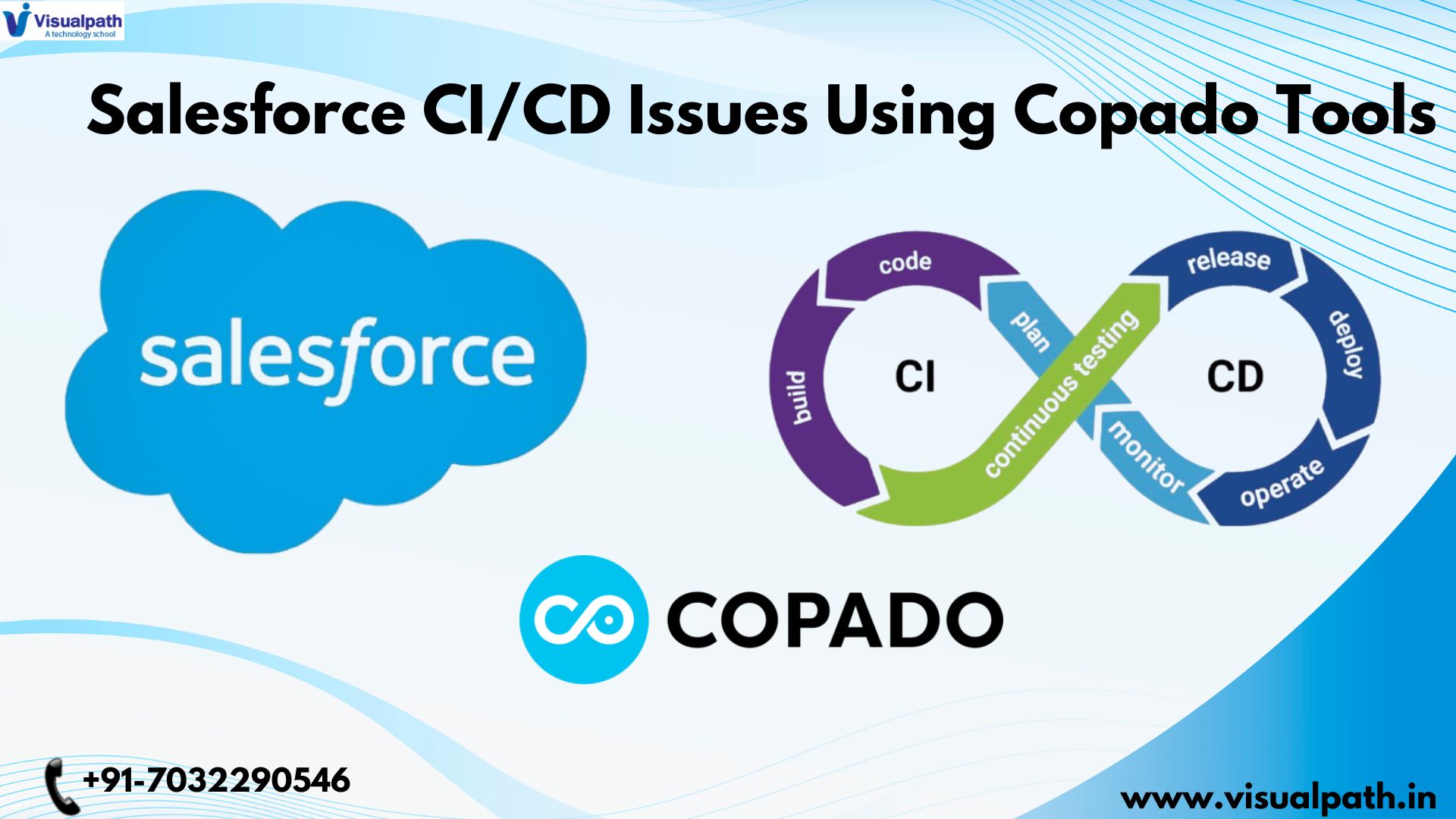
  • Troubleshooting Salesforce CI/CD Issues Using Copado Tools

    Troubleshooting Salesforce CI/CD Issues Using Copado Tools

    Salesforce DevOps Training, powered by tools like Copado, has become essential for organizations striving for agile development and rapid releases. However, even with the best automation, Continuous Integration/Continuous Delivery CI/CD pipelines can encounter issues. Troubleshooting these problems efficiently is crucial for maintaining velocity and ensuring smooth deployments. This article explores common CI/CD challenges in Salesforce and how Copado’s powerful tools can assist in diagnosing and resolving them.

    Common Salesforce CI/CD Challenges:

    Salesforce CI/CD pipelines, while designed for efficiency, can be susceptible to various problems:

    • Metadata Conflicts: Differences in metadata between environments (development, testing, production) can lead to deployment failures.
    • Deployment Errors: Issues with package dependencies, missing components, or incorrect configurations can cause deployments to fail.
    • Testing Failures: Automated tests may fail due to code bugs, environment inconsistencies, or test script issues.
    • Integration Problems: Difficulties integrating with external systems or other Salesforce orgs can disrupt the CI/CD process.
    • Performance Bottlenecks: Slow build times, deployment delays, or test execution can hinder the pipeline’s efficiency.
    • Security Vulnerabilities: Security flaws in code or configurations can be exposed during the CI/CD process.
    • Version Control Issues: Problems with branching, merging, or committing code can lead to inconsistencies and deployment errors.

    Copado’s Tools for Troubleshooting:

    Salesforce DevOps Course Copado provides a range of tools to help diagnose and resolve these CI/CD challenges:

    • Deployment Tracking and History: Copado maintains a detailed history of all deployments, including success/failure status, timestamps, and deployment logs. This allows you to quickly identify when and where a deployment issue occurred.
    • Metadata Comparison: Copado’s metadata comparison tool allows you to compare metadata between different environments, highlighting any discrepancies that could cause conflicts or deployment errors. This feature helps pinpoint the exact differences causing problems.
    • Test Result Analysis: Copado integrates with testing frameworks and provides detailed test results, including pass/fail status, error messages, and stack traces. This helps identify the root cause of test failures.
    • Job Monitoring and Logging: Copado provides real-time monitoring of CI/CD jobs, allowing you to track progress and identify any bottlenecks or errors. Detailed logs provide insights into the execution of each step in the pipeline.
    • Rollback Capabilities: In case of a failed deployment, Copado allows you to easily rollback to a previous version, minimizing the impact of the issue.
    • Branch Management and Merging Tools: Copado integrates with version control systems, providing tools for managing branches, merging code, and resolving conflicts.
    • Collaboration and Communication: Copado facilitates communication and collaboration among team members, allowing them to share information about issues and work together to resolve them Salesforce DevOps Online Training.

    Troubleshooting Workflow with Copado:

    Here’s a typical workflow for troubleshooting CI/CD issues using Copado:

    1. Identify the Issue: Start by identifying the specific problem. Is a deployment failing? Are tests failing? Is the pipeline slow?
    2. Check Deployment History: Review the deployment history in Copado to see when the issue started and if any recent changes were made.
    3. Examine Deployment Logs: Dive into the deployment logs for detailed error messages and stack traces. This often provides clues to the root cause of the problem.
    4. Compare Metadata: If you suspect a metadata conflict, use Copado’s metadata comparison tool to identify any differences between environments.
    5. Analyze Test Results: If tests are failing, review the test results in Copado to identify the specific tests that are failing and the reasons for the failures.
    6. Monitor Job Execution: Use Copado’s job monitoring tools to track the execution of your CI/CD pipelineand identify any bottlenecks or errors.
    7. Collaborate with Team Members: Use Copado’s collaboration features to communicate with other team members and share information about the issue.
    8. Implement a Solution: Based on your findings, implement a solution to the problem. This might involve fixing code bugs, resolving metadata conflicts, or adjusting configurations.
    9. Test the Solution: After implementing the solution, re-run the relevant tests or deployments to verify that the issue is resolved.
    10. Document the Solution: Document the problem and the solution to prevent the same issue from occurring in the future.

    Example Scenario: Metadata Conflict:

    Salesforce DevOps Certification Let’s say a deployment to the staging environment fails. Using Copado, you can:

    1. Check the deployment history and logs to pinpoint the failed deployment.
    2. Use the metadata comparison tool to compare the metadata between the development and staging environments.
    3. Identify a discrepancy in a custom field’s configuration.
    4. Correct the configuration in the development environment.
    5. Commit the change and trigger a new deployment through Copado.

    Best Practices for Preventing CI/CD Issues:

    • Implement a Robust Testing Strategy: Thorough testing throughout the development lifecycle can help identify issues early.
    • Use Version Control Effectively: Proper branching and merging strategies can prevent version control issues.
    • Automate Everything Possible: Automation reduces the risk of human error.
    • Monitor Your Pipeline: Regularly monitor your CI/CD pipeline to identify potential problems before they impact deployments.
    • Establish Clear Communication: Ensure that team members communicate effectively about potential issues.

    Conclusion:

    Salesforce DevOps with Copado Training Copado provides a comprehensive suite of tools to help troubleshoot Salesforce CI/CD issues. By using these tools effectively, organizations can minimize downtime, accelerate deployments, and ensure the quality of their Salesforce applications. A proactive approach to troubleshooting, combined with Copado’s powerful features, is key to maintaining a smooth and efficient CI/CD pipeline. By following the troubleshooting workflow outlined in this article and implementing the best practices, teams can confidently manage their Salesforce DevOps process and deliver value to their users rapidly and reliably.

    Visualpath is the Leading and Best Software Online Training Institute in Hyderabad. Avail complete Salesforce DevOps Online Courses Worldwide. You will get the best course at an affordable cost.

    Attend Free Demo

    Call on – +91-7032290546

    WhatsApp:  https://wa.me/c/917032290546

    Visit: https://www.visualpath.in/online-salesforce-devops-training.html

    Visit Blog:  https://visualpathblogs.com/category/salesforce-devops-with-copado/

  • A New Era of Continuous Integration in Salesforce DevOps

    A New Era of Continuous Integration in Salesforce DevOps

    A New Era of Continuous Integration in Salesforce DevOps

    Salesforce DevOps Training ecosystem is constantly evolving, demanding faster release cycles and higher quality deployments. Traditional development methods often struggle to keep pace, leading to bottlenecks and increased risk. This is where the powerful combination of Salesforce DX and Copado comes into play, ushering in a new era of Continuous Integration (CI) in Salesforce DevOps. This article explores how these two technologies work together to streamline the development lifecycle, enhance collaboration, and accelerate the delivery of value to Salesforce users.

    The Challenges of Traditional Salesforce Development:

    Historically, Salesforce development has been characterized by metadata deployments, change sets, and a lack of robust version control. These practices often resulted in:

    • Slow Release Cycles: Manual processes and complex deployments slowed down the delivery of new features and updates.
    • Increased Risk: Manual deployments were prone to human error, leading to broken deployments and production issues.
    • Limited Collaboration: Traditional methods offered limited visibility into code changes and deployments, hindering collaboration between development teams.
    • Difficulties in Version Control: Managing different versions of code and metadata was challenging, making it difficult to track changes and revert to previous versions.

    Salesforce DX: The Foundation for Modern Salesforce Development:

    Salesforce DX addresses these challenges by introducing modern development practices to the Salesforce world Salesforce DevOps Course. Key aspects of Salesforce DX include:

    • Source-Driven Development: Treating source code as the single source of truth, enabling the use of version control systems like Git.
    • Scratch Orgs: Disposable, easily configurable orgs for development and testing, ensuring consistency and isolation.
    • Metadata API: A powerful API for programmatic interaction with Salesforce orgs, enabling automation of deployments and other processes.
    • CLI (Command-Line Interface): A command-line tool for interacting with Salesforce orgs and DX features, facilitating automation.

    Copado: Orchestrating the Salesforce DevOps Pipeline:

    Copado is a purpose-built DevOps platform for Salesforce that complements Salesforce DX by providing a comprehensive suite of tools for managing the entire development lifecycle. Copado’s key features include:

    • Automated CI/CD: Orchestrates the entire CI/CD pipeline, from code commits to production deployments.
    • Version Control Integration: Seamlessly integrates with Git and other version control systems.
    • Automated Testing: Supports automated testing throughout the development lifecycle.
    • Release Management: Provides tools for planning, managing, and tracking releases.
    • Environment Management: Simplifies the management of different Salesforce environments (Dev, QA, Staging, Production).
    • Compliance and Audit Trails: Provides detailed audit trails and reporting for compliance purposes.

    The Power of Synergy: Salesforce DX and Copado:

    The combination of Salesforce DX and Copado creates a powerful synergy that transforms Salesforce development:

    • Streamlined CI/CD: Salesforce DX provides the foundation for source-driven development and scratch orgs, while Copado automates the entire CI/CD process, from code commits to production deployments.
    • Enhanced Collaboration: Copado’s integration with version control systems and its collaborative features improve communication and visibility across development teams.
    • Reduced Risk: Automated deployments and testing reduce the risk of human error and production issues.
    • Faster Release Cycles: The automation provided by Copado and the efficiency of Salesforce DX enable faster release cycles and quicker delivery of value to users.
    • Improved Quality: Automated testing and continuous integration help identify and resolve issues early in the development process, leading to higher quality releases.
    • Simplified Environment Management: Copado simplifies the management of different Salesforce environments, making it easier Salesforce DevOps Certification to deploy changes and maintain consistency.

    How it Works in Practice:

    1. Developers work in scratch orgs, making changes and committing them to a Git repository.
    2. Copado monitors the Git repository for changes.
    3. When changes are detected, Copado automatically builds and deploys the changes to a staging environment using Salesforce DX CLI and Metadata API.
    4. Automated tests are executed in the staging environment.
    5. If the tests pass, Copado automatically deploys the changes to production.
    6. Copado provides detailed reports and audit trails throughout the process.

    Benefits of the Combined Approach:

    • Increased Agility: Faster release cycles and improved collaboration enable teams to respond quickly to changing business requirements.
    • Improved Quality: Automated testing and continuous integration help ensure high-quality releases.
    • Reduced Risk: Automated deployments and robust testing reduce the risk of production issues.
    • Enhanced Collaboration: Improved communication and visibility across development teams.
    • Simplified Compliance: Detailed audit trails and reporting simplify compliance efforts.

    Conclusion:

    Salesforce DX and Copado represent a significant advancement in Salesforce DevOps. Together, they enable organizations to embrace modern development practices, automate their CI/CD pipeline, and deliver value to users faster and more reliably. Salesforce DevOps with Copado Training By leveraging the power of these two technologies, businesses can transform their Salesforce development process and unlock new levels of agility, quality, and efficiency. This combined approach empowers organizations to innovate more rapidly, respond effectively to market demands, and maximize their Salesforce investment. The future of Salesforce DevOps is here, and it’s powered by the synergy of Salesforce DX and Copado.

    Visualpath is the Leading and Best Software Online Training Institute in Hyderabad. Avail complete Salesforce DevOps Course Worldwide. You will get the best course at an affordable cost.

    Attend Free Demo

    Call on – +91-7032290546

    WhatsApp:  https://wa.me/c/917032290546

    Visit: https://www.visualpath.in/online-salesforce-devops-training.html

    Visit Blog:  https://visualpathblogs.com/category/salesforce-devops-with-copado/

  • What Are the Best Tools to Enhance Your Salesforce DevOps Pipeline?

    What Are the Best Tools to Enhance Your Salesforce DevOps Pipeline?

    Salesforce DevOps Training fast-paced digital landscape, businesses rely heavily on Salesforce to manage their customer relationships and drive sales. To keep up with evolving customer needs and market demands, organizations need to deliver Salesforce customizations and updates quickly and efficiently. This is where Salesforce DevOps comes into play. A robust Salesforce DevOps pipeline streamlines the development, testing, and deployment processes, enabling teams to deliver high-quality releases with increased speed and reduced risk. However, building and maintaining an effective pipeline requires the right tools.

    Why is a Salesforce DevOps Pipeline Important?

    A well-defined Salesforce DevOps pipeline offers numerous benefits, including:

    • Faster Release Cycles: Automating key processes reduces manual effort and accelerates the delivery of new features and updates.
    • Improved Quality: Continuous integration and continuous testing help identify and resolve issues early in the development cycle, leading to higher quality releases.
    • Reduced Risk: Automated deployments minimize the chances of human error and ensure consistent and reliable releases.
    • Increased Collaboration: DevOps promotes collaboration between development, operations, and testing teams, fostering better communication and shared responsibility.
    • Enhanced Agility: A streamlined pipeline allows organizations to respond quickly to changing business requirements and market conditions.

    Key Components of a Salesforce DevOps Pipeline:

    A typical Salesforce DevOps pipeline includes the following stages:

    1. Development: Developers work on features in isolated sandboxes.
    2. Version Control: Changes are tracked and managed using a version control system.
    3. Continuous Integration: Code changes are integrated frequently and automatically.
    4. Automated Testing: Unit, integration, and user acceptance tests are executed automatically.
    5. Release Management: Releases are planned and managed.
    6. Deployment: Changes are deployed to different environments (e.g., staging, production).
    7. Monitoring: The health and performance of the deployed application are monitored.

    Best Tools to Enhance Your Salesforce DevOps Pipeline:

    Choosing Salesforce DevOps Certification the right tools is crucial for building an effective Salesforce DevOps pipeline. Here are some of the best tools available:

    1. Version Control Systems:

    • Git: The industry standard for version control, Git enables teams to track changes, collaborate effectively, and revert to previous versions if needed. Platforms like GitHub, GitLab, and Bitbucket provide hosting and management for Git repositories.

    2. Continuous Integration and Continuous Delivery (CI/CD) Tools:

    • Jenkins: An open-source automation server that can be used to build, test, and deploy Salesforce applications. Jenkins integrates with various other tools and provides a flexible platform for building custom pipelines.
    • Azure DevOps: A cloud-based service that provides a comprehensive suite of DevOps tools, including CI/CD pipelines, version control, and testing capabilities.
    • CircleCI: A cloud-based CI/CD platform that offers fast and reliable builds and deployments. It integrates seamlessly with Salesforce and supports automated testing.
    • Copado: A low-code DevOps platform specifically designed for Salesforce. It simplifies the process of building and managing Salesforce pipelines and provides features like automated deployments, rollback capabilities, and compliance tracking.
    • Flosum: Another dedicated Salesforce DevOps Course platform that offers similar features to Copado, including release management, automated testing, and environment management.

    3. Automated Testing Tools:

    • Apex Test Framework: Salesforce’s built-in testing framework for writing unit tests for Apex code.
    • Selenium: A popular open-source framework for automating web browser interactions. Selenium can be used to automate UI tests for Salesforce applications.
    • Provar: A testing tool specifically designed for Salesforce, offering end-to-end testing capabilities, including UI testing, API testing, and data testing.

    4. Deployment Tools:

    • SFDX CLI: Salesforce’s command-line interface, which provides a powerful way to automate deployments and manage Salesforce orgs.
    • Ant Migration Tool: A Java-based tool for migrating metadata between Salesforce orgs. While older, it’s still used in some scenarios.

    5. Monitoring Tools:

    • Salesforce Platform Events: A real-time event messaging system that can be used to monitor the health and performance of Salesforce applications.
    • New Relic: A cloud-based monitoring platform that provides insights into the performance of Salesforce DevOps Online Training applications and infrastructure.
    • AppDynamics: Another application performance monitoring (APM) tool that can be used to monitor Salesforce performance and identify bottlenecks.

    6. Static Code Analysis Tools:

    • PMD: An open-source static code analyzer that can be used to identify potential code issues in Apex and Visualforce.
    • Checkmarx: A commercial static code analysis tool that provides comprehensive security analysis for Salesforce applications.

    Choosing the Right Tools:

    The best tools for your Salesforce DevOps pipeline will depend on your specific needs and requirements. Consider factors like team size, budget, complexity of your Salesforce implementations, and desired level of automation when making your decisions. Often, a combination of tools will be required to create a complete and effective pipeline.

    Conclusion:

    A well-implemented Salesforce DevOps pipeline is essential for organizations looking to deliver high-quality Salesforce applications quickly and efficiently. By leveraging the right tools, teams can automate key processes, improve collaboration, and reduce risk. Investing in the right tools and establishing a robust DevOps culture will enable your organization to maximize the value of your Salesforce investment and stay ahead of the competition. Remember to evaluate your needs and choose tools that integrate seamlessly and support your specific Salesforce development lifecycle.