Tag: PlaywrightTraininginHyderabad

  • How to Effectively Test APIs Using Playwright: A Guide for Beginners

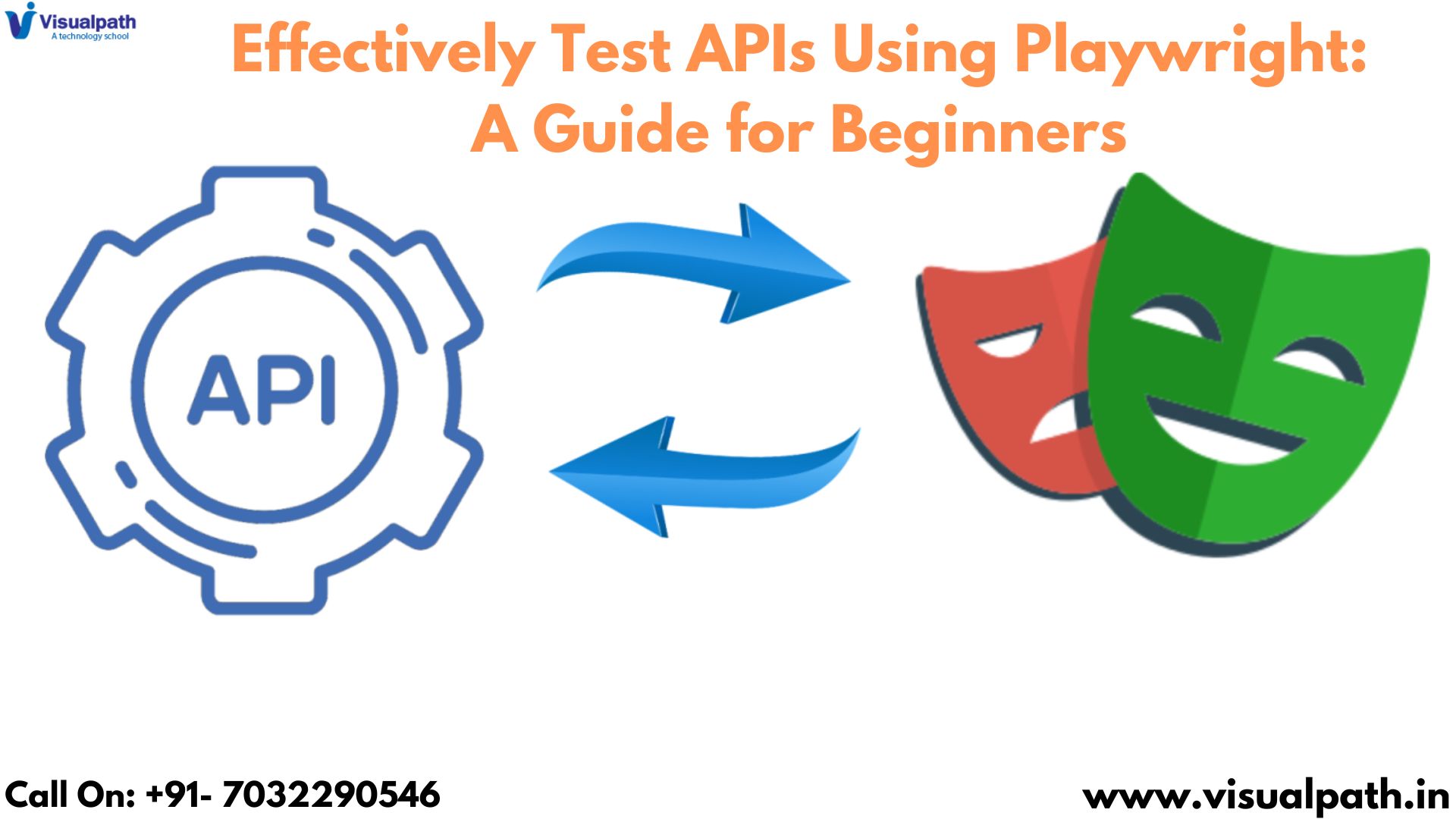
    How to Effectively Test APIs Using Playwright: A Guide for Beginners

    PlayWright Automation Training, while celebrated for its prowess in browser automation, also offers a remarkably elegant and efficient approach to API testing. This guide is tailored for beginners, providing a clear pathway to effectively leverage Playwright for robust API testing. We’ll explore essential concepts, offer practical guidance, and outline best practices to empower you to get started quickly. API testing is absolutely crucial for ensuring the reliability, functionality, and performance of backend services.

    Why Playwright for API Testing?

    While tools like Postman are commonly used for API testing, Playwright brings several distinct advantages to the forefront:

    • Unified Testing Framework: Playwright allows you to consolidate your testing efforts by using the same framework for both UI and API testing. This not only streamlines your overall testing process, reducing the learning curve, but also significantly decreases the overhead of managing multiple tools, learning different syntaxes, and switching between them. This unified approach simplifies your testing infrastructure.
    • Seamless Integration with Browser Automation: If your API interacts with a web application (which is often the case), PlayWright Course Online browser automation capabilities can be seamlessly integrated with your API tests. This enables you to create comprehensive end-to-end testing scenarios that cover the entire user journey, from the initial UI interaction to the subsequent backend API calls. This gives you confidence that the entire system works together correctly.
    • Modern and Robust Architecture: Playwright is built on a modern, event-driven architecture, which provides excellent performance, stability, and scalability. This is particularly important when dealing with complex API test suites, high-volume API requests, or scenarios where performance is a critical factor. It allows your tests to run quickly and reliably.

    Setting Up Playwright for API Testing:

    Before diving into API testing with Playwright, you’ll need to ensure you have the necessary prerequisites in place. This typically involves having Node.js and npm (or yarn) installed on your system. Once these prerequisites are met, you can install Playwright using a simple command in your terminal. This single installation provides all the necessary components for both API and browser testing.

    Writing Your First API Test:

    Let’s discuss the general process of creating a simple API test using Playwright. The core idea is to define a test case, then use Playwright’s built-in request feature to make the actual API call. You’ll then verify the API’s response. This usually involves checking the status code (e.g., confirming a successful response) and examining the data returned by the API to ensure it matches your expectations.

    Making Different API Requests:

    Playwright’s request feature is versatile and supports various types of API requests, covering the full spectrum of HTTP methods:

    • GET: Used for retrieving data from the API endpoint. This is typically used to fetch information.
    • POST: Used for creating new resources on the server. This sends data to the API to be stored or processed.
    • PUT: Used for updating existing resources. This sends data to the API to modify a previously created resource.
    • DELETE: Used for deleting resources from the server. This removes data from the server.

    When making POST or PUT requests, you will need to include the data you want to send to the API (often called the “payload”).

    Grouping Tests and Running in Parallel:

    PlayWright Training provides mechanisms to organize your tests effectively. You can group related tests together, which improves the structure and readability of your test suite. Additionally, Playwright allows you to run your tests in parallel, significantly reducing the overall execution time, especially when you have a large number of tests.

    Best Practices for API Testing with Playwright:

    • Use Descriptive Test Names: Choose test names that are clear, concise, and accurately describe the API endpoint being tested and the expected behavior. This greatly improves the readability and maintainability of your test suite.
    • Test All Possible Scenarios: Don’t just test the “happy path” (successful requests). Cover positive, negative, and edge cases to ensure your API is robust and handles unexpected inputs or conditions gracefully.
    • Thoroughly Validate the Response Body: Go beyond simply checking the status code. Thoroughly validate the structure and content of the response body to ensure it contains the expected data in the correct format.
    • Implement Data-Driven Testing: Use test data from external sources (e.g., files or databases) to run the same test with a variety of inputs. This helps to increase test coverage and identify potential issues with different data sets.
    • Keep Your Tests Organized: Group related tests together and use a clear and consistent folder structure to keep your test suite well organized. This makes it easier to navigate and maintain your tests as your project grows.
    • Integrate with CI/CD: Integrate your API tests into your Continuous Integration and Continuous Delivery (CI/CD) pipeline. This Playwright automation online training   ensures that your APIs are tested automatically with every build, helping to catch regressions early and maintain the quality of your backend services.

    Conclusion:

    Playwright is a versatile and powerful tool for API testing. Its unified framework, modern architecture, and ease of use make it an excellent choice for developers looking to test their APIs effectively and efficiently. By adhering to the guidelines and best practices outlined in this article, you can leverage Playwright to build robust and reliable API tests, ensuring the quality, performance, and functionality of your backend services. With its seamless integration

  • Page Object Model (POM) in Playwright

    Page Object Model (POM) in Playwright

    Introduction

    The Page Object Model (POM) is a design pattern that enhances test maintenance and reduces code duplication by creating an abstraction layer for web pages. In POM, web pages are represented as classes, and the various elements on the page are defined as variables within the class. Playwright, a Node.js library to automate web browsers, seamlessly integrates with POM to provide a robust framework for browser automation.

    Setting Up Playwright

    First, ensure you have Node.js installed. Initialize a new Node.js project and install Playwright using the following commands:  Playwright Training

    bash

    Copy code

    npm init -y

    npm install playwright

    Creating a Page Object Model

    Define the Page Class: Create a file for the page object, e.g., loginPage.js, and define the class representing the web page.   Playwright Online Training

    javascript

    Copy code

    const { expect } = require(‘@playwright/test’);

    class LoginPage {

      constructor(page) {

        this.page = page;

        this.usernameField = page.locator(‘#username’);

        this.passwordField = page.locator(‘#password’);

        this.loginButton = page.locator(‘#loginButton’);

      }

    async navigate() {

        await this.page.goto(‘https://example.com/login’);

      }

      async login(username, password) {

        await this.usernameField.fill(username);

        await this.passwordField.fill(password);

        await this.loginButton.click();

      }

    }

    module.exports = { LoginPage };

    Write Test Scripts: Create a test file, e.g., loginTest.js, and import the necessary modules and the page object class.  Playwright Automation Training

    javascript

    Copy code

    const { chromium } = require(‘playwright’);

    const { LoginPage } = require(‘./loginPage’);

    (async () => {

      const browser = await chromium.launch({ headless: false });

      const context = await browser.newContext();

      const page = await context.newPage();

    const loginPage = new LoginPage(page);

      await loginPage.navigate();

    await loginPage.login(‘testuser’, ‘password123’);

      // Add assertions to verify successful login

      await expect(page.locator(‘#welcomeMessage’)).toHaveText(‘Welcome, testuser!’);

    await browser.close();

    })();

    Advantages of POM in Playwright

    Improved Readability and Maintenance: By separating page interactions from test scripts, POM makes the test code cleaner and more readable. Any changes in the UI require updates only in the corresponding page object, not in every test script.   Playwright with TypeScript Training

    Reusability: Page objects can be reused across multiple tests, reducing code duplication and improving consistency.  Playwright Automation Online Training

    Scalability: As the application grows, POM helps manage complexity by organizing code logically, making it easier to scale test automation efforts.

    Visualpath is the Leading and Best Software Online Training Institute in Hyderabad. Avail complete PlayWright Automation institute in Hyderabad PlayWright Automation Online Training Worldwide. You will get the best course at an affordable cost.

    Call on – +91-9989971070

    WhatsApp: https://www.whatsapp.com/catalog/917032290546/

    Visit:   https://visualpath.in/playwright-automation-online-training.html

  • Playwright: A Dive into Test Automation with Playwright

    Playwright: A Dive into Test Automation with Playwright

    Introduction:

    Playwright, an open-source test automation library developed by Microsoft, designed to provide developers with the tools needed to automate testing across multiple browsers with ease and precision. Playwright Online Training

    What Sets Playwright Apart?

    Playwright distinguishes itself in the test automation landscape through its comprehensive capabilities. Unlike other testing frameworks, Playwright supports multiple browser engines out of the box, including Chromium, WebKit, and Firefox. This cross-browser testing capability ensures that applications perform consistently across different environments, a critical feature for maintaining a high-quality user experience.

    One of the standout features of Playwright is its ability to handle complex testing scenarios with ease. It offers robust support for modern web features such as single-page applications (SPAs), which rely heavily on asynchronous operations and dynamic content.

    Seamless Integration and Ease of Use:

    Playwright’s design prioritizes developer convenience, facilitating a seamless integration into existing workflows. Its APIs are designed to be straightforward and intuitive, reducing the learning curve for new users. Playwright also supports a variety of programming languages including JavaScript, TypeScript, Python, and C#, making it accessible to a wide range of developers with different language preferences. Playwright with TypeScript Training

    The framework’s ability to run tests in headless mode – where browsers operate without a graphical user interface – significantly speeds up testing processes. This feature is particularly beneficial for continuous integration/continuous deployment (CI/CD) pipelines, where rapid feedback is crucial.

    Advanced Features for Comprehensive Testing:

    Playwright’s capabilities extend beyond basic testing scenarios, offering advanced features that cater to the needs of sophisticated applications. For instance, it supports network interception, which allows developers to monitor and modify network traffic during tests. This feature is invaluable for simulating different network conditions and testing how applications respond to various scenarios, such as slow internet connections or server outages.

    Another powerful feature is Playwright’s ability to handle multi-page scenarios and browser contexts. This is particularly useful for testing applications that require multiple user sessions or interactions across different windows. By creating isolated browser contexts, Playwright enables simultaneous testing of various scenarios without interference, enhancing the robustness of test coverage.

    Community and Ecosystem:

    As an open-source project, Playwright benefits from a vibrant community of contributors and users. This collaborative environment fosters continuous improvement and innovation, with frequent updates and enhancements being rolled out. The extensive documentation and community-driven resources make it easier for developers to find solutions to common issues and leverage the full potential of Playwright. Playwright Automation Online Training

    The ecosystem around Playwright is also growing, with numerous plugins and integrations available to extend its functionality. Tools for visual regression testing, performance monitoring, and accessibility testing can be seamlessly integrated, providing a comprehensive testing suite that addresses all aspects of web application quality.

    Conclusion:

    In the evolving landscape of web development, Playwright emerges as a powerful ally for developers aiming to ensure their applications are robust, reliable, and performant across different browsers. Its extensive feature set, ease of integration, and supportive community make it a compelling choice for modern test automation needs.

    Visualpath is the Leading and Best Institute for learning Playwright Course in Hyderabad. We provide Playwright Automation Online Training, you will get the best course at an affordable cost.

    Attend Free Demo Call on – +91-9989971070

    Whats App: https://www.whatsapp.com/catalog/917032290546/

    Visit: https://www.visualpath.in/playwright-automation-online-training.html 

  • Getting Started with Playwright Automation: A Beginner’s Guide

    Getting Started with Playwright Automation: A Beginner’s Guide

    Introduction:

    Playwright has emerged as a robust and versatile tool, designed to handle a variety of tasks from testing web applications to scraping data. Developed by Microsoft, Playwright supports multiple browsers and offers a powerful API to automate browser actions. Playwright Online Training

    Why Choose Playwright?

    Playwright stands out among other automation tools due to its cross-browser capabilities, ease of use, and comprehensive feature set. It supports headless browsing, allowing for faster execution of scripts, and provides functionalities like screenshot capture, PDF generation, and even the ability to intercept and modify network requests.

    Setting Up Your Environment:

    Before diving into Playwright, you need to set up your development environment.

    Here’s a quick overview:

    Install Node.js: Playwright requires Node.js, a JavaScript runtime, to be installed on your system.

    Install Playwright: Once Node.js is installed, you can use npm (Node Package Manager) to install Playwright. Open your terminal or command prompt and run:

      “sh npm install playwright”

    Choose Your IDE: While any text editor can be used to write Playwright scripts, using an Integrated Development Environment (IDE) like Visual Studio Code can enhance your productivity with features like syntax highlighting and debugging tools. Playwright with TypeScript Training

    Basic Concepts in Playwright:

    Browsers and Contexts:

    Playwright automates browsers using browser instances and contexts. A browser instance represents a single browser process, while a context is akin to a new browser profile, isolated from others. This allows you to run multiple, isolated browser sessions simultaneously within the same process.

    Pages:

    Pages represent individual tabs or windows in a browser. You can open, manipulate, and interact with multiple pages within a single browser context.

    Selectors:

    Selectors are a fundamental part of interacting with web elements. Playwright supports various selector types, including CSS selectors, XPath, text content, and more. These allow you to precisely target elements for interactions like clicking, typing, and extracting data. Playwright Course Online

    Writing Your First Playwright Script:

    Creating a Simple Test:

    While writing your first Playwright script might seem daunting, it’s simpler than it appears.

    Here’s a conceptual outline of what a basic script would look like:

    Launch the Browser: Start a new browser instance.

    Create a Context and Page: Open a new browser context and create a page.

    Navigate and Interact: Direct the browser to a URL and perform actions such as clicking buttons, filling forms, or capturing screenshots.

    Close the Browser: Ensure the browser is closed after the script finishes execution. Playwright Training

    Best Practices:

    Error Handling:

    Proper error handling ensures your scripts can handle unexpected scenarios gracefully. Use try-catch blocks to manage exceptions and log errors for debugging purposes.

    Code Organization:

    Organize your code into reusable functions and modules. This not only makes your scripts more manageable but also enhances readability and maintainability. Playwright with Automation Training

    Regular Updates:

    Playwright is actively maintained and frequently updated. Regularly updating Playwright ensures you have access to the latest features and improvements.

    Conclusion:

    Playwright is a powerful tool that simplifies web automation with its comprehensive features and cross-browser support. By understanding its core concepts and following best practices, you can effectively automate a variety of web tasks.

    Visualpath is the Leading and Best Institute for learning Playwright Course in Hyderabad. We provide Playwright Automation Online Training, you will get the best course at an affordable cost.

    Attend Free Demo Call on – +91-9989971070

    WhatsApp: https://www.whatsapp.com/catalog/917032290546/

    Visit: https://www.visualpath.in/playwright-automation-online-training.html

  • Automating Tests with Playwright: A Guide to Use the Test Generator

    Automating Tests with Playwright: A Guide to Use the Test Generator

    Introduction to Playwright:

    Playwright is a powerful tool for automating web testing, supporting multiple browsers like Chromium, Firefox, and WebKit. It allows developers to write tests in JavaScript, TypeScript, Python, .NET, and Java, making it versatile for various development environments. Playwright’scapabilities include capturing screenshots, generating PDFs, and running tests concurrently across multiple browsers, which are essential for comprehensive web application testing.

    The Playwright Test Generator:

    The Playwright test generator is designed to simplify the test creation process. By recording user interactions with a web application, it automatically generates the corresponding test code. This feature is particularly useful for developers who may be new to Playwright or for those looking to expedite the test creation process. Playwright Online Training

    Benefits of Using the Test Generator:

    Time Efficiency: The test generator significantly reduces the time required to write tests by automatically generating code based on user actions.

    Ease of Use: It simplifies the process for beginners, providing a straightforward way to create tests without deep knowledge of Playwright’s API.

    Accuracy: By recording exact user interactions, the test generator ensures that the generated tests accurately reflect the intended user behavior.

    Consistency: It promotes consistency in test creation, as the generated code follows Playwright’s best practices and conventions.

    Steps to Use the Test Generator in Playwright:

    Install Playwright:

    Before using the test generator, ensure that Playwright is installed in your project. You can install Playwright via npm with the following command:

    “npm install @playwright/test” Playwright with TypeScript Training

    Launch Playwright’s Codegen Tool:

    Playwright provides a built-in tool called `codegen` that is used for generating test scripts. To launch the codegen tool, use the following command:

    “npx playwright codegen”

    Record Interactions:

    Upon launching the codegen tool, a browser window will open alongside a Playwright Inspector window. Interact with your web application in the browser window as you normally would, such as clicking buttons, filling forms, and navigating pages. The codegen tool will record these interactions and generate the corresponding test code in real-time. Playwright Course Online

    Review and Customize Generated Code:

    As you interact with the web application, the generated code will appear in the Playwright Inspector window. You can review this code, make any necessary adjustments, and customize it to fit your specific test scenarios. This step is crucial to ensure that the tests cover all required edge cases and conditions.

    Save and Integrate Tests:

    Once you are satisfied with the generated test code, save it to your project’s test directory. Playwright uses a directory structure for organizing tests, typically with test files named after the functionality they cover. Ensure that the saved test files follow your project’s naming conventions and directory structure.

    Run the Tests:

    With the tests saved, you can now run them using Playwright’s test runner. Execute the following command to run all tests in your project:

    “npx playwright test” Playwright Training

    This will execute the generated tests, providing detailed output on the test results, including any failures or errors that need to be addressed.

    Conclusion:

    The Playwright test generator is an invaluable tool for automating web application testing. By simplifying the test creation process, it enables developers to focus on ensuring their applications function correctly across different environments. By following the steps outlined in this guide, you can efficiently utilize Playwright’s test generator to enhance your testing workflow and improve the reliability of your web applications.

    Visualpath is the Leading and Best Institute for learning Playwright Course in Hyderabad. We provide Playwright Automation Online Training, you will get the best course at an affordable cost.

    Attend Free Demo Call on – +91-9989971070.

    Whats App: https://www.whatsapp.com/catalog/919989971070/

    Visit: https://www.visualpath.in/playwright-automation-online-training.html 


  • The Advantages of Playwright Automation

    The Advantages of Playwright Automation

    Introduction:

    Playwright Automation is a versatile framework that enables automation of web browser interactions across multiple platforms, including Chromium, Firefox, and WebKit. Among the various tools available for automated browser testing, Playwright has emerged as a standout solution. This open-source framework, developed by Microsoft, offers a range of features that make it a powerful ally for developers and testers alike. Playwright Online Training

    Cross-Browser Testing Made Easy:

    One of the most significant advantages of Playwright is its ability to perform cross-browser testing effortlessly. Playwright supports all modern rendering engines, including Chromium, WebKit, and Firefox. This means you can write a single test script that runs seamlessly across multiple browsers. Ensuring compatibility across different browsers has never been easier, reducing the time and effort required to maintain separate test cases for each browser.

    Reliable and Flaky-Free Tests:

    Flaky tests are a common challenge in automated testing, where tests pass and fail intermittently without any changes to the code. Playwright addresses this issue with robust automation and reliable APIs. It provides auto-wait mechanisms, ensuring that elements are available before interacting with them. Playwright with TypeScript Training

    Powerful and Flexible API:

    Playwright offers a powerful and flexible API that caters to various testing needs. It allows you to perform complex interactions with web applications, such as handling file uploads and downloads, intercepting network requests, and emulating different devices and network conditions. This level of control enables testers to simulate real-world scenarios and thoroughly validate application behavior under different circumstances.

    Built-In Test Runner and Debugging Tools:

    Playwright comes with its test runner, Playwright Test, which is specifically designed for end-to-end testing. It provides features like parallel test execution, test retries, and powerful reporting. Additionally, Playwright’s debugging tools are invaluable for diagnosing test failures. With features like step-by-step debugging and detailed error logs, identifying and fixing issues becomes a streamlined process.

    Headless and Headful Modes:

    For different testing requirements, Playwright offers both headless and headful modes. In headless mode, tests run without a graphical user interface, which is faster and suitable for continuous integration environments. Headful mode, on the other hand, allows you to see the browser’s behavior in real-time, which is useful for debugging and development purposes. Playwright Training

    Comprehensive Documentation and Community Support:

    Playwright boasts comprehensive documentation that makes it easy for newcomers to get started and for experienced users to leverage its full potential. The Playwright community is active and growing, offering a wealth of resources, tutorials, and forums for support.

    Conclusion:

    Playwright has quickly established itself as a leading tool for automated browser testing, thanks to its cross-browser capabilities, reliable test execution, and flexible API. Its built-in test runner, debugging tools, and seamless integration with CI/CD pipelines make it an indispensable asset for any development team.

    Visualpath is the Leading and Best Institute for learning Playwright Course in Hyderabad. We provide Playwright Automation Online Training, you will get the best course at an affordable cost.

    WhatsApp: https://www.whatsapp.com/catalog/919989971070/

    Visit: https://www.visualpath.in/playwright-automation-online-training.html 

  • Mastering Microsoft Playwright: A Comprehensive Guide

    Mastering Microsoft Playwright: A Comprehensive Guide

    Microsoft Playwright emerges as a powerful tool in the arsenal of modern development teams, offering a comprehensive solution for browser automation and testing. Playwright Online Training

    Microsoft Playwright:

    Developed by Microsoft, Playwright boasts a rich set of features tailored to modern web development, including support for multiple browsers, headless execution, and robust API documentation. Unlike traditional testing frameworks, Playwright’s cross-browser compatibility ensures consistent behavior across different environments, empowering teams to validate their applications with confidence. Playwright with TypeScript Training

    key advantages of Microsoft Playwright:

    One of the key advantages of Microsoft Playwright lies in its simplicity and ease of use. With a clean and intuitive API, developers can quickly scaffold test scripts without the need for complex configurations or boilerplate code. Playwright’sdeclarative syntax allows testers to express test scenarios in a concise and readable manner, promoting collaboration and knowledge sharing across teams.

    Unparalleled flexibility:

    Moreover, Microsoft Playwright offers unparalleled flexibility in test execution, enabling developers to run tests in both headful and headless modes. Headless execution, in particular, proves invaluable for running tests in CI/CD pipelines, where graphical interfaces are not available. By leveraging Playwright’s headless mode, teams can accelerate their testing cycles, ensuring rapid feedback on code changes and reducing time to market. Playwright Training

    Playwright excels:

    Furthermore, Microsoft Playwright excels in its support for modern web technologies, including Single Page Applications (SPAs) and Progressive Web Apps (PWAs). With built-in support for waiting for network requests and DOM events, Playwright ensures reliable and deterministic test execution, even in asynchronous and dynamic web environments.

    Playwright integrates:

    Additionally, Microsoft Playwright integrates seamlessly with popular testing frameworks such as Jest and Mocha, further enhancing its versatility and adoption among development teams. By leveraging familiar testing paradigms and workflows, teams can easily incorporate Playwright into their existing testing pipelines, minimizing learning curves and maximizing productivity.

    Cross-browser Testing:

    In terms of cross-browser testing, Microsoft Playwright shines as a comprehensive solution for validating web applications across different environments. With built-in support for Chromium, WebKit, and Firefox, Playwright covers a wide range of browser configurations, ensuring compatibility with the most popular browsers used by end-users. This broad coverage enables teams to identify and address browser-specific issues early in the development lifecycle, mitigating potential risks and enhancing the overall user experience. Playwright with Automation Training

    Conclusion:

    In conclusion, Microsoft Playwright stands as a game-changer in the realm of automated browser testing, offering developers and testers a robust and versatile solution for ensuring software quality. With its intuitive API, cross-browser compatibility, and support for modern web technologies, Playwright empowers teams to streamline their testing workflows and deliver high-quality software at scale.

    Visualpath is the Leading and Best Institute for learning Playwright Course in Hyderabad. We provide Playwright Automation Online Training, you will get the best course at an affordable cost.

    Whats App: https://www.whatsapp.com/catalog/919989971070/

    Visit: https://www.visualpath.in/playwright-automation-online-training.html 

  • Playwright Automation with TypeScript: A Comprehensive Guide

    Playwright Automation with TypeScript: A Comprehensive Guide

    Playwright Automation is a cutting-edge framework designed for automating browser interactions, developed by Microsoft. As applications grow in complexity, so do the challenges in ensuring their reliability and functionality across various scenarios. In this landscape, tools like Playwright have emerged as powerful allies, offering a robust framework for automating browser-based interactions. Playwright Automation Training

    Before delving into the integration with TypeScript, it’s crucial to grasp the capabilities that Playwright brings to the table. Developed by Microsoft, Playwright is a versatile automation library designed to facilitate browser testing. Unlike traditional solutions, Playwright supports multiple browsers (Chrome, Firefox, Safari, etc.) and offers a unified API for performing a wide array of actions, from simple clicks to complex interactions such as file uploads and downloads. Playwright with TypeScript Training

    TypeScript, known for its static typing and robust tooling, adds a layer of predictability and clarity to codebases. By introducing static types, TypeScript helps catch errors at compile-time, mitigating runtime surprises and enhancing code maintainability. Moreover, TypeScript’s IDE support and advanced language features contribute to a more productive development experience.

    The integration of Playwright with TypeScript is seamless and intuitive. Leveraging TypeScript’s type definitions for Playwright, developers can harness the full potential of both technologies while enjoying the benefits of type safety and autocompletion. With TypeScript, writing and maintaining test scripts becomes more manageable and less error-prone.

    Type Safety: TypeScript’s static typing ensures that variables, functions, and interfaces are used correctly throughout the codebase, reducing the likelihood of runtime errors. Playwright Online Training

    Enhanced Readability: TypeScript’s descriptive type annotations make code more understandable, facilitating collaboration and easing onboarding for new team members.

    Improved IDE Support: IDEs such as Visual Studio Code provide robust support for TypeScript, offering features like IntelliSense and code navigation, which streamline the development process.

    Scalability: As projects grow in size and complexity, TypeScript’s strong typing enables developers to maintain codebases with confidence, without sacrificing scalability.

    In conclusion, the combination of Playwright and TypeScript offers a potent solution for automating browser testing. By harnessing Playwright’s capabilities and TypeScript’s strong typing, developers can create robust and maintainable test suites that provide confidence in the quality of their web applications.

    Visualpath is the Leading and Best Institute for learning Playwright Course in Hyderabad. We provide Playwright Automation Online Training, you will get the best course at an affordable cost.

    WhatsApp: https://www.whatsapp.com/catalog/919989971070/

    Visit: https://www.visualpath.in/playwright-automation-online-training.html