Tag: Microsoft Dynamics CRM Training

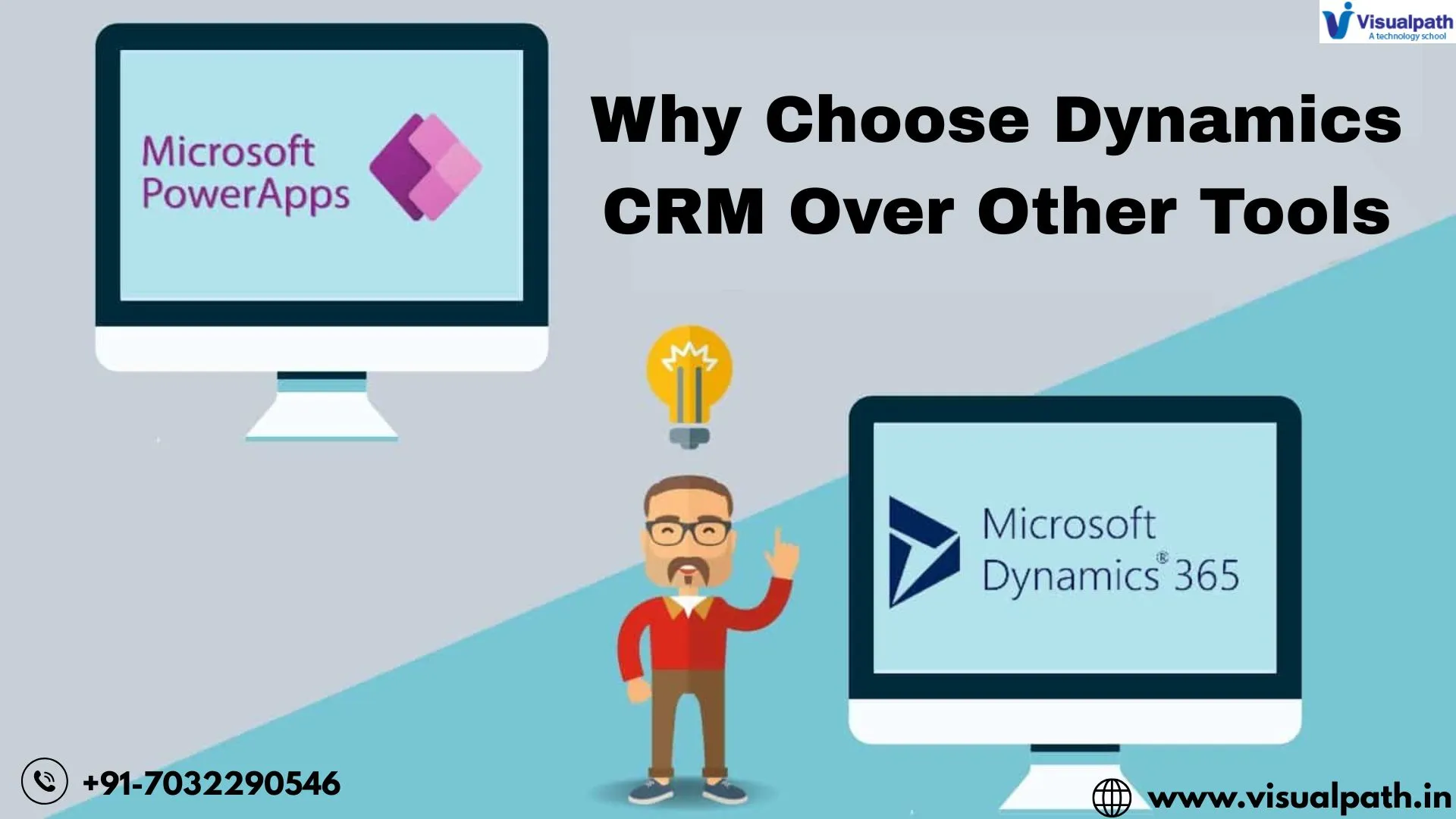
  • Why Choose Power Apps in Dynamics CRM over Other Tools

    Why Choose Power Apps in Dynamics CRM over Other Tools

    Microsoft Dynamics CRM is a market leader in this space, and when combined with Power Apps, it becomes an even more potent tool for businesses. But why should you choose Power Apps over other third-party tools? This article explores the key benefits and reasons why Power Apps in Dynamics CRM stands out from the rest.

    Seamless Integration with Microsoft Ecosystem

    One of the biggest advantages of Power Apps is its seamless integration with Microsoft Dynamics CRM and other Microsoft 365 applications such as SharePoint, Teams, Outlook, and Power BI. Unlike third-party tools that often require complex configurations and additional middleware, Power Apps works natively within the Microsoft environment, reducing compatibility issues and boosting productivity.

    Customization Without Extensive Coding

    Many third-party CRM customization tools require extensive coding knowledge, which can be a barrier for businesses that lack in-house development expertise. Power Apps enables users to create custom applications with a low-code or no-code approach, making it accessible to non-technical users while still providing advanced customization capabilities for developers.

    Cost-Effectiveness

    Licensing costs and maintenance expenses for third-party CRM tools can be substantial. Power Apps is included in many Microsoft licensing plans, allowing businesses to leverage its capabilities without incurring additional expenses. Organizations that already use Microsoft Dynamics CRM can save on third-party software costs while enjoying a robust, built-in customization platform.

    Enhanced Automation with Power Automate

    Power Apps works effortlessly with Power Automate, enabling businesses to automate workflows and processes within Microsoft Dynamics CRM. Users can create automated email responses, lead management processes, customer follow-ups, and more without requiring complex programming skills. This enhances efficiency and reduces manual workload.

    AI-Powered Insights with Power BI

    Unlike third-party CRM tools, Power Apps seamlessly connects with Power BI, allowing businesses to generate AI-driven insights for better decision-making. Companies can create interactive dashboards, track customer behaviors, and gain a competitive edge using real-time data analytics.

    Security and Compliance

    Security is a major concern for businesses handling sensitive customer data. Microsoft offers enterprise-grade security and compliance standards within its ecosystem, ensuring that Power Apps users benefit from robust security protocols such as Azure Active Directory (AAD) authentication and role-based access control (RBAC). Unlike many third-party tools that require additional security measures, Power Apps comes with built-in security features aligned with industry standards.

    Scalability for Growing Businesses

    As businesses grow, their CRM requirements evolve. Many third-party tools have scalability limitations, requiring businesses to migrate to new solutions as they expand. Power Apps is built on the Microsoft Dataverse, allowing businesses to scale seamlessly by adding new features, automating processes, and integrating additional Dynamics CRM Online Training solutions without switching platforms.

    Faster Deployment and Implementation

    Deploying third-party CRM customization tools often involves lengthy setup times, extensive training, and technical configurations. With Power Apps, businesses can quickly build and deploy applications tailored to their needs, reducing implementation time and ensuring faster time-to-market for new solutions.

    Unified User Experience

    Power Apps provides a unified experience across multiple devices, including desktops, tablets, and mobile phones. Users can access Microsoft Dynamics CRM Training and their custom applications through a familiar interface, leading to better adoption rates and enhanced productivity compared to third-party alternatives.

    Conclusion

    Power Apps in Microsoft Dynamics CRM is a game-changer for businesses looking to enhance their CRM capabilities without relying on expensive third-party tools. With seamless integration, cost-effectiveness, advanced automation, security, scalability, and AI-powered insights, Power Apps provides an all-in-one solution tailored for businesses of all sizes. Choosing Power Apps over other tools ensures flexibility, efficiency, and a future-proof CRM strategy.

    Trending Courses are : Prompt EngineeringGenerative AI (GenAI)Microsoft Dynamics AX Retail Management.

    Visualpath is the Leading and Best Software Online Training Institute in Hyderabad. Avail complete Microsoft Dynamics CRM Certification Worldwide. You will get the best course at an affordable cost.

    WhatsApp:  https://wa.me/c/917032290546

    Visit: https://www.visualpath.in/online-microsoft-dynamics-crm.html
  • Why Choose MS Dynamics CRM with Power Apps Over Other Tools?

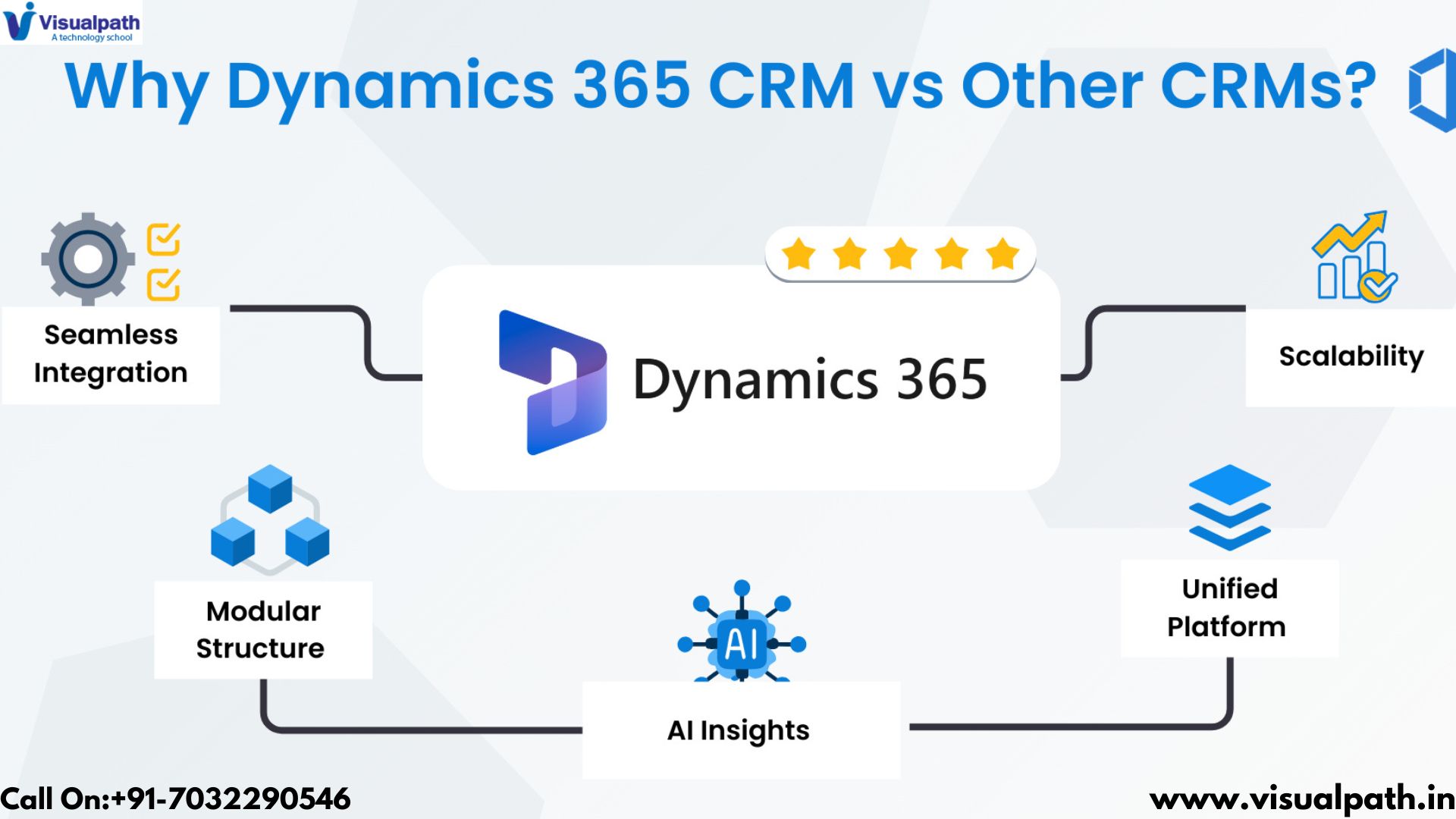
    Why Choose MS Dynamics CRM with Power Apps Over Other Tools?

    Microsoft Dynamics CRM Training organizations are increasingly seeking robust Customer Relationship Management (CRM) solutions that not only enhance customer engagement but also streamline internal processes. Microsoft Dynamics 365 CRM, when combined with Power Apps, offers a powerful alternative to traditional CRM tools. This article explores the reasons why businesses should consider this integrated solution over others.

    Seamless Integration

    One of the most significant advantages of using MS Dynamics CRM with Power Apps is the seamless integration within the Microsoft ecosystem. Dynamics 365 is designed to work effortlessly with other Microsoft products such as Office 365, Power BI, and Power Automate. This integration allows businesses to create a unified platform where data flows smoothly between applications, enhancing collaboration and productivity across teams. For instance, sales teams can access customer data from Dynamics 365 while using Excel for analysis or Outlook for communication, all without switching between different platforms.

    Customization and Flexibility

    Power Apps empowers organizations to develop custom applications tailored to their specific needs without requiring extensive coding knowledge. This low-code approach enables businesses to create bespoke solutions that address unique operational challenges. Unlike many out-of-the-box CRM systems that may not fully align with an organization’s processes, the combination of Dynamics 365 and Power Apps allows for significant customization. Companies can design apps that integrate directly with their CRM data, fostering innovation and agility in responding to market demands.

    Cost-Effectiveness

    Cost is a critical factor when selecting a CRM solution. Licensing for Microsoft Power Apps is generally more affordable compared to Dynamics 365’s full suite. Organizations can opt for Power Apps licenses that cater specifically to their needs, potentially saving thousands annually. This flexibility in licensing allows smaller businesses or those with specific requirements to access powerful Microsoft Dynamics CRM Online Training functionalities without incurring unnecessary costs associated with comprehensive solutions they may not fully utilize.

    Enhanced Data Management

    The integration of Power Apps with Dynamics 365 facilitates improved data management through centralized storage and real-time access. Businesses can consolidate customer information from various sources into a single view, enabling better decision-making and personalized customer interactions. This centralized approach not only enhances data accuracy but also streamlines workflows by reducing manual data entry and minimizing errors.

    Automation of Business Processes

    Automation is a key feature that sets MS Dynamics CRM with Power Apps apart from other CRM tools. By leveraging Power Automate, organizations can automate repetitive tasks such as data entry, approvals, and notifications. This automation not only saves time but also allows employees to focus on more strategic activities that drive business growth. The ability to automate workflows enhances overall productivity and operational efficiency.

    Advanced Analytics and Insights

    With built-in analytics capabilities through Power BI, businesses using Dynamics 365 can gain valuable insights into customer behavior and market trends. The combination of these tools enables organizations to create interactive dashboards and reports that visualize data effectively. Such insights empower teams to make informed decisions quickly, adapting strategies based on real-time information rather than relying on outdated reports.

    Scalability

    As businesses grow and evolve, their Microsoft Dynamics 365 CRM Training needs often change. MS Dynamics CRM with Power Apps offers scalability that allows organizations to expand their capabilities without significant disruptions. Whether adding new users, integrating additional functionalities, or developing new applications, this solution can adapt to meet changing business requirements seamlessly. This scalability ensures that companies are not locked into rigid systems but can evolve alongside their market demands.

    Superior User Experience

    User experience is crucial for ensuring high adoption rates among employees. The familiarity of Microsoft’s interface across its products means that employees who have previously used other Microsoft tools will find Dynamics 365 and Power Apps intuitive and easy to navigate. This reduces the learning curve associated with new software implementations and encourages user engagement from day one

    Conclusion

    Choosing MS Dynamics CRM with Power Apps over other tools presents numerous advantages for businesses looking to enhance their customer relationship management capabilities. From seamless integration within the Microsoft Dynamics CRM Online Training ecosystem and cost-effective licensing options to customization flexibility and advanced analytics, this combination offers a comprehensive solution tailored to modern business needs. By investing in this integrated platform, organizations position themselves for success in an increasingly competitive landscape, driving innovation while optimizing operations.

    Trending Courses are : D365 Functional (F & O),  Prompt Engineering,  Generative AI (GenAI),  Microsoft Dynamics AX Retail Management

    Visualpath is the Leading and Best Software Online Training Institute in Hyderabad. Avail complete Microsoft Dynamics CRM Certification Worldwide. You will get the best course at an affordable cost.

    Attend Free Demo

    Call on – +91-7032290546.

    WhatsApp:  https://wa.me/c/917032290546

    Visit: https://www.visualpath.in/online-microsoft-dynamics-crm.html

    Visit Blog: https://visualpathblogs.com/category/microsoft-dynamics-crm-with-powerapps/

  • How Canvas Apps Simplify Custom App Development in Dynamics 365 CRM

    How Canvas Apps Simplify Custom App Development in Dynamics 365 CRM

    MS Dynamics CRM Training provides a robust platform for managing customer relationships and automating business processes. However, businesses often require custom applications to address unique needs and workflows. This is where Power Apps canvas apps shine, offering a simplified approach to custom app development within the Dynamics 365 ecosystem. This article explores how canvas apps empower users to build tailored solutions, enhancing the functionality and user experience of Dynamics 365 CRM.

    The Power of Canvas Apps in Dynamics 365 CRM:

    Canvas apps, a key component of the Microsoft Power Platform, provide a pixel-perfect design experience, allowing users to create visually appealing and highly customized applications. Unlike model-driven apps, which are built on the Dynamics 365 data model, canvas apps offer complete design flexibility, enabling users to create interfaces that precisely match their requirements. This flexibility is particularly valuable for extending Dynamics 365 CRM functionalities.

    Simplifying Custom App Development:

    • Visual Design Interface: Canvas apps provide a drag-and-drop interface, allowing users to visually design app layouts and add interactive elements without writing extensive code. This simplifies the development process, making it accessible to both developers and business users.
    • Direct Data Connectivity: Canvas apps can seamlessly connect to Dynamics 365 data through connectors, enabling real-time data access and manipulation. This eliminates the need for complex data integration processes.
    • Customizable User Experience: Canvas apps allow for complete control over the user interface, enabling users to create highly customized forms, dashboards, and reports that align with their specific workflows.
    • Rapid Prototyping and Iteration: Canvas apps facilitate rapid prototyping, allowing users to quickly build and test new ideas. This iterative approach enables faster development cycles and ensures that applications meet evolving business needs.
    • Mobile-First Development: Canvas apps are designed to be responsive, ensuring that applications work seamlessly across different devices, including desktops, tablets, and smartphones. This enables mobile-first development and empowers users to access Dynamics 365 data on the go.
    • Integration with Other Services: Microsoft Dynamics CRM Online Training Canvas apps can integrate with a wide range of other Microsoft services and external systems, including SharePoint, Excel, and third-party APIs. This allows users to build applications that bring together data from various sources.
    • Low-Code Development: Canvas apps minimize the need for manual coding, empowering “citizen developers” – business users with domain expertise – to create their own applications.
    • Contextual Integration: Canvas apps can be embedded directly within Dynamics 365 forms, providing contextual information and extending the functionality of existing CRM records.
    • Custom Functionality: Canvas apps allow users to implement custom business logic and workflows, extending the capabilities of Dynamics 365 beyond its standard features.
    • Simplified Deployment: Canvas apps are easily deployed and managed through the Power Platform, simplifying the deployment process and ensuring that applications are readily available to users.

    Practical Applications in Dynamics 365 CRM:

    • Custom Sales Opportunity Tracking: Dynamics CRM Online Training Create a canvas app that provides a streamlined interface for tracking sales opportunities, tailored to specific sales processes.
    • Field Service Data Collection: Develop a mobile canvas app that allows field technicians to collect data on site, capturing information such as equipment readings and customer feedback.
    • Event Management App: Build a canvas app that streamlines event registration, check-in, and post-event follow-up, integrating with Dynamics 365 event data.
    • Customer Feedback App: Create a canvas app that allows customers to provide feedback on products or services, integrating with Dynamics 365 customer records.
    • Custom Dashboards and Reports: Develop interactive dashboards and reports that provide real-time insights into Dynamics 365 data.

    How to Build a Canvas App for Dynamics 365 CRM:

    1. Identify Business Requirements: Determine the specific needs and workflows that the canvas app will address.
    2. Plan the User Interface: Design the app layout and user experience, considering the target users and their workflows.
    3. Connect to Dynamics 365 Data: Use the Microsoft Dynamics 365 CRM Training connector to establish a connection to your CRM data.
    4. Build the App: Use the Power Apps studio to create the app, adding controls, data connections, and business logic.
    5. Test and Deploy: Thoroughly test the app and deploy it to your users.

    Conclusion:

    Canvas apps simplify custom app development within Dynamics 365 CRM by providing a visual design interface, seamless data connectivity, and complete control over the user experience. By empowering users to build tailored solutions, canvas apps enhance the functionality and usability of Microsoft Dynamics 365 CRM Training, enabling businesses to streamline operations, improve productivity, and drive better business outcomes. The flexibility and ease of use that canvas apps provide makes them a valuable tool for any organization using Dynamics 365.

  • How Dynamics 365 CRM and Power Apps Transform Marketing Campaigns

    How Dynamics 365 CRM and Power Apps Transform Marketing Campaigns

    Microsoft Dynamics CRM Training Dynamics 365 CRM provides a robust foundation for managing customer data and marketing activities. However, by integrating Power Apps, businesses can unlock a new level of flexibility and efficiency, transforming their marketing campaigns from static initiatives to dynamic, data-driven experiences. This article explores how Dynamics 365 CRM and Power Apps work together to revolutionize marketing campaigns.

    Enhancing Marketing Campaigns with Dynamics 365 and Power Apps:

    Dynamics 365 CRM provides valuable tools for managing leads, contacts, and marketing lists. Power Apps extends these capabilities by enabling businesses to create custom applications that enhance campaign management, personalize customer interactions, and improve campaign effectiveness.

    Key Transformations Brought by Power Apps:

    • Personalized Campaign Experiences: Power Apps allows marketers to create personalized campaign experiences by leveraging Dynamics 365 data. Custom apps can dynamically display content, offers, and messaging based on customer demographics, behaviors, and preferences.
    • Real-Time Data Collection and Analysis: Power Apps enables the creation of mobile apps for real-time data collection at events, trade shows, and other marketing activities. This data can be instantly integrated into Dynamics 365, providing valuable insights for campaign optimization.
    • Interactive Campaign Dashboards: Power Apps facilitates the creation of interactive dashboards that provide real-time visibility into campaign performance. Marketers can track key metrics, analyze campaign effectiveness, and make data-driven adjustments.
    • Automated Campaign Workflows: Power Apps, in conjunction with Power Automate, enables the automation of campaign workflows, such as lead nurturing, email follow-ups, and social media engagement. This reduces manual effort and ensures consistent campaign execution.
    • Enhanced Event Management: Power Apps can be used to create custom event management apps that streamline registration, check-in, and post-event follow-up. This improves the attendee experience and provides valuable data for future events.
    • Customized Lead Qualification Processes: Power Apps allows marketers to create customized lead qualification processes that align with their specific business requirements. This ensures that leads are properly qualified and prioritized.
    • Improved Segmentation and Targeting: Microsoft Dynamics CRM Online Training Power Apps can be used to create custom segmentation and targeting tools that enable marketers to identify and reach specific customer segments with tailored messaging.
    • Seamless Integration with Marketing Automation Tools: Power Apps can seamlessly integrate with marketing automation tools, such as Mailchimp and Adobe Marketing Cloud, to enhance campaign execution and tracking.
    • Mobile-First Campaign Management: Power Apps enables marketers to manage campaigns on the go with mobile applications that provide access to Dynamics 365 data and functionalities.
    • Feedback Collection and Analysis: Power Apps can be used to create customer feedback forms and surveys that provide valuable insights for campaign improvement.

    Practical Applications of Power Apps in Marketing Campaigns:

    • Event Registration App: Create a mobile app that allows attendees to register for events, check in, and access event information.
    • Lead Capture App: Develop a mobile app for field sales and marketing teams to capture leads at events and trade shows.
    • Customer Feedback Survey App: MS Dynamics CRM Training Build a customer feedback survey app that integrates with Dynamics 365 to collect and analyze customer feedback.
    • Campaign Performance Dashboard: Create an interactive dashboard that provides real-time insights into campaign performance.
    • Personalized Email Campaign App: Develop an app that dynamically generates personalized emails based on customer data.

    How to Implement Power Apps for Marketing Campaigns:

    1. Identify Campaign Goals: Define the specific goals of your marketing campaigns and how Power Apps can help achieve them.
    2. Choose the Right Power App Type: Select the appropriate type of Power App (canvas, model-driven) based on your requirements.
    3. Connect to Dynamics 365 Data: Use the Dynamics 365 connector to connect your Power App to your CRM data.
    4. Design and Build Your App: Use the Power Apps studio to design and build your application.
    5. Test and Deploy Your App: Thoroughly test your application and deploy it to your marketing team.

    Conclusion:

    The integration of Dynamics 365 CRM and Power Apps provides a powerful platform for transforming marketing campaigns. Dynamics CRM Online Training By leveraging the flexibility and customization capabilities of Power Apps, marketers can create personalized experiences, automate workflows, and gain real-time insights into campaign performance. This combination empowers businesses to deliver more effective and data-driven marketing campaigns, ultimately driving customer engagement and business growth.

    Visualpath is the Leading and Best Software Online Training Institute in Hyderabad. Avail complete Microsoft Dynamics CRM Certification Worldwide. You will get the best course at an affordable cost.

    Attend Free Demo

    Call on – +91-7032290546.

    WhatsApp:  https://wa.me/c/917032290546

    Visit: https://www.visualpath.in/online-microsoft-dynamics-crm.html

    Visit Blog: https://visualpathblogs.com/category/microsoft-dynamics-crm-with-powerapps/

  • Efficient Data Management in Dynamics 365 CRM with Power Apps

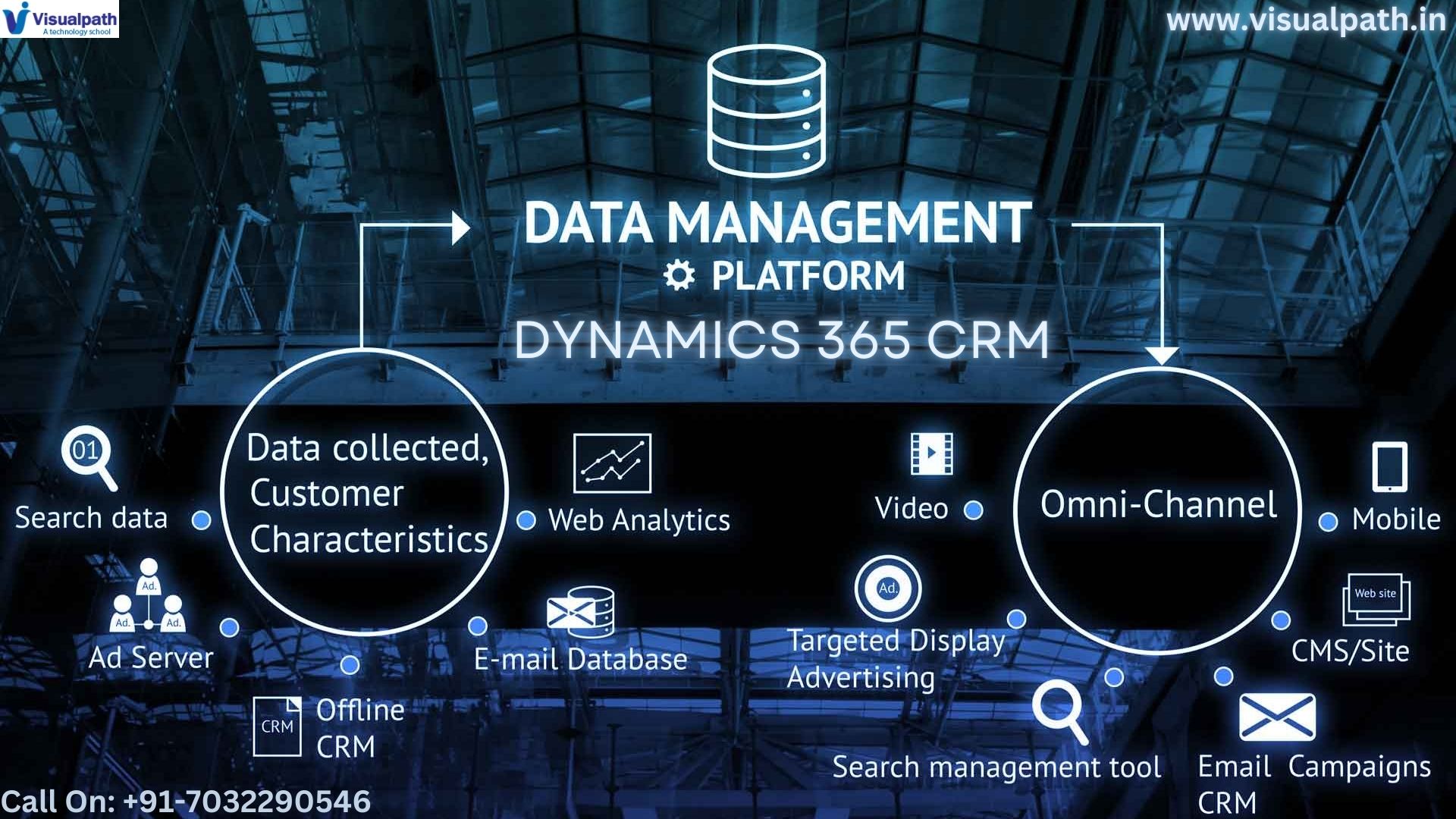
    Efficient Data Management in Dynamics 365 CRM with Power Apps

    Microsoft Dynamics CRM Training (CRM) serves as the backbone for many organizations, housing critical customer data and driving key business processes. However, the inherent flexibility of the Power Platform, specifically Power Apps, can significantly elevate the efficiency of data management within this environment. By leveraging Power Apps, businesses can transcend the limitations of standard CRM functionalities, creating tailored solutions that optimize data handling and empower users.

    Power Apps: A Catalyst for Data Management Excellence:        

    Power Apps, a cornerstone of the Microsoft Power Platform, offers a low-code approach to application development, enabling users to create custom solutions that seamlessly integrate with Dynamics 365. This integration facilitates the creation of bespoke applications that address specific data management needs, leading to increased efficiency and improved data accuracy.

    Key Advantages of Power Apps for Efficient Data Management:

    • Customized Data Entry and User Interfaces: Power Apps allows for the creation of highly tailored data entry forms, catering to specific roles and workflows. This customization minimizes data entry errors and enhances user experience, resulting in improved data quality.
    • Robust Data Validation and Business Logic: Implementing complex data validation rules and business logic within Power Apps ensures data consistency and accuracy. This proactive approach prevents data entry errors and enforces compliance with organizational standards.
    • Dynamic Data Visualization and Reporting: Power Apps facilitates the creation of interactive dashboards and reports, providing real-time insights into Dynamics 365 data. This enables data-driven decision-making and empowers users to monitor key performance indicators (KPIs) effectively.
    • Seamless Data Integration with External Systems: Power Apps seamlessly integrates with diverse data sources, including other Microsoft services and external systems. This consolidation of data from various sources provides a unified view of business operations.
    • Automated Data Workflows for Enhanced Efficiency: Power Apps automates data workflows, such as data entry, validation, and synchronization, reducing manual effort and improving operational efficiency. This automation frees up valuable time for strategic tasks.
    • Mobile Data Accessibility for On-the-Go Productivity: Power Apps enables the development of mobile applications that provide access to Dynamics 365 data, empowering field teams and sales representatives with real-time information.
    • Strengthened Data Governance and Compliance: Microsoft Dynamics CRM Online Training Implementing data governance policies through Power Apps ensures data security, compliance, and consistency, mitigating risks and maintaining data integrity.

    Power Apps Types for Tailored Data Management:

    • Canvas Apps: These apps offer pixel-perfect design capabilities, enabling the creation of highly customized data entry forms, dashboards, and reports.
    • Model-driven Apps: Built on the Dynamics 365 data model, these apps Microsoft Dynamics 365 Training Courses provide a consistent user experience and automate data management tasks efficiently.
    • Portal Apps: These apps facilitate the creation of external-facing websites that provide access to Dynamics 365 data, enabling self-service and partner collaboration.

    Practical Applications of Power Apps in Dynamics 365 Data Management:

    • Custom Lead Management Application: Develop a canvas app that streamlines lead capture and management, tailored to specific sales processes.
    • Mobile Field Data Collection Tool: Create a mobile app that allows field technicians to collect data on-site, capturing real-time information such as equipment readings and customer feedback.
    • Real-time Customer Service Dashboard: Build a model-driven app that provides a comprehensive view of customer service metrics, enabling proactive issue resolution.
    • Automated Data Migration and Validation Flows: Develop Power Automate flows that automate data migration and validation processes, ensuring data integrity.

    Implementing Power Apps for Data Management Success:

    1. Identify Data Management Requirements: Conduct a thorough analysis of data management challenges and opportunities.
    2. Select the Appropriate Power App Type: Choose the most suitable Power App type based on specific requirements and use cases.
    3. Establish Seamless Connectivity to Dynamics 365 Data: Utilize the Dynamics 365 connector to ensure seamless data integration.
    4. Develop and Design the Application: Use the Power Apps studio to create and customize the application.
    5. Conduct Rigorous Testing and Deployment: Perform thorough testing and deploy the application to users.

    Conclusion:

    Power Apps provides a transformative platform for enhancing data management within Microsoft Dynamics CRM Certification. By creating tailored applications that address specific needs, organizations can streamline operations, improve data quality, and gain valuable insights. The ability to customize and automate through the low-code platform makes Power Apps an indispensable tool for maximizing the value of Dynamics 365 investments. Embrace the power of customization and unlock the full potential of your Dynamics 365 data with Power Apps to achieve data management excellence.

    Visualpath is the Leading and Best Software Online Training Institute in Hyderabad. Avail complete Dynamics CRM Online Training Worldwide. You will get the best course at an affordable cost.

    Attend Free Demo

    Call on – +91-7032290546.

    WhatsApp:  https://wa.me/c/917032290546

    Visit: https://www.visualpath.in/online-microsoft-dynamics-crm.html
    Visit Blog: https://visualpathblogs.com/category/microsoft-dynamics-crm-with-powerapps/

  • What is Dynamics 365 Marketing Module?

    What is Dynamics 365 Marketing Module?

    Introduction:

    Microsoft Dynamics 365 Marketing is a powerful marketing automation solution designed to help businesses engage customers more effectively, build stronger relationships, and optimize marketing performance.

    Key Features of Dynamics 365 Marketing:

    Customer Journey Orchestration:

    This feature enables marketers to map out and automate the entire journey a customer might take when interacting with a brand, from the initial awareness stage to post-purchase engagement. With a drag-and-drop interface, marketers can design complex multi-step workflows, incorporating email campaigns, SMS, web interactions, and even personalized content delivery based on customer behavior and preferences. Microsoft Dynamics CRM Training

    Email Marketing and Personalization:

    Email remains one of the most effective marketing channels, and Dynamics 365 Marketing offers an advanced email marketing tool that allows businesses to design visually appealing, responsive emails. Using dynamic content, marketers can personalize these emails based on customer data, such as demographics, behaviors, or preferences, ensuring each recipient gets a message tailored to their specific needs.

    Lead Management and Scoring:

    Effective lead management is essential for any marketing strategy. Dynamics 365 Marketing provides a robust lead management system that tracks potential customers‘ interactions with the business across various channels. Leads are automatically scored based on their engagement with marketing content (e.g., clicking on an email, attending a webinar), helping sales teams prioritize which leads to follow up with.

    Event Management:

    Organizing and managing events, whether in-person or virtual, is streamlined with Dynamics 365 Marketing’s event management feature. Marketers can create, manage, and promote events within the platform, track registrations, and engage with attendees before, during, and after the event. It integrates with webinar platforms like Microsoft Teams or ON24, providing a seamless experience for virtual events. Dynamics 365 Online Training

    Customer Insights and Analytics:

    One of the greatest advantages of Dynamics 365 Marketing is its deep integration with Microsoft’s AI-driven insights and analytics tools. Marketers can track campaign performance in real-time, using customizable dashboards and reporting tools. These insights help refine customer segments, understand which campaigns are driving the best results, and identify areas for improvement.

    Benefits of Dynamics 365 Marketing:

    Seamless Integration with Dynamics 365 Ecosystem:

    Since Dynamics 365 Marketing is part of the larger Dynamics 365 suite, it integrates seamlessly with other modules like Sales, Customer Service, and Field Service. This integration allows marketing, sales, and service teams to collaborate more effectively, ensuring a cohesive customer experience across departments.

    Personalization and Targeted Marketing:

    With robust customer segmentation and journey orchestration capabilities, Dynamics 365 Marketing enables businesses to send highly targeted messages to the right audience. Personalized marketing increases engagement and improves customer satisfaction, ultimately driving better business outcomes.

    Data-Driven Decision Making:

    The advanced analytics and reporting tools embedded within the platform allow marketing teams to base decisions on data. This ensures that marketing strategies are optimized for performance, leading to higher ROI and more efficient campaign management. Dynamics 365 CRM Training

    Conclusion:

    Microsoft Dynamics 365 Marketing is a comprehensive solution designed to help businesses automate and optimize their marketing efforts. By integrating marketing, sales, and service into one unified platform, it ensures businesses can deliver personalized, consistent messaging across all channels.

    Visualpath is the Leading and Best Institute for learning MS Dynamics CRM Online in Ameerpet, Hyderabad. We provide Microsoft Dynamics CRM Online Training Course, you will get the best course at an affordable cost.

    Visit: https://www.visualpath.in/microsoft-dynamics-crm-training.html

    WhatsApp : https://www.whatsapp.com/catalog/919989971070/

  • Dynamic CRM: What is Data Modeling Technique?

    Dynamic CRM: What is Data Modeling Technique?

    Introduction:

    Data modeling is an essential technique in the world of database management, software development, and business intelligence. It serves as a blueprint for how data is structured, stored, and accessed, ensuring that information is organized and optimized for various applications. By creating a visual representation of the data, businesses and developers can better understand the relationships between data entities, streamline processes, and improve decision-making. Microsoft Dynamics CRM Training

    What is Data Modeling?

    Data modeling is the process of creating a visual representation of a system’s data. It provides a structured format for organizing data elements, defining their relationships, and determining how they interact with each other. This is typically done through diagrams or flowcharts, often referred to as data models, that outline how the system’s data will be stored, processed, and managed.

    Types of Data Models:

    There are three primary types of data models, each serving different purposes and stages of system development:

    Conceptual Data Model:

    The conceptual data model is the highest level of abstraction. It provides a big-picture view of the system, focusing on what data is stored and the high-level relationships between entities. This model is often used during the initial stages of a project to discuss business requirements and ensure that the system will meet its objectives. Dynamics CRM Online Training

    Logical Data Model:

    The logical data model dives deeper into the specifics of the system, adding more details about the structure of the data. It defines attributes (properties) of the entities and outlines the relationships between them in more depth. At this stage, the model may begin to specify certain constraints and rules, but it is still not concerned with implementation.

    Physical Data Model:

    The physical data model is the most detailed and technical. It defines how the data will be physically stored in the database. This includes specifying data types (such as integers, strings, or dates), indexing methods, and table structures. Dynamics 365 Online Training

    Data modeling is vital for various reasons:

    Improves Data Quality: By defining the structure and relationships of data, data modeling helps eliminate redundancy, ensure consistency, and enhance data integrity. This leads to higher quality data, which is crucial for accurate reporting and analytics.

    Facilitates Communication: Data models serve as a common language between technical and non-technical stakeholders. They help bridge the gap between business needs and technical implementation, ensuring that everyone has a clear understanding of the system’s data structure.

    Reduces Development Time: A well-thought-out data model can significantly reduce the time it takes to develop a database or software system. By planning data structures upfront, developers can avoid costly redesigns and modifications later in the project. Dynamics 365 CRM Training

    Supports Scalability and Flexibility: Data modeling allows for future expansion by considering how new data elements can be integrated into the system. A scalable model ensures that the system can grow without requiring a complete overhaul.

    Conclusion:

    Data modeling is a powerful technique that serves as the foundation for successful data management and software development. It ensures that information is structured efficiently, allowing businesses to optimize their processes and make better decisions.

    Visualpath is the Leading and Best Institute for learning MS Dynamics CRM Online in Ameerpet, Hyderabad. We provide Microsoft Dynamics CRM Online Training Course, you will get the best course at an affordable cost.

    Visit: https://www.visualpath.in/microsoft-dynamics-crm-training.html

    WhatsApp : https://www.whatsapp.com/catalog/919989971070/

  • What is Administration Role in Dynamics 365?

    What is Administration Role in Dynamics 365?

    Introduction:

    Microsoft Dynamics 365, the administration role plays a crucial part in ensuring the smooth functioning of the system. The Dynamics 365 administrator oversees the configuration, customization, security, and ongoing management of the system, ensuring that it aligns with business goals and requirements. Dynamics 365 CRM Training

    Key Responsibilities of a Dynamics 365 Administrator:

    The Dynamics 365 administrator is responsible for a range of duties that ensure the system’s optimal performance, security, and usability.

    System Configuration and Customization:

    One of the primary responsibilities of a Dynamics 365 administrator is to configure and customize the platform to meet the organization’s specific needs. This includes setting up entities, fields, workflows, and business rules that align with business processes. Administrators can create custom views, forms, and dashboards that help end-users interact with the data in ways that drive productivity. Moreover, administrators are responsible for implementing changes based on evolving business requirements.

    User Management and Security:

    Managing user access and permissions is a critical task for the administrator. Dynamics 365 offers a role-based security model that allows administrators to control what users can view or edit. The administrator assigns security roles, manages teams, and ensures that users have the appropriate permissions based on their job functions. Administrators must regularly audit user activity and permissions to ensure compliance with internal policies and external regulations, such as GDPR. Microsoft Dynamics CRM Training

    Data Management and Integrity:

    Data is at the core of any CRM system, and the administrator ensures that the data within Dynamics 365 remains accurate and clean. This involves setting up data governance policies, ensuring data standardization, and establishing procedures for data import and export. Regular monitoring and data clean-up activities are necessary to avoid issues like duplicate records, outdated information, or incomplete entries.

    Maintenance, Upgrades, and Updates:

    As Microsoft continuously improves Dynamics 365 with updates and new features, it’s the administrator’s job to stay up-to-date with these changes. Administrators must plan and execute updates to ensure system compatibility and avoid disruption to business operations.

    Support and Training for End-Users:

    Dynamics 365 administrators play an essential role in supporting end-users by providing training, creating user guides, and offering solutions to technical problems. A well-trained user base is critical for the successful adoption of Dynamics 365 across the organization. Dynamics 365 Online Training

    Reporting and Analytics:

    Administrators are responsible for setting up and maintaining reports and dashboards that provide real-time insights into business performance. They create meaningful visualizations that help stakeholders understand data trends, track key performance indicators (KPIs), and make informed decisions.

    Importance of the Administration Role:

    The Dynamics 365 administrator is essential to the successful implementation and ongoing use of the system. Without proper administration, organizations risk data mismanagement, security breaches, system inefficiencies, and user frustration. A well-managed Dynamics 365 system can dramatically improve business processes, enable better decision-making, and enhance customer relationships.

    Conclusion:

    The Dynamics 365 administrator plays a pivotal role in maintaining the system’s effectiveness and alignment with business objectives. From system configuration to user management, data integrity, and ongoing support, the administrator ensures that Dynamics 365 operates seamlessly to help businesses thrive.

    Visualpath is the Leading and Best Institute for learning MS Dynamics CRM Online in Ameerpet, Hyderabad. We provide Microsoft Dynamics CRM Online Training Course, you will get the best course at an affordable cost.

    Visit: https://www.visualpath.in/microsoft-dynamics-crm-training.html

    WhatsApp : https://www.whatsapp.com/catalog/919989971070/

  • Exploring the Best Module in Dynamics 365

    Exploring the Best Module in Dynamics 365

    Introduction:

    Microsoft Dynamics 365 is a robust suite of enterprise resource planning (ERP) and customer relationship management (CRM) applications that helps businesses manage various aspects of their operations. Among its numerous modules—each catering to specific business needs—Dynamics 365 Sales stands out as one of the best for organizations focused on driving revenue growth and enhancing customer relationships. Dynamics 365 Online Training

    Why Dynamics 365 Sales Stands Out:

    Dynamics 365 Sales is designed to help businesses streamline their sales processes, improve customer engagement, and drive more revenue. It offers a comprehensive set of tools and features that enable sales teams to manage leads, opportunities, and customer accounts effectively.

    Advanced Lead and Opportunity Management:

    At the core of any successful sales operation is the ability to manage leads and opportunities effectively. Dynamics 365 Sales provides advanced tools for tracking leads from the moment they enter the sales funnel through to conversion. The module allows sales teams to prioritize leads based on scoring models, ensuring that the most promising opportunities receive the attention they deserve.

    Additionally, sales professionals can manage opportunities through a streamlined pipeline, with real-time visibility into the status of each deal. This helps in making informed decisions, forecasting sales, and ensuring that no opportunity slips through the cracks. Microsoft Dynamics CRM Training

    Enhanced Customer Insights:

    Dynamics 365 Sales leverages the power of AI and machine learning to provide sales teams with deep customer insights. By analyzing customer data from various sources, the module can predict customer behavior, identify potential upsell or cross-sell opportunities, and recommend the next best actions.

    These insights are crucial for personalizing customer interactions, building stronger relationships, and ultimately closing more deals. Sales teams can tailor their approach based on data-driven insights, leading to higher customer satisfaction and loyalty.

    Seamless Integration with Other Microsoft Tools:

    One of the significant advantages of Dynamics 365 Sales is its seamless integration with other Microsoft tools, such as Outlook, Teams, and LinkedIn Sales Navigator. This integration allows sales professionals to work within familiar environments, increasing productivity and collaboration.

    For instance, sales teams can track emails, schedule appointments, and manage customer interactions directly from Outlook. The integration with LinkedIn Sales Navigator provides valuable insights into customer connections and networks, helping sales teams to identify new leads and build stronger relationships.

    Sales Process Automation:

    Automation is a key feature of Dynamics 365 Sales, allowing businesses to streamline repetitive tasks and free up time for more strategic activities. The module offers a range of automation capabilities, including workflow automation, automated lead scoring, and AI-driven recommendations.

    By automating routine tasks, sales teams can focus on what they do best—selling. Automation also ensures consistency in sales processes, reducing the risk of errors and improving overall efficiency. Dynamics 365 CRM Training

    Real-Time Collaboration and Mobility:

    In today’s fast-paced business environment, sales teams need to collaborate and access information in real time, regardless of their location. Dynamics 365 Sales supports real-time collaboration through Microsoft Teams, enabling sales professionals to communicate, share files, and collaborate on deals seamlessly.

    The module also offers mobile access, allowing sales teams to stay connected and productive on the go. Whether in the office, at a client meeting, or on the road, sales professionals can access critical information, update records, and close deals from their mobile devices.

    Conclusion:

    Dynamics 365 Sales is a powerful module that stands out for its ability to drive sales performance and enhance customer relationships. With advanced lead and opportunity management, enhanced customer insights, seamless integration with other Microsoft tools, robust automation features, and real-time collaboration capabilities, it is an essential tool for any business looking to maximize its sales potential.

    Visualpath is the Leading and Best Institute for learning MS Dynamics CRM Online in Ameerpet, Hyderabad. We provide Microsoft Dynamics CRM Online Training Course, you will get the best course at an affordable cost.

    Visit : https://www.visualpath.in/microsoft-dynamics-crm-training.html

    WhatsApp : https://www.whatsapp.com/catalog/919989971070/

  • What are the 4 Pillars of Microsoft 365 Integrated Security?

    What are the 4 Pillars of Microsoft 365 Integrated Security?

    Introduction:

    Microsoft 365 has emerged as one of the leading solutions, offering a suite of tools that enable productivity, collaboration, and communication. However, with the rise of cyber threats, ensuring the security of these platforms is paramount. Microsoft Dynamics CRM Training

    Identity and Access Management:

    The first pillar of Microsoft 365 integrated security is Identity and Access Management (IAM). In a digital ecosystem, identities are the new security perimeter. Managing who has access to what resources and ensuring that only the right people have access to the right data at the right time is crucial.

    Tools like Azure Active Directory (Azure AD) enable organizations to manage user identities and control access to applications, devices, and data. Multi-Factor Authentication (MFA) adds an extra layer of security by requiring users to verify their identity through additional means, such as a phone number or biometric scan, in addition to a password.

    Threat Protection:

    The second pillar, Threat Protection, focuses on identifying, detecting, and mitigating threats before they can cause harm. With the ever-evolving landscape of cyber threats, businesses need a proactive approach to threat management.

    Microsoft 365 offers advanced threat protection tools like Microsoft Defender for Office 365, which provides protection against phishing, malware, and other sophisticated threats. By leveraging machine learning and AI, Defender can detect and block threats in real-time, providing organizations with a robust defense mechanism. Dynamics 365 CRM Training Course

    Information Protection:

    The third pillar, Information Protection, revolves around safeguarding sensitive data. In an age where data is a valuable asset, protecting it from unauthorized access and leakage is crucial.

    Microsoft 365’s information protection framework includes tools like Azure Information Protection (AIP) and Microsoft Purview (formerly known as Microsoft Information Protection). These tools enable organizations to classify, label, and protect sensitive data. Labels can be applied manually or automatically based on predefined policies, ensuring that sensitive information is always protected, regardless of where it is stored or shared.

    Data Loss Prevention (DLP) policies further help by preventing the accidental sharing of sensitive information. DLP policies can be applied across Microsoft 365 applications, ensuring consistent protection of data across the platform.

    Security Management:

    The final pillar is Security Management. This pillar ensures that security policies are effectively managed, monitored, and continuously improved. Security management is the backbone of a robust security posture, providing organizations with the tools and insights needed to maintain a secure environment. Dynamics 365 Online Training

    Microsoft 365 Security Center and Microsoft 365 Compliance Center offer centralized dashboards for monitoring security and compliance across the organization. These tools provide actionable insights, enabling security teams to identify vulnerabilities, monitor security activities, and respond to incidents in real-time.

    Conclusion:

    In conclusion, Microsoft 365’s integrated security approach is built on four fundamental pillars: Identity and Access Management, Threat Protection, Information Protection, and Security Management. Together, these pillars provide a comprehensive security framework that helps organizations safeguard their digital environments.

    Visualpath is the Leading and Best Institute for learning MS Dynamics CRM Online in Ameerpet, Hyderabad. We provide Microsoft Dynamics CRM Online Training Course, you will get the best course at an affordable cost.

    Visit : https://www.visualpath.in/microsoft-dynamics-crm-training.html

    WhatsApp : https://www.whatsapp.com/catalog/919989971070/

  • What are the Types of Solutions in Dynamics 365?

    What are the Types of Solutions in Dynamics 365?

    Introduction:

    Microsoft Dynamics 365 is a comprehensive suite of business applications designed to help organizations manage various aspects of their operations, from customer relationships to enterprise resource planning (ERP). One of the core features that make Dynamics 365 so versatile is its ability to be customized and extended through the use of solutions. MS Dynamics CRM Training

    Types of Solutions in Dynamics 365:

    In Dynamics 365, solutions are categorized into three main types: Managed Solutions, Unmanaged Solutions, and Default Solutions. Each type serves a unique purpose and has specific use cases, depending on the stage of development, deployment, and management of customizations.

    Managed Solutions:

    Managed Solutions are completed packages that are intended for distribution and deployment. Once a managed solution is installed in an environment, the components within it are locked, meaning they cannot be modified directly.

    Use Cases: Managed solutions are typically used when a solution is ready for production deployment, whether it’s developed internally or by third-party vendors. They are often used in scenarios where the solution needs to be distributed to multiple environments or clients. Dynamics 365 Online Training

    Advantages: The primary advantage of managed solutions is their controlled deployment. They ensure that customizations are applied consistently across environments and reduce the risk of accidental modifications. Managed solutions also allow for versioning and can be uninstalled cleanly, removing all associated components.

    Limitations: The main limitation is the lack of flexibility in making changes to the solution once it’s deployed. Any updates or modifications must be done in the source (unmanaged) solution and then re-exported and re-imported as a new managed solution.

    Unmanaged Solutions:

    Unmanaged Solutions are used during the development and customization phase. Unlike managed solutions, the components within an unmanaged solution can be modified, deleted, or extended at any time. This flexibility makes unmanaged solutions ideal for development environments where iterative changes and testing are common. Microsoft Dynamics CRM Training

    Use Cases: Unmanaged solutions are primarily used in development and testing environments where ongoing customization and refinement are necessary. They allow developers to freely experiment with and adjust components before finalizing the solution.

    Advantages: The main advantage of unmanaged solutions is their flexibility. Developers can continuously modify and improve components without restrictions, making them ideal for environments where customizations are still evolving.

    Default Solution:

    The Default Solution is a special solution that includes all components and customizations within a Dynamics 365 environment. It is essentially the “master” solution that houses all the entities, processes, and configurations for the environment. Dynamics 365 CRM Training

    Use Cases: The default solution is often used by developers and system administrators to view and manage all components within an environment. It’s useful for troubleshooting or when working directly with system components.

    Advantages: The primary advantage of the default solution is its comprehensiveness. It provides access to every component in the environment, making it a powerful tool for managing and understanding the full scope of customizations.

    Conclusion:

    Solutions in Dynamics 365 play a critical role in customizing and extending the platform to meet specific business needs. By understanding the differences between managed solutions, unmanaged solutions, and the default solution, organizations can better manage their development processes, ensure stable deployments, and maintain control over their environments.

    Visualpath is the Leading and Best Institute for learning MS Dynamics CRM Online in Ameerpet, Hyderabad. We provide Microsoft Dynamics CRM Online Training Course, you will get the best course at an affordable cost.

    Visit : https://www.visualpath.in/microsoft-dynamics-crm-training.html

    WhatsApp : https://www.whatsapp.com/catalog/919989971070/

  • What is Microsoft Dynamics 365 Security Role?

    What is Microsoft Dynamics 365 Security Role?

    Introduction:

    Microsoft Dynamics 365 is a powerful platform that integrates enterprise resource planning (ERP) and customer relationship management (CRM) functionalities. It is widely used by businesses to manage their operations, sales, customer service, and other key functions.

    What Are Security Roles in Dynamics 365?

    Security roles in Microsoft Dynamics 365 are a fundamental part of the platform’s security framework. These roles are predefined or custom roles that control a user’s access to data and functionalities within the system. Each role is associated with a set of privileges that determine what a user can see and do in the system. Dynamics 365 Online Training

    Importance of Role-Based Security:

    Protect Sensitive Data: Security roles help prevent unauthorized access to sensitive business data. This is particularly important in industries such as healthcare, finance, and legal services, where data confidentiality is paramount.

    Ensure Compliance: Many industries are subject to strict regulatory requirements that mandate data protection and privacy. Security roles in Dynamics 365 help organizations comply with these regulations by controlling who can access specific data and perform certain actions.

    Improve Operational Efficiency: By restricting access to only the necessary data and functionalities, security roles reduce the likelihood of errors and misuse of the system. Dynamics 365 CRM Training

    Facilitate Auditing and Monitoring: With clearly defined roles and permissions, it becomes easier to audit user actions within the system. This helps in identifying and addressing any unauthorized activities quickly.

    Components of a Security Role:

    Privileges: These define the level of access a user has to different types of records in the system. Privileges are categorized into different access levels, such as read, write, create, delete, and share. Each privilege can be applied to various entities within Dynamics 365, such as accounts, contacts, or custom entities. MS Dynamics CRM Training

    Access Levels: Access levels determine the scope of a user’s privileges. The levels typically include User, Business Unit, Parent: Child Business Unit, and Organization. For instance, a user with read access at the Business Unit level can view records within their business unit but not in others.

    Roles and Teams: Security roles can be assigned to individual users or teams. Assigning roles to teams is a powerful way to manage access in large organizations, as it simplifies the process of managing permissions across multiple users.

    Hierarchy Security: Dynamics 365 also supports hierarchical security, which allows organizations to create security models based on the organizational hierarchy. This means that managers can have access to data that their subordinates can access, providing an additional layer of security.

    Customizing Security Roles:

    One of the strengths of Dynamics 365 is its flexibility in allowing organizations to customize security roles to meet their specific needs. While the platform comes with several predefined roles, organizations can create custom roles tailored to their unique requirements.

    Conclusion:

    Security roles in Microsoft Dynamics 365 play a vital role in safeguarding an organization’s data and ensuring that users have appropriate access to the system’s features and functionalities. By implementing well-defined security roles, businesses can protect sensitive information, ensure compliance with industry regulations, and optimize their operations.

    Visualpath is the Leading and Best Institute for learning MS Dynamics CRM Online in Ameerpet, Hyderabad. We provide Microsoft Dynamics CRM Online Training Course, you will get the best course at an affordable cost.

    Visit : https://www.visualpath.in/microsoft-dynamics-crm-training.html

    WhatsApp : https://www.whatsapp.com/catalog/919989971070/

  • What is Customization in D365?

    What is Customization in D365?

    Introduction:

    Dynamics 365 (D365) by Microsoft is a comprehensive suite of business applications that combines Customer Relationship Management (CRM) and Enterprise Resource Planning (ERP) capabilities. It provides organizations with the tools they need to manage sales, customer service, finance, operations, and more, all within a single, unified platform. Microsoft Dynamics CRM Training

    Importance of Customization:

    Customization is essential for businesses looking to maximize the value of their D365 implementation. It ensures that the system aligns perfectly with business processes, enhancing efficiency, user adoption, and overall productivity. Customization can range from simple adjustments in the user interface to more complex modifications involving workflows and integrations with other systems.

    Customization vs. Configuration:

    Before diving into customization, it’s crucial to understand the difference between customization and configuration. Configuration involves setting up the system using built-in tools and features, such as modifying dashboards, creating custom views, and adjusting security roles. Customization, on the other hand, goes beyond configuration to include more advanced modifications, such as creating custom entities, fields, and business rules.

    Key Areas of Customization in D365:

    Custom Entities and Fields:

    Custom entities and fields are fundamental to tailoring D365 to meet specific business needs. Entities represent data records, such as customers or sales orders, while fields store individual pieces of data within those records. By creating custom entities and fields, businesses can capture and manage data that is unique to their operations. Dynamics 365 Online Training Course

    For example, a healthcare organization might create a custom entity for patient records with fields for medical history, treatment plans, and appointment schedules. This customization ensures that all relevant information is easily accessible and organized within the D365 system.

    Business Rules and Workflows:

    Business rules and workflows automate processes and enforce business logic within D365. Business rules are simple, condition-based statements that can be applied to forms, while workflows are more complex and can span multiple entities and processes.

    For instance, a business rule might automatically set the priority level of a customer support ticket based on the customer’s status, while a workflow could automate the approval process for a sales discount. These customizations streamline operations, reduce manual effort, and ensure consistency across the organization.

    Forms and Views:

    Customizing forms and views in D365 enhances the user experience by presenting data in a way that is intuitive and relevant. Forms are used to enter and display data for individual records, while views provide a list of records based on specific criteria. Dynamics 365 CRM Training Course

    Organizations can customize forms to include only the necessary fields and arrange them in a logical order. Views can be tailored to display records that meet certain conditions, such as open sales opportunities or overdue invoices. These customizations help users find and interact with data more efficiently.

    Dashboards and Reports:

    Dashboards and reports in D365 provide valuable insights into business performance. Customizing these elements allows organizations to track key performance indicators (KPIs) and generate reports that reflect their unique metrics and goals.

    A sales manager, for example, might customize a dashboard to display real-time sales data, including pipeline value, win rates, and top-performing sales representatives. Custom reports can be created to analyze trends, forecast future sales, and measure the effectiveness of marketing campaigns.

    Conclusion:

    Customization in Dynamics 365 is a powerful way to ensure that the platform meets the specific needs of your organization. By creating custom entities, fields, business rules, forms, views, dashboards, and reports, businesses can enhance user experience, streamline operations, and gain deeper insights into their performance.

    Visualpath is the Leading and Best Institute for learning MS Dynamics CRM Online in Ameerpet, Hyderabad. We provide Microsoft Dynamics CRM Online Training Course, you will get the best course at an affordable cost.

    Call on – +91-9989971070

    Visit : https://www.visualpath.in/microsoft-dynamics-crm-training.html

    WhatsApp : https://www.whatsapp.com/catalog/917032290546/