Tag: GCP DevOps Online Training in Ameerpet

  • GCP DevOps: Key Strategies for Effective Cloud Delivery

    GCP DevOps: Key Strategies for Effective Cloud Delivery

    Key strategies in GCP DevOps are essential for ensuring a seamless, efficient, and agile cloud delivery pipeline. As businesses increasingly adopt Google Cloud Platform (GCP) for their cloud infrastructure, implementing the right DevOps practices becomes crucial for optimizing workflows, increasing automation, and scaling services efficiently. GCP DevOps integrates development and operations, allowing teams to collaborate more effectively, automate tasks, and improve the quality of applications. In this article, we’ll explore key strategies for achieving effective cloud delivery through GCP DevOps, along with the benefits of GCP DevOps Certification Training.

    Automating Infrastructure with GCP DevOps

    One of the core principles of GCP DevOps is automation. Teams can save time and lower the risk of errors by automating repetitive operations like infrastructure provisioning, deployment, and monitoring. GCP offers various tools like Google Kubernetes Engine (GKE), Cloud Functions, and Cloud Deployment Manager, which facilitate infrastructure as code (IaC). These tools enable teams to automate the deployment of applications and resources, making the process more consistent and predictable. This automation streamlines cloud delivery and helps maintain a high level of scalability, crucial for businesses that are growing rapidly or experiencing fluctuating workloads. Through GCP DevOps Training, teams gain the skills necessary to implement automation techniques effectively.

    Continuous Integration and Continuous Deployment (CI/CD)

    Implementing a robust CI/CD pipeline is another key strategy in GCP DevOps. CI/CD is essential for ensuring that code is continuously integrated, tested, and deployed into production without disruptions. With tools such as Cloud Build, Cloud Source Repositories, and Cloud Pub/Sub, development teams can create a pipeline that automates the entire software lifecycle—from code commits to deployment.

    The benefits of CI/CD in GCP DevOps are numerous. First, it enhances the speed of software delivery, allowing teams to release updates quickly. Second, it reduces human errors during the deployment process and ensures that only tested and approved code reaches the production environment. The more effective your CI/CD pipeline is, the more agile your cloud delivery process will become.

    Managing Cloud Infrastructure with GCP Tools

    Effective cloud delivery also involves managing the infrastructure efficiently. GCP provides several tools for monitoring, logging, and troubleshooting applications and resources in real-time. Cloud Monitoring and Cloud Logging are vital to keeping track of application performance and identifying potential bottlenecks. Moreover, Stackdriver offers integrated diagnostics, which enables teams to quickly troubleshoot and resolve issues in their applications. By using GCP DevOps Online Training, teams can master these tools and ensure they are effectively managing cloud infrastructure.

    Teams may proactively detect and fix problems with cloud infrastructure before they have an impact on consumers by doing ongoing monitoring. It’s important to set up alerts for critical thresholds, such as CPU usage or memory consumption, to ensure a smooth cloud experience.

    Enhancing Collaboration and Communication

    Another key strategy for effective cloud delivery in GCP DevOps is fostering a culture of collaboration between development and operations teams. DevOps isn’t just about tools and automation; it’s about transforming the way teams work together. Implementing collaborative platforms like Google Chat or Google Meet can enhance communication, enabling faster problem-solving and decision-making.

    Organizations can increase efficiency by dismantling the silos that separate operations and development. Cross-functional teams can address issues quickly, which speeds up the cloud delivery process.

    Optimizing Cost Management in GCP DevOps

    An essential component of effectively managing cloud services is cost optimization. GCP DevOps teams must focus on cost management to ensure that cloud resources are being used effectively and within budget. GCP provides tools like Google Cloud Cost Management, Cloud Billing Reports, and Cloud Monitoring to track resource usage and cost. By analyzing cost data, teams can identify opportunities to reduce waste, optimize resource allocation, and implement strategies for better cost efficiency.

    Incorporating cost monitoring into the DevOps pipeline enables teams to make informed decisions and ensure that cloud resources are allocated according to business needs without unnecessary spending. This proactive approach to cost management leads to more sustainable cloud operations and better alignment with business goals.

    Conclusion

    The effective delivery of cloud services using the Key strategies of GCP DevOps requires the right combination of automation, collaboration, continuous integration, and cost management. By leveraging the powerful tools and strategies offered by Google Cloud, your organization can achieve a more efficient and scalable cloud environment. Investing in GCP DevOps certification and training can further enhance your team’s ability to implement these strategies successfully, ensuring that your cloud projects run smoothly and deliver exceptional results.

    Trending Courses: MLOpsDevOps, and Azure DevOps

  • Advanced GCP DevOps for Cloud Engineers

    Advanced GCP DevOps for Cloud Engineers

    Advanced GCP DevOps represents the next level of cloud operations and development using Google Cloud Platform’s powerful tools and services. It involves leveraging automation, infrastructure as code, continuous integration/continuous delivery (CI/CD), monitoring, and security to build, deploy, and maintain scalable cloud applications efficiently.

    For professionals looking to master these skills, enrolling in GCP DevOps Certification Training is an excellent way to validate their expertise and gain hands-on experience with advanced DevOps practices on Google Cloud.

    Key Characteristics of Advanced GCP DevOps

    1. Infrastructure as Code (IaC): Using tools like Terraform and Google Cloud Deployment Manager, cloud engineers automate the provisioning and management of infrastructure, ensuring repeatability and reducing manual errors.
    2. CI/CD Pipelines: Advanced GCP DevOps integrates CI/CD pipelines with tools such as Cloud Build, Jenkins, and Spinnaker to automate testing, building, and deploying applications, enabling rapid and reliable releases.
    3. Containerization and Orchestration: Emphasizing the use of Docker containers managed via Google Kubernetes Engine (GKE) for scalable and portable application deployments.
    4. Automated Monitoring and Logging: Utilizing Google Cloud’s operations suite (formerly Stackdriver) for real-time monitoring, logging, and alerting to proactively manage application health and performance.
    5. Security and Compliance: Embedding security best practices into the DevOps lifecycle with tools like Google Cloud IAM, Security Command Center, and automated policy enforcement.
    6. Cost Optimization: Employing automated tools and strategies to monitor and optimize cloud resource usage and spending.
    7. Collaboration and Agile Practices: Fostering strong collaboration between development, operations, and security teams with shared tools and processes to accelerate delivery cycles.

    Deep Dive into Advanced GCP DevOps for Cloud Engineers

    For cloud engineers working in modern enterprises, mastering advanced GCP DevOps practices is crucial to effectively manage cloud-native applications and infrastructure. To achieve this, many professionals pursue specialized GCP DevOps Training that covers real-world scenarios and best practices for managing production-grade environments.

    Infrastructure as Code (IaC) on GCP

    IaC allows engineers to define cloud resources declaratively. With Terraform or Google Cloud Deployment Manager, infrastructure definitions are stored in version control systems like Git. This brings consistency, versioning, and automation to provisioning compute instances, networking, storage, and other resources. Engineers can spin up entire environments with a single command, improving agility and reducing human error.

    Building Robust CI/CD Pipelines

    Continuous Integration and Continuous Delivery pipelines are the backbone of advanced DevOps. Using Google Cloud Build or Jenkins integrated with GCP, engineers automate the entire software delivery pipeline from code commit to production deployment. Automated testing ensures code quality, while canary deployments and blue-green releases minimize downtime and risk.

    Cloud Build integrates seamlessly with GCP services and container registries, enabling fast and secure builds. For complex deployments, tools like Spinnaker help manage multi-cloud release strategies.

    Containerization and Kubernetes Orchestration

    Containerization with Docker ensures applications run consistently across environments. Google Kubernetes Engine (GKE) provides a managed Kubernetes platform to orchestrate container deployments. Engineers can deploy microservices with scalability and high availability, taking advantage of features like auto-scaling, rolling updates, and self-healing clusters.

    Advanced GCP DevOps engineers use Helm charts and Kubernetes Operators for managing complex applications and infrastructure components declaratively.

    Monitoring, Logging, and Alerting

    Monitoring is critical in production environments. Google Cloud’s operations suite offers metrics, logs, and tracing to help engineers understand application health and diagnose issues quickly. Automated alerts based on thresholds or anomaly detection notify teams before problems impact users.

    This observability also feeds into continuous improvement, enabling root cause analysis and performance optimization.

    Security Integration

    Security in DevOps (DevSecOps) is a priority. GCP provides fine-grained Identity and Access Management (IAM) to enforce least privilege access. Security Command Center helps identify vulnerabilities and misconfigurations proactively.

    Automated policy enforcement through Infrastructure as Code scanning and runtime security monitoring ensures compliance without slowing down development.

    Cost Management

    Cloud costs can escalate quickly without proper governance. Advanced DevOps on GCP includes cost monitoring tools and automation to shut down unused resources, optimize reserved instances, and recommend cost-saving changes, helping organizations stay within budget while scaling.

    Collaboration and Agile Delivery

    Finally, advanced GCP DevOps encourages a culture of collaboration between development, operations, and security teams. Using shared dashboards, automated workflows, and chatOps tools, teams maintain high velocity and quality in releases.

    Conclusion

    AdvancedGCP DevOps is a comprehensive approach that empowers cloud engineers to automate, secure, monitor, and optimize cloud infrastructure and application delivery on Google Cloud Platform. By mastering infrastructure as code, CI/CD pipelines, container orchestration, and integrated security, engineers enable faster, safer, and more cost-effective cloud solutions.

    Trending Courses: MLOpsDevOps, and Azure DevOps

  • What Is GCP DevOps and How Does It Work?

    What Is GCP DevOps and How Does It Work?

    GCP DevOps comes into the picture. GCP DevOps combines the power of Google Cloud Platform with DevOps practices to streamline software development, deployment, and operations. But what is GCP DevOps, and how does it work? Let’s dive into the details.

    DevOps is a cultural and technical movement designed to link development teams with IT operations teams. It emphasizes automation, continuous integration/continuous delivery (CI/CD), monitoring, and collaboration to achieve faster and more dependable software releases. When integrated with Google Cloud Platform, a comprehensive cloud services provider, DevOps practices become highly scalable and efficient. For those interested in mastering this field, GCP DevOps Certification Training offers a structured path to understand these technologies and best practices deeply.

    Core Components of GCP DevOps

    GCP provides a rich set of tools designed to facilitate the DevOps lifecycle, including:

    • Google Kubernetes Engine: GKE provides a managed Kubernetes service for container orchestration, allowing teams to deploy, manage, and scale containerized applications with ease.
    • Cloud Build: This service automates building, testing, and deployment processes, simplifying the implementation of CI/CD pipelines.
    • Cloud Source Repositories: A private Git repository service integrated within GCP, providing source code management with seamless integration.
    • Stackdriver (now integrated into Google Cloud Operations Suite): Provides monitoring, logging, and diagnostic services for applications and infrastructure to help sustain system health and performance.
    • Cloud Deployment Manager: Infrastructure as code (IaC) tool for automating the creation and management of GCP resources.

    By leveraging these tools, GCP DevOps teams can automate repetitive tasks, reduce manual errors, and deliver software faster. The automation pipelines built with Cloud Build and GKE enable continuous integration and delivery, while monitoring tools ensure applications run smoothly in production.

    How Does GCP DevOps Work?

    The typical GCP DevOps workflow begins with source code management in Cloud Source Repositories or third-party Git providers like GitHub. Developers commit code changes, which trigger automated builds and tests in Cloud Build. Once tests pass successfully, the code is deployed automatically to a GKE cluster or App Engine for production.

    This continuous integration and continuous delivery (CI/CD) pipeline reduces the feedback loop, allowing developers to detect issues early and deploy updates rapidly. Furthermore, Stackdriver’s monitoring and logging capabilities enable teams to keep tabs on application performance and address issues before they escalate.

    Implementing infrastructure as code with Cloud Deployment Manager ensures consistent and repeatable resource provisioning, reducing configuration drift and manual errors. The whole process fosters teamwork among development, operations, and security teams, embodying the essence of DevOps culture.

    For professionals looking to gain practical knowledge and hands-on experience, GCP DevOps Training offers comprehensive courses covering these workflows, tools, and best practices to become proficient in managing cloud-native DevOps pipelines on Google Cloud.

    Benefits of Using GCP DevOps

    1. Scalability: Google Cloud’s infrastructure scales dynamically to meet varying workloads without manual intervention.
    2. Automation: End-to-end automation from code commit to deployment reduces human errors and speeds up delivery.
    3. Reliability: Real-time monitoring and alerting ensure applications remain stable and issues are resolved quickly.
    4. Cost Efficiency: Pay-as-you-go pricing and optimized resource usage help control costs.
    5. Security: Integration of security checks and policies within the CI/CD pipeline enhances compliance and risk management.

    Getting Started with GCP DevOps

    For organizations or individuals eager to implement or specialize in this approach, enrolling in GCP DevOps Online Training can be a game changer. These courses provide a flexible learning path to understand cloud fundamentals, containerization, CI/CD pipeline design, infrastructure automation, and monitoring on GCP.

    As the demand for cloud-based DevOps expertise grows, certified professionals with hands-on experience in GCP DevOps stand out in the job market. Continuous learning through online training and certification programs helps stay updated with evolving tools and practices.

    Conclusion

    GCP DevOps combines the robust capabilities of Google Cloud Platform with DevOps methodologies to streamline software development and delivery while ensuring high standards of quality and security. By automating processes such as building, testing, deploying, and monitoring, teams can accelerate innovation and quickly adapt to changing customer requirements. Whether you work in development, operations, or cloud management, building skills in this area is crucial for thriving in today’s dynamic, cloud-centric landscape.

    Trending Courses: MLOpsDevOps, and Azure DevOps

  • What Are the Core Tools in GCP DevOps?

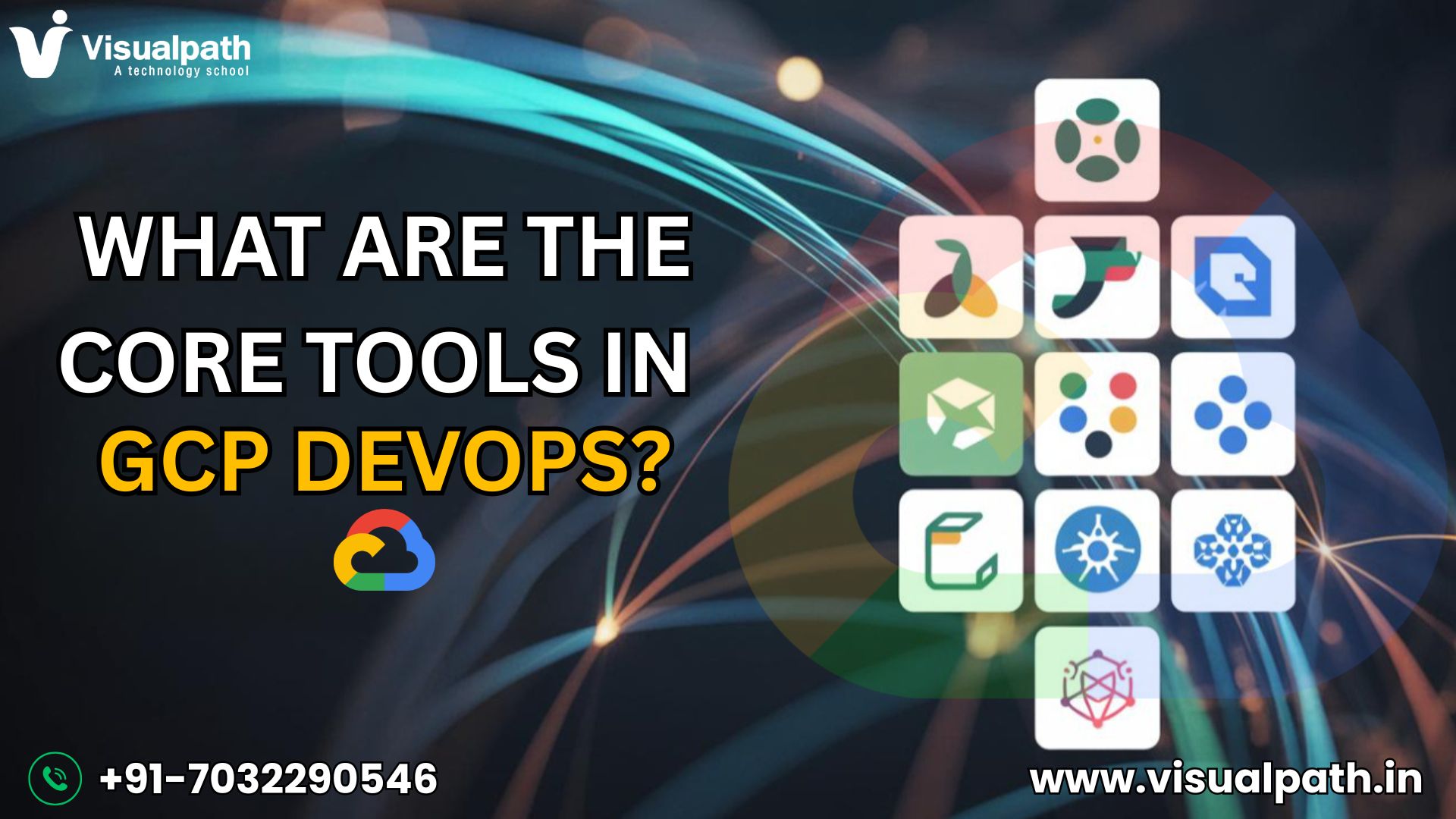
    What Are the Core Tools in GCP DevOps?

    Tools in GCP DevOps play a vital role in automating and managing modern cloud-native applications. These tools make it easier all aspects of code integration, testing, deployment, and monitoring. For anyone looking to streamline development and operations, understanding these tools is a foundational step. Many professionals begin this journey with GCP DevOps Training, which offers structured learning in how to use these tools effectively in real-world projects.

    Below are some of the core tools that make up a robust GCP DevOps pipeline:

    1. Cloud Build

    Cloud Build is Google Cloud’s CI/CD service. You can build, test, and deploy code directly from repositories like GitHub or Cloud Source Repositories. It supports custom workflows and integrates easily with other GCP services, making it a cornerstone of DevOps automation.

    2. Google Kubernetes Engine (GKE)

    GKE offers a managed setting for the deployment of containerized applications. It handles tasks such as provisioning clusters, managing node pools, and scaling workloads. GKE is critical for teams adopting microservices architecture and is often taught in GCP DevOps Online Training programs as a key deployment platform.

    3. Artifact Registry

    This is the consolidated repository of GCP for handling container images and language packages. It allows for secure, scalable storage and integrates seamlessly with Cloud Build and GKE. Artifact Registry supports fine-grained IAM roles, helping ensure secure access across your pipeline.

    4. Cloud Source Repositories

    These are Git repositories with full features and scalability, hosted on Google Cloud. They integrate with Cloud Build and Cloud Functions, enabling developers to trigger builds and automation directly from code commits.

    5. Cloud Monitoring and Logging

    Operations Suite (formerly Stackdriver) provides real-time performance and health monitoring for GCP services and applications. With its integration into other GCP tools, you can easily set up alerts, dashboards, and log-based metrics for visibility and troubleshooting.

    6. Cloud Functions

    With Cloud Functions, developers can execute code that is triggered by events without the need to manage servers. They’re ideal for automating lightweight tasks such as sending notifications, transforming data, or invoking deployment pipelines based on triggers.

    Why These Tools Matter

    These tools collectively support continuous integration, delivery, and operations—all pillars of a successful DevOps practice. By combining them, teams can build pipelines that are fast, reliable, and secure. Each tool is modular, allowing flexibility in how you design and scale your workflows.

    Conclusion

    Understanding and using these core GCP DevOps tools empowers teams to automate their entire development lifecycle, from code to deployment to monitoring. As cloud infrastructure becomes more complex, mastering these tools ensures agility and operational efficiency. If you’re looking to advance your skills and lead DevOps initiatives in the cloud, investing in GCP DevOps Training can give you the competitive edge needed in today’s tech-driven world.

    Trending Courses: MLOpsDevOps, and Azure DevOps

  • GCP DevOps: Cloud Functions for Automation

    GCP DevOps: Cloud Functions for Automation

    GCP DevOps: Cloud Functions for Automation explores how serverless computing, especially Google Cloud Functions, simplifies and streamlines automation in a DevOps environment. With Cloud Functions, developers can execute code in response to events without needing to manage servers. This results in faster deployment cycles, less manual intervention, and enhanced scalability in cloud-native workflows.

    For professionals looking to gain hands-on experience in building such automated solutions, GCP DevOps Training offers a practical and structured learning path to mastering Cloud Functions and related tools in real-world scenarios.

    What Are Cloud Functions?

    Google Cloud Functions is a serverless compute service that executes small pieces of code—known as functions—in reaction to particular events. These events can come from a variety of sources such as HTTP requests, Pub/Sub messages, Cloud Storage changes, or Firebase triggers. Cloud Functions are perfect for executing targeted pieces of business logic without having to provision or manage infrastructure.

    Deploying a function is simple using the gcloud CLI or Cloud Console, and once connected to an event trigger, it becomes an efficient way to automate tasks within any GCP DevOps pipeline.

    Key Benefits of Using Cloud Functions in DevOps

    1. Event-Driven Automation
    Cloud Functions can automatically respond to specific system events. For example, a function can run tests when new code is pushed, or process a file when it’s uploaded to Cloud Storage.

    2. Cost-Effective Scalability
    Payment is required only for the compute time utilized by your function. Combined with automatic scaling, this makes Cloud Functions ideal for short-lived, infrequent tasks commonly found in DevOps workflows.

    3. Fast Deployment and Simplicity
    Because functions are small and modular, they are quick to build, test, and deploy. This allows teams to integrate updates and fixes rapidly without touching the broader application.

    4. Built-in Monitoring and Logging
    Cloud Functions integrate directly with Cloud Logging and Cloud Monitoring, making it easy to track performance, debug issues, and maintain visibility across your CI/CD pipelines.

    A high-quality GCP DevOps Online Training program covers these advantages in depth, teaching learners how to apply Cloud Functions for everything from build automation to incident response.

    DevOps Automation Use Cases with Cloud Functions

    1. CI/CD Integration
    Trigger builds and deployments using Cloud Functions when new code is pushed to GitHub or Cloud Source Repositories. Functions can call Cloud Build to kick off automated pipelines without manual intervention.

    2. Infrastructure Automation
    Monitor events using Pub/Sub and respond with Cloud Functions. For example, when a new VM is created or a storage bucket is modified, a function can automatically adjust configurations or notify team members.

    3. Automated Incident Response
    Cloud Functions can send alerts to tools like Slack, create tickets in Jira, or even restart failing services automatically, helping reduce downtime and improve system reliability.

    4. Security Automation
    Security policies can be enforced using functions. Examples include scanning for exposed secrets in source code or validating IAM roles when new services are deployed.

    By integrating Cloud Functions into DevOps strategies, teams can create highly reactive, scalable, and efficient workflows aligned with modern cloud-native standards.

    Whether you’re a cloud engineer, DevOps professional, or software developer, learning how to harness Cloud Functions through GCP DevOps Online Training will empower you to automate with precision and confidence.

    Conclusion

    GCP DevOps:Cloud Functions for Automation emphasizes the transformation of DevOps practices by serverless, event-driven tools such as Google Cloud Functions. From enabling CI/CD workflows to enforcing security and automating infrastructure, Cloud Functions help teams move faster and smarter. As DevOps evolves, staying current with the right skills is critical. Enrolling in GCP DevOps Training ensures you’re well-prepared to build, deploy, and manage modern cloud automation effectively.

    Trending Courses: MLOpsDevOps, and Azure DevOps

  • GCP DevOps: Automate Everything with Cloud Build

    GCP DevOps: Automate Everything with Cloud Build

    GCP DevOps Automate everything with Cloud Build — this is the mantra of modern development teams seeking efficiency, speed, and scalability in the cloud. As businesses increasingly adopt DevOps practices, Google Cloud Platform (GCP) offers a powerful toolset to streamline continuous integration and continuous delivery (CI/CD). Among these tools, Cloud Build stands out as a fully managed service that automates the building, testing, and deployment of applications at scale.

    If you’re new to cloud CI/CD tools or looking to sharpen your skills, enrolling in a GCP DevOps Training program can help you understand how to automate workflows effectively using Google Cloud services.

    What is Google Cloud Build?

    Cloud Build is GCP’s native CI/CD tool that lets you execute your builds on Google infrastructure. It supports multiple languages and environments, integrates smoothly with GitHub, Bitbucket, and Google Cloud Source Repositories, and provides deep flexibility with custom build steps and Docker support. Whether you’re building containers, binaries, or deploying serverless apps, Cloud Build automates the process from start to finish.

    Key Benefits of Using Cloud Build for DevOps Automation

    Fully Managed Infrastructure
    Cloud Build handles the provisioning of infrastructure automatically. There’s no need to manage Jenkins servers or set up agents — you focus on your code, and GCP takes care of the rest.

    Support for Any Language or Environment
    Cloud Build supports building applications in a variety of languages, including Go, Python, Java, Node.js, .NET, and others. You can define custom workflows using YAML or JSON build configuration files and execute builds using Docker containers, ensuring complete environment control.

    Deep Integration with GCP Services
    Cloud Build seamlessly integrates with key GCP services such as Cloud Functions, Cloud Run, Artifact Registry, and Google Kubernetes Engine (GKE), enabling end-to-end automation across your DevOps pipeline. This seamless integration allows for full automation across your DevOps pipeline.

    Security and Permissions
    Built-in IAM controls ensure that only authorized users and services can trigger builds or deploy artifacts. You can also use Binary Authorization to enforce policy compliance before deployment.

    Scalability and Speed
    Cloud Build dynamically scales to support parallel builds and efficiently manage high-volume workloads. Whether you’re a startup or an enterprise, it can handle your scale efficiently.

      How Cloud Build Enables DevOps Automation

      In a typical DevOps pipeline on GCP, Cloud Build plays a central role in automation. Here’s how:

      • Code Commit: Developers push code to a repository (e.g., GitHub or Cloud Source Repositories).
      • Trigger Build: Cloud Build automatically triggers a pipeline using pre-defined triggers.
      • Build and Test: The application is built and tested using Docker containers, unit tests, or integration tests.
      • Artifact Storage: Build outputs are stored in Artifact Registry or Container Registry.
      • Deployment: Using GCP integrations, applications are automatically deployed to Cloud Run, GKE, App Engine, or other targets.

      If you’re aiming to automate pipelines in your organization, a GCP DevOps Online Training course is an excellent way to learn hands-on implementation with tools like Cloud Build, Cloud Deploy, and GKE.

      Example Use Case

      Consider a situation where a team is building a containerized web application. They push code to GitHub. A Cloud Build trigger detects this change and starts the build pipeline, which performs the following:

      1. Builds the Docker image.
      2. Runs automated tests.
      3. Pushes the image to Artifact Registry.
      4. Deploys the container to a GKE cluster.
      5. Notifies the team on Slack upon success or failure.

      All of this happens within minutes — without human intervention — thanks to automation.

      Best Practices for Using Cloud Build

      • Use YAML for Build Configuration: YAML makes build steps easier to manage and read.
      • Define Triggers for Branches and Tags: Automate builds based on Git branches or tags.
      • Implement Testing Stages: Include unit, integration, and security tests to maintain quality.
      • Leverage Substitutions and Secrets: Use dynamic variables and secure secrets management to avoid hardcoding.

      Whether you’re implementing CI/CD for the first time or optimizing an existing pipeline, learning how to automate with Cloud Build through GCP DevOps Online Training will provide practical skills to increase efficiency and reliability.

      Conclusion

      GCP DevOps Automate everything with Cloud Build is not just a strategy — it’s a necessity for modern software development. By automating the entire CI/CD pipeline with Cloud Build, teams reduce manual errors, increase deployment speed, and improve software quality. As cloud-native development grows, adopting tools like Cloud Build is a key step toward DevOps maturity in the Google Cloud ecosystem.

      Trending Courses: MLOpsDevOps, and Azure DevOps

    1. What Skills Are Needed to Master GCP DevOps?

      What Skills Are Needed to Master GCP DevOps?

      Master GCP DevOps opens doors to building, deploying, and managing applications faster and smarter on the Google Cloud Platform (GCP). Whether you’re just starting your career or looking to upgrade your skills, understanding what it takes to excel in GCP DevOps is essential.

      To build a strong foundation, many professionals choose to enroll in GCP DevOps Training, which offers practical insights into real-world applications and best practices.

      Let’s explore the core skills you need to become a true GCP DevOps professional.

      1. Solid Understanding of Cloud Fundamentals

      Before diving deep into DevOps practices on GCP, it’s critical to have a firm grasp of basic cloud computing concepts. You should understand how cloud services work, the different models like IaaS, PaaS, and SaaS, and why companies move to the cloud. Familiarity with GCP’s core services—such as Compute Engine, Cloud Storage, and Cloud Networking—is a must.

      2. Proficiency in GCP DevOps Tools

      A GCP DevOps engineer needs hands-on knowledge of key tools and services that support continuous integration, continuous delivery (CI/CD), and automation. Some essential tools to master include:

      • Cloud Build: For automating builds and tests
      • Cloud Deploy: For streamlined application delivery
      • Artifact Registry: For managing and securing software artifacts
      • Google Kubernetes Engine (GKE): For container orchestration
      • Cloud Monitoring and Logging: For observability and incident response

      Being able to configure, integrate, and manage these tools effectively is central to success in any GCP DevOps role.

      3. Skills in Infrastructure as Code (IaC)

      Modern DevOps relies heavily on Infrastructure as Code to automate the setup and management of cloud infrastructure. GCP DevOps engineers should know how to work with:

      • Terraform: For provisioning and managing GCP resources through code
      • Deployment Manager: GCP’s native IaC service Knowledge of IaC allows teams to deploy reliable and repeatable environments, reduce manual errors, and boost productivity.

      Hands-on practice through GCP DevOps Online Training is a great way to develop IaC expertise and prepare for real-world challenges.

      4. Expertise in Containerization and Orchestration

      Containers are a backbone of DevOps pipelines. To succeed in GCP DevOps, you must build strong hands-on experience with:

      • Docker: Building and running containerized applications
      • Kubernetes: Managing containers at scale through GKE GCP provides fully managed Kubernetes services, but understanding core Kubernetes concepts (like pods, services, deployments, and namespaces) is crucial.

      5. Strong Programming and Scripting Knowledge

      DevOps engineers must automate tasks whenever possible. Having skills in languages such as Python, Go, or JavaScript, along with shell scripting (Bash), is vital. You’ll use these languages to:

      • Write automation scripts
      • Build custom tools
      • Integrate APIs between services

      Simple scripting can save hours of manual work, helping you streamline processes effectively.

      6. Continuous Monitoring and Incident Management

      Monitoring isn’t just about detecting problems—it’s about proactive system management. As a GCP DevOps engineer, you must:

      • Set up dashboards and alerts using Cloud Monitoring
      • Analyze logs with Cloud Logging
      • Understand SLOs, SLIs, and SLAs for service reliability By staying on top of system health, you can detect issues early and minimize downtime.

      7. Security and Compliance Best Practices

      Security is everyone’s responsibility in the DevOps pipeline. GCP offers many built-in security tools, but you must know how to:

      • Manage IAM (Identity and Access Management)
      • Set up least privilege permissions
      • Use secrets management tools
      • Implement network security best practices

      Understanding compliance frameworks (like GDPR, HIPAA, and PCI-DSS) is also beneficial when working in regulated industries.

      Conclusion

      Master GCP DevOps requires a combination of cloud expertise, tool proficiency, programming skills, security awareness, and a strong mindset for continuous improvement. As you build your knowledge, focus on gaining hands-on experience through real projects, labs, and sandbox environments.

      Investing your time in a quality GCP DevOps Certification Training will not only fast-track your skills but also set you apart in the competitive cloud job market. With determination and the right skill set, you’ll be ready to drive innovation and efficiency using GCP DevOps!

      Trending Courses: MLOpsDevOps, and Azure DevOps

    2. Automate Everything with GCP DevOps Tools

      Automate Everything with GCP DevOps Tools

      GCP DevOps Tools offer a powerful suite of services designed to streamline software delivery, automate processes, and improve the speed and reliability of cloud-native applications. Whether you’re building microservices or large-scale enterprise platforms, Google Cloud Platform (GCP) provides everything you need to implement DevOps efficiently—right from planning and coding to deploying and monitoring. In the current rapid-paced environment of development, automation is not a luxury; it’s a necessity. With GCP DevOps tools, teams can automate repetitive tasks, reduce human error, and release high-quality software faster than ever.

      For those looking to master these tools professionally, GCP DevOps Certification Training is a valuable pathway to gain real-world skills and become industry-ready.

      Why Choose GCP for DevOps Automation?

      Google Cloud’s approach to DevOps combines scalability, security, and integration with widely-used development tools. GCP provides native support for CI/CD, infrastructure as code (IaC), container orchestration, and observability—all critical pillars of modern DevOps. These tools work effortlessly with well-known repositories such as GitHub and GitLab, and they can be enhanced using APIs and services from other providers..

      Some major reasons why organizations prefer GCP for DevOps automation include:

      • Scalable infrastructure and managed services
      • Tight integration with Kubernetes (GKE)
      • Built-in support for monitoring, logging, and alerting
      • Developer-friendly CI/CD pipelines
      • Secure and compliant by design

      Core GCP DevOps Tools to Know

      Here are the key tools GCP offers to help automate every step of your DevOps pipeline:

      1. Cloud Build

      Cloud Build is GCP’s fully managed continuous integration and continuous delivery (CI/CD) service. It allows you to build, test, and deploy software quickly across multiple environments. You can create custom build steps using Docker images and automate triggers based on code commits, merges, or pull requests.

      2. Cloud Deploy

      Cloud Deploy assists teams in automating and overseeing continuous delivery to GKE, Cloud Run, and additional targets. It provides promotion-based deployment strategies (like canary or blue-green), approval gates, and rollback features, ensuring production releases are smooth and controlled.

      3. Artifact Registry

      The Artifact Registry is responsible for storing and managing build artifacts, which consist of container images and language-specific packages. It integrates with Cloud Build and GKE, enabling secure and fast retrieval during deployment.

      4. Google Kubernetes Engine (GKE)

      GKE, which is Google’s managed Kubernetes service, acts as the basis for containerized workloads. DevOps teams use it to deploy scalable, resilient apps. It supports Helm charts, GitOps, and autoscaling, making it ideal for modern application delivery.

      5. Cloud Monitoring & Logging

      Google Cloud’s operations suite (formerly Stackdriver) provides comprehensive observability with real-time monitoring, logging, and incident management. It integrates with GKE, Compute Engine, and App Engine, helping you set up alerts and dashboards with ease.

      6. Terraform on GCP

      While not a GCP-native tool, Terraform by HashiCorp is often used with GCP for Infrastructure as Code. It helps define and provision cloud infrastructure using declarative configuration files and integrates well with GCP services.

      For practical implementation and hands-on skills, many professionals opt for GCP DevOps Training to confidently apply these tools in real-world cloud environments.

      Automating the DevOps Lifecycle

      By combining the tools above, you can automate the entire DevOps lifecycle:

      • Plan & Code: Use Cloud Source Repositories or integrate GitHub/GitLab.
      • Build: Automate the build process with Cloud Build for each commit.
      • Test: Integrate testing frameworks directly into your pipeline.
      • Release: Use Cloud Deploy for controlled and auditable releases.
      • Operate: Monitor, log, and respond to system behavior with GCP’s operations suite.

      This tight integration ensures you spend less time managing infrastructure and more time focusing on feature delivery and innovation. For learners and remote professionals, GCP DevOps Online Training provides a flexible way to build expertise from anywhere.

      Conclusion

      DevOps success hinges on automation, visibility, and speed—and GCP DevOps Tools deliver on all fronts. By leveraging GCP’s managed services and toolset, organizations can reduce deployment times, eliminate manual errors, and foster a culture of continuous improvement. Whether you’re just getting started with cloud DevOps or looking to scale enterprise-grade pipelines, GCP provides the foundation to automate everything and accelerate your journey toward modern software delivery.

      Trending Courses: MLOpsDevOps, and Azure DevOps

    3. What Are the Key Benefits of GCP DevOps in 2025?

      What Are the Key Benefits of GCP DevOps in 2025?

      In 2025, GCP DevOps has emerged as a game-changer for organizations seeking to streamline cloud operations, accelerate delivery cycles, and ensure scalable, secure deployments. Combining the powerful infrastructure of Google Cloud Platform (GCP) with the agility of DevOps methodologies, this approach offers a future-ready solution for modern software development and deployment. Whether you’re a developer, IT manager, or enterprise architect, understanding the benefits of GCP DevOps in today’s cloud-driven environment is essential for staying competitive.

      Key Benefits of GCP DevOps

      1. Seamless CI/CD Integration

      One of the most significant benefits of GCP DevOps in 2025 is its seamless support for Continuous Integration and Continuous Deployment (CI/CD). Automating the development, test, and deployment processes is made simple by GCP’s native tools, such as Cloud development, Cloud Deploy, and Cloud Source Repositories. This allows teams to deliver features faster with fewer bugs, reducing downtime and increasing customer satisfaction.

      For professionals looking to upskill in this area, GCP DevOps Certification Training is a valuable step toward mastering cloud-native DevOps workflows.

      2. Scalability and Performance

      In 2025, scalability will be a must for firms handling more data than ever before. An elastic infrastructure that expands to meet your application’s needs is offered by GCP. Whether you’re managing spikes in traffic or scaling globally, services like Google Kubernetes Engine (GKE), Cloud Run, and Compute Engine provide robust, scalable solutions that support DevOps practices.

      This ensures your application performs optimally under any load, which is crucial for enterprises looking to serve a global customer base.

      3. Built-In Security and Compliance

      Security remains a top priority for DevOps workflows, and GCP leads the way in providing built-in security features. In 2025, GCP DevOps leverages tools like Binary Authorization, Cloud Identity, and Shielded VMs to maintain high standards of protection across every phase of the DevOps pipeline.

      Additionally, GCP is compliant with major industry standards (like ISO, SOC, HIPAA, and GDPR), which makes it easier for organizations to adhere to regulatory requirements without compromising agility. This integrated security model helps organizations maintain trust and reduce risk.

      4. Infrastructure as Code (IaC)

      GCP DevOps thrives on Infrastructure as Code (IaC), allowing teams to manage cloud resources using declarative configuration files. Tools like Terraform, Deployment Manager, and Anthos Config Management provide greater control, versioning, and reproducibility of infrastructure.

      For hands-on learning, professionals often choose GCP DevOps Training to gain practical knowledge of IaC and real-world cloud automation.

      This not only improves transparency but also reduces manual errors, enabling more consistent and reliable environments across development, staging, and production.

      5. Advanced Monitoring and Logging

      In 2025, real-time monitoring and issue resolution are more critical than ever. GCP’s observability tools—Cloud Monitoring, Cloud Logging, and Cloud Trace—empower DevOps teams to gain deep insights into application health, latency, and usage trends.

      These tools enable proactive issue detection and resolution, ensuring high availability and performance. They also support integrations with third-party tools like Prometheus and Grafana for customized monitoring solutions.

      6. Cost Optimization and Resource Efficiency

      With GCP’s pay-as-you-go model, organizations only pay for the resources they use. In 2025, with tools like GCP Cost Management, Sustained Use Discounts, and Custom Machine Types, businesses can significantly optimize operational costs.

      DevOps teams can better manage cloud resources, automate scaling, and shut down unused services—all contributing to better ROI and leaner operations.

      7. AI and ML Integration

      As AI continues to influence DevOps workflows, GCP stands out by offering seamless integration with its AI/ML services like Vertex AI and BigQuery ML. These tools enable predictive analytics, anomaly detection, and intelligent automation in CI/CD pipelines, making GCP DevOps smarter and more proactive.

      Professionals looking to learn these advanced techniques often turn to GCP DevOps Online Training for flexible and in-depth learning paths.

      Conclusion

      GCP DevOps in 2025 is not just about tools—it’s about transforming how organizations build, deploy, and scale applications. From automated CI/CD and secure deployments to cost-effective scalability and AI-powered workflows, GCP DevOps equips teams with everything they need to succeed in the fast-evolving cloud landscape.

      Trending Courses: MLOpsDevOps, and Azure DevOps

    4. DevOps on GCP: Tools, Tips, and Techniques

      DevOps on GCP: Tools, Tips, and Techniques

      DevOps on GCP is transforming the way organizations build, test, and deploy applications at scale. As businesses shift to cloud-native solutions, there’s a growing demand for professionals skilled in CI/CD, automation, and infrastructure management. One of the best ways to gain hands-on experience is through a GCP DevOps Certification Training program that teaches practical DevOps implementation on Google Cloud.

      In this article, we’ll explore essential CI/CD Tools for GCP DevOps, share best practices, and highlight techniques to build an efficient DevOps pipeline in the Google Cloud ecosystem.

      Top CI/CD Tools for GCP DevOps

      To support rapid development and scalable deployments, GCP provides a suite of robust DevOps tools that integrate seamlessly into your workflow:

      1. Cloud Build

      Cloud Build is Google Cloud’s fully managed CI/CD service. It enables you to automate builds, tests, and deployments directly from your code repositories using custom workflows.

      2. Cloud Deploy

      This tool simplifies continuous delivery by automating rollouts to Google Kubernetes Engine (GKE), Cloud Run, and Anthos. It also provides version tracking, rollout history, and rollback functionality.

      3. Google Kubernetes Engine (GKE)

      GKE is one of the most powerful container orchestration tools on GCP. It allows you to run containerized apps with Kubernetes at scale, supporting auto-scaling and load balancing.

      4. Artifact Registry

      A secure location to manage container images and language packages, Artifact Registry supports fast and efficient storage and delivery of build artifacts.

      5. Operations Suite (formerly Stackdriver)

      This suite of monitoring, logging, and error reporting tools helps DevOps teams gain insight into application health and infrastructure performance.

      Tips for Successful DevOps Implementation on GCP

      While tools are essential, strategy and execution matter just as much. Here are some expert tips for getting the most out of your DevOps efforts on Google Cloud:

      a. Automate Everything

      From building and testing to deployments and scaling—automation reduces human error and speeds up release cycles. Use Terraform or Google Cloud Deployment Manager for infrastructure automation.

      b. Use IAM and Service Accounts Effectively

      Restrict access using the principle of least privilege. Configure IAM roles and policies to ensure security and accountability across your environment.

      c. Enable Monitoring and Alerting Early

      Set up dashboards, logs, and real-time alerts with Operations Suite to proactively monitor system performance and diagnose issues before they escalate.

      d. Embrace Infrastructure as Code (IaC)

      Use IaC tools to version-control infrastructure alongside your application code. This promotes consistency across development, testing, and production environments.

      Midway through your learning journey, enrolling in a GCP DevOps Training program can help you build advanced workflows, understand real-time use cases, and gain deeper insights into automation pipelines.

      Techniques That Boost DevOps Efficiency on GCP

      a. Canary and Blue-Green Deployments

      Reduce risk during updates by rolling out changes to a subset of users before full deployment. GCP’s Cloud Deploy makes these strategies easier to implement.

      b. DevSecOps Integration

      Integrate security practices into every stage of your pipeline using tools like Binary Authorization and Container Analysis to detect and prevent vulnerabilities.

      c. Event-Driven DevOps

      Use Pub/Sub to trigger builds, tests, or deployments based on real-time events like code commits, issue updates, or artifact uploads.

      Conclusion

      Whether you’re automating workflows, enhancing infrastructure, or deploying containerized applications, GCP’s tools and services enable efficient and scalable DevOps. To truly master these tools, consider enrolling in a GCP DevOps Online Training program that offers hands-on labs and project-based learning. This not only strengthens your skills but also prepares you for real-world DevOps challenges.

      Trending Courses: MLOps, DevOps, and Azure DevOps
    5. Top CI/CD Tools for GCP DevOps Pipelines

      Top CI/CD Tools for GCP DevOps Pipelines

      Implementing efficient CI/CD Tools for GCP DevOps is crucial for modern software development teams aiming to achieve speed, scalability, and reliability. With a growing demand for automation in deployment workflows, professionals are increasingly turning to platforms like Google Cloud. If you’re looking to elevate your skills, enrolling in a GCP DevOps Certification Training program can help you gain the expertise needed to build and manage CI/CD pipelines effectively on GCP.

      Tools for GCP DevOps

      1. Cloud Build

      Google Cloud Build is a native CI/CD service by GCP that lets you build, test, and deploy software quickly and at scale. With Cloud Build, you can execute builds in Docker containers, define custom workflows, and integrate seamlessly with other Google Cloud services like Cloud Source Repositories, Artifact Registry, and Google Kubernetes Engine (GKE).

      Key Features:

      • Serverless and fully managed
      • Supports Docker natively
      • Scalable and secure builds
      • Flexible pipeline configuration using cloudbuild.yaml

      2. Cloud Deploy

      Cloud Deploy is GCP’s managed continuous delivery service that simplifies the deployment of applications to GKE, Cloud Run, and Anthos. It supports progressive delivery features like canary deployments and offers easy integration with Cloud Build for end-to-end CI/CD automation.

      Key Features:

      • Automated rollout strategies
      • Built-in security and IAM integration
      • Audit logging and release tracking
      • Visualization of deployment progression

      3. Jenkins on GCP

      Jenkins is an open-source automation server widely used in CI/CD pipelines. When hosted on GCP Compute Engine or GKE, Jenkins becomes a powerful tool for orchestrating builds, tests, and deployments across hybrid and multi-cloud environments.

      Key Features:

      • Extensive plugin ecosystem
      • Integration with GCP services
      • Customizable pipelines using Groovy (Jenkinsfile)
      • Support for distributed builds

      4. GitHub Actions

      GitHub Actions is gaining popularity as a CI/CD platform that integrates directly with GitHub repositories. It can deploy to GCP using service accounts and secrets, making it a solid option for teams already using GitHub for source control.

      Key Features:

      • Easy YAML-based workflows
      • Free minutes for public repositories
      • Built-in CI/CD templates
      • Community-contributed GCP deployment actions

      5. GitLab CI/CD

      GitLab CI/CD provides an end-to-end DevOps platform with built-in CI/CD capabilities. When integrated with GCP, GitLab enables full control over build pipelines, Kubernetes deployments, and artifact storage.

      Key Features:

      • Unified platform for code and CI/CD
      • Native support for Kubernetes
      • Customizable runners on GCP
      • Real-time pipeline monitoring

      6. Spinnaker

      Spinnaker, originally developed by Netflix and now supported by Google, is an open-source multi-cloud continuous delivery platform. It’s ideal for complex delivery strategies and large-scale production deployments on GCP.

      Key Features:

      • Advanced deployment strategies (blue/green, canary)
      • Built-in monitoring and rollback
      • Integration with GKE, App Engine, and more
      • Strong community and Google support

      Choosing the Right Tool for Your Pipeline

      Whether you’re a student or a professional, choosing the right tool depends on your team’s needs. If you’re just starting, enrolling in a reliable GCP DevOps Training course will help you understand how these tools integrate with cloud services, and how to choose based on scalability, security, and project complexity.

      For small to mid-sized teams, Cloud Build and Cloud Deploy offer simplicity and seamless GCP integration. Enterprises may prefer Jenkins or Spinnaker for complex workflows. Teams already using GitHub or GitLab will benefit from the tight coupling of source control and CI/CD in those platforms.

      Conclusion

      CI/CD pipelines are the backbone of modern DevOps, and GCP provides a rich suite of tools to build them efficiently. Whether you are looking for a fully managed solution like Cloud Build or a customizable option like Jenkins, there’s a tool tailored to your project’s needs. By adopting the right CI/CD tools, organizations can accelerate software delivery and ensure consistency. If you’re ready to dive deeper, our GCP DevOps Online Training Institute offers hands-on experience and real-world projects to help you build expertise and grow your cloud career.

      Trending Courses: MLOps, DevOps, and Azure DevOps
    6. Mastering GCP DevOps: Tools & Best Practices

      Mastering GCP DevOps: Tools & Best Practices

      Mastering GCP DevOps is essential for organizations seeking to streamline software development and deployment. Google Cloud Platform (GCP) offers a powerful suite of DevOps tools that enable automation, scalability, and security. Whether you’re an aspiring DevOps engineer or an experienced professional, gaining expertise in GCP DevOps Training can give you a competitive edge in the job market. This article explores key tools and best practices to help you become proficient in GCP DevOps.

      Key Tools for GCP DevOps

      Google Kubernetes Engine (GKE)

      • Automates deployment, scaling, and management of containerized applications.
      • Offers seamless integration with other GCP services.

      Cloud Build

      • A fully managed CI/CD platform for automating builds and deployments.
      • Supports multiple languages and environments.

      Terraform on GCP

      • Enables Infrastructure as Code (IaC) to automate cloud resources.
      • Enhances repeatability and reduces manual configuration errors.

      Stackdriver (Now Cloud Operations Suite)

      • Gives apps running on GCP access to monitoring, logging, and diagnostics.
      • Helps in tracking performance and identifying system issues.

          Best Practices for GCP DevOps

          Adopt Infrastructure as Code (IaC)

          Implement tools like Terraform or Google Cloud Deployment Manager to automate infrastructure provisioning and management.

          Implement CI/CD Pipelines

          Leverage Cloud Build and GKE to automate the software release process, reducing time-to-market and improving efficiency.

          Focus on Security and Compliance

          Use GCP security tools like IAM (Identity & Access Management) and Cloud Security Command Center to safeguard applications and infrastructure.

          Optimize Costs with Auto-Scaling

          Configure auto-scaling policies to dynamically allocate resources based on real-time demand, ensuring cost efficiency.

            Why Get a GCP DevOps Certification?

            Pursuing a GCP DevOps Certification Training validates your expertise in cloud automation, container orchestration, and CI/CD. The certification can help you:

            • Gain hands-on experience with industry-relevant projects.
            • Enhance your job prospects in cloud engineering roles.
            • Keep abreast with the most recent trends and best practices in DevOps.

            Conclusion

            Mastering GCP DevOps requires a strong understanding of key tools like GKE, Cloud Build, and Terraform, combined with best practices such as CI/CD automation and security compliance. Whether you are starting your journey or looking to upskill, enrolling in GCP DevOps Training can accelerate your career and help you achieve excellence in cloud development and operations.

            Trending Courses: MLOps, DevOps, and Azure DevOps
          1. Google Cloud Platform DevOps: Cost Optimization & Fast Deployments

            Google Cloud Platform DevOps: Cost Optimization & Fast Deployments

            Google Cloud Platform (GCP) DevOps combines development and operations to accelerate software delivery while optimizing cloud costs. By leveraging automation, Infrastructure as Code (IaC), and CI/CD pipelines, organizations can achieve faster deployments without overspending. This article explores key strategies for cost optimization in GCP DevOps, along with best practices for rapid, reliable releases.

            For professionals looking to enhance their skills, GCP DevOps Training and GCP DevOps Certification Training provide hands-on expertise in cloud automation and cost management.

            1. Why GCP DevOps for Cost Optimization

            GCP offers powerful tools to reduce cloud expenses while maintaining performance. GCP DevOps integrates cost-saving measures into the deployment lifecycle, ensuring efficient resource usage.

            Key Cost Optimization Strategies:

            • Auto-scaling with Compute Engine & Kubernetes: Automatically adjust resources based on demand.
            • Spot VMs & Preemptible Instances: Use discounted compute resources for non-critical workloads.
            • Commitment-Based Discounts: Save up to 70% with long-term commitments.
            • Monitoring with Cloud Billing & Cost Management: Track spending in real-time.

            Enrolling in GCP DevOps Online Training helps teams implement these strategies effectively.

            2. Fast Deployments with GCP DevOps

            Speed is crucial in modern software delivery. GCP DevOps accelerates deployments through automation and CI/CD pipelines.

            Tools for Faster Deployments:

            • Cloud Build: Fully managed CI/CD service for fast, secure builds.
            • Spinnaker: Multi-cloud deployment automation.
            • Terraform & Deployment Manager: IaC for consistent, repeatable deployments.
            • Cloud Run & App Engine: Serverless options for rapid scaling.

            Teams trained in GCP DevOps Certification Training can optimize these tools for seamless deployments.

            3. Combining Cost Efficiency & Speed

            Balancing cost and speed requires smart GCP DevOps practices:

            Best Practices:

            ✔ Right-Sizing Resources: Avoid over-provisioning with monitoring tools.
            ✔ Automated Shutdowns: Turn off non-production environments when idle.
            ✔ Pipeline Optimization: Reduce CI/CD execution time with caching.
            ✔ Multi-Region Deployments: Improve latency without excessive costs.

            Professionals with GCP DevOps Training can fine-tune these approaches for maximum efficiency.

            4. Getting Started with Google Cloud Platform DevOps Training

            To master GCP DevOps, structured learning is essential:

            • GCP DevOps Online Training: Flexible courses covering automation, CI/CD, and cost management.
            • GCP DevOps Certification Training: Validates expertise in cloud deployments and optimization.

            Investing in training ensures teams can implement cost-effective, high-speed deployments with confidence.

            Conclusion

            GCP DevOps empowers organizations to optimize costs while achieving fast deployments through automation, CI/CD, and smart resource management. By adopting best practices and leveraging GCP DevOps Training, businesses can maximize cloud efficiency and accelerate software delivery.

            Trending Courses: MLOps, DevOps, and Azure DevOps
          2. Mastering GCP DevOps: A Complete Guide for Beginners

            Mastering GCP DevOps: A Complete Guide for Beginners

            Google Cloud Platform (GCP) DevOps plays a crucial role in streamlining software development and deployment. DevOps integrates automation, CI/CD, and cloud computing to enhance productivity and scalability. For beginners looking to build expertise in this field, GCP DevOps Training provides hands-on experience with industry-standard tools and practices. This guide covers the fundamentals of GCP DevOps, its key components, and how you can master it through structured learning.

            What is GCP DevOps?

            GCP DevOps combines Google Cloud services with DevOps methodologies to automate workflows, improve collaboration, and enhance application reliability. It enables developers to build, test, and deploy applications faster using tools like Cloud Build, Kubernetes Engine, and Cloud Run. Mastering GCP DevOps requires a deep understanding of CI/CD pipelines, monitoring, security, and infrastructure automation, all of which are covered in GCP DevOps Online Training programs.

            Key Components of GCP DevOps

            1. Continuous Integration and Continuous Deployment (CI/CD)

            CI/CD is the foundation of DevOps, enabling automated code integration, testing, and deployment. With Google Cloud Build, developers can create CI/CD pipelines that streamline software delivery while ensuring code quality.

            2. Infrastructure as Code (IaC)

            Using Terraform and Google Cloud Deployment Manager, teams can define cloud infrastructure as code. This approach eliminates manual provisioning, reduces errors, and enhances scalability.

            3. Kubernetes and Containerization

            GCP provides Google Kubernetes Engine (GKE) for container orchestration, allowing teams to manage scalable, resilient applications efficiently. Containers simplify deployments and improve application portability.

            4. Monitoring and Logging

            Monitoring is essential for identifying performance issues. Google Cloud Operations Suite (formerly Stackdriver) helps track system performance, detect anomalies, and optimize resources.

            5. Security and Compliance

            Security is critical in DevOps. GCP Security Command Center, IAM (Identity and Access Management), and Secret Manager ensure compliance, protect sensitive data, and control user access.

            Why Choose GCP for DevOps?

            GCP offers a powerful ecosystem for DevOps, making it a preferred choice for cloud professionals. Key benefits include:

            • Scalability: Easily scale applications based on demand
            • Automation: Streamlined workflows with advanced automation tools
            • Security: Built-in compliance and security features
            • Cost Efficiency: Pay-as-you-go pricing to optimize cloud expenses

            To leverage these benefits effectively, GCP DevOps Certification Training provides the necessary knowledge and skills to implement best practices in real-world scenarios.

            How to Get Started with GCP DevOps?

            1. Learn the Basics

            Start by understanding cloud computing concepts, DevOps principles, and GCP services. Online courses, tutorials, and hands-on labs can help build foundational knowledge.

            2. Gain Hands-on Experience

            Practical experience is crucial for mastering GCP DevOps. Engage in GCP DevOps Online Training, where you can work on live projects, set up CI/CD pipelines, and deploy applications on Kubernetes.

            3. Obtain GCP DevOps Certification

            Earning a GCP DevOps Certification Training validates your skills and enhances career opportunities. Certifications like Google Professional DevOps Engineer demonstrate your expertise in managing cloud-based applications efficiently.

            4. Implement DevOps in Real Projects

            Apply your learning by contributing to open-source projects, automating cloud deployments, and working on real-world case studies. This practical exposure strengthens problem-solving skills.

            Conclusion

            Mastering GCP DevOps is essential for developers and IT professionals looking to advance in cloud computing. By understanding CI/CD, Kubernetes, security, and automation, you can build scalable and reliable applications. Enrolling in GCP DevOps Training, GCP DevOps Online Training, and GCP DevOps Certification Training ensures you gain hands-on expertise and industry-recognized credentials. Start your journey today and transform your cloud career with GCP DevOps!

            Trending Courses: DevOps, MLOps, and Azure DevOps

          3. GCP DevOps for Beginners: Getting Started

            GCP DevOps for Beginners: Getting Started

            Google Cloud Platform (GCP) offers a comprehensive suite of tools to support DevOps practices, enabling faster development, deployment, and management of applications. GCP DevOps simplifies automation, CI/CD (Continuous Integration and Continuous Deployment), monitoring, and security, making it an ideal choice for businesses looking to scale efficiently. GCP DevOps for Beginners, this guide will introduce the key concepts and steps to get started.

            Understanding GCP DevOps

            DevOps is a combination of development and operations, focusing on collaboration, automation, and continuous delivery. GCP DevOps enhances these principles by providing cloud-native tools and services that help teams streamline workflows and deploy applications with high efficiency. GCP DevOps Training

            Key Benefits of GCP DevOps for Beginners

            1. Scalability – GCP’s infrastructure supports seamless scaling for applications.
            2. Automation – Automates deployment, testing, and monitoring.
            3. Security – Built-in security and compliance tools ensure data protection.
            4. Cost Efficiency – Pay-as-you-go pricing and resource optimization reduce costs.

            Core Components of GCP DevOps

            1. Google Cloud Source Repositories

            A fully managed Git repository service that allows teams to collaborate on code, track changes, and integrate with other DevOps tools.

            2. Cloud Build

            A CI/CD service that automates the process of building, testing, and deploying applications efficiently.

            3. Google Kubernetes Engine (GKE)

            A powerful tool for containerized applications, enabling smooth orchestration and deployment of workloads using Kubernetes.

            4. Cloud Deployment Manager

            Helps automate the provisioning and management of cloud resources using infrastructure-as-code principles.

            5. Operations Suite

            Provides real-time monitoring, logging, and alerting for better observability and performance management. GCP DevOps Online Training

            Getting Started with GCP DevOps

            1: Set Up a GCP Project

            • Create a new project after creating an account on Google Cloud Platform.
            • Enable the necessary APIs and services for DevOps tools.

            2: Manage Code with Cloud Source Repositories

            • Create a Git repository in Cloud Source Repositories.
            • Use Git commands to push and manage source code.

            3: Automate CI/CD with Cloud Build

            • Configure Cloud Build to automate testing and deployment.
            • Define a build configuration file (cloudbuild.yaml) for pipeline execution.

            4: Deploy Applications with Kubernetes

            • In Google Kubernetes Engine (GKE), create a Kubernetes cluster.
            • Use kubectl to manage containerized applications and deploy workloads.

            5: Monitor and Secure Applications

            • Use Operations Suite for monitoring application performance.
            • Implement Identity and Access Management (IAM) to control access to resources.
            • Apply best security practices to prevent vulnerabilities.

            Conclusion

            GCP DevOps provides an efficient, scalable, and secure environment for modern software development. By leveraging tools like Cloud Build, GKE, and Operations Suite, beginners can quickly set up and optimize their DevOps pipeline. Start small, experiment with GCP tools, and gradually build a fully automated DevOps workflow to streamline your development processes.

            Visualpath is the Leading and Best Software Online Training Institute in Hyderabad.

            For More Information about GCP DevOps Certification Course in India

            Contact Call/WhatsApp: +91-7032290546

            Visit: https://www.visualpath.in/online-gcp-devops-certification-training.html